
-
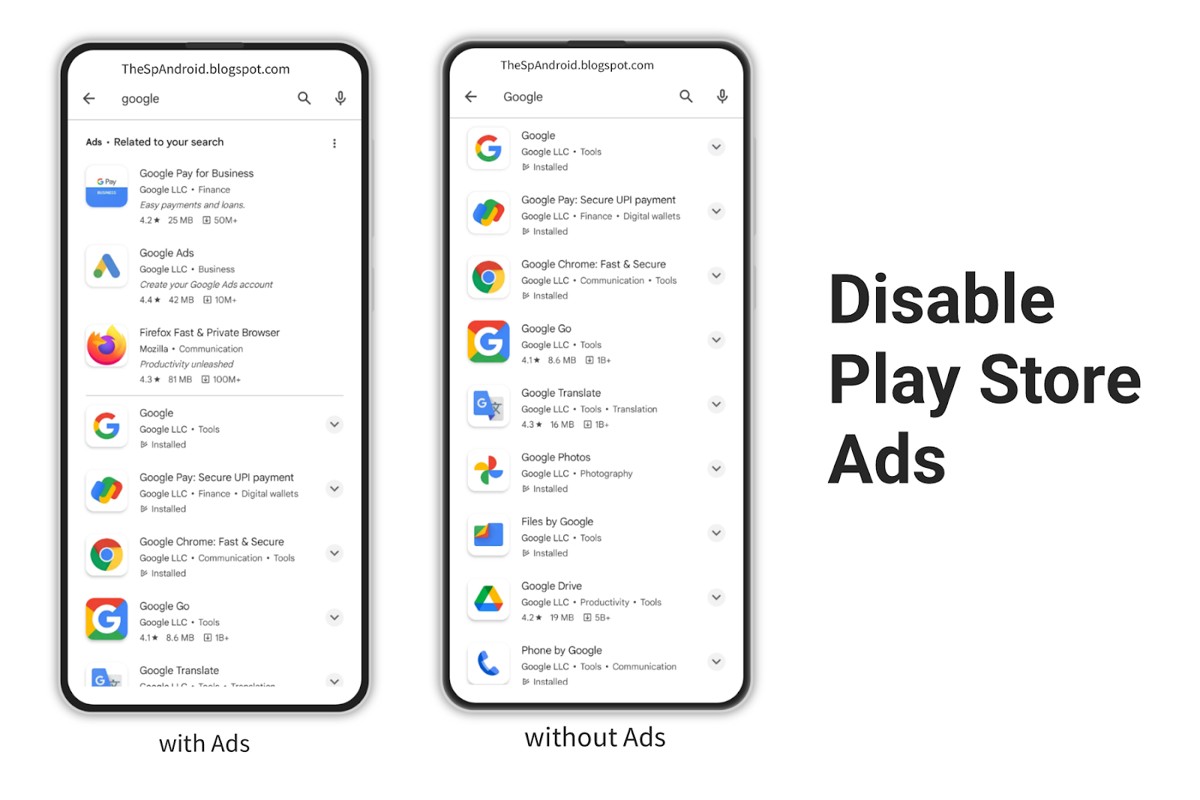
How Do I Stop Ads from Google Play? A Complete Guide
To stop ads from Google Play, you can adjust your ad settings in your Google account, disable personalized ads, or uninstall ad-supported apps. These steps can help reduce ad interruptions. This topic is significant for users who frequently encounter unwanted ads while using apps from Google Play. Understanding how to manage ads is essential…
-
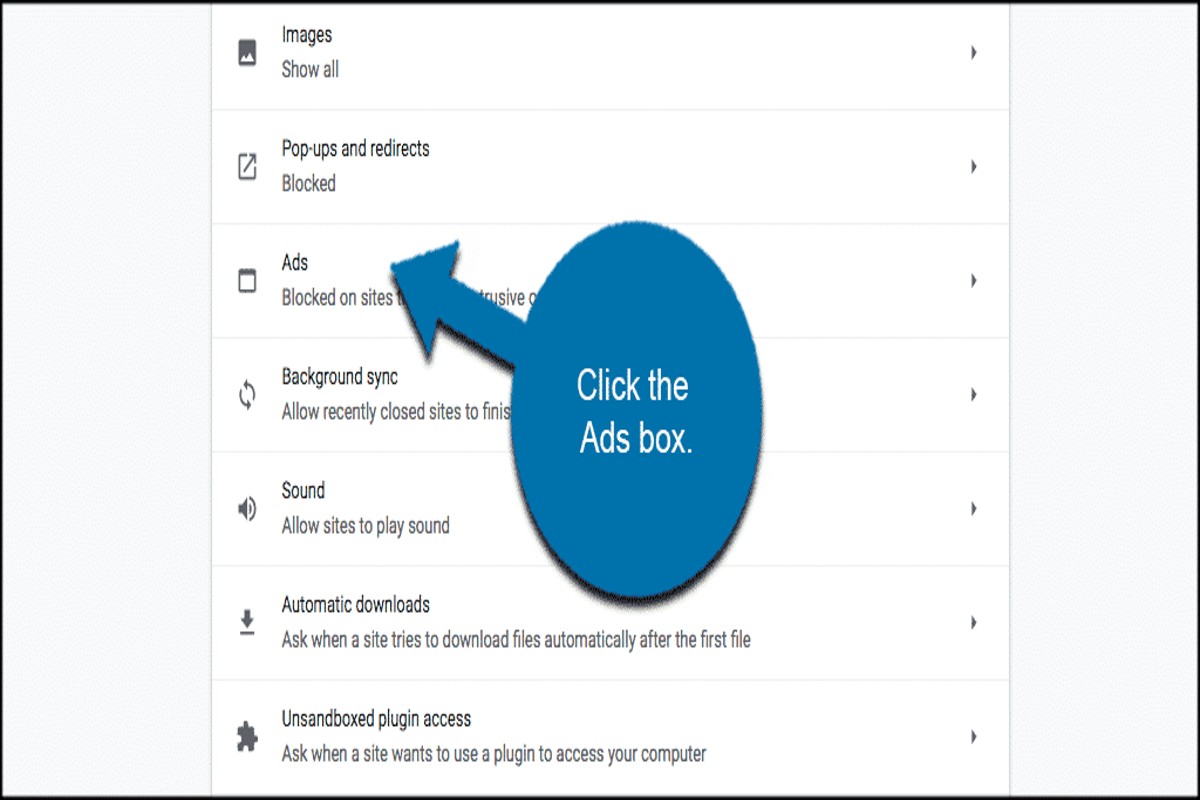
How Do I Get Rid of Ads on Google Chrome? Ultimate Guide
To get rid of ads on Google Chrome, you can install ad-blocking extensions, adjust your browser settings, or use a different search engine. Each method effectively reduces or eliminates ads, enhancing your browsing experience. This topic is crucial for users seeking a more streamlined and less distracting online experience. Understanding how to manage ads…
-
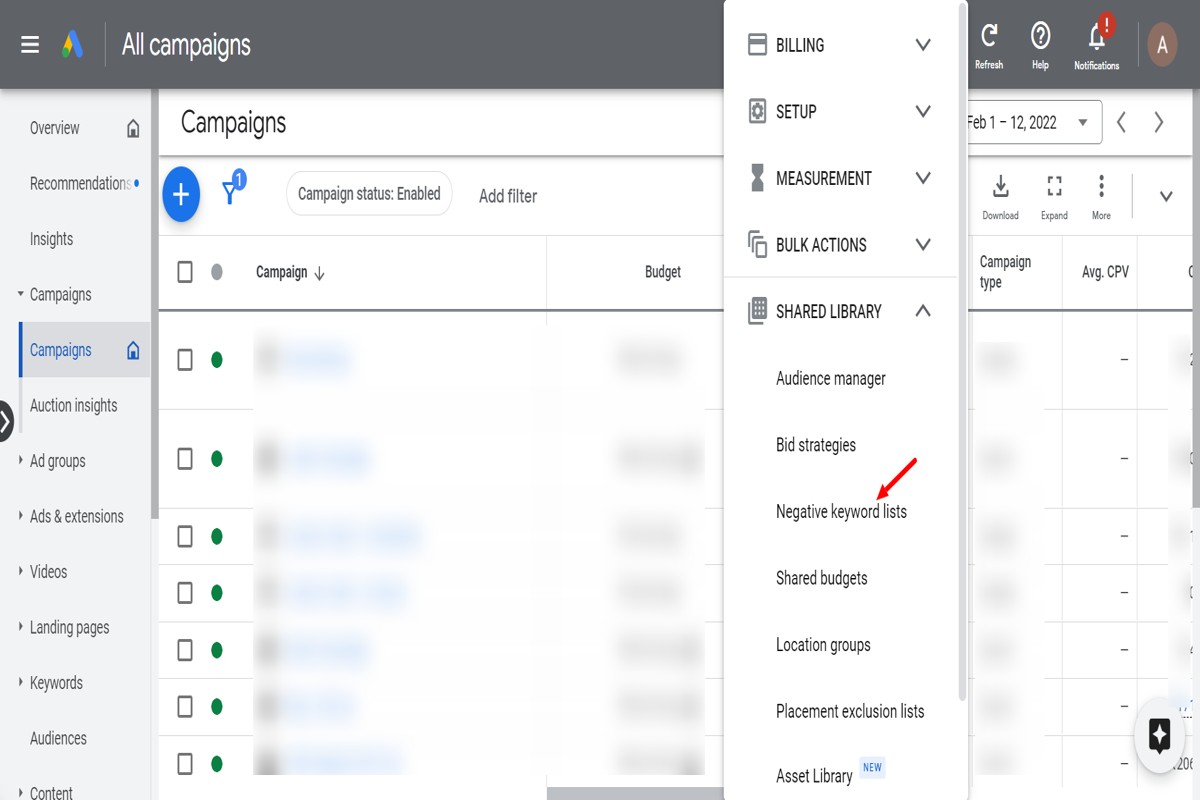
How to Add Negative Keywords in Google Ads: A Complete Guide
To add negative keywords in Google Ads, navigate to your campaign or ad group, click on ‘Keywords’, then select ‘Negative Keywords’. Here, you can add your desired negative keywords to prevent your ads from showing for those terms. Understanding how to add negative keywords in Google Ads is crucial for optimizing advertising campaigns. Advertisers…
-
How Long Does It Take for Google Ads to Work? Insights & Tips
How long does it take for Google Ads to work? Typically, Google Ads can start generating results within a few hours to a few days, but optimal performance may take weeks as data accumulates and adjustments are made. Understanding the timeline for Google Ads effectiveness is crucial for businesses investing in digital marketing. Misjudging…
-
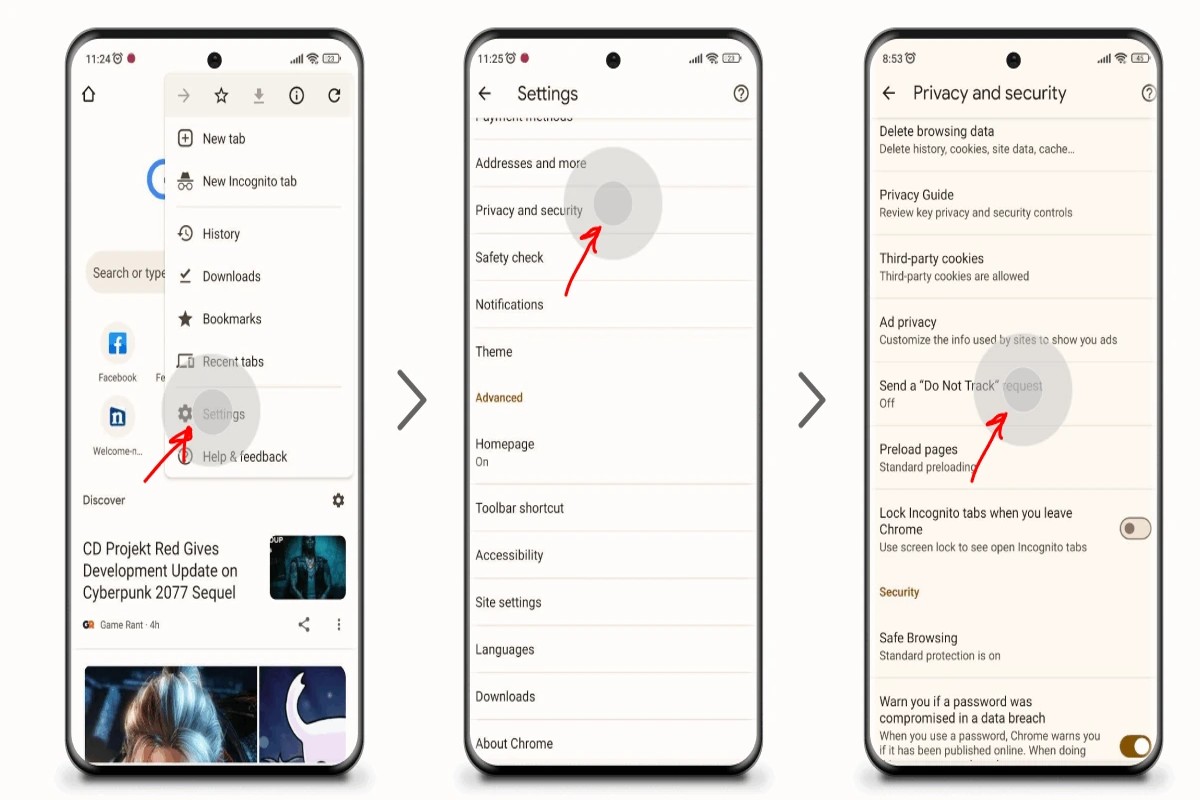
How to Block Temu Ads on Google: A Complete Guide
To block Temu ads on Google, adjust your ad settings by visiting Google Ads Settings and disabling personalized ads. Additionally, consider using ad blockers for a more comprehensive solution. This topic is crucial for users who want to maintain control over their online experience and limit intrusive advertising. Failing to manage ad settings can…
-
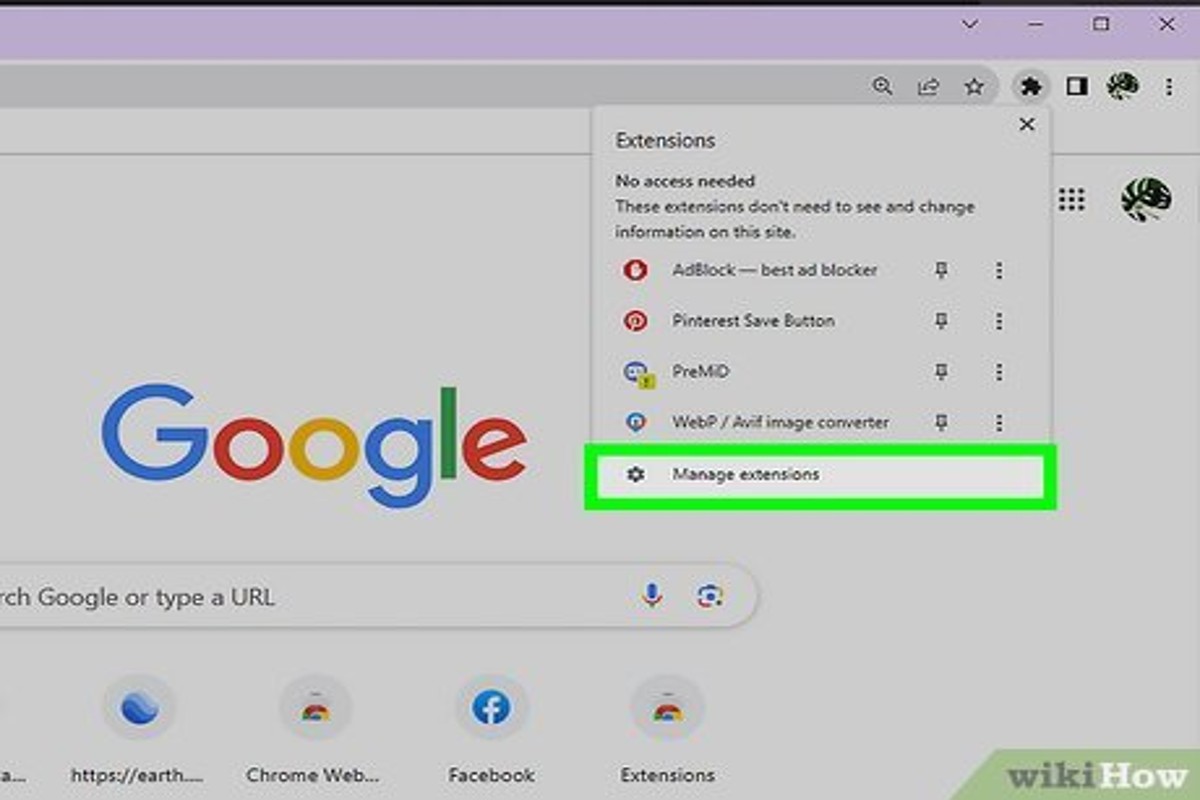
How to Remove the Ads from Google: A Complete Guide
To remove the ads from Google, you can adjust your ad settings, use an ad blocker, or opt for a premium subscription to services like YouTube. These methods limit or eliminate ad exposure. This topic is crucial for users who seek to enhance their online experience by minimizing distractions and improving browsing efficiency. Understanding…
-
How to Change Billing to Manual for Google Ad Campaign
To change billing to manual for your Google Ad campaign, access your Google Ads account, navigate to Billing settings, and select Manual as your billing type. This adjustment allows for greater control over your advertising expenses and payment scheduling. Understanding how to change billing to manual is crucial for advertisers aiming to optimize their…
-
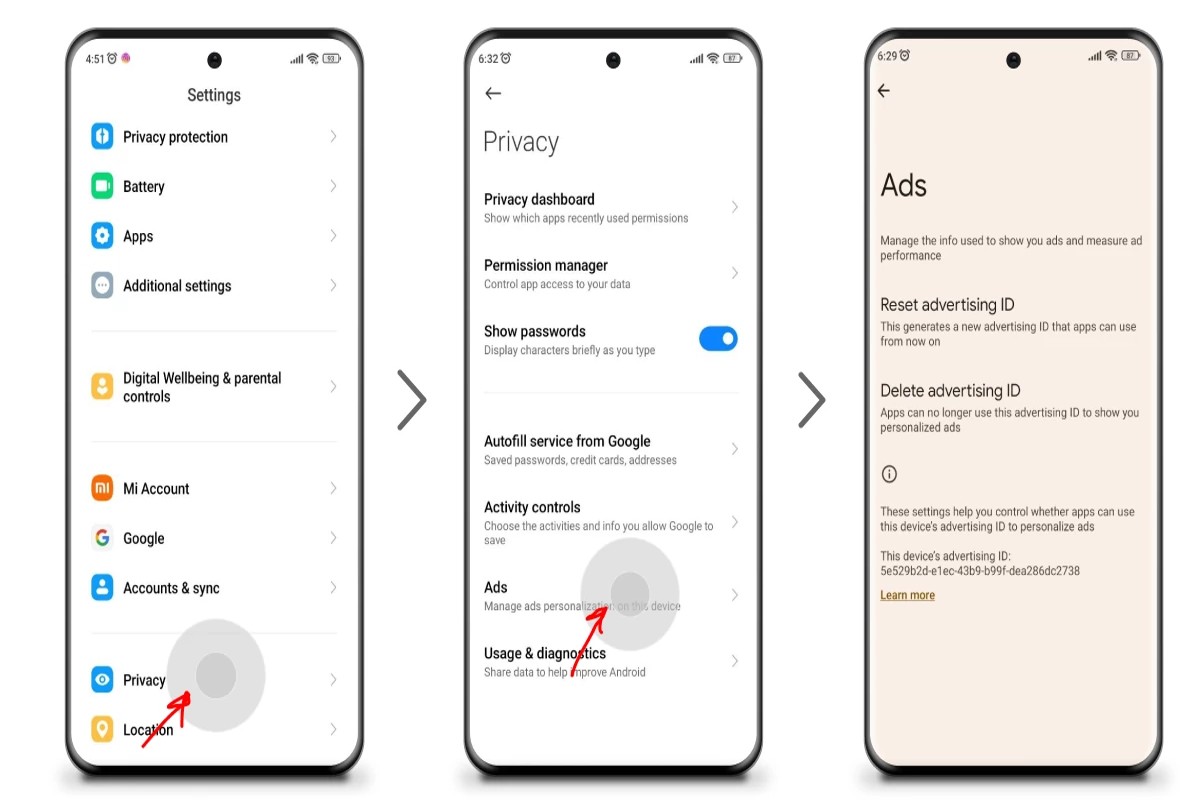
How Do I Stop Google Ads Permanently? A Complete Guide
To stop Google Ads permanently, you can disable your Google Ads account through the account settings. This process will prevent any future ads from being displayed. This topic is crucial for individuals and businesses looking to regain control over their online presence and advertising expenses. Mismanagement of Google Ads can lead to unwanted charges…
-
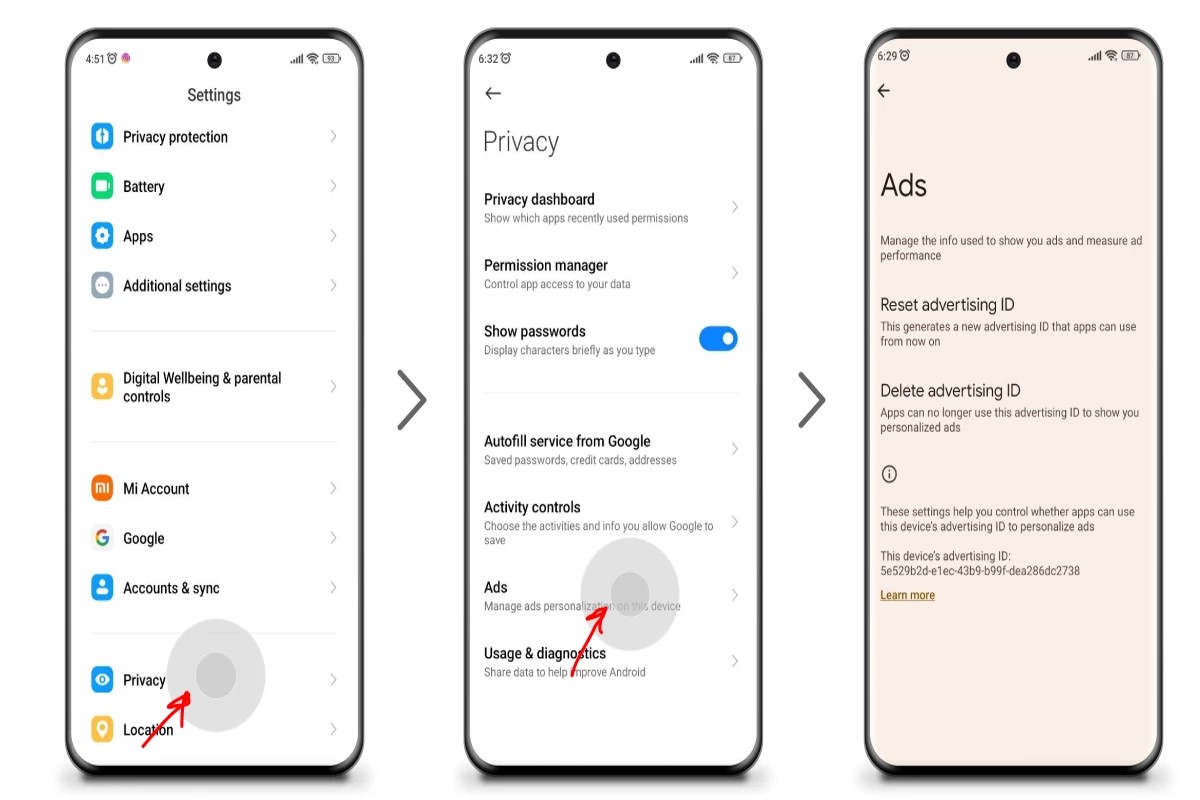
How to Remove Sponsored Ads from Google: A Complete Guide
To remove sponsored ads from Google, adjust your ad settings in your Google account or use ad-blocking browser extensions to filter them out. These methods allow users to enhance their browsing experience by minimizing unwanted advertisements. This topic is crucial for internet users who seek a more streamlined online experience. Understanding how to effectively…
-
How to Geofence Google Ads: A Complete Guide
To geofence Google Ads, create a new campaign, select your targeting options, and define the geographical area. Use radius targeting or custom shapes to specify the locations. This allows businesses to reach potential customers within specific physical boundaries effectively. Understanding how to geofence Google Ads is crucial for marketers aiming to optimize their advertising…