
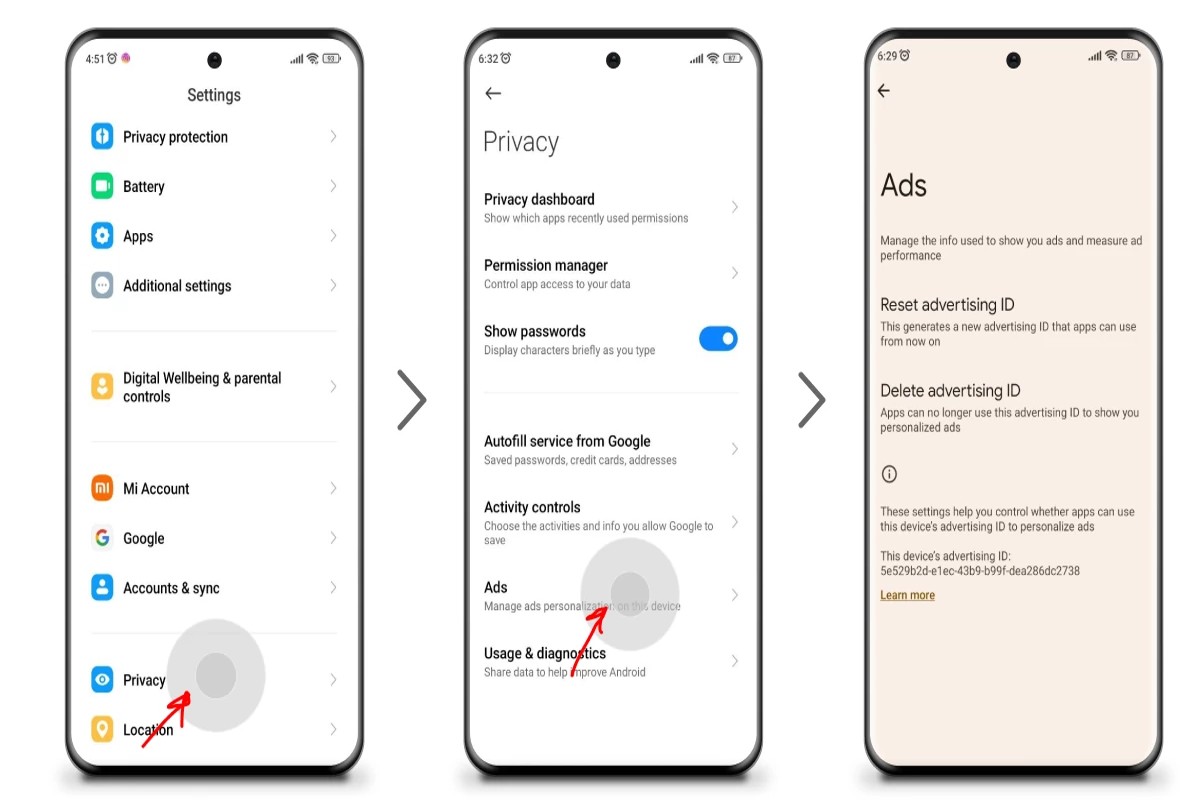
To stop Google Ads permanently, you can disable your Google Ads account through the account settings. This process will prevent any future ads from being displayed.
This topic is crucial for individuals and businesses looking to regain control over their online presence and advertising expenses. Mismanagement of Google Ads can lead to unwanted charges and ineffective marketing strategies, making it essential to understand the correct steps to take.
This guide details the process for disabling your Google Ads account, the implications of doing so, and alternative options available for managing your advertising needs effectively.
What happens when I stop Google Ads?
When you stop Google Ads, your advertisements will no longer be displayed, leading to an immediate cessation of ad-driven traffic to your website. This decision can significantly impact your online visibility and overall business performance, as potential customers will not see your ads in search results or on partner websites.
The consequences of halting Google Ads can be profound. Without active advertising campaigns, businesses may experience a drop in website traffic, which can affect sales and lead generation. Additionally, the loss of visibility may result in decreased brand awareness, particularly if your ads were a primary source of exposure. In many cases, the decline in traffic can be steep, especially for businesses reliant on digital marketing for customer acquisition.
- Loss of Immediate Traffic: Stopping ads results in an instant reduction in visitors, as organic traffic typically does not compensate for the absence of paid promotion.
- Brand Visibility Decline: Your brand will become less visible to potential customers, which can impact long-term recognition and loyalty.
- Impact on SEO: Paid ads can complement organic search efforts. Without them, you may find it harder to maintain search rankings as you lose the traffic that could enhance your site’s authority.
While stopping Google Ads might provide short-term cost savings, consider the long-term implications on your marketing strategy. A strategic pause could allow for budget reallocations, but be mindful of the potential loss of momentum in customer engagement and market presence.
Expert Tip: Consider analyzing your current ad performance before making a permanent decision. You may find that optimizing your campaigns could yield better results without entirely stopping your advertising efforts.
How do I pause my Google Ads campaign temporarily?
To pause a Google Ads campaign temporarily, navigate to your campaign settings within your Google Ads account. This allows you to halt your advertising efforts without permanently deleting the campaign.
Follow these steps to pause your campaign:
- Log in to your Google Ads account and locate the campaign you wish to pause.
- Click on the checkbox next to the campaign name to select it.
- Find the “Edit” menu, typically located at the top of the campaign list.
- Select “Pause” from the dropdown options. This action will suspend the campaign, preventing any ads from being shown.
- Confirm the change; you should see a status update indicating that the campaign is now paused.
Pausing a campaign does not delete it, allowing you to reactivate it later without losing any settings or historical data. This is particularly useful if you need to reevaluate your strategy or if the campaign is underperforming temporarily.
Be aware that while the campaign is paused, you will not incur any costs, but your ads will not appear in search results. You can resume the campaign at any time by following similar steps and selecting “Enable” instead of “Pause.”
When pausing campaigns, consider setting a reminder for yourself to review the campaign’s performance and make adjustments as necessary before reactivating it.
Expert Tip: Use the “Notes” feature in Google Ads to document reasons for pausing and any adjustments needed for when you resume the campaign. This practice enhances strategic planning and ensures continuity in your advertising efforts.
Is it free to stop Google Ads?
Yes, stopping Google Ads is free of charge. Users can pause or cancel their ad campaigns without incurring any fees. However, it’s essential to consider the potential financial implications of stopping ads, especially if they were generating revenue or leads.
While there is no direct cost to halt Google Ads, several factors can influence the overall financial landscape. First, consider the potential loss of revenue. If the ads were effective in driving traffic or sales, stopping them may lead to decreased income. Additionally, the cost of customer acquisition could rise if organic traffic does not compensate for the loss of paid advertisements.
- Current Campaign Performance: Evaluate how well your ads are performing. If they are yielding a positive return on investment (ROI), stopping them may not be financially wise.
- Business Goals: Consider your long-term objectives. If maintaining visibility in search results is crucial for your business, ceasing ads could negatively impact your brand’s presence.
- Alternative Strategies: If you stop Google Ads, ensure you have alternative marketing strategies in place, such as SEO or social media marketing, to mitigate any potential loss in traffic.
Before making a decision, analyze the broader effects on your marketing strategy. Stopping Google Ads may provide immediate budget relief, but it could also necessitate adjustments in other areas to maintain visibility and sales.
Expert Tip: Regularly review the performance metrics of your campaigns. This will help determine the right time to pause or stop ads without adversely affecting your overall marketing strategy.
Can I reactivate my Google Ads account after stopping it?
Yes, you can reactivate your Google Ads account after stopping it. This process allows you to resume your advertising activities without creating a new account. However, certain conditions may apply based on the length of time your account has been inactive.
When comparing the reactivation process to permanently stopping your Google Ads account, several key differences emerge:
- Account Status: Reactivating an account restores its previous status, including campaign settings and performance data. In contrast, a permanently stopped account will require a fresh start with no retained history.
- Time Frame: If an account has been inactive for less than 15 months, it can be easily reactivated. After this period, the account may be deleted, and reactivation becomes impossible.
- Data Retention: Reactivated accounts retain historical data, which can aid in future campaigns. Permanently stopping the account results in the loss of all past performance metrics and insights.
It is also essential to consider the implications of account reactivation. Users may need to update billing information or comply with any new Google Ads policies implemented since the account was last active. Additionally, campaigns may need adjustments to align with current market conditions.
Expert Tip: Regularly reviewing account performance metrics can help determine the optimal time to reactivate your account, ensuring a smoother transition back into advertising.
How long does it take for Google Ads to stop running?
Once a Google Ads account is disabled or paused, it typically takes up to 24 hours for ads to cease running completely. However, some factors can influence this time frame, potentially extending it beyond the initial period.
When an account is paused, ads may still appear for a short time due to delays in processing and updating across Google’s ad network. Additionally, if there are ongoing campaigns with pre-scheduled ads, those may continue to run until their scheduled end date, even if the account is paused. This means users could see ads for a day or two after the account status changes.
Moreover, the type of ads and their placements can also affect how quickly they stop showing. For instance, ads on Google Search might stop more rapidly than display ads, which can take longer to refresh across various websites. Advertisers should regularly check their account status to ensure that all ads are indeed stopped as intended.
Practical Implications
For advertisers looking to stop ads permanently, it’s essential to ensure that all campaigns are either paused or deleted. Deleting a campaign may take longer to reflect across all platforms compared to simply pausing it. Therefore, if immediate cessation of ads is the goal, pausing the account is the quickest method, but complete assurance may require monitoring for up to a few days.
Expert Tip: After disabling or pausing your Google Ads account, regularly check analytics and ad previews to confirm that no ads are still appearing. This proactive approach ensures that ads are fully stopped and allows for timely adjustments if any discrepancies are found.
What are the best practices for stopping Google Ads?
To stop Google Ads permanently, it’s essential to manage your account settings and understand the implications of your choices. This involves taking deliberate steps to ensure that ads no longer appear while retaining essential data for future use. Adopting the right practices can streamline this process effectively.
Implementing the following best practices can help you stop Google Ads permanently while preserving valuable insights:
- Pause Campaigns: Instead of deleting campaigns, pause them. This allows you to retain historical data and easily reactivate campaigns if needed.
- Adjust Account Settings: Navigate to your account settings and disable ad serving. This action prevents any ads from being displayed without permanently deleting your account.
- Review Billing Settings: Ensure that you cancel any active billing agreements linked to the account. This prevents any accidental charges while keeping your data intact.
- Download Performance Data: Before making significant changes, download your campaign performance data. This allows you to analyze past performance and retain valuable insights for future marketing efforts.
- Utilize Google Ads Support: If uncertain about the process, consult Google Ads support for guidance. They can provide tailored advice based on your specific account structure.
These practices provide a structured approach to stopping Google Ads while maintaining access to crucial data. It is advisable to consider the long-term implications of your decisions, especially if you might want to reactivate campaigns in the future.
Maintaining a backup of your ads and performance metrics can be invaluable for future marketing strategies. This proactive approach allows for flexibility and informed decision-making down the line.
Are there alternatives to Google Ads for advertising?
Yes, there are several alternatives to Google Ads for advertising, which can effectively reach your target audience. Platforms such as Facebook Ads, LinkedIn Ads, and Amazon Advertising offer unique features that cater to different marketing needs and demographics.
For example, a small business specializing in handmade crafts might find success using Facebook Ads. This platform allows for highly targeted advertising based on user interests, behaviors, and demographics. By creating visually appealing ads that showcase products, the business can engage potential customers who are interested in crafting and handmade goods. Additionally, Facebook’s robust analytics tools enable the business to measure ad performance and adjust strategies in real time.
Another viable option is LinkedIn Ads, particularly for B2B companies. If a company offers software solutions for marketing professionals, LinkedIn provides an opportunity to reach decision-makers in specific industries. Sponsored content and InMail ads can directly target professionals based on their job title, industry, and company size. This focused approach can lead to higher conversion rates and more effective advertising spend.
Lastly, for e-commerce businesses, Amazon Advertising presents a compelling alternative. By promoting products directly on the Amazon platform, businesses can tap into the vast audience of shoppers actively seeking to make purchases. Utilizing Sponsored Products and Sponsored Brands can increase visibility within search results, driving more targeted traffic to product listings.
Expert Tip: When considering alternatives to Google Ads, evaluate the specific audience and objectives of your campaign. Each platform has distinct strengths and user bases, so aligning your advertising strategy with the right channel can significantly enhance results.
Understanding the Implications of Stopping Google Ads
This section explores the broader consequences of discontinuing Google Ads, emphasizing its impact on website traffic, branding, and alternative marketing strategies. Recognizing these implications is vital for informed decision-making.

Impact on Website Traffic and Leads
Halting Google Ads can significantly decrease website traffic. Paid search ads often generate immediate visibility, driving potential customers to your site. When these ads are discontinued, businesses may experience a sharp decline in leads, as organic traffic typically does not match the volume generated through paid campaigns.
Research indicates that businesses relying heavily on paid advertising can see a traffic drop of up to 50% within weeks of stopping. This loss affects not only the number of visitors but also the conversion rates, as fewer leads mean fewer opportunities for sales.
Long-Term Branding Considerations
Ceasing Google Ads can alter brand perception and visibility. Regular ad exposure builds familiarity and trust among consumers. Without this reinforcement, businesses risk losing brand recognition over time. This is particularly critical for new brands or those in competitive industries, where brand recall is essential for customer retention.
Additionally, the absence of ads may allow competitors to occupy the digital space, potentially capturing the audience that would have engaged with your brand. Long-term branding strategies should consider how to maintain visibility through other channels if paid ads are eliminated.
Alternatives to Google Ads for Maintaining Visibility
- Search Engine Optimization (SEO): Invest in SEO to improve organic search rankings. This strategy may take time but can yield sustainable traffic.
- Social Media Marketing: Utilize platforms like Facebook, Instagram, and LinkedIn to reach your audience through organic posts and targeted ads.
- Email Marketing: Build and nurture an email list to engage with customers directly, promoting products or services without relying on paid ads.
Data Retention and Analysis After Stopping Ads
When Google Ads are stopped, retaining and analyzing data from previous campaigns is crucial. This data can provide insights into customer behavior and preferences, informing future marketing strategies. Google Ads allows for detailed tracking of metrics such as click-through rates, conversion rates, and customer demographics.
Businesses should export and analyze this data before discontinuing ads. Understanding historical performance can guide the development of alternative marketing strategies and help in assessing the effectiveness of other channels.
Many articles overlook the necessity of a transition plan. Instead of abruptly stopping ads, consider a phased approach. Gradually reduce ad spend while simultaneously ramping up organic strategies. This method allows for a smoother transition and minimizes the risk of drastic traffic drops.
To effectively navigate the implications of stopping Google Ads, businesses should take the following actions:
- Evaluate current traffic sources and assess the reliance on paid ads.
- Develop a robust SEO strategy to enhance organic visibility.
- Explore alternative advertising platforms to diversify marketing efforts.
- Retain and analyze Google Ads data to inform future strategies.
Step-by-Step Guide to Permanently Disable Google Ads
This section provides a detailed, actionable guide for permanently disabling Google Ads. By following these steps, users can ensure that their advertising campaigns are completely halted and manage their account settings effectively.

Navigating Account Settings
To permanently disable Google Ads, access your Google Ads account. Follow these steps:
- Log into your Google Ads account.
- Select the gear icon in the top right corner to open the Settings menu.
- Click on “Account settings” from the dropdown list.
In the Account settings section, you will find options related to your campaigns, billing, and account status. It is essential to have administrative access to perform these actions.
Confirming Account Suspension
To ensure that Google Ads is disabled permanently, you need to suspend your account. This process involves:
- Within Account settings, scroll to the “Account status” section.
- Choose the option to “Suspend account.”
- Follow the prompts to confirm the suspension.
Once confirmed, you will receive an email notification indicating that your account has been suspended. This action prevents any ads from running but does not delete your account.
Understanding the Difference Between Pausing and Stopping
Many users confuse pausing campaigns with stopping them altogether. Pausing a campaign retains all settings and data, allowing for easy reactivation. In contrast, stopping a campaign or account results in permanent deactivation, eliminating the ability to run ads in the future unless reactivated.
It is crucial to determine your intention before proceeding. If the goal is a permanent cessation of all advertising activities, ensure the account is fully suspended.
What to Do with Ongoing Campaigns
If you have ongoing campaigns that need to be addressed before stopping Google Ads permanently, take the following steps:
- Review all active campaigns to assess their performance.
- Adjust or pause individual campaigns if you wish to preserve data for future reference.
- Once satisfied, proceed to suspend the account as outlined above.
This method allows for data retention, which can be valuable for future advertising strategies.
Nuance / Expert Layer
A common misconception is that suspending an account is equivalent to deleting it. In reality, suspending retains your account information, including historical data and settings. This can be advantageous if a user decides to reactivate the account later. Furthermore, suspending an account does not impact billing immediately; charges may still apply until the suspension is fully processed. Users should also be aware that Google retains the right to access and analyze suspended accounts for compliance purposes.
Practical Application
To effectively stop Google Ads permanently, follow these actionable steps:
- Log into your account and access Account settings.
- Confirm the suspension through the Account status section.
- Review and adjust ongoing campaigns as necessary.
- Keep a record of your account information for future reference if needed.
By adhering to this guide, users can ensure that they successfully stop Google Ads permanently while retaining important account data.
Common Mistakes to Avoid When Stopping Google Ads
Stopping Google Ads can be a strategic move for many businesses, but several common mistakes can hinder a smooth transition. Identifying and avoiding these pitfalls is essential for maintaining operational continuity and maximizing future marketing efforts.
Not Backing Up Campaign Data
One of the most critical errors when stopping Google Ads is failing to back up campaign data. This data includes performance metrics, audience insights, and historical trends that can inform future marketing strategies. Without this information, businesses lose valuable insights that could guide subsequent advertising efforts.
Misunderstanding the Effects on SEO
Many users mistakenly believe that stopping Google Ads will negatively impact their search engine optimization (SEO) efforts. While Google Ads and SEO are separate channels, they can complement each other. Halting paid ads may reduce immediate visibility, but it does not directly harm organic rankings. Businesses must understand that SEO relies on quality content, backlinks, and site performance, which remain unaffected by the cessation of paid advertising.
Failing to Communicate with Stakeholders
Effective communication is vital when transitioning away from Google Ads. Failing to inform stakeholders, including team members, clients, or investors, can lead to confusion and misaligned expectations. Clear communication ensures that all parties understand the rationale behind the decision, potential impacts on revenue, and the new marketing direction.
Ignoring Alternative Advertising Strategies
Another common mistake is neglecting alternative advertising strategies. Stopping Google Ads does not mean halting all marketing efforts. Businesses should explore other channels such as social media advertising, email marketing, and content marketing to maintain brand visibility. Diversifying advertising strategies can help mitigate the risks associated with relying solely on one platform.
Assessing the Impact of Stopping Google Ads
Beyond the immediate implications, businesses should consider the long-term effects of discontinuing Google Ads. One misconception is that stopping ads leads to a permanent loss of customer engagement. In reality, businesses can leverage organic channels to maintain relationships with existing customers while attracting new ones. Transitioning from paid to organic strategies may take time, but it can lead to sustainable growth.
Common Misconceptions
Many believe that pausing Google Ads will immediately result in a drop in website traffic or conversions. However, while there may be a short-term decline, the long-term impact depends on the strength of the brand’s organic presence. Additionally, some users assume that all data will be lost upon stopping ads. In reality, Google Ads retains historical data that can be accessed later, provided the account remains active.
Practical Steps to Avoid Mistakes
- Backup all campaign data before discontinuing ads.
- Educate stakeholders about the decision and its implications.
- Explore and implement alternative marketing strategies.
- Monitor organic traffic and engagement metrics post-ad cessation.
By avoiding these common pitfalls, businesses can ensure a smoother transition away from Google Ads. Implement these strategies to maintain brand presence and effectively pivot toward alternative marketing avenues.
Exploring Alternatives: Advertising Beyond Google Ads
This section discusses viable alternatives to Google Ads for businesses seeking effective advertising solutions. By exploring diverse platforms and strategies, organizations can maintain visibility and engagement without relying on Google Ads.
Social Media Advertising Options
Social media platforms offer robust advertising solutions tailored to various demographics. Facebook, Instagram, LinkedIn, and Twitter provide targeted ads based on user behavior, interests, and demographics. Each platform has unique features:
- Facebook and Instagram: These platforms enable visually appealing ads with options for video, stories, and carousel formats. They boast extensive targeting capabilities.
- LinkedIn: Ideal for B2B marketing, LinkedIn ads target professionals based on job title, industry, and company size, ensuring a focused reach.
- Twitter: Promoted tweets can drive engagement and visibility quickly, allowing brands to capitalize on trending topics and hashtags.
Email Marketing Strategies
Email marketing remains a powerful tool for customer retention and engagement. By building a targeted email list, businesses can communicate directly with their audience. Effective strategies include:
- Segmentation: Tailor content to different audience segments based on preferences and behaviors.
- Personalization: Use recipient names and relevant content to enhance engagement rates.
- A/B Testing: Experiment with subject lines, content, and send times to optimize performance and improve open rates.
Content Marketing as an Alternative
Content marketing focuses on creating valuable, informative content to attract and engage a target audience. This strategy includes blog posts, videos, infographics, and podcasts. Key benefits of content marketing include:
- SEO Benefits: Quality content improves organic search rankings, driving traffic without paid ads.
- Brand Authority: Consistently providing valuable information establishes a brand as an industry leader.
- Long-term Engagement: High-quality content remains relevant over time, continuing to attract visitors and generate leads.
Comparing Costs and Benefits of Other Platforms
When considering alternatives to Google Ads, evaluating costs and benefits is vital. Social media advertising typically operates on a pay-per-click or cost-per-thousand-impressions model. Email marketing often incurs lower costs, mainly related to software and list management. Content marketing requires an investment in quality content creation but can yield high returns through organic traffic.
In contrast to Google Ads, which can demand high budgets for competitive keywords, these alternatives may offer more sustainable and scalable advertising options. Understanding the unique benefits and limitations of each platform is essential for developing a comprehensive advertising strategy.
Many businesses mistakenly believe that abandoning Google Ads entirely limits their marketing potential. However, diversifying advertising efforts across multiple platforms enhances reach and engagement. Each alternative offers unique advantages tailored to specific business goals and target audiences.
To leverage these alternatives effectively, organizations should:
- Identify target demographics and select appropriate platforms.
- Allocate budget based on potential ROI and engagement metrics.
- Create tailored content and messaging for each platform.
- Monitor performance and adjust strategies based on analytics.
Frequently Asked Questions
What happens when I stop Google Ads?
When you stop Google Ads, your ads will no longer be displayed, and you will not incur further charges. However, your campaign data will be preserved for future reference if you decide to reactivate it.
How do I pause my Google Ads campaign temporarily?
To pause a Google Ads campaign, navigate to the campaign in your account, select the campaign status, and choose “Pause.” This action will halt all ad activity until you decide to resume it.
Is it free to stop Google Ads?
Yes, stopping Google Ads is free; you will not be charged for ads that are not running. However, any clicks or impressions accrued before stopping will still be billed.
Can I reactivate my Google Ads account after stopping it?
Yes, you can reactivate your Google Ads account at any time by logging in and changing the campaign status back to “Active.” Your previous settings and data will remain intact upon reactivation.
How long does it take for Google Ads to stop running?
Ads typically stop running almost immediately after you pause or stop your campaign. However, it may take a few hours for all ad activity to completely cease across the network.
What are the best practices for stopping Google Ads?
Best practices include pausing campaigns instead of deleting them for future reference, reviewing performance data before stopping, and ensuring all budgets are settled. This approach helps maintain insights for future advertising strategies.
Are there alternatives to Google Ads for advertising?
Yes, alternatives to Google Ads include platforms like Facebook Ads, Bing Ads, and LinkedIn Ads, among others. Each platform offers unique targeting options and audience engagement strategies.
Final Thoughts on how do i stop google ads permanently
Stopping Google Ads permanently requires a thorough understanding of its implications on your marketing strategy and budget. The decision to cease advertising should be made with careful consideration of the potential impact on your online presence and customer acquisition.
Immediately access your Google Ads account and follow the outlined steps to disable your campaigns, ensuring that you monitor the effects on your traffic and conversions closely in the following weeks.
Mastering the control over your advertising efforts is crucial for maintaining a sustainable business model in an increasingly competitive digital landscape.
Leave a Reply