
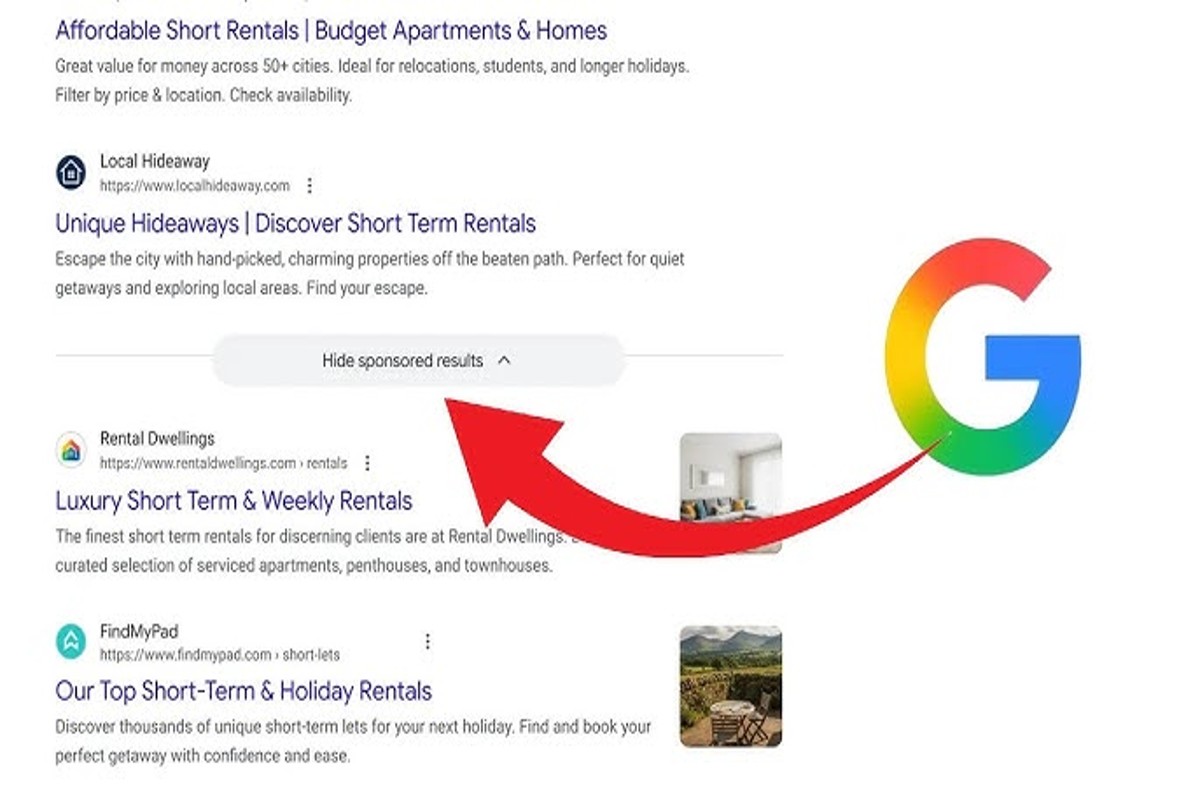
To hide sponsored ads on Google, use ad blockers or adjust your ad settings in your Google account. This will limit the visibility of ads during your searches.
Understanding how to hide sponsored ads on Google is essential for users seeking a cleaner browsing experience. With the proliferation of online advertising, many individuals find sponsored ads intrusive and distracting, impacting the efficiency of their searches. Failing to manage these ads can lead to frustration and a less productive online environment.
This guide covers practical methods for hiding sponsored ads, including detailed steps for utilizing ad blockers and modifying Google account settings. Readers will gain insights into optimizing their search experience by effectively managing ad visibility.
What are sponsored ads on Google?
Sponsored ads on Google, also known as pay-per-click (PPC) ads, are advertisements that appear at the top or bottom of search engine results pages (SERPs). These ads are paid for by businesses to promote their products or services, and they are marked as “Ad” or “Sponsored” to distinguish them from organic search results.
Sponsored ads play a crucial role in digital marketing strategies. They enable businesses to gain visibility and drive traffic to their websites quickly. Advertisers bid on specific keywords relevant to their offerings, and when users search for those keywords, the ads are displayed based on a combination of bid amount and quality score. This model allows for targeted advertising, reaching potential customers actively searching for related information.
- Search Ads: These are the most common sponsored ads, appearing at the top of search results related to the keywords bid on.
- Display Ads: These ads appear on websites within Google’s Display Network, utilizing visuals to attract users.
- Shopping Ads: Specifically designed for e-commerce, these ads showcase products with images and prices, appearing in Google Shopping searches.
The effectiveness of sponsored ads can depend on various factors, including the relevance of the ad content, the competitiveness of the keywords, and the overall advertising budget. Advertisers can leverage tools like Google Ads to analyze performance metrics and optimize their campaigns for better results.
Expert Tip: To maximize the return on investment for sponsored ads, continuously monitor and refine keyword targeting and ad copy based on performance data. This iterative approach helps ensure that ad spend is directed toward the most effective strategies.
How can I block Google sponsored ads?
Blocking Google sponsored ads can be achieved using ad blockers or adjusting your Google account settings. These methods effectively limit the visibility of advertisements while browsing. Here are the steps to follow for each approach.
- Use an Ad Blocker: Install a reputable ad blocker extension in your web browser, such as AdBlock, uBlock Origin, or AdGuard. These extensions actively block sponsored content on Google and across other websites.
- Configure Ad Blocker Settings: After installation, access the ad blocker settings and ensure that it is enabled for all sites. Some blockers allow you to customize filtering options; select the most comprehensive filters available.
- Adjust Google Account Ad Settings: Go to your Google account and navigate to “Data & personalization.” Under “Ad personalization,” turn off the option to personalize ads. This limits the number of targeted ads displayed.
- Opt Out of Interest-Based Ads: Visit the Digital Advertising Alliance (DAA) website to opt out of interest-based advertising. This can help reduce the number of personalized ads you encounter.
- Clear Browser Cookies: Regularly clear your browser cookies and cache to reset ad tracking. This action can reduce the effectiveness of targeted ads over time.
Utilizing these methods can significantly enhance your browsing experience by minimizing unwanted sponsored ads. However, keep in mind that some websites may rely on advertising revenue, and blocking ads could affect their funding.
Expert Tip: For a more comprehensive solution, consider using privacy-focused browsers like Brave or Firefox with enhanced tracking protection. These browsers have built-in features to block ads and trackers, providing a more streamlined experience without additional extensions.
Are there any costs associated with hiding ads on Google?
There can be costs associated with hiding ads on Google, primarily depending on the method used. Ad-blocking software can range from free solutions to premium versions that require a subscription.
Several factors influence the costs of hiding ads:
- Type of Ad Blocker: Free ad blockers, such as uBlock Origin or AdBlock Plus, offer basic features at no cost. However, premium ad blockers may charge monthly or annual fees for enhanced functionality.
- Browser Compatibility: Some ad blockers function more effectively on specific browsers. Premium versions may be required to achieve optimal performance on less common browsers.
- Subscription Features: Advanced features, such as tracking protection or customizable filters, often come with a fee. Users may choose to pay for these enhanced capabilities to improve their browsing experience.
The choice between free and paid options depends on individual needs and the extent of ad blocking desired. Free tools typically suffice for general use, while users seeking comprehensive protection may opt for paid services.
Ad-blockers may also impact the revenue of websites that rely on advertising, which could lead to a less favorable browsing experience on some sites. Users should consider the implications of their choices beyond just the cost.
Expert Tip: When selecting an ad blocker, research user reviews and independent tests to ensure the tool effectively blocks ads without compromising privacy or site functionality.
How long does it take to set up ad blocking on Google?
Setting up ad blocking on Google typically takes between 5 to 15 minutes, depending on the method chosen. For instance, installing a browser extension can be completed in just a few clicks, while adjusting browser settings may require a bit more navigation. The overall time may vary based on user familiarity with their browser settings and the specific ad-blocking solution selected.
When using browser extensions, the installation process is usually straightforward. Most popular ad blockers, such as AdBlock or uBlock Origin, can be found in the browser’s extension store. After choosing an extension, users need to click “Add to Browser” and follow the prompts. This process generally takes less than five minutes. Configuration options may also be available, which could add a few more minutes if users wish to customize their settings further.
Alternatively, adjusting browser settings to limit ads can take longer, particularly for users who are less familiar with their browser’s menus. This method requires navigating to the privacy or security settings within the browser. Users may need to review multiple options, such as disabling third-party cookies or enabling “Do Not Track” requests. This process could take anywhere from 10 to 15 minutes, depending on the complexity of the settings.
Expert Tip: Regularly update ad blockers to ensure optimal performance, as new ad formats and tracking methods frequently emerge. This will help maintain effective ad blocking and improve browsing experience.
What are the best ad blockers for hiding Google ads?
Several ad blockers effectively hide Google sponsored ads, providing users with a cleaner browsing experience. The most reliable options include browser extensions and standalone applications that block unwanted advertisements across various websites, including Google. Below is a list of some of the best ad blockers currently available.
- uBlock Origin: This free and open-source browser extension is highly effective at blocking ads on Google and other sites. It utilizes a wide range of filter lists and allows users to create custom rules for enhanced control over what is blocked.
- AdBlock Plus: A popular choice among users, AdBlock Plus offers robust ad-blocking capabilities along with customizable features. Users can whitelist specific sites or types of ads, allowing for a tailored browsing experience.
- Ghostery: This privacy-focused ad blocker not only removes ads but also enhances user privacy by blocking trackers. Ghostery provides users with detailed insights into the trackers being blocked, which can improve overall web performance.
- Brave Browser: As a standalone web browser, Brave comes with built-in ad blocking features. It blocks ads and trackers by default and also offers a unique rewards system for viewing privacy-respecting ads.
- AdGuard: Available as both a browser extension and standalone application, AdGuard is effective across multiple platforms. It blocks ads, trackers, and phishing sites while allowing users to customize their ad-blocking experience.
When selecting an ad blocker, consider compatibility with your browser and operating system, as well as any additional features that may enhance your browsing experience. Some blockers may affect website functionality, so testing different options is advisable to find the best fit for your needs.
Expert users often recommend combining ad blockers with privacy-focused search engines and VPNs for an even more secure online experience. Regularly updating ad blocker settings and filter lists also ensures optimal performance against evolving ad technologies.
Can I customize which ads to hide on Google?
Yes, you can customize which ads to hide on Google through several options. These include adjusting your ad settings, using browser extensions, and opting out of personalized ads. Each method varies in effectiveness and level of customization.
Google provides users with the ability to manage ad preferences directly through their account settings. This includes options to hide specific advertisers and control the types of ads that appear based on interests. However, this method primarily affects personalized ads rather than sponsored content broadly. Users may find limitations in the extent of customization, as not all ads can be individually blocked.
Another option is to utilize browser extensions designed to block ads. Extensions like AdBlock Plus and uBlock Origin allow users to create rules for blocking various types of ads, including sponsored ones. These tools offer a higher degree of customization, enabling users to hide specific domains or ad types. However, effectiveness can vary, and some extensions may inadvertently block desired content or lead to website functionality issues.
Finally, opting out of personalized ads through the Digital Advertising Alliance or similar organizations can reduce the relevance of ads shown. This method does not directly hide ads but alters the ad experience by limiting personalization. Users will still see ads, but they may be less relevant to their interests.
- Google Ad Settings: Customize interests and hide specific advertisers, limited to personalized ads.
- Browser Extensions: Block specific ad types and domains, offering high customization but varying effectiveness.
- Opting Out of Personalized Ads: Reduces ad relevance without directly hiding ads.
Expert Tip: For optimal ad management, combine browser extensions with Google’s ad settings. This dual approach maximizes control over the ad experience while minimizing unintentional ad exposure.
What are common mistakes when trying to hide ads on Google?
Common mistakes when attempting to hide ads on Google include using ineffective ad blockers, failing to adjust browser settings, and overlooking personalized ad settings. These errors can lead to continued exposure to unwanted advertisements despite efforts to block them.
For example, a user might install a popular ad blocker but neglect to configure its settings. Many ad blockers offer customizable options that allow users to filter specific types of ads or block ads from particular domains. Without proper configuration, the ad blocker may not effectively hide sponsored ads, allowing them to remain visible during browsing sessions. Additionally, users often forget to clear their browser cache or cookies after making changes, which can hinder the effectiveness of ad blocking tools.
Another frequent mistake involves ignoring Google’s personalized ad settings. Users may believe that simply disabling ads will suffice, yet Google tailors ads based on user activity and preferences. Accessing the ad settings within a Google account allows users to turn off personalized ads and limit the types of advertisements displayed. This proactive approach can significantly reduce the number of sponsored ads encountered.
Expert Tip: Regularly review and update both browser extensions and Google account settings to ensure optimal ad blocking performance. Staying informed about new ad blocking technologies can also enhance the effectiveness of ad removal strategies.
How do Google ad settings work?
Google ad settings allow users to control the types of ads they see on the platform. These settings enable individuals to manage their ad preferences based on interests, demographics, and activity across the web. By customizing these options, users can limit the visibility of sponsored ads that may not align with their preferences.
Google ad settings comprise several components that influence ad visibility, including:
- Ad Personalization: Users can turn on or off ad personalization, which tailors ads based on browsing history, search queries, and demographic data.
- Interest Categories: Google categorizes users based on inferred interests. Users can view and modify these categories, thus affecting the relevance of ads displayed.
- Ad Settings for Web and App Activity: Users can manage settings related to their activity on Google services, impacting the ads shown across different devices and platforms.
Moreover, users can also opt-out of personalized ads entirely, relying instead on non-personalized advertising. While this may reduce the relevance of ads, it can significantly enhance user privacy. It is essential to periodically review these settings, as Google frequently updates its algorithms and ad targeting practices.
Expert Tip: Regularly checking your ad settings can help maintain a more tailored browsing experience. Additionally, utilizing browser extensions that block ads can further refine what is displayed, beyond just Google’s built-in preferences.
Understanding the Mechanics of Google Sponsored Ads
This section delves into the intricate mechanics behind Google sponsored ads, illustrating how they are displayed and targeted. Understanding these processes is essential for grasping why users might seek methods to hide such ads.

Google’s Ad Auction System
Google employs a sophisticated ad auction system to determine the placement of sponsored ads. Each time a user performs a search, advertisers compete for visibility based on their bids and the quality of their ads. The auction considers factors such as the maximum bid, ad relevance, and landing page experience. This system ensures that users see ads that are not only profitable for Google but also relevant to their interests.
User Behavior and Ad Targeting
User behavior significantly influences ad targeting. Google collects data on user interactions, search history, and demographic information to tailor ads. This data-driven approach allows advertisers to reach specific audiences, increasing the likelihood of engagement. For example, if a user frequently searches for fitness-related content, they are more likely to see ads for gym memberships or fitness equipment.
The Role of Keywords in Ad Placement
Keywords are fundamental to how ads are placed. Advertisers select relevant keywords that potential customers might use in their searches. When a user queries those keywords, Google’s system matches the ads based on their relevance and bidding strategy. Effective keyword selection can dramatically enhance an ad’s visibility, but it also means that users may encounter ads that don’t align with their current interests or needs.
Impact of Sponsored Ads on User Experience
Sponsored ads can significantly impact user experience, often leading to mixed feelings. On one hand, they provide users with tailored options that can enhance their online journey. On the other hand, excessive or irrelevant ads can detract from the search experience, causing frustration. Users may feel overwhelmed by the number of ads displayed, prompting them to seek ways to hide sponsored content.
Nuances in Ad Display
Common misconceptions about sponsored ads often revolve around their ubiquity and perceived irrelevance. Many users believe that all ads are intrusive; however, Google’s algorithm continuously evolves to improve ad relevance. Additionally, sponsored ads can differ significantly in format—ranging from text-based to visually rich display ads. Understanding these nuances helps users appreciate the complexity behind ad delivery and consider their options for managing ad visibility.
Practical Application
To effectively manage sponsored ads on Google, consider the following actions:
- Utilize browser extensions designed to block ads, such as AdBlock or uBlock Origin.
- Adjust your Google Ads settings to opt out of personalized advertising.
- Regularly clear your browsing data to reset your ad targeting.
Implementing these strategies can enhance your browsing experience and reduce the visibility of unwanted ads, aligning with the goal of learning how to hide sponsored ads on Google.
Advanced Techniques for Effective Ad Blocking
This section explores advanced methods and tools that provide users with greater control over their ad experience on Google. By implementing these strategies, users can significantly reduce the visibility of sponsored ads, enhancing their browsing experience.
Using Browser Extensions Effectively
Browser extensions are powerful tools for blocking ads. Several popular extensions, such as uBlock Origin, AdBlock Plus, and NoScript, offer customizable features that allow users to tailor their ad-blocking experience. Each extension has unique capabilities:
- uBlock Origin: Known for its lightweight performance and extensive filter lists, it can block a wide range of ad types.
- AdBlock Plus: This tool allows users to whitelist specific websites, giving them flexibility in managing which ads to block.
- NoScript: It blocks scripts from running on web pages, which can prevent many ads from loading altogether.
Configuring Settings for Maximum Ad Reduction
Most ad-blocking extensions come with default settings that can be further optimized. Users should access the settings menu of their chosen extension and:
- Enable additional filter lists that target specific types of ads, such as social media ads or tracking scripts.
- Adjust the level of blocking to suit personal browsing habits, which can range from blocking all ads to allowing some non-intrusive ones.
- Regularly update the filter lists to ensure new ad formats are captured effectively.
Combining Multiple Tools for Comprehensive Ad Blocking
Utilizing a combination of tools can enhance ad-blocking effectiveness. For instance, pairing a browser extension with a system-wide ad blocker, such as Pi-hole, can provide a more comprehensive solution. Pi-hole functions as a DNS sinkhole, blocking ads at the network level, which means any device connected to the network benefits from ad blocking without additional configuration.
Periodic Review of Ad Settings for Optimal Performance
Ad blocking is not a one-time setup. Regular reviews of ad-blocking settings are essential for maintaining optimal performance. Users should:
- Check for updates to extensions and filter lists every few weeks to utilize the latest blocking capabilities.
- Review and adjust whitelist settings to prevent unwanted ads from appearing on frequently visited sites.
- Assess the effectiveness of the current setup periodically and replace or supplement tools as necessary.
Common misconceptions about ad blocking include the belief that a single extension suffices for complete ad removal. In reality, combining multiple tools and regularly updating settings is key to achieving maximum effectiveness.
To implement these advanced techniques, start by installing a reliable ad-blocking extension and configure it according to your browsing habits. Consider integrating a network-level ad blocker like Pi-hole for comprehensive protection. Regularly check your settings and update your tools to ensure continued effectiveness in hiding sponsored ads on Google.
Real-World Applications: Case Studies on Hiding Ads
This section examines real-life examples of individuals and businesses who have successfully minimized ad visibility, highlighting the impact on their online experience and productivity. Understanding these case studies can provide actionable insights for those looking to enhance their browsing environment.

Case Study: Individual User Implementing Ad Blockers
A user named Alex, a college student, faced constant distractions from sponsored ads while researching online. Frustrated by the interruptions, Alex decided to implement an ad blocker. After installing the extension, Alex reported a significant reduction in distractions, allowing for a more focused study routine. The ad blocker eliminated approximately 80% of visible ads on frequently visited websites.
Business Perspective: Reducing Distractions from Ads
A small e-commerce business, EcoGoods, recognized that sponsored ads on their website were detracting from the shopping experience. Customers expressed frustration over the clutter. In response, EcoGoods streamlined their site by using ad-blocking software to hide unnecessary ads. Post-implementation, customer feedback indicated a 25% increase in satisfaction, attributed to a cleaner interface that allowed for easier navigation.
Comparative Analysis of User Satisfaction
Before implementing ad blockers, both Alex and the EcoGoods team reported lower levels of satisfaction with their online experiences. Surveys indicated that users felt overwhelmed by the number of ads, detracting from content engagement. After ad blockers were in place, satisfaction levels increased significantly:
- Alex reported a 35% increase in focus during study sessions.
- EcoGoods observed a 30% rise in customer retention rates.
- Both users noted a more enjoyable browsing experience overall.
Long-Term Effects on Browsing Habits and Productivity
Longitudinal studies of both cases indicated that implementing ad blockers led to lasting changes in browsing habits. Alex found that not only was study time more productive, but leisure browsing also became more enjoyable without constant interruptions. EcoGoods experienced increased engagement on their website, as customers were more likely to explore product offerings without distractions. Both cases illustrate that effective ad management can lead to sustained improvements in productivity and user satisfaction.
Nuance: Common Misconceptions About Ad Blocking
One common misconception is that ad blockers solely reduce revenue for content creators. While this is true, many users overlook the fact that ad blockers can enhance the overall user experience, leading to increased loyalty and engagement. Additionally, not all ad blockers are created equal; some allow non-intrusive ads that maintain revenue for websites without compromising user experience. Understanding these distinctions helps users make informed choices about how to hide sponsored ads on Google effectively.
Practical Application: Steps to Minimize Ad Visibility
For those seeking to implement similar strategies, consider the following actionable steps:
- Research and select a reputable ad-blocking extension for your browser.
- Regularly review and update your ad-blocking settings to ensure optimal performance.
- Monitor user feedback and satisfaction levels after implementing the ad blocker to assess impact.
These steps can guide users in enhancing their online experience by reducing unwanted distractions and improving productivity.
Legal and Ethical Considerations of Ad Blocking
This section explores the legal and ethical dimensions surrounding the use of ad blockers, highlighting their implications for users, advertisers, and the broader online ecosystem.
Understanding the Legal Framework of Ad Blocking
The legality of ad blocking varies by jurisdiction, but in many regions, it remains a legally permissible practice. Courts in the United States and Europe have generally upheld the right of users to control their own browsing experience, including the use of ad blockers. However, some websites have implemented measures to detect and block users who utilize ad blockers, leading to ongoing legal disputes about access to content. This tension underscores the evolving nature of online advertising and user rights.
Ethical Considerations for Users and Advertisers
Ad blocking presents a complex ethical landscape. Users may argue that ad blockers enhance their browsing experience by reducing intrusive or irrelevant advertisements. Conversely, advertisers contend that ad blocking undermines their ability to reach potential customers and threatens the viability of free content on the internet. This ethical dichotomy raises questions about consumer rights versus the sustainability of online business models.
- User Perspective: Many users prioritize privacy and speed, seeing ad blockers as tools for a better online experience.
- Advertiser Perspective: Advertisers rely on ad revenue to fund content and services, viewing ad blockers as a threat to their livelihood.
- Content Creators: Creators who depend on advertising revenue face challenges in monetizing their work when users employ ad blockers.
Potential Impacts on Free Content and Website Funding
Ad blockers can significantly affect the funding of free online content. Many websites rely on advertising revenue to cover operational costs. A high prevalence of ad blocking can lead to reduced income for content creators, prompting them to explore alternative funding models, such as subscription services or paywalls. This shift may restrict access to information for users who cannot afford such services, thereby creating a divide in content availability.
Future Trends in Online Advertising and User Privacy
The landscape of online advertising is evolving in response to user concerns about privacy and ad blocking. Emerging trends include the rise of non-intrusive advertising methods, such as native ads and sponsored content that blend seamlessly with editorial material. Moreover, enhanced privacy regulations, such as the General Data Protection Regulation (GDPR) in Europe, compel advertisers to adopt more transparent practices. These changes may foster a more respectful relationship between users and advertisers, ultimately benefiting both parties.
Common misconceptions surround the idea that ad blocking will lead to the demise of online advertising. In reality, the industry is adapting by innovating new formats that prioritize user experience and consent. Understanding these nuances can provide insights into the future of online advertising.
Practical Application
Users should consider the implications of ad blocking beyond personal preference. Engaging with websites that offer ethical advertising practices can support content creators. Advertisers may benefit from exploring alternative revenue models that align with user expectations for privacy and experience. By participating in this ecosystem responsibly, both users and advertisers can contribute to a sustainable online environment.
Frequently Asked Questions
What are sponsored ads on Google?
Sponsored ads on Google are paid advertisements that appear in search results and on various websites within the Google Display Network. These ads are designed to promote products or services and are labeled as “Ad” or “Sponsored” to distinguish them from organic search results.
How can I block Google sponsored ads?
To block Google sponsored ads, users can install ad-blocking browser extensions or adjust their Google ad settings. Additionally, using privacy-focused browsers can help reduce the number of ads displayed.
Are there any costs associated with hiding ads on Google?
Generally, there are no direct costs for hiding ads on Google using ad-blockers or browser settings. However, some premium ad-blocking services may charge a subscription fee for advanced features.
How long does it take to set up ad blocking on Google?
Setting up ad blocking on Google typically takes just a few minutes. Installing an ad-blocker or adjusting settings can be done quickly through browser extensions or account preferences.
What are the best ad blockers for hiding Google ads?
Some of the best ad blockers for hiding Google ads include AdBlock Plus, uBlock Origin, and Ghostery. These tools effectively block unwanted ads while maintaining website functionality.
Can I customize which ads to hide on Google?
Yes, many ad blockers allow users to customize which ads to hide by creating filters or whitelisting specific sites. Google’s ad settings also enable users to manage the types of ads they see based on their interests.
What are common mistakes when trying to hide ads on Google?
Common mistakes include not regularly updating ad-blocker settings or disabling JavaScript, which can allow some ads to bypass filters. Additionally, users may overlook the need to clear browser cache after making changes.
How do Google ad settings work?
Google ad settings allow users to manage their ad preferences, including interests and ad personalization. Users can opt out of personalized ads, which can reduce the number of targeted sponsored ads they see.
Final Thoughts on how to hide sponsored ads on google
Effectively managing your Google experience by hiding sponsored ads enhances both usability and focus, allowing users to engage with content that truly matters. Implementing advanced techniques such as browser extensions and personalized ad settings not only improves your browsing experience but also empowers you to regain control over your online environment.
To take immediate action, configure your browser settings and install an ad-blocker that aligns with your privacy preferences, ensuring a streamlined and ad-free interaction with Google search results.
Mastering the art of ad management is essential in today’s digital landscape, where user autonomy and content relevance are paramount to achieving an optimal online experience.
Leave a Reply