
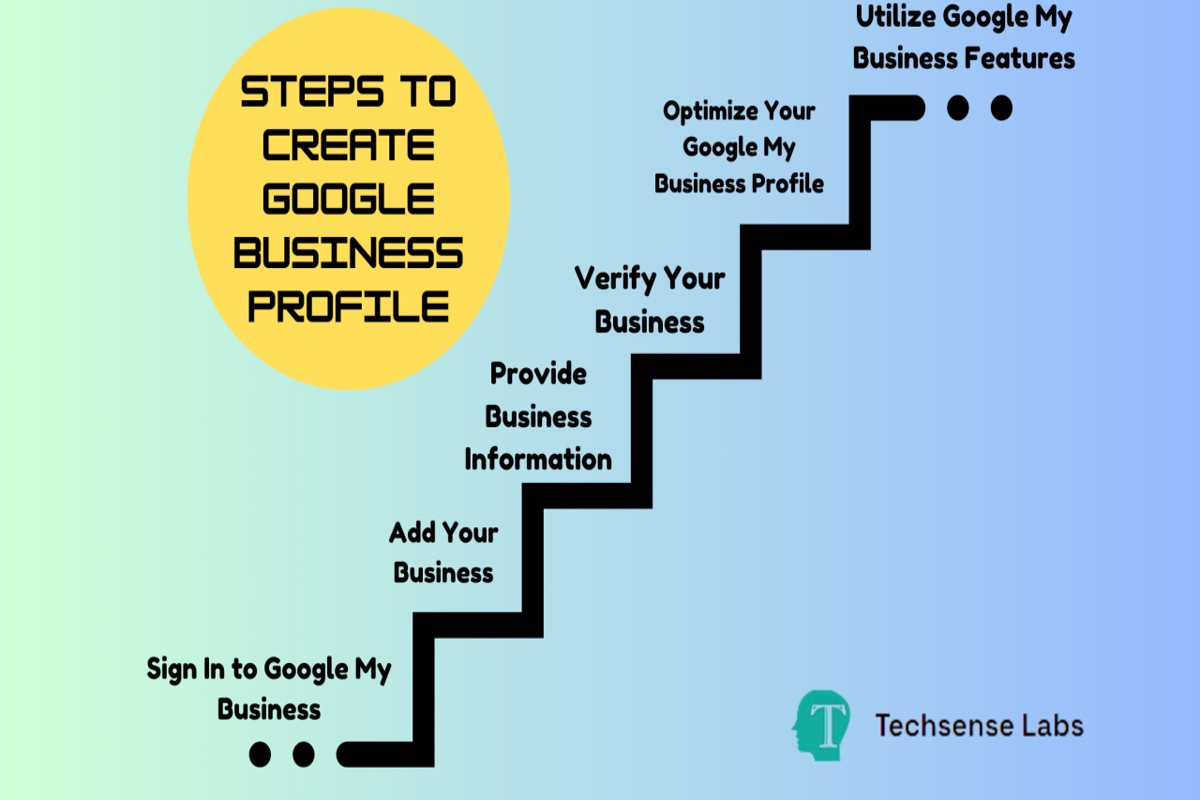
To get a Google Business Profile, visit the Google Business Profile website, sign in with your Google account, and follow the prompts to create and verify your business listing.
Establishing a Google Business Profile is crucial for local businesses aiming to enhance their online visibility. It enables potential customers to find essential information, such as location, hours, and services, directly from Google Search and Maps. Missteps in this process can lead to lost opportunities and diminished customer engagement.
This guide details each step of creating a Google Business Profile, including verification methods, optimization tips, and best practices for managing your listing effectively.
For How To Get A Google Business Profile businesses looking to generate local leads through Google Ads or Local SEO, GMB Ranger LLC offers hands-on campaign management. Specialist Md Tangeer Mehedi personally handles campaign setup and ongoing optimization — with no payment required until the first lead comes in.
What is a Google Business Profile?
A Google Business Profile is a free online listing that allows businesses to manage their presence on Google Search and Google Maps. It includes essential information about the business, such as its name, address, phone number, website, and operating hours. This tool is vital for local businesses aiming to increase visibility and attract customers in their geographic area.
Google Business Profiles help businesses enhance their online presence by providing potential customers with relevant information quickly. When users search for a business or a service in their area, the Google Business Profile appears prominently in search results, making it easier for them to find and contact the business. Additionally, businesses can showcase customer reviews, photos, and posts, further engaging potential clients.
- Business Information: This includes the business name, address, phone number, and website URL.
- Reviews and Ratings: Customers can leave reviews and ratings, which influence the business’s reputation.
- Visual Content: Businesses can upload photos and videos to create a more engaging profile.
- Posts and Updates: Businesses can share updates, offers, and events to inform customers about new developments.
Having an optimized Google Business Profile can significantly impact local search rankings and drive foot traffic to physical locations. Furthermore, it allows businesses to interact with customers directly through messaging and Q&A features, fostering a stronger relationship with the community.
Expert Tip: Regularly update your Google Business Profile with accurate information and engage with customer reviews to improve your online reputation and search visibility. Consistency in managing your profile can lead to better performance in local search results.
How do I create a Google Business Profile?
To create a Google Business Profile, visit the Google Business Profile Manager and follow the prompts to enter your business information. This process includes providing your business name, address, and contact details, followed by verifying your business to ensure authenticity.
Start by navigating to the Google Business Profile Manager. Click on the “Manage now” button to begin. Enter your business name in the search box. If your business doesn’t appear, select the option to add your business information. Fill out essential details, such as your business address, phone number, and category, ensuring accuracy to enhance local search visibility.
Once you’ve entered your business information, Google will prompt you to verify your business. Verification can be completed through several methods, including receiving a postcard at your business address, a phone call, or email verification, depending on the type of business. Follow the instructions provided in the verification method you choose to finalize your profile and gain access to management features.
After verification, optimize your profile by adding photos, updating hours of operation, and responding to customer reviews. This will help your business stand out in search results and attract more customers.
Expert Tip: Regularly update your Google Business Profile with fresh content and promotions to keep your audience engaged and improve your ranking in local search results.
What are the benefits of having a Google Business Profile?
A Google Business Profile offers numerous advantages for businesses, including enhanced local search visibility and improved customer engagement. By optimizing your profile, you can attract more customers and drive foot traffic to your physical location.
One significant benefit is the boost in local SEO. A well-maintained profile helps your business appear in local search results, particularly for location-based queries. This visibility can lead to increased website visits and in-store visits. Additionally, Google prioritizes businesses with complete profiles, enhancing your chances of appearing in the coveted local pack.
- Enhance Customer Interaction: Regularly update your profile with posts, offers, and events. This keeps your audience engaged and informed, encouraging them to interact with your business.
- Showcase Customer Reviews: Encourage satisfied customers to leave positive reviews. Responding to reviews, both positive and negative, demonstrates your commitment to customer service and can influence potential customers.
- Utilize Insights: Take advantage of the analytics provided by Google. Monitor how customers find your profile, their actions, and adjust your marketing strategies accordingly to optimize engagement.
- Boost Brand Credibility: A verified Google Business Profile instills trust in potential customers. Ensure your business information is accurate and consistent across platforms to enhance your brand’s credibility.
Maintaining an active Google Business Profile is not just about visibility; it’s about building a relationship with your customers. Regular engagement through posts and prompt responses to inquiries can significantly enhance customer loyalty.
To maximize the benefits, businesses should consider integrating their Google Business Profile with other digital marketing strategies, such as social media and email marketing, for a cohesive online presence.
How long does it take to get a Google Business Profile approved?
The approval process for a Google Business Profile typically takes between three days to a week. However, some cases may experience delays, extending the approval time to up to 14 days or more. The duration largely depends on several factors related to the verification process.
One primary factor affecting approval time is the method of verification chosen. Google allows verification via phone, email, or postcard. Verification by postcard, which is often the default for many businesses, can take longer due to postal delays. In contrast, phone or email verification can be nearly instantaneous, resulting in quicker approval.
Another influencing factor is the accuracy and completeness of the information submitted. If the business details, such as address or phone number, are inconsistent with existing Google records, this may trigger additional review processes. Any discrepancies can lead to a longer wait time as Google seeks to validate the information provided. Additionally, businesses in certain industries or locations may face longer review times due to regulatory checks or higher volumes of applications in those areas.
Practical Implications
For businesses needing immediate online visibility, understanding these timelines is crucial. It is advisable to start the verification process as soon as possible and ensure all provided information is accurate. This proactive approach can help mitigate delays and enhance the chances of a smoother approval process.
Expert Tip: Regularly check your email for communications from Google during the approval process. Responding promptly to any requests for additional information can significantly reduce approval time and help maintain your business’s online presence effectively.
Are there any costs associated with a Google Business Profile?
Creating a Google Business Profile is completely free. However, while the profile itself incurs no costs, some optional paid features may enhance your visibility and effectiveness on the platform.
There are several factors that can influence potential costs associated with a Google Business Profile:
- Advertising Options: Google offers paid advertising through Google Ads, which can be linked to your business profile. This can increase your visibility in search results but comes with costs based on your ad budget.
- Premium Features: Some third-party tools and services that integrate with Google Business Profiles may charge fees for enhanced functionality, such as advanced analytics or customer engagement tools.
- Website Creation: While Google provides a free website builder linked to your business profile, opting for a custom domain or additional features may incur costs.
Businesses can also choose to invest in professional services, such as SEO consultants or marketing agencies, to optimize their Google Business Profile. While these services are not directly related to the profile itself, they can improve its effectiveness and overall online presence.
Ultimately, while the core Google Business Profile is free, businesses should consider their marketing strategies and optional paid services that may contribute to greater success.
Expert Tip: Regularly update your profile with accurate information and engaging content to maximize visibility without incurring additional costs. Consistent engagement with customer reviews can also enhance your profile’s performance organically.
How can I optimize my Google Business Profile?
To optimize your Google Business Profile, focus on providing complete and accurate information, engaging with customers, and utilizing features effectively. A well-optimized profile enhances visibility in search results and improves customer engagement. Implementing best practices can significantly influence your business’s online presence.
- Complete Your Profile: Ensure all sections of your profile are filled out, including business name, address, phone number, website, and hours of operation. This information helps Google display your business accurately in local searches.
- Add High-Quality Images: Upload clear, high-resolution images of your business, products, and services. Visual content not only attracts potential customers but also portrays your business in a professional light.
- Utilize Posts: Regularly post updates, offers, events, and news related to your business. This feature keeps your profile dynamic and encourages customer interaction.
- Encourage Customer Reviews: Actively ask satisfied customers to leave reviews and respond to them promptly. Positive reviews enhance your business’s credibility and can improve search rankings.
- Optimize for Keywords: Use relevant keywords in your business description and services. This practice helps your profile appear in searches related to those terms, increasing discoverability.
- Monitor Insights: Regularly check the insights provided by Google on how users interact with your profile. Use this data to adjust your strategy and improve your online presence.
Consistency across all platforms is crucial for maintaining an optimized profile. Ensure that your business information matches on your website and other directories to enhance credibility and search rankings.
Expert Tip: Regularly update your profile with seasonal changes, new offerings, or changes in hours to keep your information relevant and engaging. This proactive approach can lead to higher customer retention and improved visibility in local searches.
What information should I include in my Google Business Profile?
Essential information for a Google Business Profile includes your business name, address, phone number, operating hours, services offered, and high-quality photos. Providing accurate and comprehensive details helps potential customers find and engage with your business effectively.
For example, if you own a local bakery, list your business name as “Delicious Bakes,” include the address “123 Sweet St, Dessert City,” and provide a contact number like “(555) 123-4567.” Clearly state your operating hours, such as “Monday to Friday: 7 AM – 7 PM, Saturday: 8 AM – 5 PM,” to inform customers of when they can visit. Additionally, outline your offerings, which may include items like “custom cakes, pastries, and gluten-free options.” This clarity not only aids in search visibility but also sets customer expectations.
Photos are a crucial aspect of your profile. Include images of your storefront, interior, and popular products. For instance, a well-lit photo of your signature chocolate cake can entice customers and give them a glimpse of what to expect. Aim for at least five high-quality images to create a compelling visual narrative of your business.
Expert Tip: Regularly update your Google Business Profile with seasonal offerings or special events to keep your content fresh and engaging. Engaging with customer reviews also enhances credibility and encourages more interactions.
Can I manage multiple Google Business Profiles?
Yes, businesses can manage multiple Google Business Profiles, particularly if they operate in different locations or offer various services. This allows for tailored information relevant to each specific audience. However, managing multiple profiles requires adherence to Google’s guidelines to avoid penalties.
When managing multiple profiles, businesses must ensure that each profile is distinct and accurately represents a specific location or type of service. For instance, a restaurant chain operating in multiple cities should create separate profiles for each location. This enables better visibility in local search results and ensures customers receive relevant information, such as hours of operation and menu offerings.
Key differences in managing multiple profiles include:
- Location-Based Profiles: Each profile is dedicated to a specific physical location, allowing for tailored local SEO strategies.
- Service-Based Profiles: Different profiles can represent varied services or product lines, enhancing clarity for potential customers.
- Management Tools: Google My Business offers features like bulk location management for businesses with numerous profiles, simplifying updates and information consistency.
Each profile must comply with Google’s guidelines, ensuring that duplicate or misleading information does not exist. Regular updates and accurate data are essential for maintaining visibility and customer engagement.
Expert Tip: Use Google My Business’s bulk upload feature for businesses with multiple locations to streamline the setup process, ensuring consistent branding and messaging across all profiles.
Advanced Strategies for Google Business Profile Management
Effective management of a Google Business Profile is essential for maximizing visibility and engagement. This section delves into advanced techniques that can enhance your profile’s performance and reputation over time.
Utilizing Google Posts for Updates and Promotions
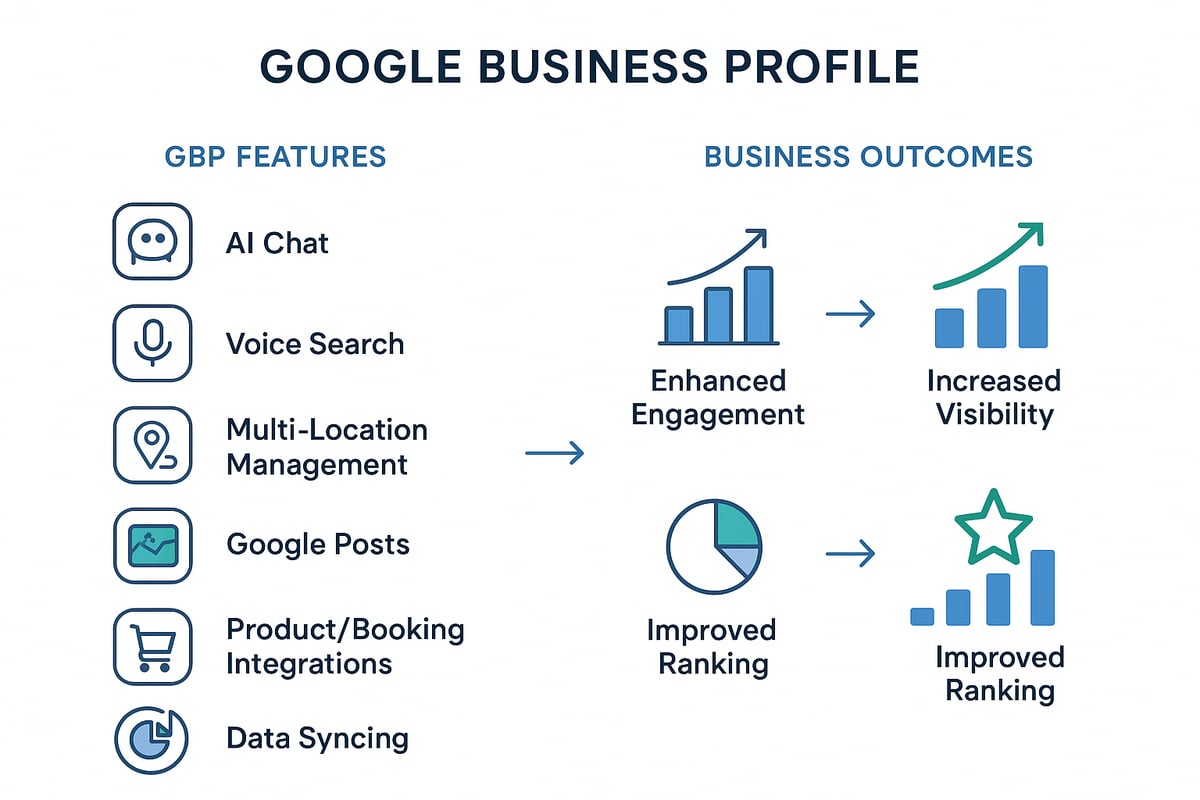
Google Posts allow businesses to share timely updates, announcements, and promotions directly on their Google Business Profile. Regularly posting not only keeps your audience informed but also boosts your profile’s ranking in local search results. Consider the following types of posts:
- Event Announcements: Share details about upcoming events or special promotions.
- Offers: Highlight special discounts or deals to entice potential customers.
- News: Inform customers about significant changes, such as new products or services.
Engaging visuals and clear calls to action in these posts can significantly enhance user interaction.
Responding to Reviews Effectively to Enhance Reputation
Customer reviews play a pivotal role in shaping public perception. Actively responding to reviews—both positive and negative—demonstrates your commitment to customer satisfaction. Implement these best practices:
- Acknowledge Positive Reviews: Thank customers for their feedback and express appreciation.
- Address Negative Reviews: Respond promptly and professionally, offering resolutions when possible.
- Encourage Further Engagement: Invite reviewers to return, emphasizing your dedication to improving their experience.
By fostering a dialogue, businesses can build a stronger relationship with customers and improve their overall rating.
Leveraging Insights and Analytics for Better Decision-Making
Google My Business offers valuable insights into how customers interact with your profile. Key metrics include views, searches, and customer actions such as clicks to call or visit your website. Utilize this data to refine your marketing strategies:
- Identify Trends: Analyze which posts or updates generate the most engagement.
- Monitor Customer Behavior: Understand how customers find your business and adjust your visibility strategies accordingly.
- Optimize Listings: Use insights to refine keywords and improve local SEO efforts.
Regularly reviewing these analytics can lead to more informed business decisions and targeted marketing efforts.
Integrating Google Business Profile with Other Marketing Strategies
For optimal results, integrate your Google Business Profile management with broader marketing strategies. Consider these approaches:
- Social Media Synchronization: Share Google Posts on your social media platforms to drive traffic.
- Email Marketing: Include links to your Google Business Profile in email campaigns to boost customer engagement.
- Content Marketing: Create blog posts or articles that link back to your profile, enhancing visibility.
This multi-channel approach can significantly enhance your overall marketing effectiveness.
Beyond the basics, many businesses overlook the importance of maintaining an updated profile. Regularly refresh your content, photos, and business information to reflect changes in offerings or services. This not only improves customer experience but also signals to Google that your business is active and engaged, which can positively influence your search ranking.
To apply these strategies, create a content calendar for Google Posts, set a schedule to respond to reviews weekly, and review your profile analytics monthly. Additionally, ensure that all marketing channels consistently reflect your Google Business Profile information. These actionable steps can help elevate your profile’s effectiveness over time.
Common Mistakes to Avoid When Setting Up Your Profile
Establishing an effective Google Business Profile requires attention to detail and a proactive approach. Avoiding common pitfalls can significantly enhance your visibility and customer engagement.

Inaccurate Business Information
Providing inaccurate business information is one of the most detrimental mistakes when setting up a Google Business Profile. Incorrect details such as the wrong phone number, address, or business hours can confuse potential customers, leading to frustration and lost business opportunities. Ensure that all information is accurate and consistent across all online platforms.
Neglecting Verification
Failing to verify your business listing promptly can hinder your profile’s effectiveness. Verification not only legitimizes your business in Google’s eyes but also unlocks features that enhance your profile’s functionality. The verification process typically involves receiving a postcard with a verification code at your business address, which must be completed to activate your profile fully.
Ignoring Customer Reviews and Feedback
Customer reviews play a pivotal role in shaping perceptions of your business. Ignoring them can damage your reputation and deter potential customers. Regularly monitor reviews and respond promptly to both positive and negative feedback. Engaging with customers shows that you value their opinions and are committed to providing excellent service.
Failing to Update Your Profile
Keeping your profile updated with current information is essential for maintaining customer trust. Regular updates should include changes in business hours, new services offered, or special promotions. An outdated profile can lead to customer dissatisfaction and may negatively impact your search rankings.
Common Misconceptions
Many businesses mistakenly believe that once their Google Business Profile is set up, their work is done. However, maintaining an active profile is a continuous process. Regularly updating content, engaging with reviews, and monitoring analytics should be part of your ongoing strategy. This proactive engagement can enhance visibility and improve customer relations.
Practical Steps to Enhance Your Profile
- Double-check all business information for accuracy before publishing.
- Complete the verification process as soon as you create your profile.
- Set a schedule to respond to customer reviews weekly.
- Review and update your profile at least once a month to reflect any changes.
By recognizing and avoiding these common mistakes, businesses can maximize the potential of their Google Business Profile. Implementing these best practices will enhance visibility, improve customer engagement, and ultimately drive more traffic to your business.
Real-World Examples of Successful Google Business Profiles
This section provides insights into how various businesses effectively utilize Google Business Profiles to enhance visibility and engagement, illustrating the tangible benefits of optimization strategies.
Local Restaurant: The Savory Spoon
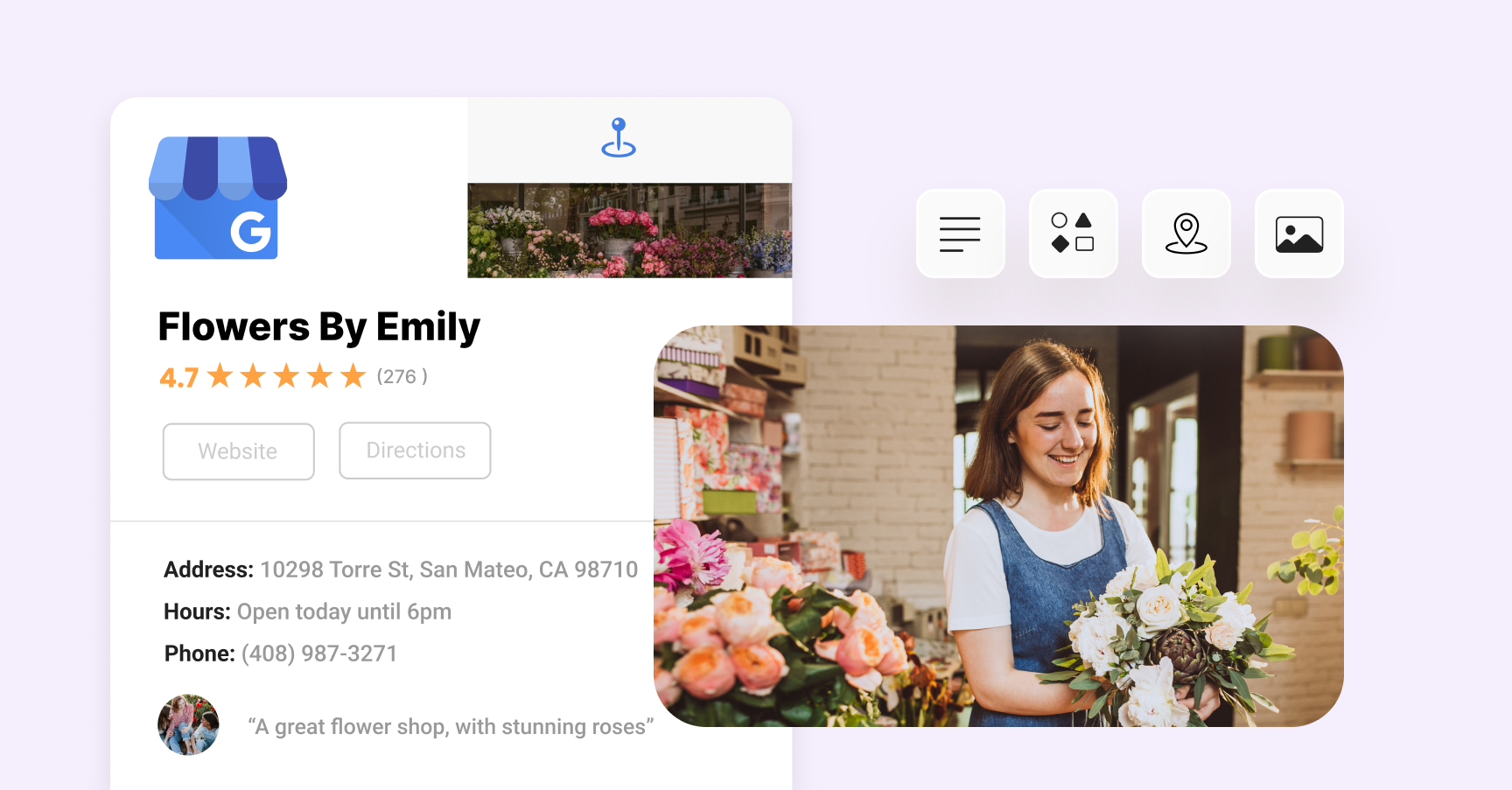
The Savory Spoon, a local Italian restaurant, exemplifies effective engagement strategies through its Google Business Profile. The restaurant regularly updates its profile with high-quality images of its dishes, which resulted in a 30% increase in customer inquiries. Additionally, they actively respond to customer reviews, fostering a sense of community and encouraging repeat visits.
- Consistent Updates: Weekly posts about specials and events keep the profile dynamic.
- Customer Engagement: Prompt responses to reviews enhance customer loyalty.
- Visual Appeal: Professional photos showcase the restaurant’s ambiance and menu offerings.
Service Provider: GreenTech Solutions
GreenTech Solutions, an eco-friendly landscaping service, significantly improved its visibility through meticulous profile optimization. By incorporating relevant keywords such as “sustainable landscaping” and “organic gardening,” they enhanced their search rankings. Furthermore, they utilized the Q&A feature to address common customer inquiries, positioning themselves as industry experts.
- Keyword Optimization: Strategic use of industry-specific terms improved search visibility.
- Q&A Engagement: Proactively answering questions established credibility.
- Service Listings: Detailed descriptions of services helped potential customers understand offerings.
Retail Success: Trendy Threads Boutique
Trendy Threads Boutique, a local clothing retailer, leveraged Google Business features to drive foot traffic and online sales. They implemented promotions directly on their profile, resulting in a 25% increase in store visits during sale periods. By utilizing Google Posts, they effectively communicated new arrivals and exclusive offers.
- Promotional Posts: Regular updates about sales and events attracted new customers.
- Inventory Management: Showcasing new arrivals kept the profile fresh and engaging.
- Customer Reviews: Highlighting positive feedback built trust with potential buyers.
Lessons from Less Successful Profiles
Some businesses have struggled with their Google Business Profiles due to lack of optimization. For example, a local gym failed to update operating hours, leading to customer frustration and negative reviews. Another business neglected to respond to customer inquiries, which resulted in diminished engagement and visibility.
- Inconsistent Information: Outdated hours can deter potential customers.
- Lack of Engagement: Not responding to reviews can harm reputation.
- Poor Visuals: Low-quality images fail to attract interest.
Understanding these cases illustrates the significance of maintaining an active and optimized Google Business Profile. Businesses should prioritize regular updates, active engagement, and the strategic use of features to maximize their online presence.
To apply these insights, businesses should:
- Regularly update their profile with new content and visuals.
- Engage with customer reviews and inquiries promptly.
- Utilize keywords relevant to their industry for better search visibility.
By adopting these practices, businesses can effectively leverage Google Business Profiles to enhance customer engagement and drive growth.
Comparing Google Business Profile with Other Local Listings
This section examines how Google Business Profile compares with other local business listing platforms, highlighting key differences and advantages. Understanding these distinctions is essential for optimizing online visibility and attracting customers.
Google Business Profile vs. Yelp
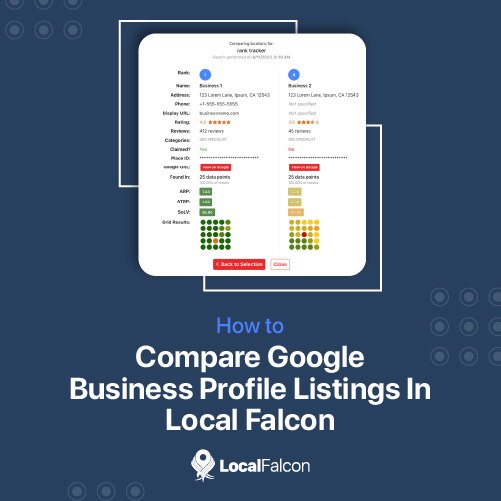
Google Business Profile and Yelp serve similar purposes but have distinct functionalities and user experiences. Google Business Profile integrates directly with Google Search and Maps, allowing businesses to appear prominently in local search results. In contrast, Yelp primarily focuses on customer reviews and ratings, which can overshadow business details in search visibility.
- Search Integration: Google Business Profile enhances visibility in Google searches, while Yelp’s traffic is driven by users specifically seeking reviews.
- Control over Information: Businesses have more control over their profiles on Google, including the ability to respond to reviews directly within the platform.
- Features: Google offers features like posts, Q&A, and messaging, which are less robust on Yelp.
Comparative Advantages of Google over Bing Places
While Bing Places is a viable option for local listings, Google Business Profile holds several advantages. Google dominates the search engine market, capturing over 90% of global market share, which translates to greater visibility for businesses listed on its platform.
- Search Engine Dominance: Businesses listed on Google will generally receive more traffic than those on Bing.
- User Engagement: Google Business Profiles facilitate direct customer engagement through features like reviews, Q&A, and messaging, fostering a stronger connection with potential clients.
- Insights and Analytics: Google provides detailed analytics on how customers interact with listings, such as search queries and actions taken, which aids in refining marketing strategies.
Complementary Role of Facebook Business Pages
Facebook Business Pages serve as an effective complement to Google Business Profiles by enabling businesses to engage with customers on social media. While Google focuses on search optimization, Facebook fosters community interaction and brand building.
- Audience Engagement: Facebook allows for dynamic interaction through posts, comments, and events, driving engagement in ways that Google does not.
- Advertising Opportunities: Facebook’s advertising platform offers targeted ads based on user behavior and interests, enhancing reach beyond search results.
- Customer Insights: Facebook provides valuable demographic information about followers, helping refine marketing efforts.
Choosing the Right Platform for Your Business Needs
Selecting the appropriate platform depends on specific business objectives. For businesses primarily seeking visibility in local searches, Google Business Profile is essential. However, if the goal is to foster community engagement and brand loyalty, a Facebook Business Page is equally important. Many businesses benefit from maintaining a presence on multiple platforms to maximize their reach and customer engagement.
Consider the following steps to optimize your local listing strategy:
- Assess your target audience and where they are most active.
- Set up a Google Business Profile to enhance visibility in local searches.
- Create a Facebook Business Page to engage users through social media.
- Regularly update both profiles with relevant content and promotions.
- Monitor insights and analytics to refine your approach based on user engagement.
By strategically utilizing Google Business Profile alongside other platforms such as Yelp and Facebook, businesses can effectively enhance their local presence and drive customer engagement.
For How To Get A Google Business Profile businesses looking to generate local leads through Google Ads or Local SEO, GMB Ranger LLC offers hands-on campaign management. Specialist Md Tangeer Mehedi personally handles campaign setup and ongoing optimization — with no payment required until the first lead comes in.
Frequently Asked Questions
What is a Google Business Profile?
A Google Business Profile is a free online listing that allows businesses to manage their presence on Google Search and Maps. It provides essential information such as location, hours, and services offered.
How do I create a Google Business Profile?
To create a Google Business Profile, visit the Google Business Profile website and sign in with your Google account. Follow the prompts to enter your business information and verify your listing.
What are the benefits of having a Google Business Profile?
A Google Business Profile enhances your online visibility, helping potential customers find your business easily. It also allows you to engage with customers through reviews, posts, and messaging features.
How long does it take to get a Google Business Profile approved?
Approval for a Google Business Profile typically takes a few days, but it can vary based on verification methods. Some businesses may receive instant approval, while others may require additional verification steps.
Are there any costs associated with a Google Business Profile?
Creating and maintaining a Google Business Profile is free of charge. However, businesses may choose to invest in advertising or promotional features to enhance their visibility.
How can I optimize my Google Business Profile?
To optimize your Google Business Profile, ensure that all information is accurate, complete, and up-to-date. Regularly post updates, respond to customer reviews, and add high-quality photos to enhance engagement.
What information should I include in my Google Business Profile?
Include essential information such as your business name, address, phone number, website, hours of operation, and services offered. Adding photos and a business description can also improve your profile’s effectiveness.
Can I manage multiple Google Business Profiles?
Yes, you can manage multiple Google Business Profiles from a single Google account. This is particularly useful for businesses with multiple locations or different branches.
Final Thoughts on how to get a google business profile
Establishing a Google Business Profile is not merely a step in digital marketing; it is a strategic imperative for enhancing local visibility and customer engagement. A well-optimized profile can significantly influence consumer behavior and drive foot traffic, ultimately contributing to business growth.
To maximize the impact of your Google Business Profile, immediately focus on completing every section with accurate and engaging information, ensuring that your profile stands out in search results and appeals to potential customers.
In an increasingly competitive marketplace, mastering your Google Business Profile can be the differentiator that propels your business ahead of the competition.
Leave a Reply