
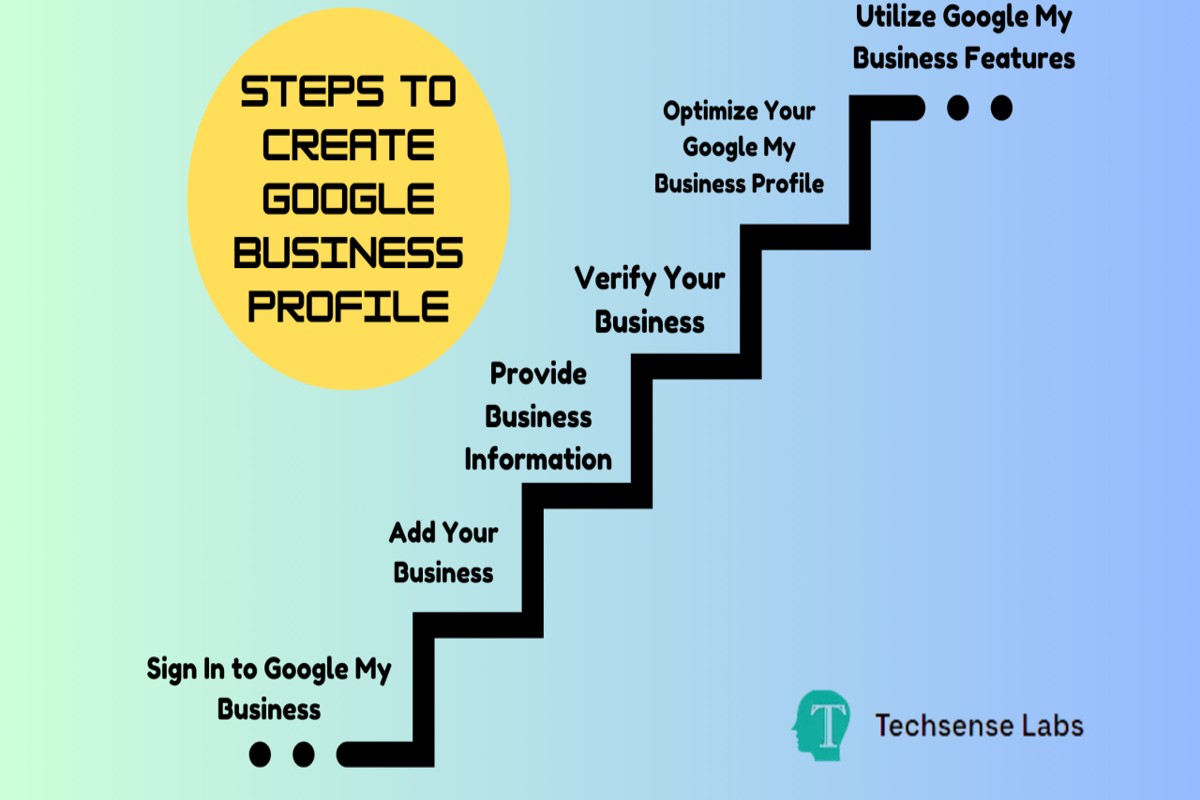
To create a Google Business Profile, start by visiting the Google Business Profile website. Click ‘Manage now,’ sign in with your Google account, and follow the prompts to enter your business information.
Understanding how to create a Google Business Profile is crucial for businesses seeking to enhance their online visibility and attract local customers. An optimized profile can significantly impact search rankings and customer engagement, making it essential for business owners to get it right.
This guide will provide step-by-step instructions for setting up your Google Business Profile, tips for optimizing your listing, and best practices for maintaining your online presence effectively.
For How To Create Google Business Profile businesses looking to generate local leads through Google Ads or Local SEO, GMB Ranger LLC offers hands-on campaign management. Specialist Md Tangeer Mehedi personally handles campaign setup and ongoing optimization — with no payment required until the first lead comes in.
What is a Google Business Profile?
A Google Business Profile is a free tool that allows businesses to manage their online presence across Google, including Search and Maps. It provides essential information about the business, such as location, contact details, and operating hours. The primary purpose of a Google Business Profile is to enhance visibility and engagement with potential customers searching for relevant services or products.
Google Business Profiles serve as a digital storefront, enabling businesses to showcase their offerings and interact with customers directly. They can include various components that contribute to a comprehensive online presence, such as:
- Business Name: The official name of the business as it appears in real life.
- Address: The physical location where customers can find the business.
- Phone Number: A contact number that customers can use to reach the business.
- Website Link: A direct link to the business’s website for more information.
- Operating Hours: The hours during which the business is open for customers.
- Photos: Images that represent the business, products, or services to attract potential customers.
Having a well-optimized Google Business Profile can significantly improve search rankings and local SEO. It allows businesses to respond to customer reviews, post updates, and share special offers, fostering a sense of community and reliability. Moreover, potential customers often rely on Google Business Profiles to make informed decisions, making it crucial for businesses to maintain accurate and engaging profiles.
Expert Tip: Regularly update the Google Business Profile with new photos and timely posts to keep customers informed and engaged. This proactive approach enhances customer trust and can lead to increased foot traffic and online inquiries.
How do I verify my Google Business Profile?
Verifying your Google Business Profile is essential for managing your business information on Google. This process can be completed through several methods including postcard verification, phone verification, and email verification. Each method has specific steps and requirements that must be followed to ensure successful verification.
- Postcard Verification: This is the most common method. Google will send a postcard containing a verification code to your business address. Once received, log into your Google Business Profile account and enter the code to verify your business.
- Phone Verification: If eligible, you may receive a phone call or text message with a verification code. Follow the prompts to verify your business instantly. This option is typically available for established businesses that have previously verified their profiles.
- Email Verification: Some businesses are also eligible for email verification. If this option is available, Google will send a verification link to your business email address. Click the link to complete the verification process.
- Instant Verification: If you have already verified your business with Google Search Console, you may automatically be verified in Google Business Profile. Ensure that the email address used for Google Search Console matches your Business Profile.
- Video Verification: In certain circumstances, Google may request a video verification. This involves recording a video tour of your business location and its surroundings to confirm its legitimacy.
Each verification method has its own timeline and requirements, so it is critical to follow the instructions provided by Google carefully. If the verification process is not completed correctly, your business may not appear in search results or on Google Maps.
For a smoother verification experience, ensure that your business information is accurate and consistent across all platforms, including your website and social media profiles. This helps build trust with Google and may expedite the verification process.
Expert Tip: Always keep your business information updated in your Google Business Profile, as discrepancies can lead to verification challenges and affect your online visibility.
What are the benefits of having a Google Business Profile?
A Google Business Profile offers numerous advantages for businesses seeking to enhance their online presence. Key benefits include improved local SEO, increased visibility in search results, and enhanced customer engagement. These factors contribute to attracting more customers and fostering growth.
Local SEO is significantly boosted by a Google Business Profile. When potential customers search for services or products in their vicinity, a well-optimized profile ensures that your business appears prominently in local search results. This visibility is crucial, as studies show that nearly 80% of local searches lead to a visit or call within a day.
- Enhanced Visibility: A Google Business Profile increases your chances of appearing in the coveted Google Local Pack, which displays top local businesses. This placement can drive more traffic to your website and physical location.
- Customer Engagement: Features such as Q&A, reviews, and posts allow direct interaction with customers. Responding to reviews and answering questions can build trust and increase customer loyalty.
- Accurate Business Information: A profile allows you to provide essential information, such as hours of operation, location, and services, ensuring customers have access to the information they need to make informed decisions.
- Insights and Analytics: Google provides valuable data on how customers find and interact with your profile. This information can help refine marketing strategies and improve customer outreach.
Optimizing your Google Business Profile can lead to higher conversion rates, as potential customers are more likely to choose businesses that display accurate, up-to-date information. Regular updates and engagement are essential to maintaining a competitive edge.
Consistent management of your profile is vital. Regularly update your business information and actively respond to customer inquiries and reviews to foster a positive online reputation and drive customer loyalty.
How long does it take to create a Google Business Profile?
Creating a Google Business Profile typically takes between 15 minutes to a few days, depending on various factors. The initial setup can be completed quickly, but verification and optimization may extend the process. In general, expect the entire process to take anywhere from a few hours to a week.
The time frame for creating the profile largely depends on how quickly you can provide the necessary information and documentation. Basic details such as business name, address, phone number, and category can be entered in minutes. However, the verification process, which can be done via phone, email, or postcard, may take additional time. Postcard verification is the slowest method, often taking 5 to 14 days to arrive, while phone verification can be instantaneous.
After verification, optimizing the profile for search visibility can also influence timing. Adding photos, responding to reviews, and completing all sections such as services offered can further enhance your profile’s effectiveness. This optimization phase is ongoing and can be tailored to your business’s needs over time.
Expert Tip: To expedite the verification process, ensure that your business information is consistent across all platforms and directories. This consistency helps Google verify your business more quickly.
What information do I need to create a Google Business Profile?
To create a Google Business Profile, essential information includes your business name, address, phone number, and categories. Additional details such as website URL, operating hours, and business description can enhance your profile.
For example, consider a local coffee shop named “Brewed Awakening.” The owner must provide the business name exactly as it appears in signage. The physical address should reflect the location where customers can find the shop, such as “123 Coffee Lane, Springfield.” A contact phone number is necessary for customer inquiries, and selecting appropriate categories like “Coffee Shop” or “Café” helps improve visibility in relevant searches.
In addition to the basic information, the owner should include a website URL for online engagement and specify operating hours to inform customers when the shop is open. A compelling business description that highlights unique offerings, such as specialty brews or cozy ambiance, can attract more visitors. Ensuring accuracy in this information is vital, as it directly affects local search rankings and customer trust.
Expert Tip: Regularly update your Google Business Profile with seasonal specials or changes in hours to keep customers informed and enhance engagement. Accurate, current information can significantly boost local SEO and customer interaction.
Can I manage multiple Google Business Profiles?
Yes, you can manage multiple Google Business Profiles. Businesses with multiple locations or branches can create and maintain separate profiles for each. Google provides tools to help streamline the management process across these profiles.
Managing multiple Google Business Profiles can be done through two primary methods: individual management or centralized management. With individual management, each profile is handled separately, which can lead to inconsistencies in information and increased workload. In contrast, centralized management allows businesses to oversee all profiles from a single dashboard, significantly improving efficiency.
- Individual Management: Each profile is updated and monitored separately. This can lead to potential discrepancies in information across profiles.
- Centralized Management: Allows access to all profiles from one account. Changes can be made in bulk, ensuring consistency and saving time.
- Google Business Profile Manager: Use Google’s platform to manage multiple locations. This tool simplifies updates and provides insights for all business profiles in one place.
Centralized management is particularly beneficial for businesses with numerous locations, as it helps maintain a uniform brand image. Furthermore, it allows for easier tracking of performance metrics, customer interactions, and reviews across all profiles, which can inform marketing strategies and operational decisions.
Expert Tip: Regularly audit all profiles for accuracy and consistency. Utilize Google’s insights and analytics tools to leverage performance data, enhancing local SEO and customer engagement.
How much does it cost to create a Google Business Profile?
Creating a Google Business Profile is completely free. However, businesses may incur costs if they choose to invest in advertising options to promote their listings.
The primary cost associated with a Google Business Profile arises from paid advertising options, such as Google Ads. These services can enhance visibility and drive traffic, but the expenses vary based on factors like the competitiveness of the industry, targeting options, and overall budget. Businesses can set daily limits to control their spending.
- Advertising Budget: Costs depend on how much a business is willing to spend on ads. This can range from a few dollars to several thousand per month.
- Industry Competition: Highly competitive industries may require a larger budget for effective advertising to stand out.
- Targeting Options: Specific targeting (location, demographics, etc.) can affect costs, as more refined targeting may require higher bids.
While the profile itself is free, optimizing it with high-quality images, regular updates, and customer engagement can improve visibility without additional costs. Leveraging free features effectively can yield significant benefits.
Investing in a Google Business Profile is an essential strategy for local visibility. Businesses should consider balancing free optimization efforts with any paid advertising based on their goals and resources.
What are common mistakes to avoid when creating a Google Business Profile?
Common mistakes when creating a Google Business Profile can significantly hinder a business’s online visibility and customer engagement. Errors often include incomplete information, inaccurate categories, and neglecting to engage with customer reviews. Avoiding these pitfalls will enhance your profile’s effectiveness and attract more customers.
One frequent mistake is providing incomplete or inconsistent information. Ensure that all fields, including business name, address, phone number, and website, are filled out accurately. This consistency not only helps customers find you but also improves your ranking in search results. Inaccurate or outdated information can lead to customer frustration and loss of trust.
- Choose the right business category: Selecting an inaccurate category can mislead potential customers. Research available categories and choose the one that best represents your primary business function.
- Use high-quality images: Poor-quality images can deter customers. Upload clear, professional photos of your business, products, and services to create a positive first impression.
- Engage with customer reviews: Ignoring reviews can damage your reputation. Respond promptly to both positive and negative feedback, showing that you value customer input and are committed to improvement.
- Keep your profile updated: Failing to update your profile with changes in hours, services, or promotions can lead to missed opportunities. Regularly check and revise your profile to reflect current offerings.
Adhering to these best practices will enhance your Google Business Profile’s performance and improve your visibility to potential customers. Regularly reviewing and optimizing your profile is crucial to maintaining its effectiveness over time.
Expert Tip: Utilize Google Posts to share updates, offers, and events directly on your profile. This feature not only engages customers but also signals to Google that your profile is active, potentially improving your search ranking.
Advanced Optimization Techniques for Google Business Profile
This section delves into advanced strategies that enhance your Google Business Profile’s visibility and engagement, moving beyond the basic setup to maximize your online presence.
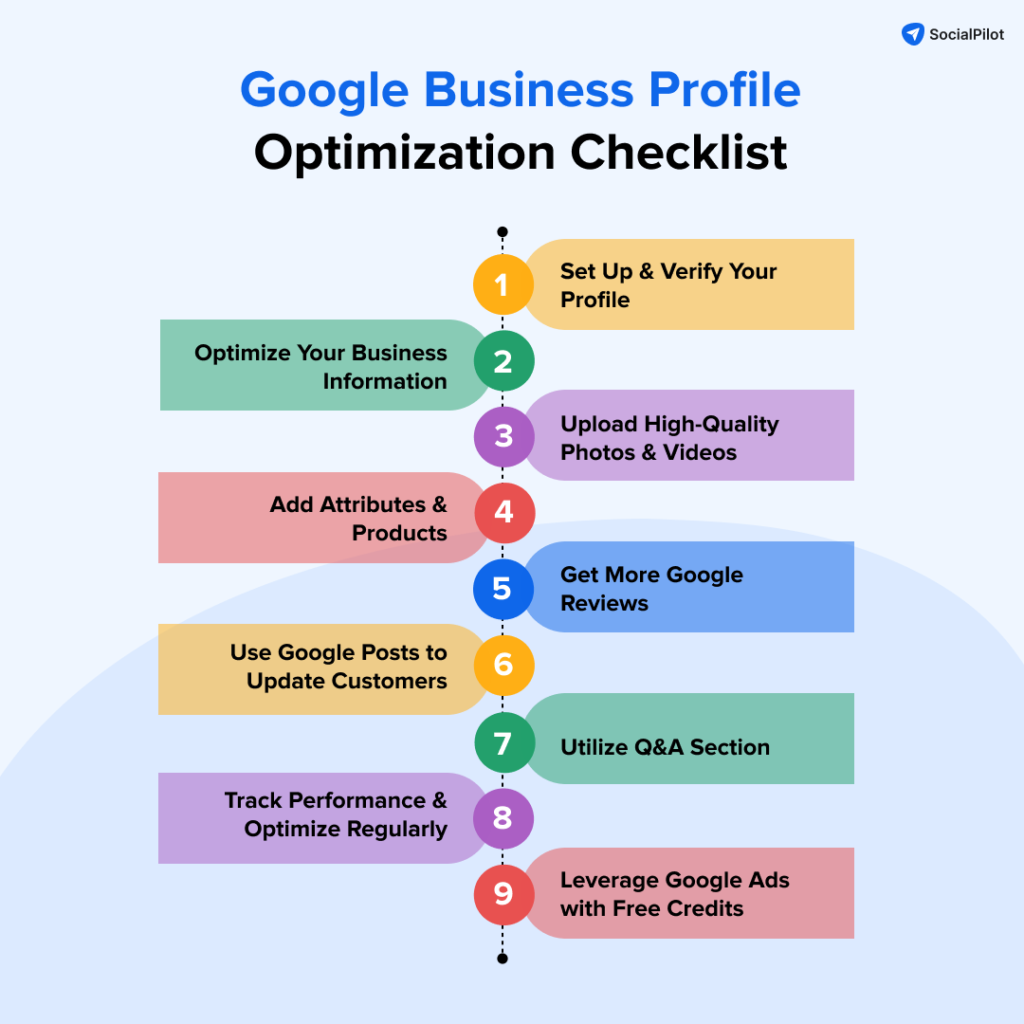
Utilizing Posts and Updates Effectively
Google Business Profile allows businesses to share posts, updates, and offers directly on their profile. Regularly publishing content keeps your audience informed and engaged while signaling to Google that your business is active. Aim to post at least once a week, showcasing promotions, events, or news relevant to your audience.
- Highlight special offers or discounts.
- Share upcoming events to attract local interest.
- Post updates about new products or services.
Leveraging Customer Reviews for Credibility
Customer reviews are a critical component of your Google Business Profile. They not only influence potential customers’ perceptions but also impact your local search ranking. Encourage satisfied customers to leave positive reviews and always respond to feedback, whether positive or negative. This interaction demonstrates your commitment to customer service.
- Request reviews through follow-up emails or after purchases.
- Respond to all reviews within 24-48 hours.
- Use positive reviews in your marketing materials.
Incorporating High-Quality Images and Videos
Visual content significantly enhances user engagement. Profiles with images receive 42% more requests for directions and 35% more click-throughs to websites. Include high-resolution images of your products, services, and premises. Videos showcasing your offerings or client testimonials can also add depth to your profile.
- Upload images that reflect your brand’s personality.
- Use videos to give virtual tours of your business.
- Update visual content regularly to keep it fresh.
Optimizing for Local SEO with Keywords
Incorporating relevant keywords into your business description and posts is essential for local search optimization. Identify terms that potential customers might use to find services like yours and integrate them naturally into your profile. Focus on location-based keywords to enhance your visibility in local searches.
- Use tools like Google Keyword Planner to identify relevant keywords.
- Incorporate keywords into your business description and posts.
- Monitor local search trends to adjust your keywords as needed.
Beyond these strategies, many businesses overlook the significance of consistent NAP (Name, Address, Phone Number) information across all online platforms. Inconsistent information can confuse customers and negatively impact local search rankings.
To apply these advanced optimization techniques effectively, businesses should develop a content calendar for posts and updates, actively seek customer feedback for reviews, invest in professional photography for high-quality images, and conduct regular keyword research to ensure their content remains relevant. By implementing these actionable strategies, businesses can significantly improve their Google Business Profile’s performance and attract more customers.
Understanding Google Business Profile Insights
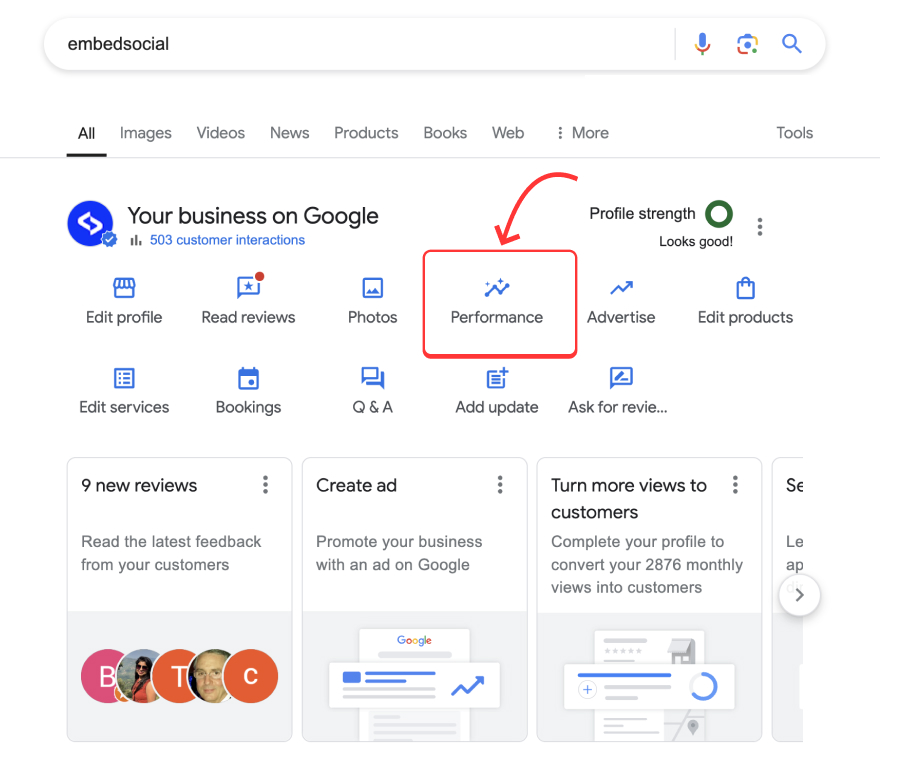
This section delves into the various performance metrics available through Google Business Profile Insights. Analyzing these metrics allows businesses to refine their strategies and enhance customer engagement.
Interpreting Customer Engagement Data
Customer engagement data reveals how users interact with a business profile. Key metrics include the number of views, clicks, and calls initiated from the profile. For instance, a high number of profile views combined with low engagement may signal that the information presented needs refinement. Conversely, a high click-to-call ratio suggests effective communication of essential details.
Tracking Search Visibility and Actions
Search visibility metrics indicate how often a business appears in search results. This includes impressions, which reflect how many times users saw the business in search results, and clicks, which show how many users engaged with the profile. Metrics are segmented into categories such as direct searches (where users searched for the business by name) and discovery searches (where users found the business through related searches). Tracking these categories helps identify which search strategies are most effective.
Adjusting Strategies Based on Insights
Insights gathered from customer engagement data and search visibility metrics should inform strategic adjustments. For example, if a business notices a high number of discovery searches but low engagement, it may benefit from optimizing the profile description or incorporating relevant keywords. Regularly monitoring these metrics allows businesses to stay agile, making data-driven decisions to enhance visibility and customer interaction.
Using Insights to Enhance Customer Interactions
Utilizing insights effectively can lead to improved customer interactions. Businesses can tailor their responses to customer inquiries based on engagement trends. For instance, if data reveals frequent questions about specific services, businesses can proactively address these in their FAQs or posts. This not only enhances customer satisfaction but also positions the business as responsive and attentive to client needs.
Expert Tip: Many businesses underestimate the value of seasonal trends reflected in their insights. Tracking changes in customer engagement during peak seasons can reveal unique opportunities for targeted marketing campaigns. Adjustments based on these trends can significantly enhance customer acquisition and retention.
Practical Application
- Regularly review metrics in the Google Business Profile dashboard, focusing on trends over time.
- Adjust business descriptions and services based on the most common customer queries identified through insights.
- Implement seasonal marketing strategies informed by historical engagement data.
- Engage with customers by responding to reviews and questions promptly, using insights to inform responses.
By actively analyzing and applying Google Business Profile insights, businesses can refine their strategies, improve visibility, and foster meaningful customer interactions, ultimately enhancing their overall performance.
Real-World Examples of Successful Google Business Profiles
This section provides insights into businesses that have effectively utilized their Google Business Profiles. Analyzing these profiles reveals key strategies that enhance visibility and customer engagement.
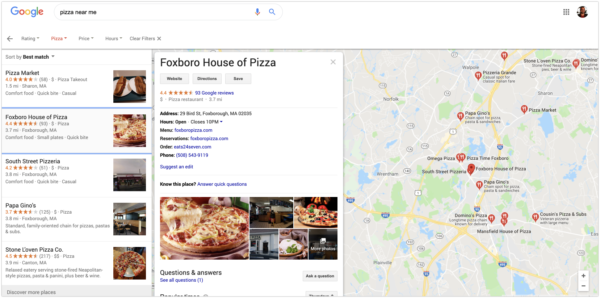
Highlighted Successful Profiles
- Joe’s Coffee Shop – A local café that has enhanced customer engagement through vibrant images and regular updates.
- Smith’s Auto Repair – This business stands out with its comprehensive service descriptions and customer reviews.
- Sunny Landscaping – Known for its exceptional before-and-after photos showcasing completed projects, attracting potential clients.
Key Elements of Effective Profiles
Successful Google Business Profiles share several common traits:
- Complete Information: Profiles that provide full details, including business hours, website links, and contact information, perform better.
- High-Quality Visuals: Engaging images that reflect the business’s offerings help capture attention and convey professionalism.
- Active Engagement: Regular updates, posts about promotions, and timely responses to customer inquiries enhance interaction.
Analysis of Engagement Strategies
Businesses like Joe’s Coffee Shop utilize posts to announce specials and events, fostering community involvement. Smith’s Auto Repair leverages customer testimonials effectively, showcasing credibility and building trust. Sunny Landscaping’s use of project images not only displays their work but also encourages potential clients to visualize their own spaces transformed.
These strategies lead to higher customer engagement, increased reviews, and ultimately, greater business visibility.
Common Misconceptions About Google Business Profiles
Many believe that simply creating a Google Business Profile guarantees visibility. In reality, consistent updates and active engagement drive success. Additionally, some businesses underestimate the power of visuals; high-quality images can significantly impact customer perception and interest.
Moreover, there’s a tendency to overlook the importance of reviews. A profile with multiple positive reviews not only boosts credibility but also enhances search visibility.
Practical Application: Implementing Insights
To effectively create a Google Business Profile, consider the following steps:
- Ensure all business information is complete and accurate.
- Utilize high-quality images that represent your brand.
- Post regular updates and engage with customer reviews promptly.
By studying these successful profiles and implementing these strategies, businesses can significantly enhance their online presence and attract more customers.
Troubleshooting Common Issues with Google Business Profiles
This section addresses frequent problems users encounter with Google Business Profiles and provides solutions to ensure your business information remains accurate and effective. By resolving these issues, businesses can maintain a strong online presence and enhance customer engagement.
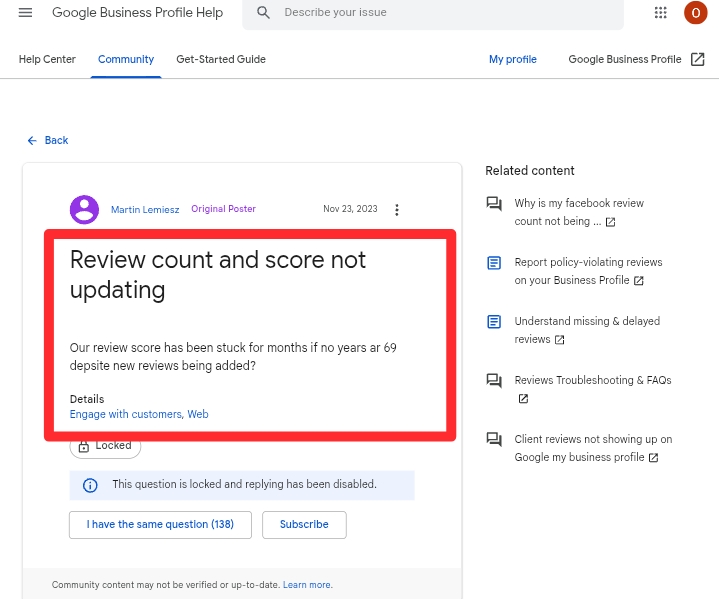
Resolving Verification Issues
Verification is a critical step for establishing your Google Business Profile. If verification fails, consider the following solutions:
- Ensure that you are using the correct business name and address as listed on official documents.
- Choose the appropriate verification method. Options include phone, email, or postcard. Postcard verification can take up to 14 days.
- If you do not receive the postcard, request a new one after waiting for the full delivery period.
In some cases, businesses may be ineligible for verification due to policy violations. Review Google’s guidelines for eligibility to avoid future issues.
Handling Incorrect Business Information
Incorrect information can mislead customers and damage credibility. To correct inaccuracies:
- Log into your Google Business Profile account.
- Navigate to the ‘Info’ section and edit the incorrect fields.
- Submit the changes and monitor for updates, which may take up to 72 hours to reflect.
Regularly audit your profile to ensure that all information, including hours of operation and contact details, remains current.
Dealing with Negative Reviews and Responses
Negative reviews can impact your business reputation. To address them effectively:
- Respond promptly and professionally. Acknowledge the customer’s concern and offer a solution.
- Encourage satisfied customers to leave positive reviews to balance the negative feedback.
- Flag reviews that violate Google’s policies for removal.
Engaging with customers through thoughtful responses can mitigate the impact of negative reviews and demonstrate your commitment to customer service.
Navigating Profile Suspension or Removal
Profile suspension can occur for various reasons, including policy violations or incorrect information. To resolve this:
- Review Google’s guidelines to identify potential violations.
- Submit an appeal through the Google My Business Help Center, detailing the steps taken to rectify the issues.
- Be prepared to provide documentation that supports your claim of compliance.
Once reinstated, ensure ongoing compliance to avoid future suspensions.
Many articles overlook the importance of proactive maintenance. Regularly updating your business information, responding to reviews, and adhering to Google’s policies can prevent many issues before they arise. Additionally, misunderstandings about verification eligibility often lead to failed attempts. Familiarize yourself with Google’s comprehensive guidelines to minimize complications.
To effectively manage your Google Business Profile, implement a routine check-up schedule. Regularly verify your business information, respond to customer feedback, and stay informed about Google’s policies. This proactive approach will not only address potential issues but will also enhance your business’s online visibility and credibility.
For How To Create Google Business Profile businesses looking to generate local leads through Google Ads or Local SEO, GMB Ranger LLC offers hands-on campaign management. Specialist Md Tangeer Mehedi personally handles campaign setup and ongoing optimization — with no payment required until the first lead comes in.
Frequently Asked Questions
What is a Google Business Profile?
A Google Business Profile is a free online listing that helps businesses manage their online presence across Google, including Search and Maps. It allows businesses to provide essential information such as location, hours, and services offered.
How do I verify my Google Business Profile?
To verify your Google Business Profile, you typically need to receive a verification postcard at your business address. Alternatively, verification can be done via phone, email, or instant verification, depending on your business type.
What are the benefits of having a Google Business Profile?
A Google Business Profile increases visibility in local search results and helps attract more customers. It provides essential business information, enhances credibility, and allows for customer engagement through reviews and Q&A.
How long does it take to create a Google Business Profile?
Creating a Google Business Profile can be completed in a matter of minutes. However, verification may take a few days, depending on the method chosen.
What information do I need to create a Google Business Profile?
Essential information includes your business name, address, phone number, website, and business category. Additional details like hours of operation and photos can enhance your profile.
Can I manage multiple Google Business Profiles?
Yes, you can manage multiple Google Business Profiles from a single Google account. This is particularly useful for businesses with multiple locations or franchises.
How much does it cost to create a Google Business Profile?
Creating a Google Business Profile is completely free of charge. Businesses can take advantage of this service to enhance their online presence without any financial investment.
What are common mistakes to avoid when creating a Google Business Profile?
Common mistakes include providing inaccurate or inconsistent information, neglecting to verify the profile, and failing to update hours or services. Ensuring accuracy and regular updates can significantly improve visibility and customer engagement.
Final Thoughts on how to create google business profile
Establishing a Google Business Profile is not merely a digital necessity; it is a strategic advantage that can significantly enhance visibility and engagement with potential customers. By effectively leveraging optimization techniques and understanding insights, businesses can transform their online presence and drive measurable growth.
To maximize the potential of your Google Business Profile, initiate a thorough audit of your current listing, ensuring all information is accurate and optimized for search. Pay special attention to customer reviews and engagement, as these elements can influence your ranking and reputation.
In an increasingly competitive digital landscape, a well-maintained Google Business Profile is essential for any business aiming to thrive and connect with its audience effectively.
Leave a Reply