
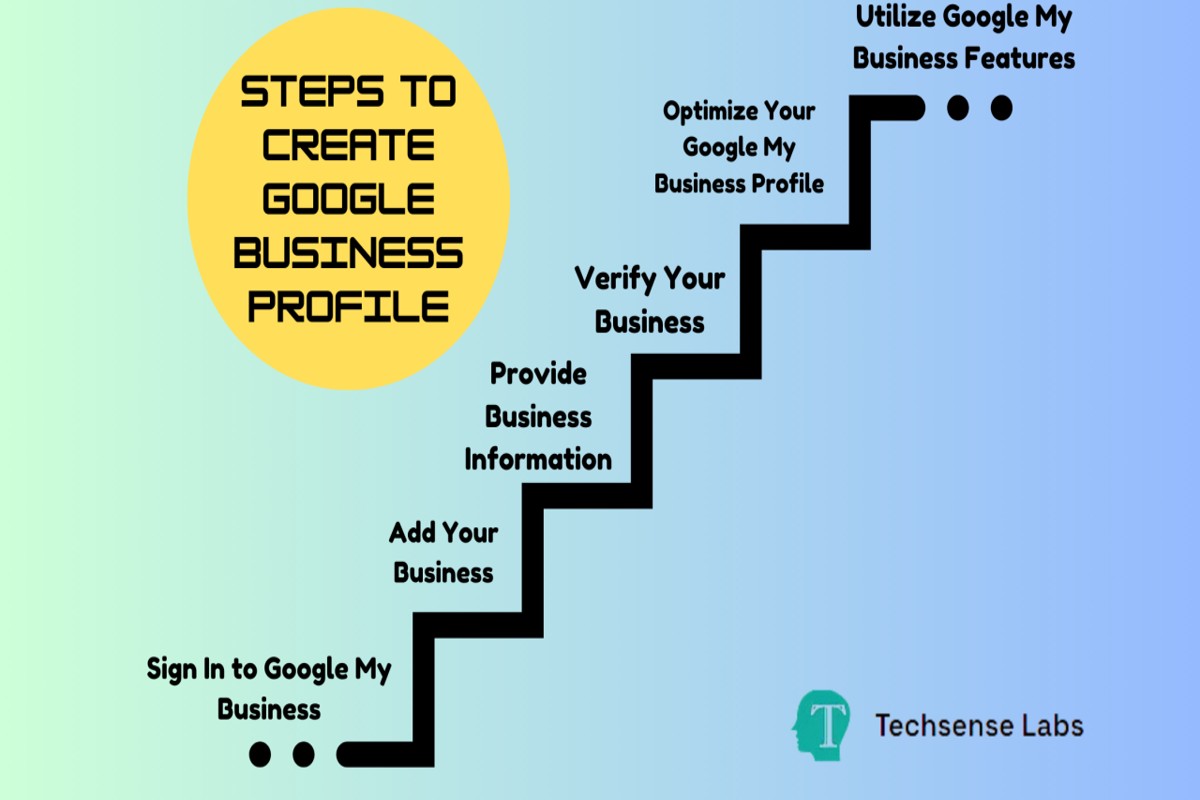
To create a Google Business Profile, visit the Google Business Profile website, sign in with your Google account, and follow the prompts to enter your business information. Verify your business to complete the setup.
Establishing a Google Business Profile is crucial for businesses seeking to enhance their online visibility and attract local customers. Without a properly set up profile, businesses risk losing potential clients to competitors who effectively utilize this essential tool.
This guide provides a detailed, step-by-step process for creating a Google Business Profile, including tips on optimizing your profile, verifying your business, and managing customer interactions.
For How To Create A Google Business Profile businesses looking to generate local leads through Google Ads or Local SEO, GMB Ranger LLC offers hands-on campaign management. Specialist Md Tangeer Mehedi personally handles campaign setup and ongoing optimization — with no payment required until the first lead comes in.
What is a Google Business Profile?
A Google Business Profile is a free online listing that allows businesses to manage their presence on Google, including search results and Maps. This profile provides essential information such as the business name, address, phone number, website, and operating hours. It is a crucial tool for local businesses to enhance visibility and connect with customers.
Google Business Profiles enhance local search engine optimization (SEO) and facilitate customer engagement. When potential customers search for services or products, a well-optimized profile can significantly influence their decision-making process. The profile acts as a digital storefront, allowing businesses to showcase their offerings and interact with clients through reviews and Q&A.
- Business Information: Includes name, address, phone number, and website URL.
- Photos and Videos: Visual content that highlights the business’s offerings and atmosphere.
- Customer Reviews: Feedback from customers that can enhance credibility and attract new clients.
- Posts and Updates: Businesses can share news, offers, and events directly on their profile.
Creating an effective Google Business Profile involves not only filling out basic information but also keeping it updated regularly. Utilizing features like posts and responding to reviews can further engage customers and improve the business’s online reputation. In competitive markets, an optimized profile can be the difference between being found or overlooked.
Utilizing Google Insights can provide valuable data on how potential customers interact with the profile. Tracking metrics such as search queries and customer actions helps refine marketing strategies and improve customer engagement.
To maximize the benefits of a Google Business Profile, ensure that all information is accurate and complete, and encourage satisfied customers to leave positive reviews. This proactive approach not only boosts visibility but also builds trust within the local community.
How do I optimize my Google Business Profile?
To optimize your Google Business Profile, ensure that all information is complete, accurate, and up-to-date. This includes your business name, address, phone number, and website. Additionally, utilize features like posts, photos, and reviews to enhance visibility and engagement.
Begin by verifying that your business information is consistent across all platforms, including your website and social media. Consistency helps improve your search ranking. Next, select relevant categories and attributes that accurately describe your business. This allows Google to match your profile with relevant searches, increasing the chances of appearing in local results.
- Complete Your Profile: Fill out every section of your profile, including your business hours, services, and a detailed description. The more information you provide, the better Google can present your business to potential customers.
- Add High-Quality Photos: Use high-resolution images that showcase your products, services, and location. Profiles with photos receive 42% more requests for directions and 35% more click-throughs to websites.
- Encourage Customer Reviews: Actively ask satisfied customers to leave reviews. Responding to reviews, both positive and negative, shows engagement and builds trust with potential clients.
- Utilize Google Posts: Regularly post updates, promotions, or events. This feature keeps your audience informed and engaged and can improve your visibility in search results.
- Monitor Insights: Use the insights feature to track how customers interact with your profile. Understanding user behavior can guide your optimization efforts, enabling you to tailor content and offers effectively.
Regularly revisiting and updating your profile is essential to maintain relevance and accuracy. Consider seasonal promotions or changes in services as opportunities to refresh your content.
For optimal engagement, leverage Google’s Q&A feature by proactively addressing common customer inquiries. This not only provides instant information but also demonstrates your attentiveness to customer needs.
What are the benefits of having a Google Business Profile?
Having a Google Business Profile provides numerous advantages over other online business listings. It enhances visibility in local search results and offers a comprehensive way for potential customers to engage with your business. This platform facilitates better customer interactions through features like reviews, posts, and Q&A.
Compared to other online business listings, Google Business Profiles offer unique benefits that can significantly impact visibility and customer engagement. Here are key differences:
- Local Search Optimization: Google Business Profiles rank prominently in local search results, often appearing in the Google Maps section. Other listings may not have the same SEO advantage, limiting visibility.
- User Engagement Features: Google allows businesses to respond to reviews, answer questions, and post updates directly on their profiles. Many other platforms lack these interactive capabilities, which can enhance customer trust and loyalty.
- Insights and Analytics: Google provides valuable insights into how customers find your business and interact with your profile. This level of detailed analytics is often not available with other business listing services, enabling data-driven decision-making.
Utilizing a Google Business Profile can lead to increased foot traffic, higher conversion rates, and improved customer relationships. The integrated features streamline operations for business owners, making it easier to manage online presence.
Expert Tip: Regularly update your Google Business Profile with fresh content, such as promotions or new services, to keep your audience engaged and improve your ranking in search results. Consistency in updates can significantly enhance user interaction and visibility.
How much does it cost to create a Google Business Profile?
Creating a Google Business Profile is completely free. There are no charges associated with setting up the profile itself, which allows businesses to manage their online presence on Google Search and Maps without financial barriers.
While the basic profile is free, there are optional features and advertising services that can incur costs. Businesses may choose to invest in Google Ads to promote their profile and increase visibility. Additionally, some third-party services offer enhancements for Google Business Profiles, which can also come with fees.
- Advertising Costs: Running Google Ads can range from a few hundred to several thousand dollars per month, depending on the competitiveness of the market and the campaign’s scope.
- Third-Party Services: Some businesses opt for services that enhance their profile’s optimization, which may cost between $50 to $500 monthly.
- Premium Features: While Google Business Profiles are free, certain premium features offered by Google or partners may have associated fees, though these are typically optional.
It is essential for businesses to assess their goals and budget when considering any paid features. The free Google Business Profile itself provides ample tools for local SEO and customer engagement, making it a valuable resource for businesses of all sizes.
Expert Tip: Regularly update your Google Business Profile with accurate information and engaging content to maximize its effectiveness. This proactive approach can significantly enhance local search visibility without incurring additional costs.
How long does it take to set up a Google Business Profile?
Setting up a Google Business Profile typically takes about 15 to 30 minutes. However, the verification process can take anywhere from a few minutes to several days, depending on the method chosen and your business type.
The time required to complete your profile can vary based on several factors. First, your preparation plays a crucial role. Having all necessary information—such as your business name, address, phone number, and category—ready beforehand can significantly expedite the setup. If you need to gather this information, expect the process to take longer.
Verification is another critical step that influences timing. Google offers multiple verification methods, including phone, email, and postcard. While phone or email verifications can be completed almost instantly, postcard verifications may take 5 to 14 days to arrive. Additionally, the volume of verification requests Google is processing at any given time can also affect how quickly your profile gets verified.
Factors Affecting Setup and Verification Time
- Preparation: Having complete and accurate business information ready can speed up setup.
- Verification Method: Choose between immediate digital methods or slower postal verification.
- Google’s Processing Time: High demand periods may lead to longer verification times.
For optimal results, ensure that all information is accurate and up-to-date. Regularly check your email and Google account for any verification requests or updates. This diligence can help you complete your profile more efficiently and enhance your online visibility.
What are the best practices for managing a Google Business Profile?
To effectively manage a Google Business Profile, businesses should focus on regular updates, accurate information, and engaging with customers. Implementing best practices can significantly enhance visibility and engagement with potential clients. Consistency and responsiveness are key to maintaining a strong online presence.
First, ensure that all business information is accurate and up-to-date. This includes your business name, address, phone number, hours of operation, and website URL. Inaccurate information can lead to customer confusion and may negatively impact your search ranking. Regularly verify these details, particularly if there are changes in hours or services offered.
- Update Regularly: Post updates about new products, services, or promotions at least once a month. Frequent updates keep your profile active and encourage customer interaction.
- Engage with Reviews: Respond to customer reviews—both positive and negative. This shows prospective customers that you value feedback and are committed to providing excellent service.
- Utilize Photos: Upload high-quality images of your business, products, and team. Profiles with photos receive 42% more requests for directions and 35% more click-throughs to websites.
- Utilize Google Posts: Use Google Posts to share news, events, or special offers. This feature can enhance visibility in search results and engage potential customers directly.
Finally, leverage insights from the Google My Business dashboard to track performance. Analyze metrics such as views, clicks, and customer actions to identify trends and optimize your profile accordingly. Understanding customer engagement can help refine marketing strategies and drive more traffic.
Expert Tip: Regularly audit your Google Business Profile against competitors. Observing their strategies can provide insights into potential improvements and help maintain a competitive edge.
Can I create a Google Business Profile without a physical location?
Yes, it is possible to create a Google Business Profile without a physical storefront. Service-area businesses, such as plumbers, electricians, or delivery services, can establish a profile that highlights their services while specifying the areas they serve.
For example, consider a freelance graphic designer who works from home and does not have a public office. This designer can create a Google Business Profile by selecting the “service-area business” option during the setup process. They would enter their home address, but this address will not be displayed publicly. Instead, they can specify the cities or regions where they provide services, allowing potential clients in those areas to find them in Google searches.
When creating the profile, it is essential to provide accurate information about the services offered, include high-quality images of past work, and encourage satisfied clients to leave reviews. These elements will enhance the profile’s visibility and credibility, making it easier for prospective customers to trust and choose the business. Additionally, regularly updating the profile with new services, promotions, or project examples can further improve engagement and search rankings.
Expert Tip: Focus on optimizing your Google Business Profile with relevant keywords related to your services and location. This will enhance local SEO, making it easier for potential customers to discover your business online.
How do I verify my Google Business Profile?
Verifying your Google Business Profile is essential to manage your business’s information on Google. The verification process ensures that only authorized individuals can control the data associated with your business listing. Successful verification enhances your visibility in local searches and builds trust with potential customers.
- Sign in to Google Business Profile: Use the Google account associated with your business to sign in at the Google Business Profile Manager.
- Select your business: From the dashboard, choose the business you want to verify. If you haven’t created a profile yet, follow the prompts to set one up.
- Choose a verification method: Google offers several methods for verification, including by mail, phone, email, or instant verification (if eligible). The mail method is the most common, where Google sends a postcard to your business address.
- Complete the verification steps: If using the mail option, wait for the postcard to arrive, which usually takes 5-14 days. Once received, enter the verification code found on the postcard in your Google Business Profile account.
- Confirm your business information: After entering the code, review your business details to ensure accuracy. This includes your business name, address, phone number, and operating hours.
Verification can take time and varies depending on the method chosen. Some businesses may qualify for instant verification if they have a verified Google Search Console account. Regularly check your profile for any updates or required actions to maintain your verified status.
Expert Tip: Keep your business information up to date after verification. Regular updates can improve your local SEO and enhance customer engagement, ensuring your business remains competitive in search results.
Advanced Strategies for Google Business Profile Optimization
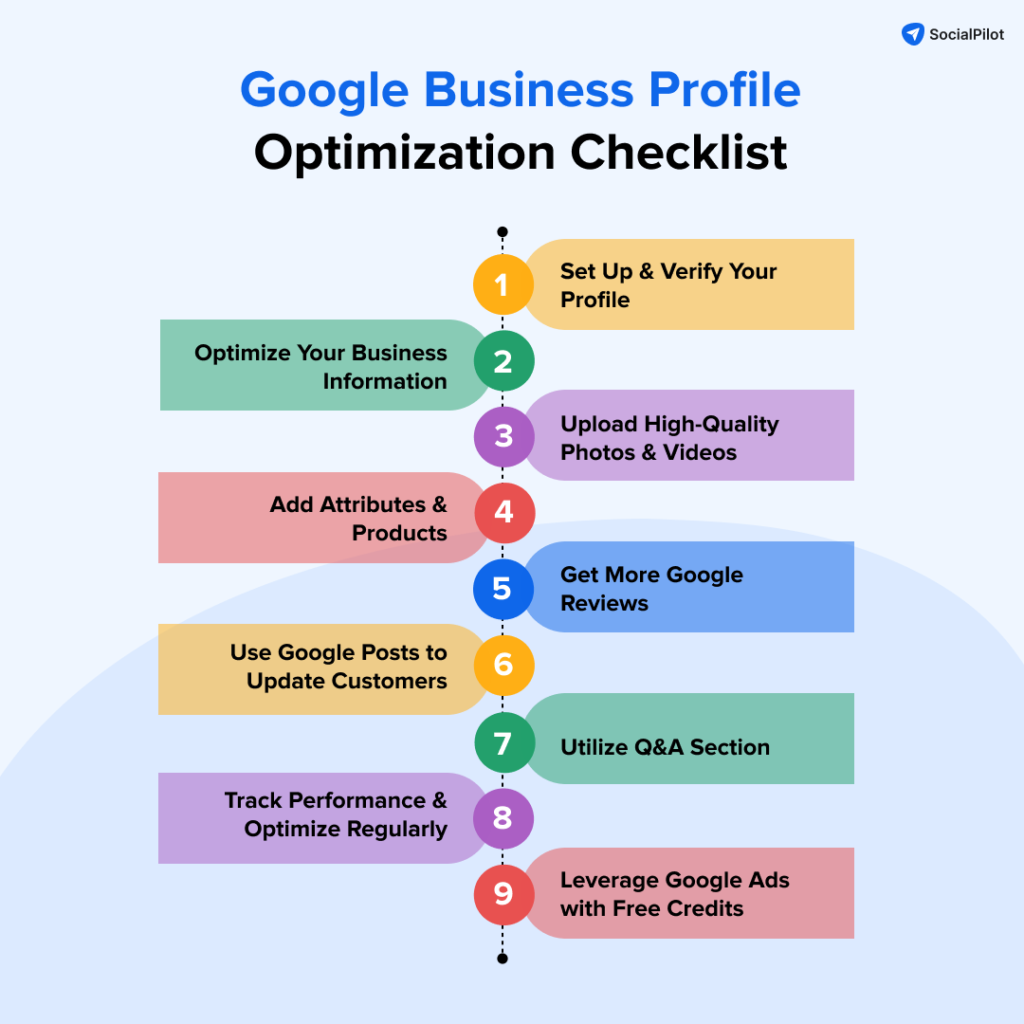
This section delves into advanced techniques for maximizing the effectiveness of your Google Business Profile. Enhanced engagement and visibility can significantly impact customer interactions and business growth.
Utilizing Google Posts for Engagement
Google Posts allow businesses to share updates, promotions, and events directly on their Google Business Profile. Regular posting keeps your profile active, informs customers about new offerings, and can enhance SEO. Consider the following strategies:
- Frequency: Aim to post at least once a week to maintain visibility.
- Content Variety: Use a mix of promotional, informational, and event-based posts.
- Call to Action: Always include a clear call to action (CTA) to guide customer engagement.
Leveraging Customer Reviews Effectively
Customer reviews are critical for building trust and attracting new clients. Actively manage your reviews by:
- Responding Promptly: Address both positive and negative reviews quickly to show engagement.
- Encouraging New Reviews: After a purchase, request reviews via email or through follow-up calls.
- Highlighting Positive Feedback: Use positive reviews in your marketing materials or social media posts.
Implementing Q&A to Address Common Customer Inquiries
The Q&A feature on Google Business Profile allows businesses to preemptively address common customer questions. This not only informs potential customers but also reduces the workload on your staff. Follow these steps:
- Identify Common Questions: Analyze customer interactions to determine frequent inquiries.
- Provide Clear Answers: Ensure your answers are concise, informative, and helpful.
- Monitor and Update: Regularly review and update the Q&A section based on new customer feedback.
Analyzing Insights and Metrics for Continuous Improvement
Google Business Profile provides valuable insights into how customers interact with your listing. Utilize these metrics to refine your strategy:
- Profile Views: Track how many times your profile is viewed to gauge visibility.
- Customer Actions: Analyze what actions customers take (calls, visits, requests for directions).
- Post Performance: Evaluate which posts generate the most engagement and adjust your content strategy accordingly.
Many businesses overlook the importance of regularly analyzing their Google Business Profile metrics. This analysis not only informs future strategies but helps in identifying what resonates with your audience. For instance, if a particular type of post consistently drives engagement, consider incorporating similar content into your broader marketing strategy.
To implement these advanced strategies effectively, start by creating a content calendar for Google Posts. Schedule regular reviews of your customer feedback and Q&A section. Finally, set aside time monthly to analyze your profile’s insights and adjust your tactics based on the data collected. By doing so, you will enhance your profile’s performance and better meet customer needs.
Common Mistakes to Avoid When Creating Your Profile
Creating an effective Google Business Profile requires attention to detail. Avoiding common pitfalls ensures your business stands out and attracts potential customers.

Inaccurate Business Information
One of the most frequent errors is providing inaccurate business information. This can include incorrect addresses, phone numbers, or business categories. Such inaccuracies can lead to customer confusion, missed opportunities, and diminished trust. Ensure all details are verified and reflect your business accurately to enhance local search visibility.
Neglecting to Respond to Reviews
Failing to engage with customer reviews can significantly impact your profile’s effectiveness. Customers often look at reviews to gauge a business’s reliability. Not responding to reviews—whether positive or negative—can create an impression of indifference. Regularly addressing customer feedback fosters trust and can even improve your overall rating.
Failing to Keep Business Hours Updated
Business hours must reflect your actual operating times. Inaccurate hours can lead to customer frustration and loss of business. Regularly update your hours, especially during holidays or special events. Consistency in this area builds customer confidence and ensures they know when to visit or contact you.
Ignoring the Importance of High-Quality Images
Visual content plays a key role in attracting customers. Low-quality or irrelevant images can diminish the professional appearance of your profile. High-quality images of your products, services, and business environment can significantly enhance engagement. Aim to include a variety of images that showcase what sets your business apart.
Additional Considerations
Beyond the common mistakes, there are nuanced aspects to consider. Many businesses underestimate the importance of regularly updating their profiles with new content, including posts about promotions or events. Additionally, some may believe that once their profile is set up, it requires no further attention. However, continuous optimization is necessary to maintain visibility and relevance in local search results.
Practical Applications
- Double-check all business information for accuracy before publishing.
- Set a schedule to respond to reviews at least weekly.
- Regularly update business hours, especially during peak seasons.
- Invest in professional photography or take high-quality images of your offerings.
- Monitor your profile periodically to refresh content and engage with customers.
Real-World Examples of Successful Google Business Profiles
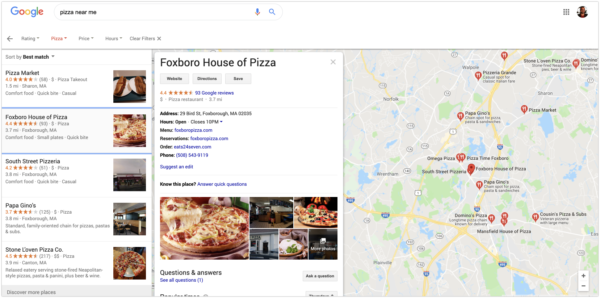
This section explores how various businesses have leveraged their Google Business Profiles to achieve significant growth. By examining these case studies, businesses can identify strategies that may enhance their own online presence.
Case Study: The Local Bistro
A small restaurant, The Local Bistro, successfully increased foot traffic by optimizing its Google Business Profile. By regularly updating their profile with high-quality images of their dishes and sharing customer reviews, they attracted more visitors. Monthly foot traffic grew by 30% within three months of the optimization.
- Image Updates: Posting fresh images weekly to showcase seasonal dishes.
- Customer Engagement: Responding to reviews promptly, enhancing customer loyalty.
- Special Offers: Highlighting limited-time promotions directly on the profile.
Case Study: Green Clean Services
Green Clean Services, a local cleaning company, experienced a significant improvement in customer inquiries after optimizing their Google Business Profile. They utilized the Q&A feature to address common concerns and provided detailed service descriptions. As a result, inquiries increased by 50% over a six-month period.
- Service Descriptions: Creating detailed, keyword-rich descriptions of services offered.
- FAQs: Utilizing the Q&A section to preemptively answer common questions.
- Booking Links: Adding direct links for scheduling services, simplifying the customer journey.
Case Study: Trendy Threads Boutique
Trendy Threads, a retail clothing store, significantly boosted online sales through local SEO strategies tied to their Google Business Profile. By optimizing their profile with location-specific keywords and integrating an online shopping feature, they saw a 40% increase in online sales within four months.
- Keyword Optimization: Implementing location-based keywords in business descriptions.
- Online Shopping: Incorporating links to e-commerce platforms directly on the profile.
- Local Posts: Regularly posting updates about new arrivals and sales to attract local customers.
Metrics Analysis Before and After Optimization
Analyzing the metrics before and after these businesses optimized their Google Business Profiles reveals substantial improvements. For instance, The Local Bistro reported an increase in profile views from 1,200 to 2,500 monthly. Green Clean Services saw inquiries rise from 100 to 150 per month, while Trendy Threads experienced a jump in online transactions from 200 to 280 monthly.
These metrics demonstrate the tangible impact of an optimized Google Business Profile on foot traffic, inquiries, and online sales. By focusing on relevant updates and customer engagement, businesses can realize measurable growth.
Many articles overlook the significance of continuously updating and engaging with customers through Google Business Profiles. Businesses often set up their profiles and neglect them, leading to missed opportunities. Regular updates and active engagement are crucial for maintaining visibility and relevance in local search results.
To effectively utilize this information, businesses should:
- Regularly update their Google Business Profile with new images, service offerings, and customer reviews.
- Engage with customers by responding to reviews and utilizing the Q&A feature.
- Analyze metrics monthly to assess the impact of changes and identify areas for further optimization.
Comparing Google Business Profile with Other Local Listing Services
This section analyzes the distinctions between Google Business Profile and other local listing platforms such as Yelp and Bing Places. Understanding these differences can enhance a business’s local visibility and engagement.
User Engagement and Features
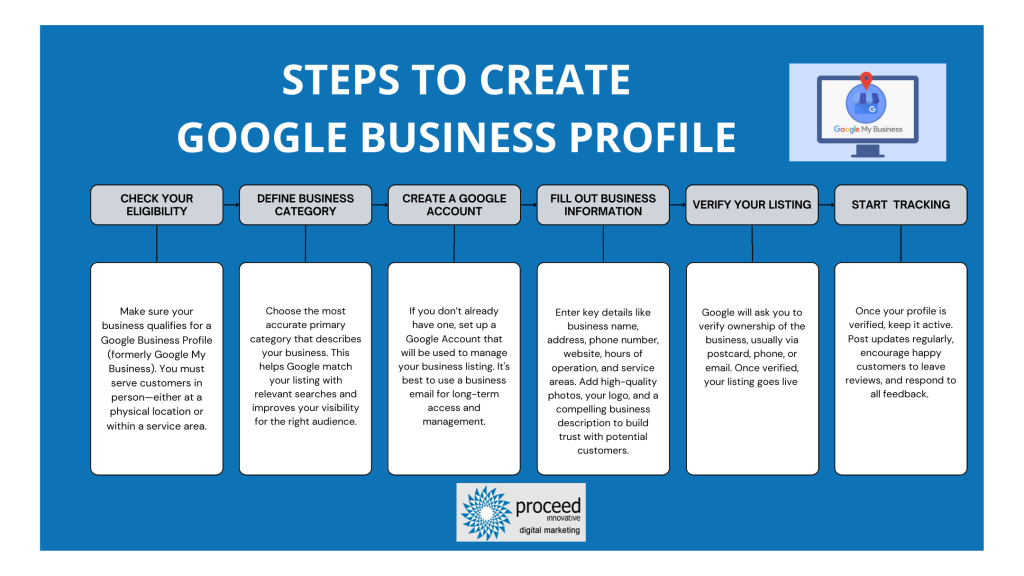
Google Business Profile offers unique features that enhance user engagement. The platform supports direct messaging, appointment scheduling, and question-and-answer sections. Businesses can also post updates and promotions, which can appear in search results, providing real-time engagement opportunities.
In contrast, Yelp focuses heavily on user reviews and community engagement. While it offers business profiles, the primary functionality revolves around customer feedback and recommendations. Bing Places offers features similar to Google, but its user base is significantly smaller, leading to less engagement overall.
SEO Benefits of Google Business Profile
Utilizing Google Business Profile provides substantial SEO advantages. Businesses listed on this platform can appear in local search results, Google Maps, and the knowledge panel, which enhances visibility. According to a study by BrightLocal, 93% of consumers use online searches to find local businesses, highlighting the importance of optimizing for Google.
Yelp and Bing Places also contribute to local SEO but lack the same level of integration with Google’s search algorithms. Listings on Google are more likely to appear prominently in search results, making it a critical component of any local SEO strategy.
Integrating Multiple Listings for Maximum Visibility
To maximize online visibility, businesses should consider integrating their Google Business Profile with other local listings. This can be achieved through:
- Consistent NAP (Name, Address, Phone Number) across all platforms.
- Linking Google Business Profile to Yelp and Bing Places to drive traffic.
- Encouraging customer reviews on multiple platforms to enhance credibility.
By maintaining consistency and cross-linking profiles, businesses can create a robust online presence that attracts more customers.
When to Prioritize Google Business Profile Over Others
Google Business Profile should be prioritized in scenarios such as:
- When seeking to improve local SEO and visibility.
- When targeting a mobile audience, as most local searches occur on mobile devices.
- When utilizing features like Google Posts to share updates and promotions regularly.
In these situations, the benefits of Google Business Profile often outweigh those of other platforms.
Many businesses mistakenly believe that listing on multiple platforms equally distributes visibility. However, while diversity in listings is beneficial, focusing on Google Business Profile can yield better results due to its search dominance.
To leverage this information effectively, businesses should first create or optimize their Google Business Profile. Next, ensure all details are accurate, including hours of operation, services offered, and customer interaction features. Finally, develop a strategy for engaging with customers through reviews and updates, while maintaining consistent information across other platforms like Yelp and Bing Places.
For How To Create A Google Business Profile businesses looking to generate local leads through Google Ads or Local SEO, GMB Ranger LLC offers hands-on campaign management. Specialist Md Tangeer Mehedi personally handles campaign setup and ongoing optimization — with no payment required until the first lead comes in.
Frequently Asked Questions
What is a Google Business Profile?
A Google Business Profile is a free tool that allows businesses to manage their online presence across Google, including Search and Maps. It provides essential information about the business, such as location, hours, and services offered.
How do I optimize my Google Business Profile?
To optimize your Google Business Profile, ensure all information is complete and accurate, including business name, address, phone number, and categories. Regularly update posts, photos, and respond to customer reviews to enhance visibility and engagement.
What are the benefits of having a Google Business Profile?
Having a Google Business Profile improves local search visibility, allowing potential customers to find your business easily. It also enables direct interaction with customers through reviews and Q&A, fostering trust and engagement.
How much does it cost to create a Google Business Profile?
Creating a Google Business Profile is completely free of charge. Businesses can take advantage of this tool to enhance their online presence without any financial commitment.
How long does it take to set up a Google Business Profile?
Setting up a Google Business Profile typically takes about 10 to 15 minutes if all necessary information is readily available. However, the verification process may take longer, depending on the method chosen.
What are the best practices for managing a Google Business Profile?
Best practices include keeping information up-to-date, responding promptly to customer inquiries, and regularly posting updates and photos. Monitoring insights can also help refine strategies for better engagement.
Can I create a Google Business Profile without a physical location?
Yes, businesses without a physical location can create a Google Business Profile by selecting the option to serve customers at their locations. They should provide a service area and relevant business details to enhance visibility.
How do I verify my Google Business Profile?
Verification can be done through several methods, including receiving a postcard by mail, phone verification, or email, depending on the business type. Follow the prompts in your Google Business Profile dashboard to complete the verification process.
Final Thoughts on how to create a google business profile
Establishing a Google Business Profile is not merely a digital formality; it is a strategic imperative for enhancing your online visibility and engaging with potential customers effectively. The optimization techniques and advanced strategies discussed are vital for maintaining a competitive edge in today’s digital landscape.
To maximize your profile’s impact, conduct a thorough audit of your existing information, ensuring accuracy and completeness, then implement the optimization strategies outlined to attract and retain customers effectively.
In an era where online presence can determine business success, mastering your Google Business Profile is essential for driving growth and establishing credibility in your market.
Leave a Reply