
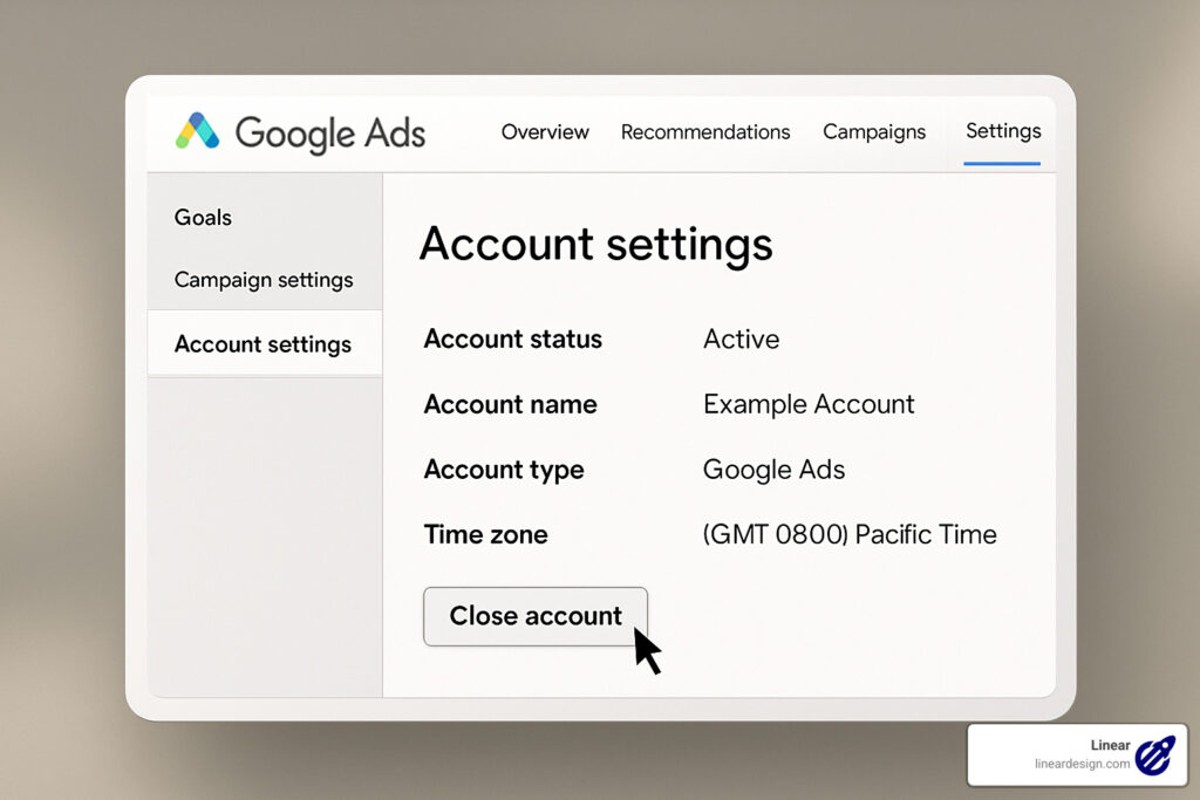
To delete a Google Ad account, sign in to your Google Ads account, navigate to ‘Account Settings’, and select ‘Cancel Account’. Follow the prompts to complete the deletion.
Understanding how to delete a Google Ad account is crucial for businesses and marketers wanting to manage their online advertising presence effectively. Incorrectly deleting an account can result in lost data, disrupted campaigns, and potential financial implications.
This guide details the precise steps required to delete a Google Ad account, including navigating the account settings and understanding the consequences of account cancellation. It also addresses common pitfalls to avoid during the process.
What happens when you delete your Google Ad account?
When you delete your Google Ad account, all associated data, including ad history and billing information, is permanently removed. This action cannot be undone, and you will lose access to all campaign data and performance metrics. Additionally, any remaining balance in your account will be forfeited, and ads will stop running immediately.
Deleting your Google Ad account has several significant consequences:
- Loss of Data: All historical data related to your campaigns, including impressions, clicks, and conversions, will be irretrievably lost. This data is crucial for analyzing past performance and shaping future marketing strategies.
- Impact on Account Linking: If your Google Ad account is linked to other Google services (like Google Analytics or Google Merchant Center), those connections will be severed. This may hinder your ability to track user behavior across platforms.
- Forfeiture of Remaining Balance: Any remaining credit or balance in your account will not be refunded. Users should ensure all outstanding balances are settled before deletion.
In addition to the immediate effects, consider the long-term implications of account deletion. Once the account is removed, creating a new account will require starting from scratch, including setting up campaigns and re-establishing any previous audiences. This can result in a significant loss of momentum in marketing efforts.
Expert Tip: Before proceeding with account deletion, export your data and performance reports. This allows for future reference and can support strategic planning for new campaigns or accounts.
How long does it take to delete a Google Ad account?
Deleting a Google Ad account typically takes effect immediately upon confirmation, but complete deletion may take up to a few weeks. While the account will no longer be accessible, residual data and information may still exist temporarily in Google’s systems.
The immediate effect of cancellation means that no new ads can run, and existing campaigns are paused. However, the process of fully removing all associated data from Google’s servers can take additional time. Factors influencing this timeline include the volume of data associated with the account and Google’s internal processing times. Users may notice that their account status updates quickly, but the complete erasure of all related data may not happen instantaneously.
Additionally, if there are pending payments or unresolved billing issues, this may delay the finalization of the account deletion. Google retains certain information for compliance and legal reasons, which can further impact the total time for complete data removal. Users should also be aware that once deleted, the account cannot be reactivated, and all associated data will be lost permanently.
Expert Tip: For those considering deletion, ensure that all necessary data is backed up or exported beforehand, as recovery options are limited after the account is fully deleted.
Can you recover a deleted Google Ad account?
Yes, it is possible to recover a deleted Google Ad account, but options are limited and time-sensitive. Google provides a recovery window during which users can restore their accounts. After this period, recovery options may be significantly reduced or unavailable.
When a Google Ad account is deleted, users typically have two main recovery options: restoring the account through the Google Ads interface or contacting Google Ads support for assistance. Each method has its own nuances and timelines for recovery. Below is a comparison of these options:
- Self-Service Recovery: Users can attempt to restore their account themselves within 20 days of deletion via the Google Ads interface. This option is straightforward but requires access to the original login credentials.
- Support Assistance: If self-service recovery is not viable or the 20-day window has passed, users can contact Google Ads support. This option may involve additional verification steps and can take longer, depending on the complexity of the account status.
- Permanently Deleted Accounts: Accounts deleted for over 20 days are generally considered permanently deleted. Recovery options are minimal, and users may need to create a new account from scratch.
The key differences between these recovery methods lie in the timeframe and accessibility. Self-service recovery is faster and requires immediate action, while support assistance may involve longer wait times. Users should act promptly to maximize their chances of successful recovery.
Expert Tip: Always back up important account information and data before deleting a Google Ad account. This practice can save time and prevent potential loss of valuable insights if recovery is needed.
What are the steps to delete a Google Ad account?
To delete a Google Ad account, follow a series of straightforward steps through the Google Ads interface. This process ensures that your account is permanently removed and that all associated data is deleted. Be aware that once deleted, you cannot recover any information from the account.
- Sign in to Google Ads: Access your Google Ads account by entering your login credentials at ads.google.com.
- Navigate to Account Settings: In the upper right corner, click on the tools icon (wrench) to open the menu. Under “Setup,” select “Preferences.”
- Locate Account Status: Scroll down to the “Account Status” section. Here, you will find the option to “Cancel Account.”
- Initiate Account Cancellation: Click on the “Cancel Account” link. A confirmation dialog will appear, explaining the implications of account deletion.
- Confirm Deletion: Review the information provided, then click “Cancel Account” to finalize the deletion. Ensure that you have downloaded any necessary reports or data before this step, as it is irreversible.
Deleting a Google Ad account will remove all associated campaigns, ads, and historical data. Be mindful that if you have multiple accounts linked under a manager account, you must delete each one individually. Additionally, if your account has any outstanding balances, they must be settled before proceeding with deletion.
Once the account is deleted, you will no longer have access to any advertising data, and the account cannot be reinstated. It is advisable to back up any important information you may need in the future.
Expert Tip: Consider pausing your campaigns instead of deleting the account if you anticipate returning to Google Ads in the future. This option allows for easier reactivation without losing historical performance data.
Are there any costs associated with deleting a Google Ad account?
There are no direct fees or costs associated with deleting a Google Ad account. However, the actions taken prior to deletion, such as unpaid balances, can impact the overall experience.
When a Google Ad account is deleted, any remaining balance will still need to be settled. If there are outstanding charges, these must be paid before the account can be completely closed. Additionally, advertisers should be aware that once an account is deleted, it is irreversible, and all data associated with the account will be permanently lost. This includes historical performance data, campaign settings, and any audience information.
- Outstanding Balances: Any unpaid amounts will need to be settled before deletion.
- Subscription Fees: If the account is linked to any premium services, those fees may apply until cancellation.
- Future Advertising Costs: Once deleted, there will be no future costs, but consider the implications on marketing strategy.
Reopening a deleted account is not an option, which can have long-term consequences on advertising efforts. Businesses should weigh the decision carefully and ensure all necessary data is backed up before proceeding.
Expert Tip: Before deleting the account, export any essential data or reports that may be useful for future marketing strategies. This ensures that valuable insights are not lost along with the account.
What are the best practices for deleting a Google Ad account?
To properly delete a Google Ad account while safeguarding important data, several best practices should be followed. These steps help ensure that valuable information is retained, and any potential complications are avoided during the account deletion process.
Before proceeding with deletion, it is advisable to conduct a comprehensive audit of the account. This includes reviewing performance data, active campaigns, and billing information. Ensure that all necessary data is downloaded and saved, as deleted accounts cannot be recovered. Additionally, consider notifying stakeholders or team members who may be affected by the account closure.
- Backup Data: Export all relevant reports, including performance metrics and campaign history. Google Ads allows users to download data in various formats, ensuring access to this information in the future.
- Settle Outstanding Balances: Clear any remaining balance on the account to avoid complications or service interruptions. Review billing history and make necessary payments before initiating deletion.
- Review Active Campaigns: Pause or complete any ongoing campaigns. This prevents unexpected charges and ensures that all critical advertising efforts are concluded before deletion.
- Notify Team Members: Inform all relevant parties about the account deletion. This includes marketing teams, finance departments, and any external partners that may be impacted by the closure.
These practices not only streamline the deletion process but also minimize the risk of losing essential data. Proper preparation is key to ensuring a smooth transition away from Google Ads.
Expert Tip: Regularly archive important data from advertising accounts, as this practice can simplify future account management or deletion processes. Keeping organized records will facilitate better decision-making regarding account closure or reactivation.
How does deleting a Google Ad account affect other Google services?
Deleting a Google Ad account can impact other Google services that are connected to it, such as Google Analytics and Google Ads manager accounts. When the Google Ad account is removed, any data associated with it may become inaccessible, which can disrupt reporting and analysis across these platforms.
For example, consider a business that uses Google Ads for advertising and Google Analytics for tracking website traffic. If the Google Ad account is deleted, the historical performance data from the ads will no longer be available in Google Analytics. This loss of data can hinder the ability to analyze marketing effectiveness and make informed decisions based on past campaigns. Furthermore, if the Google Ad account is linked to a Google Ads manager account, the manager will lose access to any campaigns and data associated with the deleted account, complicating account management for agencies or teams.
Additionally, if the Google Ad account is part of a larger Google Workspace setup, deleting it may affect any billing and payment information linked to other Google services. Advertisers should ensure that all necessary data is backed up and that they fully understand the implications of account deletion before proceeding.
Expert Tip: Before deleting a Google Ad account, export all relevant data, including campaign performance reports and audience insights, to maintain access to critical information for future marketing strategies.
Understanding the Implications of Deleting Your Google Ad Account
This section outlines the significant consequences of deleting a Google Ad account, emphasizing why businesses should weigh their options carefully before proceeding. The implications extend beyond immediate effects, influencing data retention, billing practices, and access to essential advertising resources.

Impact on Campaign Data and Performance Metrics
Deleting a Google Ad account results in the permanent loss of all campaign data and performance metrics. This includes historical data related to impressions, clicks, conversions, and overall campaign effectiveness. Such metrics are invaluable for analyzing past strategies, informing future campaigns, and optimizing advertising efforts. Once the account is deleted, retrieving this data becomes impossible, which can hinder long-term marketing analysis and decision-making.
Effects on Billing and Payment History
When a Google Ad account is deleted, all associated billing and payment history is also erased. Advertisers lose access to invoices and transaction records, which can complicate financial accounting and tax reporting. Additionally, any pending payments or outstanding balances must be resolved prior to deletion, as unresolved financial obligations may lead to complications with Google’s payment systems.
Loss of Access to Ad Assets and Creatives
Account deletion leads to the forfeiture of all ad assets, including creatives, targeting settings, and custom audiences. This loss can be detrimental for businesses that rely on specific ad formats or have invested time and resources in developing tailored ad content. Recreating these assets after deletion can be time-consuming and may result in inconsistencies in brand messaging.
How Deletion Affects Linked Google Services
Many businesses integrate their Google Ad accounts with other Google services, such as Google Analytics and Google Merchant Center. Deleting the ad account can sever these links, impacting data sharing and overall marketing strategies. For example, without an active Google Ad account, businesses may miss out on valuable insights from Google Analytics, which can be critical for understanding website traffic and user behavior.
Nuances and Common Misconceptions
One common misconception is that deleting a Google Ad account is equivalent to pausing campaigns. In reality, deletion is irreversible and leads to permanent data loss, while pausing allows for future access to campaign data and performance insights. Additionally, some believe that account deletion will result in a clean slate for future advertising; however, it may lead to complications with re-establishing a new account, including potential issues with compliance and Google’s advertising policies.
Practical Application
Before deciding to delete a Google Ad account, businesses should consider the following actions:
- Export and save all campaign data and performance metrics for future reference.
- Resolve any outstanding billing issues to avoid complications.
- Document all ad assets and creatives for potential future use.
- Evaluate the impact on linked Google services and consider alternative strategies.
Taking these steps can mitigate the negative consequences associated with account deletion and better prepare businesses for future advertising endeavors.
Step-by-Step Guide to Deleting Your Google Ad Account
This guide provides a comprehensive walkthrough on how to delete your Google Ad account, ensuring you are fully prepared and informed throughout the process. Following these steps will help you avoid common pitfalls and secure your data effectively.
Pre-Deletion Checklist
Before initiating the deletion process, ensure you have completed the following checklist:
- Back up all essential data, including campaign performance reports and billing information.
- Review any active campaigns to understand potential impacts on your business.
- Ensure you have administrative access to the Google Ads account you intend to delete.
- Consider if you need to transfer any assets or billing details to another account.
Step-by-Step Instructions
- Sign in to your Google Ads account at ads.google.com.
- Click on the “Tools & Settings” icon (wrench icon) located in the top right corner.
- Under the “Setup” section, click on “Preferences.”
- Scroll down to the “Account Status” section. Click on “Cancel Account” to begin the deletion process.
- Follow the on-screen prompts to confirm your decision. Google may ask for feedback regarding your reason for deletion.
- Review and confirm your cancellation request. You will receive a confirmation email regarding the account deletion.
Troubleshooting Common Issues
During the deletion process, users may encounter several issues. Here are common problems and solutions:
- Access Denied: Ensure you are logged in with the correct administrative account. If necessary, request access from your account manager.
- Pending Payments: Clear any outstanding payments to proceed with account deletion. Check your billing section for any alerts.
- Confirmation Delays: If you do not receive a confirmation email within 24 hours, check your spam folder or contact Google Ads support.
Post-Deletion Steps
After successfully deleting your Google Ad account, take the following steps to secure your data:
- Verify that all data has been backed up before cancellation, as deleted accounts cannot be recovered.
- Monitor your email for any follow-up communications from Google regarding your cancellation.
- If you plan to create a new account in the future, consider using a different email address to avoid complications.
Many users overlook crucial aspects of the deletion process, such as backing up data and understanding the implications of the cancellation. Users should be aware that deleting an account is irreversible; therefore, thorough consideration is necessary before proceeding. Furthermore, misconceptions often arise regarding the retention of data post-deletion. Google retains account data for a period even after cancellation, which may lead to confusion regarding privacy and data handling.
To effectively utilize this information, ensure that you follow the pre-deletion checklist and complete the steps meticulously. Keep a record of the confirmation email for your records and consider reaching out to Google Ads support for any queries that arise during the process. By taking these measures, you can confidently manage your Google Ad account deletion.
Common Mistakes to Avoid When Deleting a Google Ad Account
Deleting a Google Ad account can be a straightforward process, yet many users encounter pitfalls that complicate their experience. This section outlines common mistakes to sidestep, ensuring a smooth account deletion.
Not Backing Up Important Data
Before initiating the deletion process, users often overlook the importance of backing up data. Critical information, including performance metrics, historical campaigns, and billing details, can be lost permanently once the account is deleted. Utilize Google Ads’ reporting features to export necessary data in a format that suits your needs.
Ignoring Linked Accounts and Services
Many users fail to consider accounts or services linked to their Google Ad account. Integration with platforms like Google Analytics or Google Merchant Center means that deleting the ad account can disrupt data flow or functionality. To avoid this issue, review all linked accounts and determine whether they will be affected by the deletion.
Misunderstanding the Cancellation Process
The cancellation process is often misunderstood. Users may assume that simply deleting the account will stop all ads and billing. However, Google Ads employs a multi-step cancellation procedure that must be followed to prevent further charges. Ensure that you follow the specific steps outlined in Google’s guidelines for proper cancellation.
Failing to Review Billing Implications
Many users neglect to review the billing implications of deleting their account. Even after deletion, outstanding charges or fees may still apply. Review your billing history and ensure all dues are settled. This step prevents unexpected charges post-deletion.
- Export advertising data before deletion.
- Check for linked accounts and services.
- Follow Google’s multi-step cancellation process.
- Review and settle any outstanding billing issues.
Nuance of Account Deletion
Experts often highlight that not all account deletions are immediate. Google retains certain data for compliance and legal reasons, meaning that information may still be accessible for a limited time post-deletion. This retention period can lead to misconceptions about the permanence of data removal. Users should be aware that while the account may be deleted, associated data may not be erased instantaneously.
Practical Application
To effectively delete a Google Ad account without complications, follow these steps: first, back up all essential data and metrics; second, audit linked accounts to assess any potential disruptions; third, adhere to the cancellation process as outlined by Google; and finally, resolve any billing issues to avoid unexpected charges. By systematically addressing these points, users can ensure a hassle-free deletion experience.
Alternatives to Deleting Your Google Ad Account
This section explores alternatives for users who may prefer not to delete their Google Ad account but need a temporary respite or a strategic shift. Understanding these options can help maintain advertising flexibility and avoid losing valuable data.
Pausing Campaigns Instead of Deleting
One of the most effective ways to take a break from advertising without deleting your account is to pause your campaigns. Pausing a campaign allows you to halt all ads while retaining historical data, settings, and performance metrics. This can be particularly useful if you anticipate returning to advertising in the near future or if you need to reassess your strategy.
- Access the Google Ads dashboard.
- Select the campaign(s) you wish to pause.
- Click on the “Pause” option from the drop-down menu.
Utilizing Account Settings for Temporary Solutions
Google Ads offers various account settings that can be adjusted for temporary relief from advertising pressures. Users can modify budget allocations, adjust targeting settings, or change ad scheduling to minimize costs while retaining the account structure. Additionally, consider setting a lower daily budget to control spending without complete cessation of advertising efforts.
Exploring Account Management Options
For users unsure about deleting their account, consider enlisting the help of a Google Ads specialist or agency. These professionals can provide insights into optimizing campaigns or adjusting strategies based on current market conditions. Leveraging account management tools can also help streamline processes and improve performance without the need for a full account deletion.
When to Consider Complete Account Deletion Versus Temporary Suspension
Deciding between deleting your Google Ads account or opting for a temporary suspension requires careful consideration of several factors. If your business is no longer active or you have shifted your focus entirely, deletion may be warranted. Conversely, if you simply need a break to strategize or reassess your advertising plans, suspension offers a reversible solution that preserves your account data.
Many users incorrectly assume that deleting an account will automatically improve their overall marketing strategy. In reality, retaining an account allows access to historical performance data, which can inform future campaigns and enhance targeting accuracy.
Practical Application
To implement these alternatives, start by assessing your current advertising needs. If a break is necessary, pause your campaigns and adjust settings to minimize costs. For those uncertain about their next steps, consider consulting a Google Ads expert for tailored advice. This strategic approach can help maintain your advertising presence while avoiding the irreversible consequences of account deletion.
Frequently Asked Questions
What happens when you delete your Google Ad account?
When you delete your Google Ad account, all your ads, campaigns, and associated data are permanently removed. You will no longer be able to run ads or access account information.
How long does it take to delete a Google Ad account?
Deleting a Google Ad account is typically processed immediately upon confirmation. However, it may take some time for all associated data to be fully removed from Google’s systems.
Can you recover a deleted Google Ad account?
Once a Google Ad account is deleted, it cannot be recovered. Users should ensure they have backed up any important data before proceeding with deletion.
What are the steps to delete a Google Ad account?
To delete a Google Ad account, sign in, navigate to the account settings, and select the option to cancel or delete the account. Follow the prompts to confirm the deletion process.
Are there any costs associated with deleting a Google Ad account?
There are no costs associated with deleting a Google Ad account; the process is free. However, any outstanding charges for previous advertising will still apply before deletion.
What are the best practices for deleting a Google Ad account?
Before deleting a Google Ad account, review all active campaigns and ensure no pending charges exist. It is advisable to download any important reports or data for future reference.
How does deleting a Google Ad account affect other Google services?
Deleting a Google Ad account does not affect other Google services, such as Google Analytics or Google My Business. Each service operates independently, and data from those services remains intact.
Final Thoughts on how to delete google ad account
Successfully deleting a Google Ad account requires careful consideration of its implications, including potential loss of data and advertising history. Following the outlined steps meticulously ensures a smooth process, while avoiding common pitfalls can save time and frustration.
To proceed, log into your Google Ads account and follow the deletion steps provided in the guide, ensuring that you back up any necessary data beforehand to avoid irreversible losses.
Understanding the intricacies of managing your digital advertising presence is crucial; making informed decisions can significantly impact your future marketing strategies.
Leave a Reply