
Google Merchant Center interacts with Google Ads by allowing retailers to upload product data, which can then be used to create targeted shopping ads. This integration helps in optimizing ad performance and reaching potential customers effectively.
Understanding the interaction between Google Merchant Center and Google Ads is crucial for retailers aiming to maximize their online visibility and sales. Mismanaging this integration can lead to ineffective advertising campaigns, wasted budgets, and lost opportunities in a competitive marketplace.
This article will detail the mechanics of how Google Merchant Center feeds product information to Google Ads, the benefits of this integration for retailers, and best practices for maximizing ad performance.
What is Google Merchant Center and how does it work?
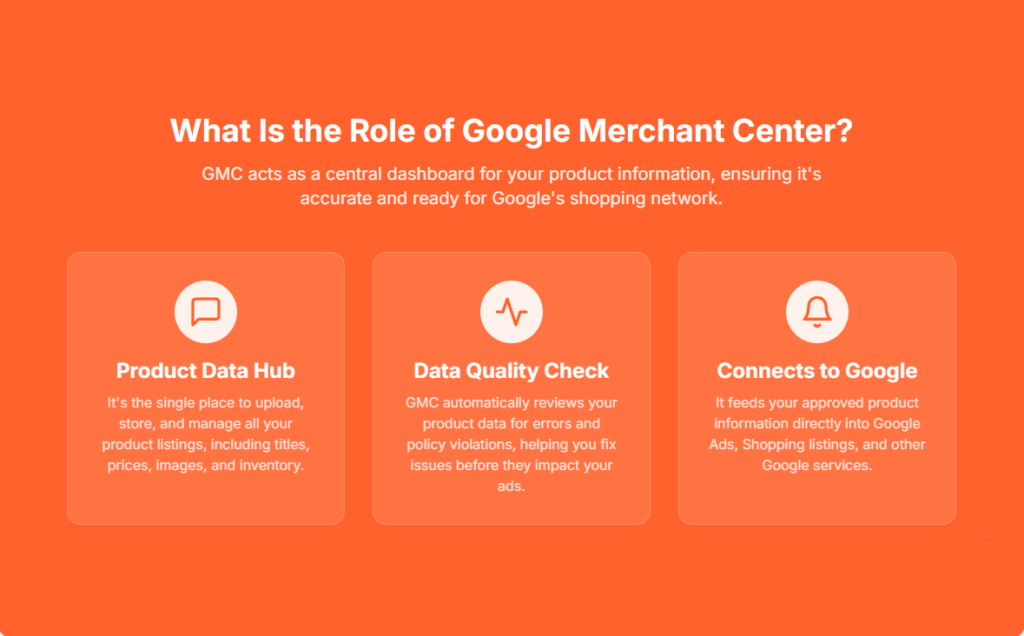
Google Merchant Center is a platform that allows retailers to upload and manage their product listings for Google Shopping and other Google services. It serves as the hub for product data, which can then be used in advertising campaigns via Google Ads. By providing accurate and detailed product information, retailers can enhance their visibility and reach potential customers effectively.
The primary function of Google Merchant Center is to facilitate the integration of product data with Google Ads, enabling businesses to create targeted advertising campaigns. Retailers can upload product feeds that include essential details such as pricing, availability, and descriptions. These listings are then displayed on Google Shopping, Google Search, and other affiliated platforms, allowing users to browse products directly from search results.
- Product Feeds: Retailers must create and maintain product feeds that comply with Google’s specifications. This includes information like product titles, images, prices, and unique identifiers (GTINs or MPNs).
- Data Quality: High-quality data is crucial for successful listings. Google assesses product information for accuracy, which impacts visibility in search results.
- Integration with Google Ads: Once product listings are set up, retailers can create Shopping campaigns in Google Ads that utilize this data to display ads to potential customers based on their search queries.
Moreover, Google Merchant Center provides tools for tracking performance metrics, managing inventory, and optimizing campaigns. Retailers can leverage these insights to refine their product offerings and advertising strategies, ensuring they meet consumer demand effectively.
Expert Tip: Regularly updating product feeds and monitoring performance metrics can significantly enhance campaign efficiency and ROI. Retailers should also consider utilizing Google’s automatic item updates feature to ensure that their listings reflect real-time changes in price and availability.
How do I link Google Merchant Center to Google Ads?
Linking Google Merchant Center to Google Ads is a straightforward process that enables effective management of your product listings in ads. This connection allows you to create Shopping campaigns using the product data from your Merchant Center. Follow the steps below to establish the link between these two accounts.
- Sign in to your Google Merchant Center account.
- Click on the three-dot menu icon in the top right corner and select Account linking from the dropdown menu.
- In the Account linking section, click on the Add Google Ads account button.
- Enter the Google Ads account ID you wish to link. This ID can be found in your Google Ads account under the “Tools and Settings” menu.
- Choose the appropriate access level for your Google Ads account. Options include Standard and Admin access, depending on the level of control you want to grant.
- Click Send Link Request. The recipient will receive a notification to accept the link request.
- Once the request is accepted, the accounts will be linked, allowing you to run Shopping campaigns using your product data.
After linking the accounts, ensure that your product feed is optimized and compliant with Google’s policies. Regularly monitor your campaigns for performance, making adjustments as necessary to maximize your ad effectiveness.
Expert Tip: Regularly check your Merchant Center for any feed issues or policy violations, as these can affect your Shopping campaign performance. Keeping your data accurate and up-to-date is essential for achieving the best results in Google Ads.
What are the benefits of using Google Merchant Center with Google Ads?
Integrating Google Merchant Center with Google Ads significantly enhances ad visibility and targeting capabilities for e-commerce businesses. This synergy allows retailers to showcase their products more effectively, driving higher engagement and conversion rates.
The integration of these platforms offers several advantages that can optimize advertising efforts. First, it streamlines product listings, ensuring that they are consistently updated across Google Ads. This reduces discrepancies and enhances the customer experience. Second, utilizing product data from Merchant Center allows advertisers to create highly targeted campaigns based on specific product attributes, such as price and availability.
- Enhanced Visibility: Products listed in Google Merchant Center can appear in Google Ads as Shopping ads, increasing their visibility on search results pages. This format allows users to see product images, prices, and descriptions, making them more likely to engage.
- Dynamic Remarketing: By integrating with Google Ads, businesses can implement dynamic remarketing campaigns. This strategy targets users who have previously visited their site, showing them tailored ads based on their browsing behavior and specific products they viewed.
- Automated Bidding Strategies: Leveraging Google Merchant Center data enables the use of automated bidding strategies in Google Ads. Advertisers can optimize bids based on real-time data about product performance, ensuring that they invest their budget wisely.
- Improved Targeting: The integration allows advertisers to segment campaigns based on product categories, enabling more precise targeting. This ensures that ads reach the most relevant audience, increasing the likelihood of conversions.
Utilizing Google Merchant Center with Google Ads not only optimizes advertising efforts but also provides valuable insights through performance tracking. Advertisers can analyze which products are performing well, allowing for data-driven decisions to refine their marketing strategies.
Expert Tip: Regularly update your product feed in Google Merchant Center to maintain compliance with Google’s policies, as this directly impacts ad approval rates and overall campaign success.
How do Google Merchant Center and Google Ads work together for shopping campaigns?
Google Merchant Center and Google Ads collaborate to enhance the visibility of products through Shopping campaigns. The Merchant Center serves as a repository for product data, while Google Ads utilizes this data to create and manage ads that appear across Google’s network.
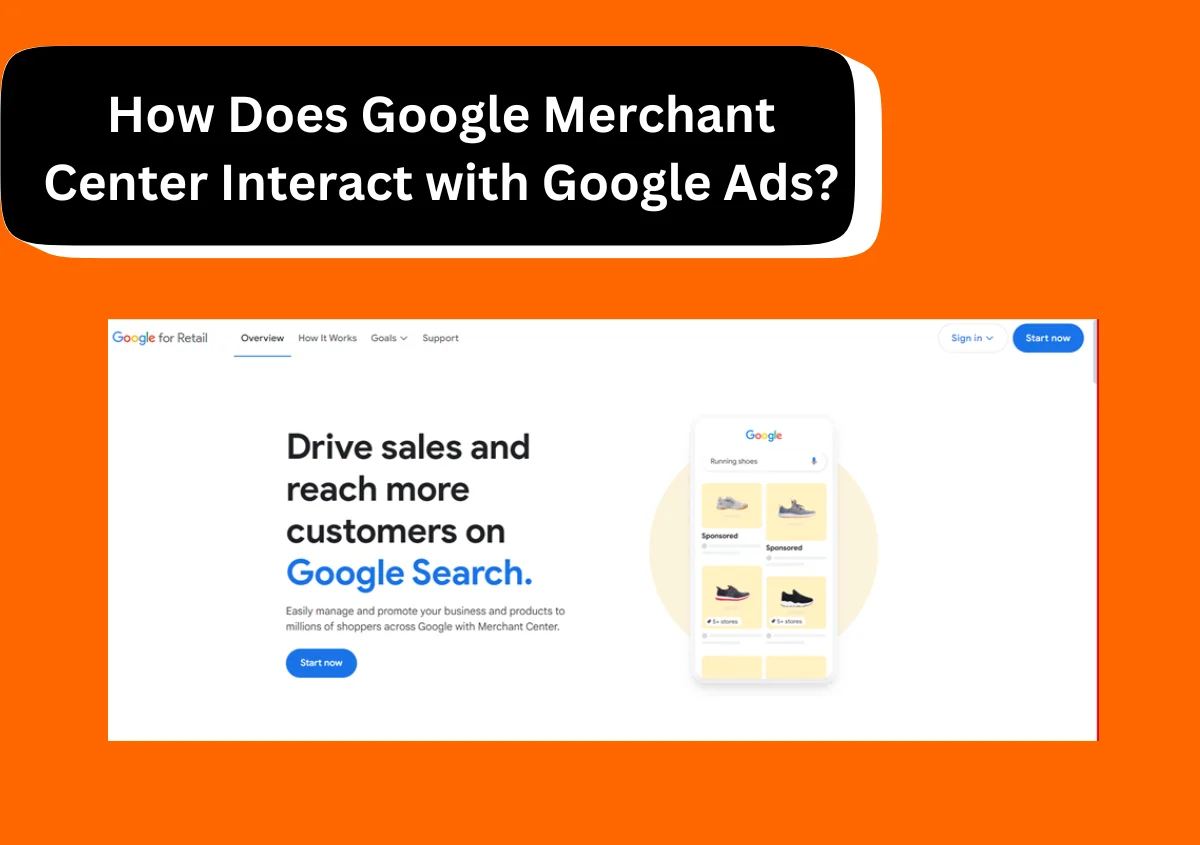
For instance, consider an online retailer selling athletic shoes. The retailer uploads a product feed to Google Merchant Center, which includes details like product titles, prices, images, and availability. Once the feed is approved, the retailer can create a Shopping campaign in Google Ads. During this process, Google Ads pulls data directly from the Merchant Center to generate ads that showcase the athletic shoes, including rich visuals and pricing information. These ads can appear in Google Search results, Google Shopping, and across the Display Network, targeting users actively searching for related products.
Additionally, the performance of these ads is closely monitored within Google Ads. Retailers can analyze metrics such as click-through rates (CTR), conversion rates, and return on ad spend (ROAS). This data enables them to adjust bids, refine targeting, or modify product listings in the Merchant Center to optimize campaign performance. The synergy between the two platforms allows for a streamlined approach to selling products online, ensuring that the right products reach the right audience effectively.
Expert Tip: Regularly updating the product feed in Google Merchant Center is crucial for maintaining accurate inventory levels and pricing, as discrepancies can lead to disapproved ads and lost sales opportunities.
What common mistakes should I avoid when using Google Merchant Center with Google Ads?
Common mistakes in using Google Merchant Center with Google Ads can severely impact ad performance and return on investment. These errors often stem from incorrect product data, poor campaign structure, and lack of ongoing optimization. Avoiding these pitfalls is essential for maximizing ad effectiveness and achieving business goals.
- Inaccurate Product Data: Ensure that product titles, descriptions, prices, and availability are correct. Inaccurate data can lead to disapprovals or low-quality scores, which negatively affect ad visibility. Regularly update product information to reflect any changes.
- Ignoring Feed Specifications: Google Merchant Center has specific requirements for product feeds. Failing to adhere to these specifications, such as image sizes and attribute formatting, can result in feed errors or disapproved products. Always review the latest feed guidelines to maintain compliance.
- Poor Campaign Structure: A disorganized campaign can dilute performance. Create well-structured campaigns based on product categories or performance metrics. This enables more precise targeting and bidding strategies, ultimately improving ad performance.
- Neglecting Optimization: Once campaigns are set up, they require ongoing management. Neglecting to analyze metrics like click-through rates (CTR) and conversion rates can hinder performance. Regularly optimize bids, ad copy, and product listings based on performance data.
- Overlooking Negative Keywords: Failing to utilize negative keywords can lead to irrelevant traffic. Regularly review search terms and add negative keywords to prevent wasted ad spend on non-converting queries.
Each of these mistakes can have a cumulative effect on ad performance. Correcting them requires a proactive approach to monitoring and adjusting campaigns, which can significantly enhance overall effectiveness.
Expert Tip: Implement automated rules in Google Ads to streamline management tasks, such as pausing low-performing products or adjusting bids based on performance metrics, ensuring that campaigns remain optimized without constant manual intervention.
How much does it cost to use Google Merchant Center with Google Ads?
Using Google Merchant Center in conjunction with Google Ads does not incur a direct cost for the Merchant Center itself. However, costs arise when you run ads through Google Ads, primarily based on your bidding strategy, ad placements, and performance. Businesses typically pay for clicks or impressions, with costs varying widely based on competition and targeting options.
Several factors influence the overall cost of advertising through Google Merchant Center and Google Ads:
- Bidding Strategy: Advertisers can choose between manual bidding and automated strategies, which can significantly affect costs. Manual bidding allows for precise control, while automated strategies may optimize for lower costs per click.
- Product Pricing: Higher-priced products may result in higher click costs, as advertisers often bid more aggressively for valuable leads. Conversely, lower-priced items might attract lower bids.
- Competition: The level of competition in your industry impacts costs. In highly competitive markets, bids can escalate, leading to increased costs for visibility.
- Ad Quality: Google considers ad relevance and quality when determining costs. Higher-quality ads may achieve better placements at lower costs.
- Seasonality: Advertising costs can fluctuate with seasonal trends. For example, holiday seasons often see increased competition and higher costs.
Overall, businesses should evaluate their marketing budgets, product margins, and competitive landscape to determine appropriate spending levels. Setting clear goals and monitoring campaign performance can help optimize costs over time.
Expert Tip: To maximize ROI, consistently analyze performance data and adjust bids and ad creatives based on what resonates best with your target audience. This approach helps ensure that advertising costs align with business objectives.
How long does it take for changes in Google Merchant Center to reflect in Google Ads?
Changes made in Google Merchant Center typically reflect in Google Ads within 24 hours. However, this timeframe can vary based on several factors, including the type of change made and the data processing speed of Google’s systems.
When updates or changes are made in Google Merchant Center, such as altering product information, inventory levels, or feed configurations, these adjustments undergo processing before they are visible in Google Ads. Generally, minor updates may appear more quickly, while significant changes involving a large amount of data or complex feed modifications may take longer to process. In most cases, advertisers can expect to see updates within a few hours, but it is prudent to allow up to 24 hours for full reflection across all advertising campaigns.
Additionally, the synchronization between Google Merchant Center and Google Ads can be affected by the status of the Merchant Center account. If there are issues such as policy violations or disapproved products, updates may be delayed until those issues are resolved. Consistent maintenance of the product feed and adherence to Google’s policies can help mitigate these delays, ensuring that changes are processed and reflected in a timely manner.
Expert Tip: Regularly check the Diagnostics section in Google Merchant Center to ensure all products are compliant and approved. This proactive approach minimizes potential delays in reflecting changes in Google Ads.
Can I run ads without Google Merchant Center?
Yes, ads can be run without Google Merchant Center, but this limits their effectiveness. Without Merchant Center, advertisers can use Google Ads to create text-based campaigns, but not product-based ads. This means that the scope and reach of advertising options are significantly reduced.
Google Merchant Center (GMC) is essential for businesses aiming to promote their products through Google Ads via Shopping campaigns. GMC allows advertisers to upload product data, which feeds into Google Ads, enabling visually rich ads that showcase product images, prices, and descriptions. In contrast, running ads without GMC restricts options to standard search ads or display ads, which do not leverage the product-specific features of GMC. As a result, businesses miss out on higher visibility and conversion rates that product ads typically provide.
- Ad Format: With GMC, advertisers can create Shopping ads that feature product images and prices. Without it, only text-based ads are available.
- Targeting Options: GMC allows for more refined targeting based on product attributes, while ads without GMC rely on keyword targeting.
- Performance Insights: GMC provides detailed analytics on product performance, which is not available when running ads solely through Google Ads.
Businesses that opt to run ads without Google Merchant Center should be aware that they may not achieve optimal visibility or engagement. While standard ads can still drive traffic, they often result in lower conversion rates compared to product ads that leverage detailed product information and visuals.
Expert Tip: For e-commerce businesses, integrating Google Merchant Center with Google Ads is critical for maximizing returns on ad spend. The combination not only enhances ad visibility but also provides actionable insights that can inform inventory and marketing strategies.
Understanding Product Feeds and Their Importance
This section examines the role of product feeds in Google Merchant Center and their direct influence on ad performance within Google Ads. Optimizing these feeds is essential for maximizing visibility and effectiveness in advertising campaigns.
Definition and Structure of Product Feeds
A product feed is a file containing a structured list of products that a retailer sells. This file provides essential information about each product, including attributes such as title, description, price, availability, and image links. Typically formatted in XML or CSV, product feeds adhere to Google’s specifications, which require accurate and detailed data to ensure effective ad display.
How to Optimize Product Feeds for Better Visibility
Optimizing product feeds enhances visibility in Google Ads and can significantly improve click-through rates. Key strategies include:
- Use High-Quality Images: Images should be clear, professional, and comply with Google’s image guidelines.
- Craft Compelling Titles and Descriptions: Titles should include relevant keywords and be concise, while descriptions should provide essential details that highlight product benefits.
- Regularly Update Feed Data: Ensure prices, availability, and other attributes are current to avoid disapproved ads.
Common Issues with Product Feeds and Their Solutions
Retailers often encounter various issues with product feeds that can hinder ad performance. Common problems include:
- Disapproved Products: This may occur due to incorrect data or non-compliance with Google policies. Review the product data and ensure it meets all requirements.
- Missing Attributes: Failing to provide essential product information can lead to lower visibility. Utilize all required attributes in the feed.
- Data Quality Issues: Inconsistent or inaccurate data can negatively impact ad performance. Implement regular audits to maintain data integrity.
The Impact of Product Data Quality on Ad Performance
The quality of product data directly influences advertising effectiveness. High-quality data enhances the chances of appearing in relevant searches, thereby increasing customer engagement. Studies indicate that campaigns utilizing well-structured product feeds can achieve up to a 30% increase in conversion rates compared to those with lower data quality. Additionally, maintaining accurate and complete product information reduces the risk of disapprovals and improves overall campaign efficiency.
Many marketers mistakenly underestimate the significance of product feed optimization, believing that basic compliance is sufficient. However, nuanced adjustments—such as refining titles for search intent and enhancing imagery—play a pivotal role in distinguishing ads in competitive markets.
Practical Application
To leverage the insights from this section, retailers should:
- Conduct a thorough audit of the current product feed to identify missing or inaccurate data.
- Implement optimization techniques, focusing on high-quality images and compelling product descriptions.
- Regularly update the feed to reflect changes in inventory and pricing, ensuring compliance with Google Merchant Center standards.
These actions will enhance the product feed’s performance, ultimately improving how does Google Merchant Center interact with Google Ads, driving more effective advertising outcomes.
Advanced Strategies for Maximizing Ad Performance
This section delves into sophisticated techniques that enhance the synergy between Google Merchant Center and Google Ads, aiming to maximize return on investment (ROI) for advertisers. Implementing these strategies will lead to more effective campaigns and improved performance metrics.
Utilizing Negative Keywords Effectively
Negative keywords play a critical role in refining ad targeting. By excluding specific terms from your campaigns, you can prevent ads from appearing in irrelevant searches, thereby conserving budget and boosting click-through rates (CTR). Conduct thorough keyword research to identify potential negative keywords that may drain resources without yielding conversions.
- Monitor search terms regularly to identify non-converting queries.
- Use broad match negative keywords to filter out entire categories of irrelevant traffic.
- Continuously update your negative keyword list based on performance data.
Implementing Dynamic Remarketing Strategies
Dynamic remarketing allows advertisers to re-engage users who have previously interacted with their products. By showing tailored ads featuring the exact items users viewed or added to their cart, conversion rates can significantly improve. Ensure your product feed is optimized and synced with Google Ads for effective dynamic ad creation.
- Set up a remarketing tag on your website to track user behavior.
- Create custom audiences based on specific actions, such as cart abandonment.
- Test different ad formats and messaging to identify what resonates best with your audience.
Leveraging Audience Targeting Features
Google Ads offers advanced audience targeting options that can enhance ad performance. By utilizing options such as in-market audiences, affinity audiences, and customer match, advertisers can reach users more likely to convert. Tailoring messages to specific audience segments maximizes relevance and effectiveness.
- Use in-market audiences to target users actively researching products similar to yours.
- Employ customer match to reach existing customers with new offers.
- Analyze audience performance metrics to refine targeting strategies over time.
Analyzing Performance Metrics for Continuous Improvement
A data-driven approach is essential for optimizing campaigns. Regularly analyze key performance indicators (KPIs) such as CTR, conversion rate, and return on ad spend (ROAS) to gauge effectiveness. Utilize Google Ads and Merchant Center reports to identify trends and areas for improvement.
- Set benchmarks for each KPI to measure progress.
- Utilize A/B testing to compare different ad formats and strategies.
- Incorporate feedback loops to adjust campaigns based on performance data.
Many advertisers overlook the importance of integrating advanced strategies that adapt to changing market conditions. For instance, reliance on broad targeting can lead to wasted spend, while not leveraging negative keywords may result in poor-quality traffic. A nuanced understanding of audience behavior and consistent performance analysis are crucial for driving effective campaigns.
To implement these strategies effectively, start by conducting a thorough keyword audit, followed by setting up custom audiences in Google Ads. Regularly review and adjust your negative keyword list and implement dynamic remarketing to capture lost opportunities. Finally, establish a routine for analyzing performance metrics to ensure continuous optimization of your ad campaigns.
Real-World Case Studies: Success Stories of Integration
This section explores real-world examples of businesses that have effectively leveraged the integration of Google Merchant Center and Google Ads, highlighting both successes and lessons learned. These case studies illustrate the diverse applications of this integration across different business sizes.
Case Study: Small Retailer Achieving Growth
A local boutique specializing in handmade jewelry utilized Google Merchant Center to showcase its products. By integrating its product feed with Google Ads, the retailer created Shopping Campaigns that targeted local customers. Over six months, the boutique saw a 250% increase in online sales and a 40% boost in foot traffic due to the visibility gained from ads. The retailer optimized its product descriptions and images, ensuring they were appealing and informative, which significantly improved click-through rates.
Analysis of a Large Brand’s Successful Campaign
A well-known athletic apparel brand executed a comprehensive Google Ads strategy using Merchant Center to drive traffic during a seasonal sale. By employing dynamic remarketing and utilizing audience segmentation, the brand tailored its ads to past website visitors. This campaign resulted in a 35% increase in conversion rates compared to previous efforts. Additionally, the brand leveraged data analytics to refine its product listings, enhancing the user experience and maximizing ad spend efficiency.
Lessons Learned from Failed Campaigns
Not all integration attempts yield positive results. A mid-sized electronics retailer launched a Shopping Campaign without adequately managing its product feed. Inaccurate product information and poor-quality images led to high bounce rates and wasted ad spend. The retailer learned the importance of maintaining updated and accurate product listings in Google Merchant Center, recognizing that effective management of these listings directly impacts ad performance. A subsequent campaign, after addressing these issues, yielded a 150% improvement in ROI.
Key Takeaways for Different Business Sizes
- Small Businesses: Focus on local SEO and targeted ads to maximize limited budgets.
- Mid-Sized Companies: Invest in data analytics to refine product listings and audience targeting.
- Large Enterprises: Utilize advanced features like dynamic remarketing and audience segmentation for scalable growth.
Understanding how does Google Merchant Center interact with Google Ads can significantly influence marketing strategies across all business sizes. Effective integration can lead to increased sales and improved customer engagement.
To implement these insights, businesses should take the following actionable steps:
- Ensure product feeds in Google Merchant Center are accurate and regularly updated.
- Utilize Google Ads’ targeting features to reach specific customer segments.
- Monitor campaign performance closely and adjust strategies based on data analytics.
By applying these strategies, businesses can harness the power of Google Merchant Center and Google Ads integration to drive growth and optimize advertising efforts.
Navigating Policy Compliance and Best Practices
This section delves into the critical aspects of policy compliance and best practices that ensure a successful integration between Google Merchant Center and Google Ads. Maintaining adherence to these guidelines is essential for optimal account performance and minimizing disruptions in advertising efforts.
Understanding Google Ads and Merchant Center Policies
Compliance with Google Ads and Merchant Center policies is fundamental for advertisers using these platforms. Google enforces strict rules to ensure a safe and trustworthy experience for users. Key policies include:
- Product Data Quality: Accurate and up-to-date product information, including titles, descriptions, and images.
- Ad Content Standards: Ad copies must comply with community guidelines and avoid misleading claims.
- Landing Page Requirements: The landing page must provide a seamless user experience and reflect the advertised product accurately.
Best Practices for Product Listing Compliance
To maintain compliance, advertisers should follow these best practices:
- Regularly update product listings to reflect current inventory and pricing.
- Use high-quality images that accurately represent the product.
- Ensure all product attributes are filled out, including brand, GTIN, and availability status.
These practices not only enhance compliance but also improve the overall visibility and click-through rates of ads.
How to Handle Disapprovals and Policy Violations
Disapprovals can disrupt advertising campaigns. When a product listing is disapproved, follow these steps:
- Review the notification for specific reasons behind the disapproval.
- Make necessary adjustments based on the guidelines provided.
- Resubmit the product for review after ensuring compliance.
Timely action on disapprovals can minimize the impact on ad performance.
Maintaining a Healthy Account Status for Optimal Performance
A healthy account status is vital for maximizing the effectiveness of Google Ads campaigns. Key indicators of a healthy account include:
- Low disapproval rates across product listings.
- Consistent updates and accuracy in product data.
- Active monitoring of performance metrics, such as CTR and conversion rates.
Regular audits and proactive measures can help sustain these indicators, leading to improved ad performance and reduced likelihood of policy violations.
Many advertisers overlook intricate details regarding policy compliance. For instance, a common misconception is that minor discrepancies in product data do not affect ad performance. In reality, even small inaccuracies can lead to disapprovals or lower ad visibility. Furthermore, understanding the nuances of specific policy changes can provide a competitive edge, ensuring that listings remain compliant even as guidelines evolve.
To leverage this information effectively, advertisers should implement a systematic approach to compliance. Regularly schedule audits of product listings, establish a workflow for addressing disapprovals, and stay informed about policy updates. Utilizing tools provided by Google, such as the Diagnostics page in Merchant Center, can streamline monitoring efforts and help maintain an optimal account status.
Frequently Asked Questions
What is Google Merchant Center and how does it work?
Google Merchant Center is a platform that allows retailers to upload and manage product data for Google Shopping ads. It serves as a bridge between your product inventory and Google Ads, ensuring your products are visible to potential customers.
How do I link Google Merchant Center to Google Ads?
Linking Google Merchant Center to Google Ads involves navigating to the “Linked accounts” section in Merchant Center and selecting Google Ads. Follow the prompts to complete the linking process, allowing your product data to be utilized in ad campaigns.
What are the benefits of using Google Merchant Center with Google Ads?
Using Google Merchant Center with Google Ads enhances product visibility and allows retailers to create targeted shopping campaigns. This integration improves ad performance by leveraging accurate product information directly in ads.
How do Google Merchant Center and Google Ads work together for shopping campaigns?
Google Merchant Center provides the product feed that Google Ads uses to create Shopping campaigns. When users search for products, Google Ads displays relevant ads based on the data from Merchant Center, driving traffic to your online store.
What common mistakes should I avoid when using Google Merchant Center with Google Ads?
Common mistakes include submitting inaccurate product data, failing to comply with Google’s policies, and not regularly updating inventory. Ensuring data accuracy and compliance is crucial for effective ad performance.
How much does it cost to use Google Merchant Center with Google Ads?
Google Merchant Center is free to use, but advertising costs in Google Ads depend on your bidding strategy and budget. You only pay for clicks or impressions generated through your ads, making it a scalable solution.
How long does it take for changes in Google Merchant Center to reflect in Google Ads?
Changes made in Google Merchant Center typically take up to 24 hours to reflect in Google Ads. However, some updates may appear sooner depending on the nature of the changes and system processing times.
Can I run ads without Google Merchant Center?
Yes, you can run ads without Google Merchant Center by using other ad formats like text ads or display ads. However, for Shopping ads specifically, Merchant Center is required to showcase product listings.
Final Thoughts on how does google merchant center interact with google ads
Leveraging Google Merchant Center in conjunction with Google Ads is not merely beneficial; it is essential for e-commerce success in today’s digital landscape. The seamless integration of product feeds and targeted advertising strategies significantly enhances visibility, optimizes ad performance, and ultimately drives conversions.
To capitalize on these insights, immediately audit your product feed for accuracy and completeness, ensuring it aligns with your Google Ads campaigns to maximize efficiency and impact.
Mastering the interaction between Google Merchant Center and Google Ads can transform your online retail strategy, positioning your brand for sustained growth and competitiveness in the marketplace.
Leave a Reply