
-
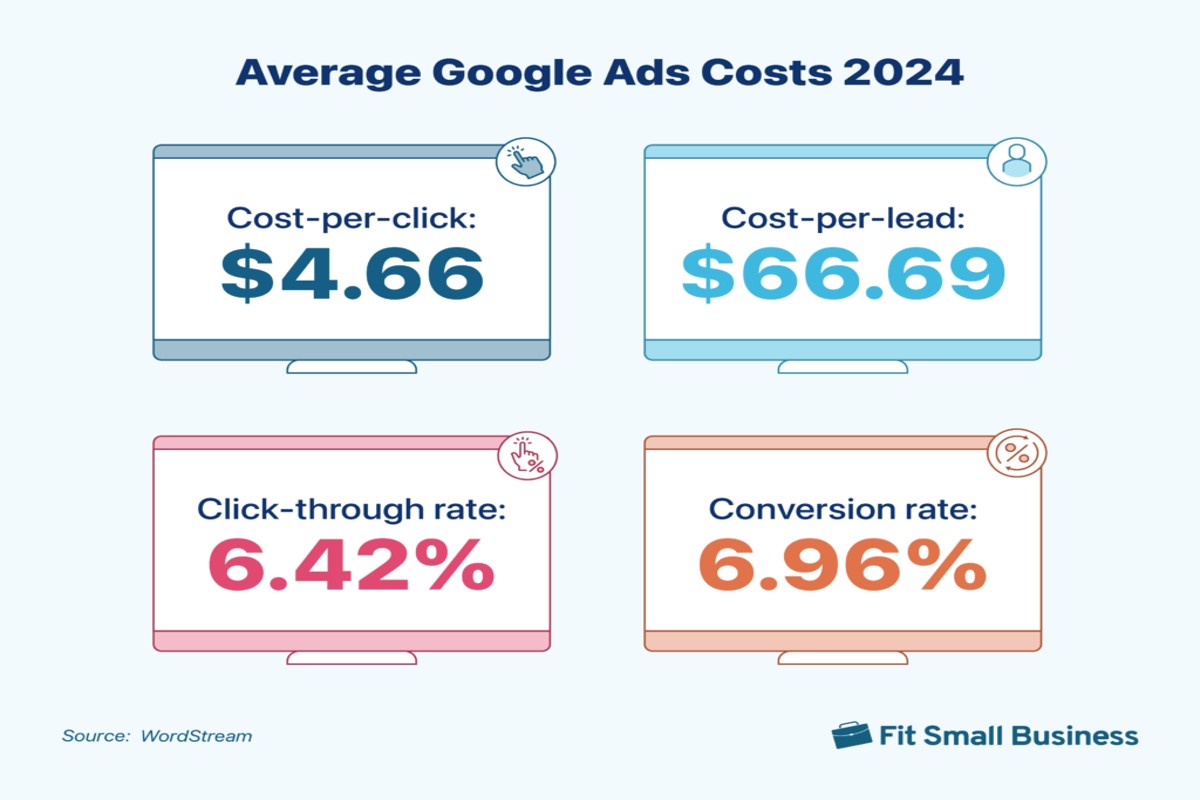
How Much Does Google Ads Cost Per Month? A Complete Guide
How much does Google Ads cost per month varies widely based on factors like industry, competition, and campaign settings. On average, businesses spend between $1,000 to $10,000 monthly. Understanding these costs is crucial for effective budget planning. This topic is important for businesses of all sizes looking to leverage online advertising. Misestimating Google Ads…
-
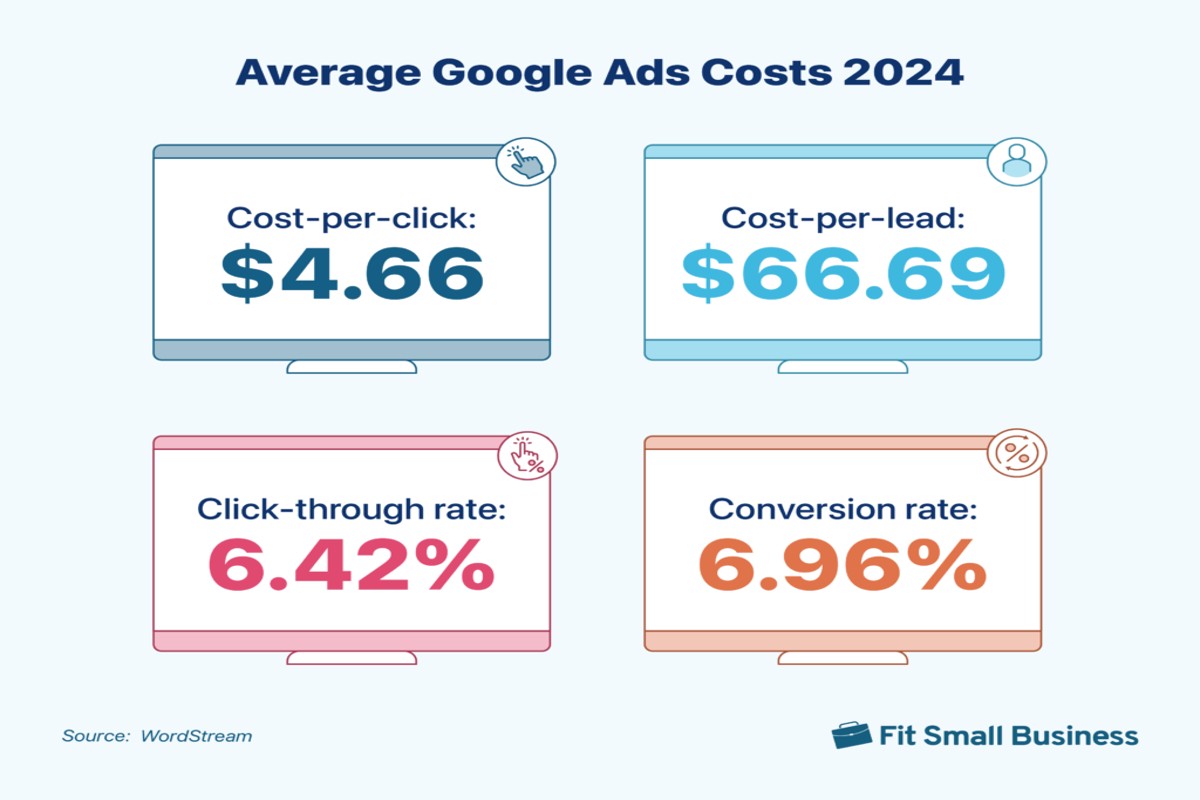
Are Google Ads Expensive? A Comprehensive Guide to Costs
Are Google Ads expensive? The cost of Google Ads varies widely based on factors like industry, competition, and targeting options. Businesses can spend anywhere from a few dollars to thousands per month. Understanding the costs associated with Google Ads is crucial for businesses looking to maximize their return on investment. Misjudging these expenses can…
-
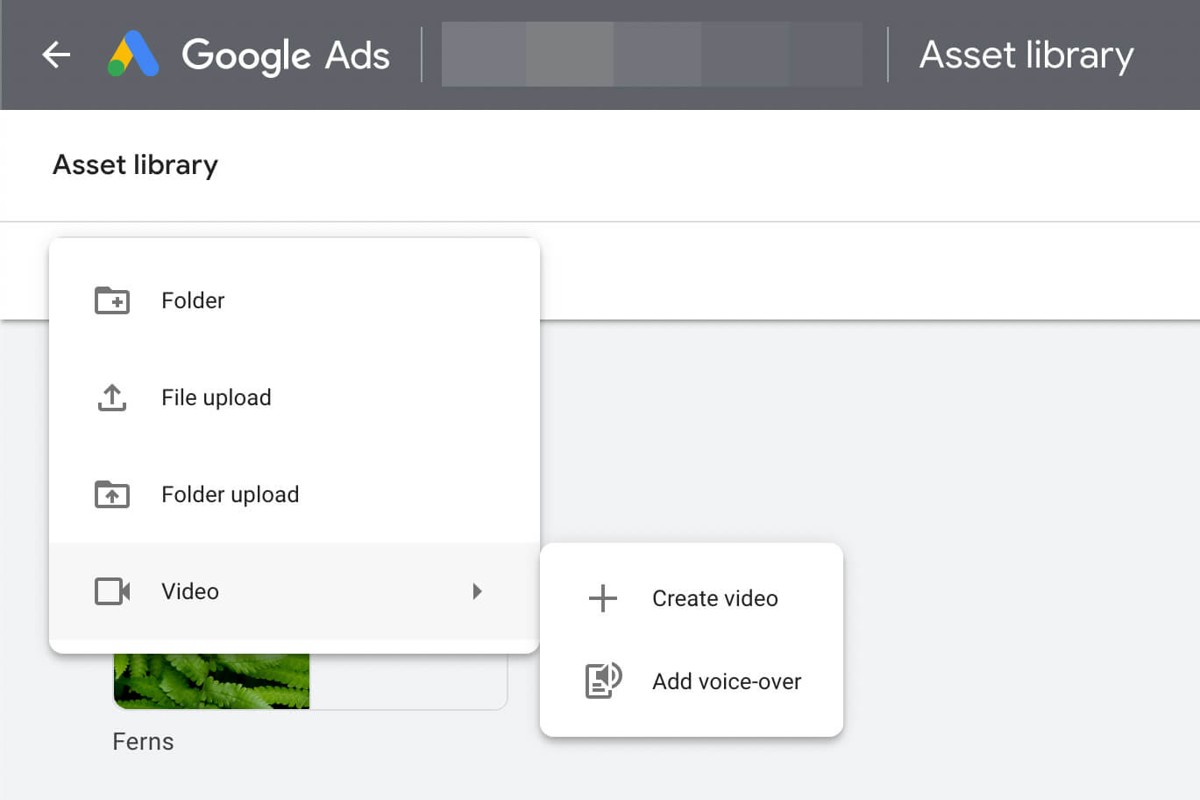
How to Upload Video to Google Ads: A Step-by-Step Guide
To upload video to Google Ads, first sign in to your Google Ads account. Then, navigate to the ‘Campaigns’ tab, select your campaign, and click on ‘Ads & extensions’ to upload your video. Understanding how to upload video to Google Ads is crucial for marketers and businesses aiming to leverage video content for effective…
-
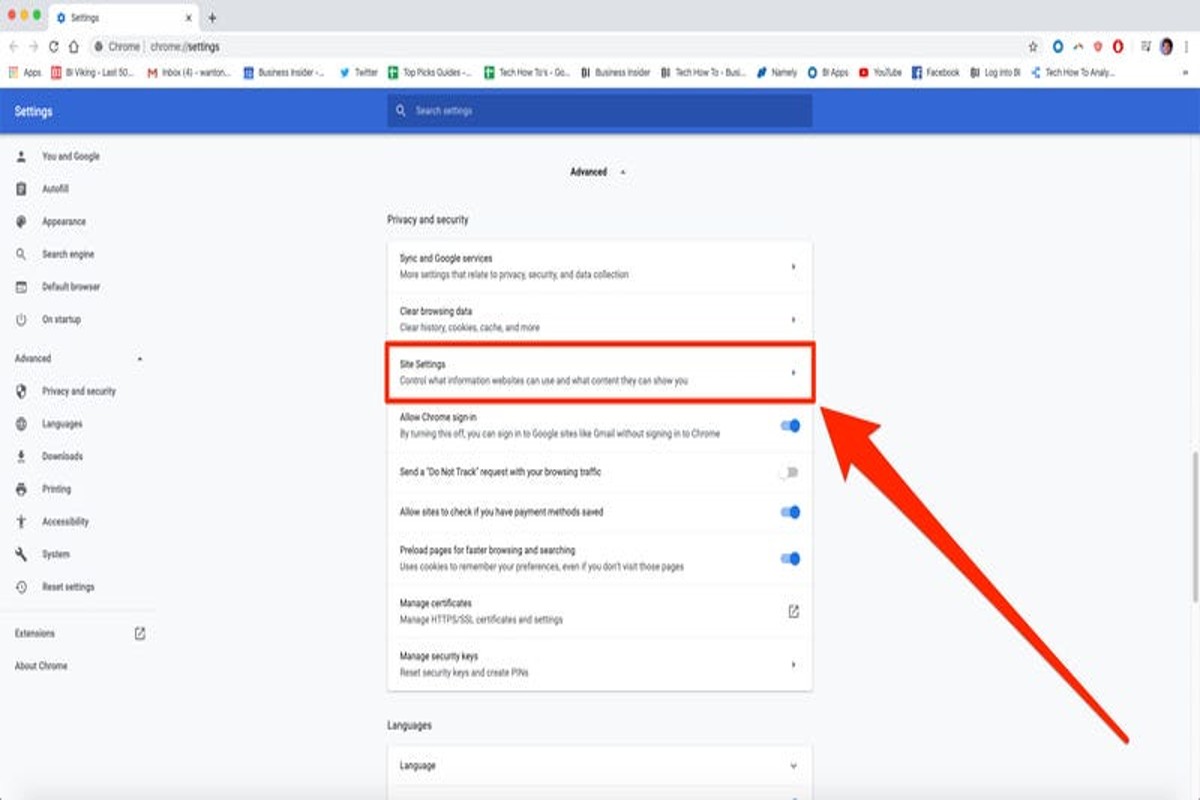
How to Stop Pop Up Ads in Google Chrome: A Complete Guide
To stop pop up ads in Google Chrome, go to Settings > Privacy and security > Site settings > Pop-ups and redirects. Here, you can block pop-ups and manage exceptions to enhance your browsing experience. Understanding how to stop pop up ads is crucial for maintaining an efficient and safe online environment. Users who…
-
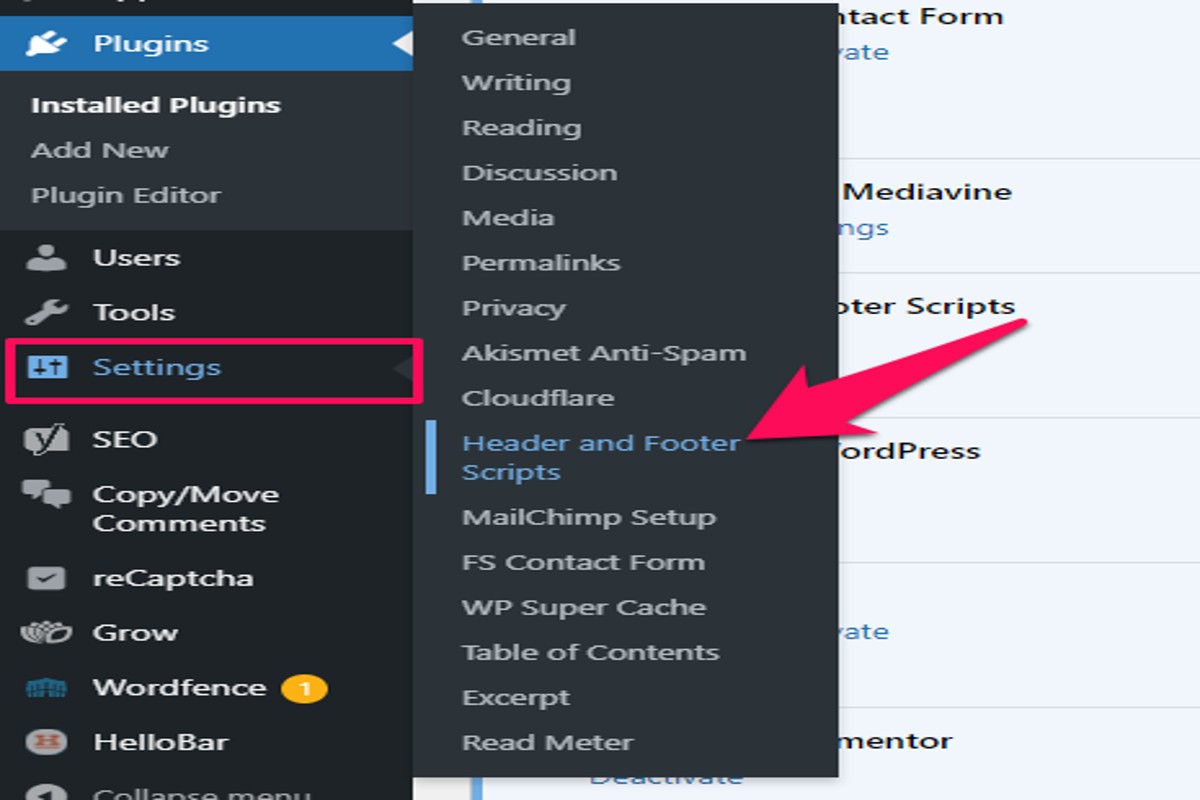
How to Put Google Ads on WordPress: A Step-by-Step Guide
To put Google Ads on WordPress, first sign up for Google AdSense. Then, install a plugin like Ad Inserter or use the HTML code in your theme. Finally, configure your ad placements for optimal performance. Understanding how to put Google Ads on WordPress is crucial for website owners looking to monetize their content effectively.…
-
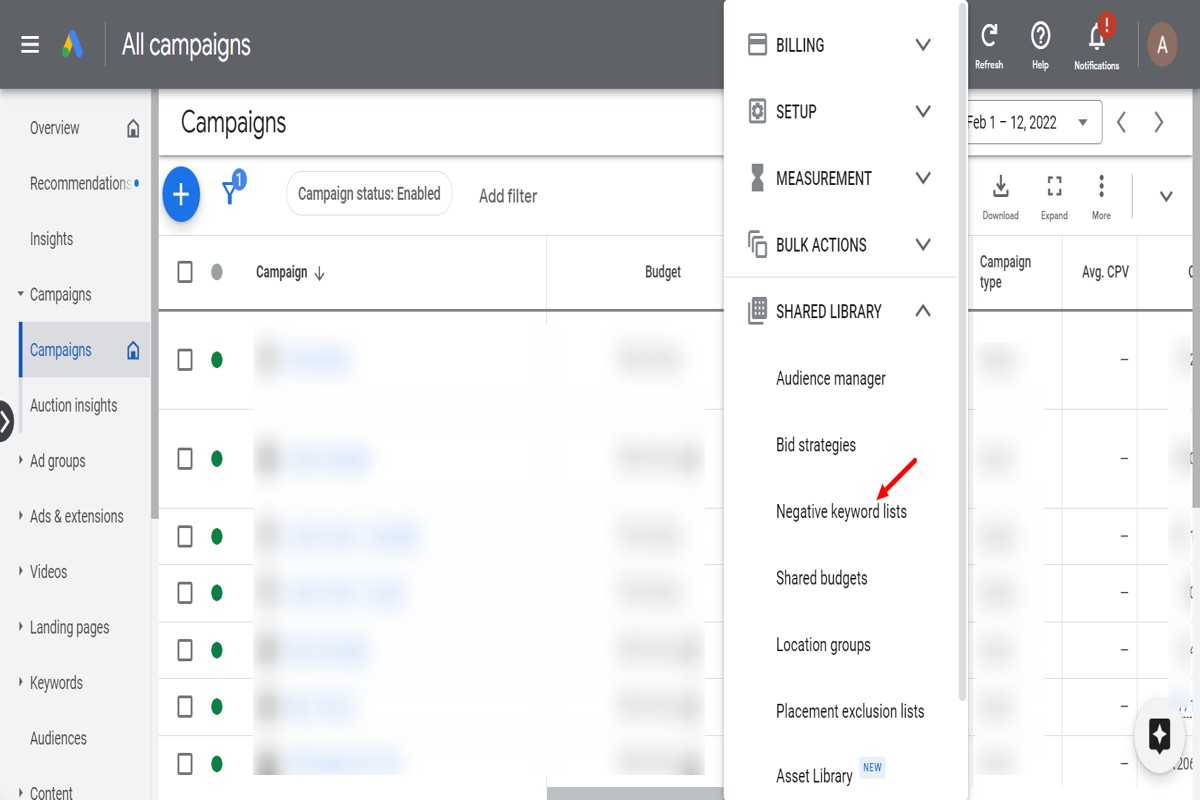
How to Find Negative Keywords for Google Ads: A Complete Guide
To find negative keywords for Google Ads, start by analyzing your search terms report, using keyword research tools, and reviewing competitor keywords. This process helps identify terms that are irrelevant to your business, ensuring your ads reach the right audience. Understanding how to find negative keywords is crucial for optimizing Google Ads campaigns. Advertisers…
-
How to Stop Ads from Google Play Store: A Complete Guide
To stop ads from Google Play Store, go to your Google account settings, navigate to Ads, and opt-out of personalized ads. Additionally, consider using ad-blocking apps to further reduce ad exposure. This topic is crucial for users who want to enhance their app experience and maintain privacy. Understanding how to manage ads can prevent…
-
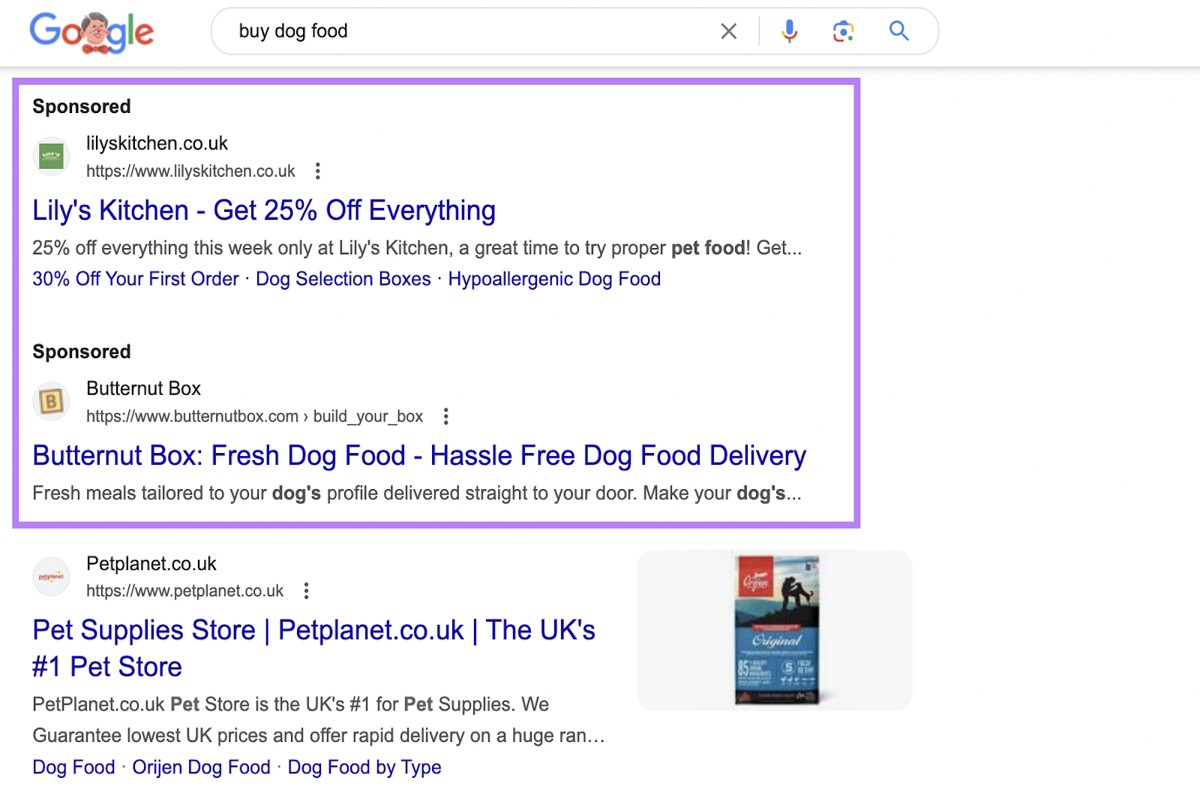
What Do Google Ads Look Like? A Comprehensive Guide
Google Ads look like sponsored listings that appear at the top or bottom of search results. These ads can include text, images, or video content, depending on the ad type. Their primary goal is to attract user attention and drive traffic to specific websites. Understanding what Google Ads look like is crucial for businesses…
-
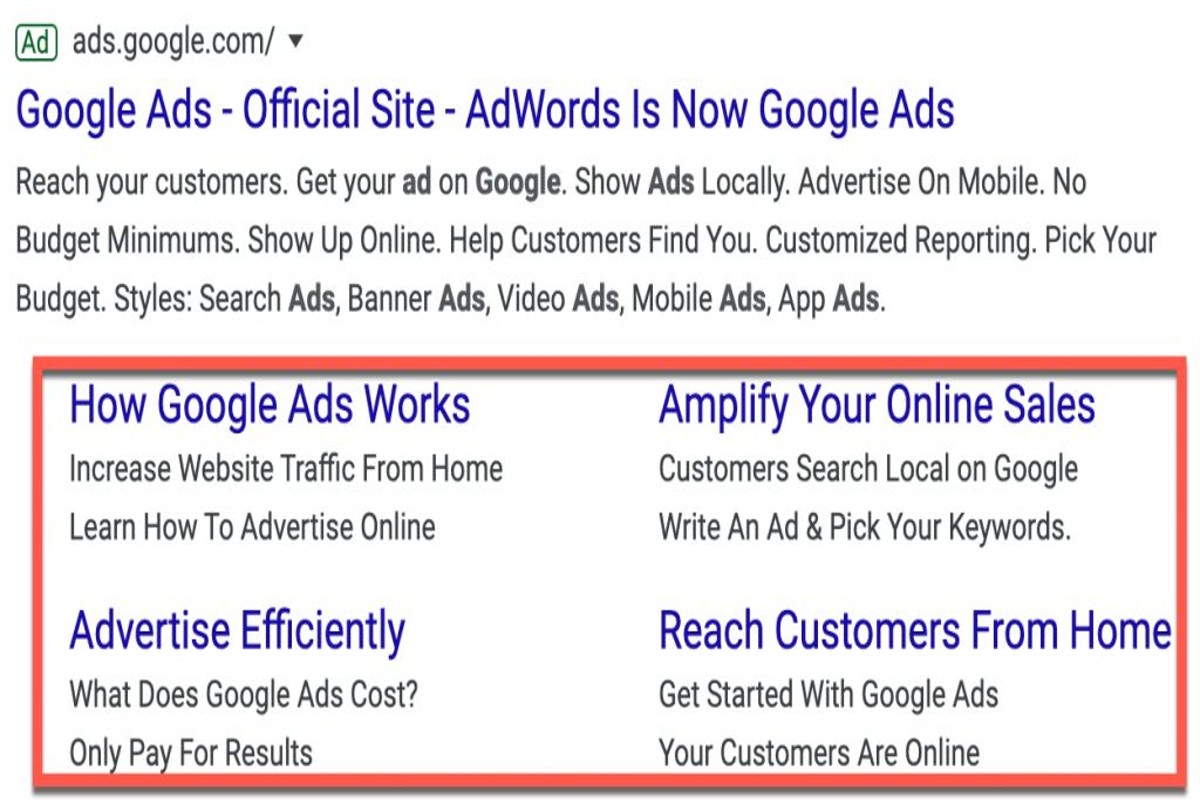
What Are Sitelinks in Google Ads? A Comprehensive Guide
Sitelinks in Google Ads are additional links that appear beneath your ad, directing users to specific pages on your website. They enhance visibility and improve click-through rates, providing valuable shortcuts for potential customers. Understanding sitelinks is crucial for advertisers aiming to maximize their ad performance and ROI. Effective use of sitelinks can significantly impact…
-
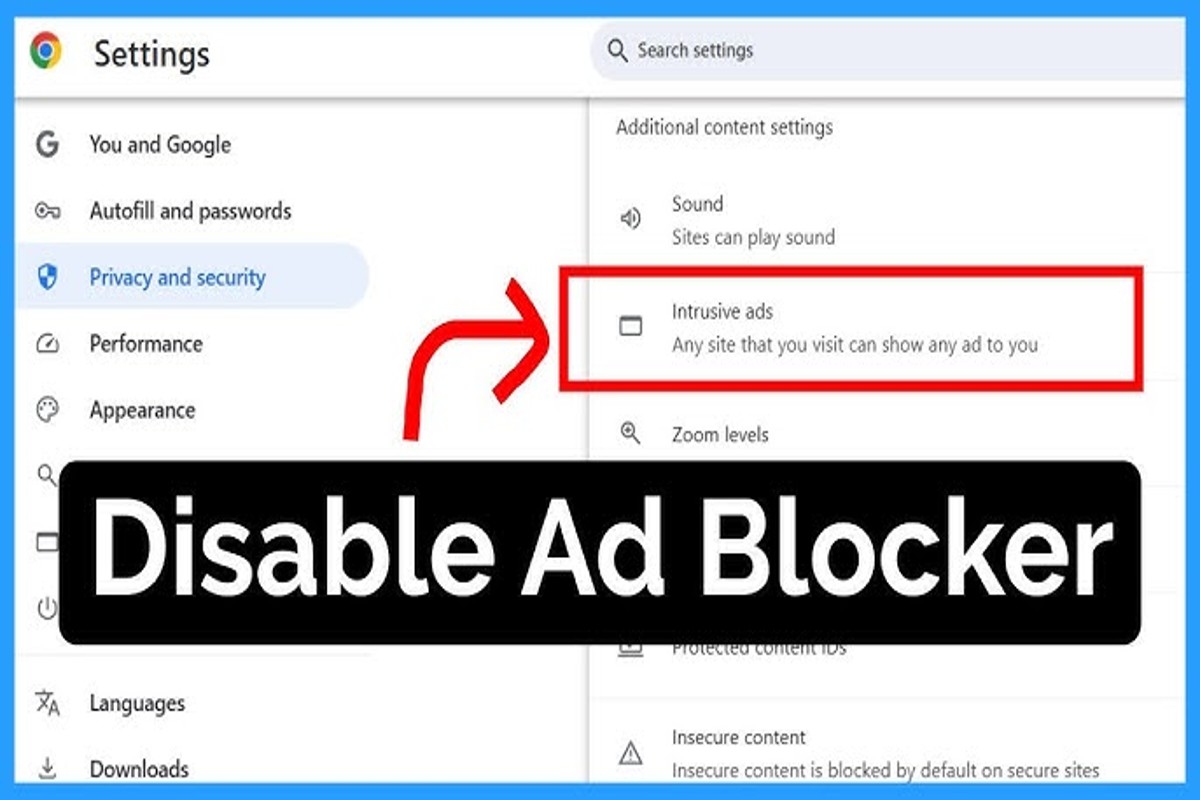
How to Turn Off Ad Blockers on Google Chrome: A Step-by-Step Guide
To turn off ad blockers on Google Chrome, click the three dots in the upper right corner, select ‘More Tools’, then ‘Extensions’. Find your ad blocker and toggle it off. Understanding how to turn off ad blockers on Google Chrome is essential for both users and website owners. Many sites rely on ad revenue…