
Google Ads appear in various locations, such as search results, websites within the Google Display Network, and YouTube videos. These ads are crucial for businesses as approximately 80% of Google’s revenue is generated from advertising, emphasizing their importance in digital marketing strategies.
Understanding where Google Ads appear is essential for businesses aiming to maximize their online visibility and advertising effectiveness. Companies that fail to leverage these advertising placements risk losing out on valuable leads and market share. With digital ad spending projected to reach over $500 billion in 2023, comprehending the landscape of Google Ads is more critical than ever.
Not grasping the full scope of Google Ads can result in missed revenue opportunities and inefficient ad spend, ultimately putting businesses at a competitive disadvantage in an increasingly crowded digital marketplace.
This article will provide a comprehensive overview of where Google Ads appear, including a comparison of top ad placements, cost breakdowns, best practices for ad creation, and the implications for local SEO strategies.
For Where Do Google Ads Appear businesses looking to generate local leads through Google Ads or Local SEO, GMB Ranger LLC offers hands-on campaign management. Specialist Md Tangeer Mehedi personally handles campaign setup and ongoing optimization — with no payment required until the first lead comes in.
Where do Google Ads show up?
Google Ads can appear across various platforms, including search engines, websites, and mobile applications. In 2024, more than 80% of advertisers utilize Google Ads, making it a dominant force in the online advertising landscape.
Google Ads primarily display in two main formats: search ads and display ads. Search ads appear at the top or bottom of Google search results when users enter relevant keywords. Display ads, on the other hand, can be found on a vast network of websites that participate in the Google Display Network, which encompasses millions of sites and apps. This network allows advertisers to reach audiences across different contexts and interests.
- Search Ads: Shown on Google search results pages, typically above or below organic search results.
- Display Ads: Found on partner websites and apps that are part of the Google Display Network, featuring banners, images, and videos.
- YouTube Ads: Integrated within the YouTube platform, appearing before, during, or after video content.
- Shopping Ads: Displayed on Google Shopping pages or alongside search results, showcasing products with images and prices.
Additionally, Google Ads can be tailored to appear on specific devices, such as desktops, tablets, and smartphones, enhancing the targeting capabilities for advertisers. The placement of ads is influenced by various factors, including user behavior, demographics, and bidding strategies.
Expert insight: Leveraging audience targeting and ad placements effectively can significantly enhance the return on investment for Google Ads campaigns. Understanding the nuances of each platform allows advertisers to optimize their strategies for better visibility and engagement.
How do Google Ads appear on search results?
Google Ads appear prominently in search results, typically at the top or bottom of the page. These ads can be in the form of text ads or product listings and are marked with an “Ad” label to distinguish them from organic search results.
Google Ads primarily appear in two formats on search results:
- Text Ads: These ads consist of a headline, a display URL, and a brief description. They are usually displayed at the top of the search results, often occupying the first four positions. This placement allows advertisers to capture user attention quickly.
- Shopping Ads: These ads showcase products with images, prices, and store names. They typically appear above text ads and organic results, particularly for e-commerce queries. Shopping ads are visually appealing and can significantly increase click-through rates for product searches.
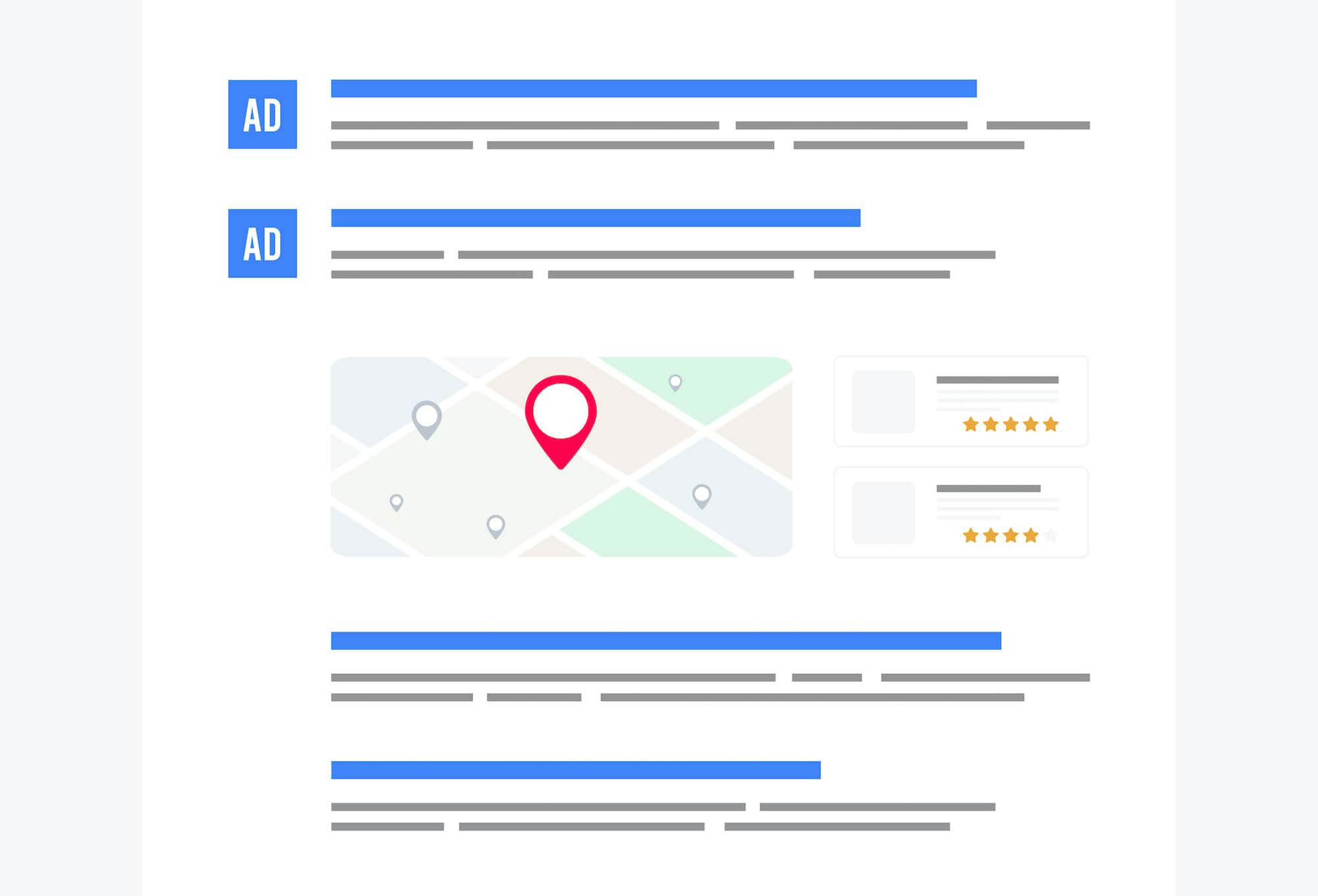
- Local Ads: For location-based searches, Google displays local ads that provide information about nearby businesses. These ads may include maps, addresses, and contact information to facilitate user engagement.
Several factors influence the appearance of Google Ads in search results. The bidding strategy, ad quality score, and relevance to the search query play critical roles in determining ad placement. Advertisers can optimize their campaigns by focusing on keyword relevance and improving ad copy to enhance visibility.
Expert insight: Regularly monitoring ad performance metrics and adjusting bids can lead to better ad placements and improved return on investment. Staying updated with Google’s algorithm changes is essential for maintaining effective ad strategies.
What are the different types of Google Ads placements?
Google Ads placements can be broadly categorized into three types: search ads, display ads, and video ads. Each type serves a different purpose and appears in distinct contexts, reaching users at various stages of their online journey. In 2024, Google reported that over 80% of its revenue comes from advertising, highlighting the significance of these placements.
Search ads appear on search engine results pages (SERPs) when users enter relevant queries. These ads are text-based and often labeled as “Ad” or “Sponsored.” Display ads, on the other hand, are visual advertisements that appear on websites within the Google Display Network (GDN), which includes millions of sites across the internet. Lastly, video ads are shown on platforms like YouTube or within video content on partner sites, engaging users through audiovisual content.
- Search Ads: Text-based ads displayed in search results. They target users actively searching for specific keywords.
- Display Ads: Visual ads (banners, images) appearing on websites within the GDN. They target users based on interests or demographics.
- Video Ads: Ads shown before, during, or after video content, primarily on YouTube. They often require more creative engagement to capture attention.
Key differences include the user intent behind each placement. Search ads capture demand as users express interest through searches. Display ads create demand by showcasing products to users who may not be actively searching. Video ads leverage storytelling and engagement, making them effective for brand awareness. Advertisers can choose placements based on their marketing objectives, audience targeting, and budget considerations.
Expert insight: Utilize a combination of these ad types to maximize reach and effectiveness. For instance, integrating search and display ads can nurture prospects from initial awareness to conversion.
How much do Google Ads cost?
Google Ads typically cost between $1 and $2 per click on the Search Network, while costs on the Display Network can range from $0.50 to $1 per click. In total, businesses often allocate an average monthly budget of $1,000 to $10,000, depending on their advertising goals and market competition.
The cost of Google Ads is influenced by various factors that determine how much advertisers pay for clicks or impressions. One of the primary components is the auction system used by Google, where advertisers bid on keywords relevant to their products or services. The maximum bid an advertiser is willing to pay is just one part of the equation; the actual cost per click is also affected by the Quality Score, which evaluates the relevance and quality of the ad and landing page.
- Keyword competition: Highly competitive keywords can drive up costs, as multiple advertisers vie for the same audience.
- Ad placement: Ads that appear in more prominent positions, such as at the top of search results, may incur higher costs.
- Targeting options: More specific targeting, such as geographic or demographic targeting, can influence costs based on the audience size and competition.
Additionally, advertisers can set daily budgets and limits, allowing them to control spending. However, exceeding budget limits can occur if not monitored closely, especially during peak bidding times. Understanding these factors is essential for optimizing ad spend and achieving better ROI.
Expert insight: Regularly reviewing and adjusting bids based on performance data can significantly enhance the effectiveness of Google Ads campaigns and help manage costs more effectively.
How long does it take for google Ads to appear?
Google Ads typically appear within 1 to 3 hours after creation. However, various factors can influence this timeframe, including ad approval processes and campaign settings.
The ad approval process is a significant factor that can affect how quickly an ad goes live. Google reviews each ad to ensure compliance with its advertising policies. This review can take anywhere from a few minutes to several hours. In some cases, if an ad requires additional scrutiny, the approval time may extend beyond 24 hours. Advertisers should also consider that changes made to existing ads may trigger a new review process, delaying their visibility.
Additionally, the settings within the Google Ads campaign can impact timing. For example, if an ad is scheduled to run at a specific time or day, it will not appear until that schedule is activated. Advertisers can also choose to pause their ads, which will prevent them from being displayed until they are reactivated. Understanding these dynamics is essential for effective campaign management.
Expert insight: To expedite the approval process, ensure that ads adhere strictly to Google’s advertising policies and guidelines, as well as test the ads in a preliminary phase to identify potential issues before launch.
What are best practices for Google Ads placements?
Effective Google Ads placements are essential for maximizing visibility and engagement. Best practices include targeting specific audiences, utilizing ad extensions, and optimizing for mobile users. According to recent data, ads placed in the top three positions can receive up to 40% more clicks compared to lower positions.
To achieve optimal placements, consider the following best practices:
- Utilize Audience Targeting: Leverage Google Ads’ audience targeting features to ensure your ads reach the most relevant users. This includes demographic targeting, in-market audiences, and remarketing lists.
- Implement Ad Extensions: Use ad extensions to provide additional information and options to potential customers. Sitelink, callout, and structured snippet extensions can enhance visibility and improve click-through rates by up to 20%.
- Optimize for Mobile: With over 60% of Google searches conducted on mobile devices, ensure ads are mobile-friendly. This includes using responsive ads that automatically adjust to different screen sizes and formats.
- Monitor Placement Performance: Regularly review the performance of your ad placements. Use tools like the placement report to identify which sites and apps are delivering the best ROI, and adjust your strategy accordingly.
- Test Different Ad Formats: Experiment with various ad formats, such as display ads, video ads, and shopping ads. Each format can reach users in different contexts, and testing helps identify the most effective combinations.
Expert insight: Continuously refining ad placements based on data-driven insights can lead to enhanced performance and cost-efficiency, ultimately improving your advertising return on investment.
Can Google Ads appear on mobile devices?
Yes, Google Ads can and do appear on mobile devices, significantly impacting advertising strategies. In 2023, approximately 60% of Google search queries originated from mobile devices, underscoring their importance in digital marketing.
Mobile placements for Google Ads differ from those on desktop. On mobile devices, ads are integrated into search results, often appearing above and below organic listings. For instance, a user searching for “best running shoes” may see a text ad for a specific brand at the top of the search results page. Additionally, mobile apps can feature Google Ads through the Google AdMob network, allowing advertisers to reach users within popular applications. This placement is essential for capturing the attention of users engaged in app activities.
Another significant aspect of mobile ads is the use of responsive display ads, which automatically adjust size, appearance, and format to fit various mobile screens. This flexibility enhances user experience and increases the likelihood of engagement. Moreover, Google utilizes location targeting for mobile ads, allowing businesses to connect with nearby customers effectively. For example, a local coffee shop can display ads to users searching for coffee within a specific radius, leveraging their immediate geographical context to drive foot traffic.
Expert insight: To maximize the effectiveness of mobile ads, focus on optimizing landing pages for mobile users. Ensure that the content is easily accessible and loads quickly, as mobile users expect seamless experiences.
Understanding google ads Placement Formats
This section explores the various formats in which Google Ads appear, highlighting their significance in digital marketing strategies. Understanding these placements enables businesses to optimize their advertising efforts effectively.

Text Ads in Search Results
Text ads are prominently displayed at the top and bottom of Google’s search results pages. These ads consist of a headline, a display URL, and a brief description, all designed to attract user clicks. The placement of these ads is crucial; in 2024, over 60% of users reported clicking on search ads before organic results. This statistic underscores the effectiveness of text ads in capturing user attention.
Display Ads on Websites
Display ads appear on a vast network of websites that participate in the Google Display Network (GDN). These ads can be in various formats, including banners, sidebars, and interstitials. Display ads utilize visual elements to engage users and are typically targeted based on browsing behavior and demographic data. In 2023, GDN reached over 90% of internet users worldwide, making it a powerful channel for brand visibility.
- Static Image Ads
- Responsive Display Ads
- Rich Media Ads (animations and interactive elements)
Video Ads on YouTube
Video ads are primarily served on YouTube, which is owned by Google. These ads can appear before, during, or after video content, making them highly engaging for viewers. Formats include skippable ads, non-skippable ads, and bumper ads. In 2025, it is projected that video ads will account for more than 50% of all digital ad spending, illustrating their growing importance in the advertising landscape.
Shopping Ads for E-commerce
Google Shopping ads are designed specifically for e-commerce businesses and appear in search results when users look for products. These ads display product images, prices, and vendor information. This format allows retailers to showcase their offerings directly in search results, significantly increasing click-through rates. In 2026, Shopping ads are expected to drive an estimated 35% of total e-commerce sales, demonstrating their effectiveness in online retail.
Nuances and Common Misconceptions
Many advertisers mistakenly believe that all Google Ads placements yield equal performance. However, effectiveness can vary significantly based on the target audience and campaign objectives. For instance, while text ads may perform well for immediate search intent, display ads are better suited for brand awareness campaigns. Additionally, the misconception that video ads are only for large brands overlooks the fact that small to medium-sized businesses are increasingly leveraging them to reach niche audiences effectively.
Practical Application
To optimize advertising strategies, businesses should consider the following actions:
- Analyze target audience behavior to choose the most effective ad format.
- Utilize A/B testing to refine text ad copy and display visuals.
- Leverage Google Analytics to track performance metrics across different ad placements.
By understanding where Google Ads appear and the unique strengths of each format, businesses can create targeted campaigns that resonate with their audiences and drive conversions.
Optimizing Your Google Ads for Better Visibility
This section outlines advanced strategies for enhancing the visibility and performance of Google Ads. By focusing on keyword research, compelling ad copy, effective use of ad extensions, and rigorous A/B testing, advertisers can significantly improve their campaign outcomes.
Keyword Research Techniques
Successful Google Ads campaigns start with robust keyword research. Utilizing tools such as Google Keyword Planner can uncover high-traffic keywords relevant to your niche. Focus on long-tail keywords, which often have lower competition and higher conversion rates. For instance, targeting phrases like “best organic skincare products” can yield a 20% higher CTR compared to broader terms.
- Competitor Analysis: Examine competitors’ keywords to identify gaps in your strategy.
- Search Intent: Ensure keywords match the user’s intent, whether informational, navigational, or transactional.
- Negative Keywords: Regularly update negative keywords to filter out irrelevant traffic, improving overall ad efficiency.
Ad Copywriting Best Practices
Creating compelling ad copy is essential for attracting clicks. Use clear, action-oriented language and emphasize unique selling propositions. Incorporating emotional triggers, such as urgency (“Limited time offer”) or exclusivity (“Join our VIP club”), can further entice users.
- Character Limits: Ad headlines allow up to 30 characters; utilize this space effectively.
- Call-to-Action: Include a strong CTA, such as “Shop Now” or “Get a Free Quote,” to guide user behavior.
- Testing Variations: Create multiple versions of ad copy to identify which resonates best with your audience.
Utilizing Ad Extensions
Ad extensions enhance the visibility of your ads by providing additional information and increasing click-through rates (CTR). Options include site link extensions, call extensions, and location extensions, each adding value to the user experience.
- Site Link Extensions: Direct users to specific pages of your website, improving navigation.
- Call Extensions: Allow users to call your business directly from the ad, increasing conversion opportunities.
- Location Extensions: Show your business address, helping local customers find you efficiently.
A/B Testing for Effectiveness
A/B testing is crucial for optimizing ad performance. This method involves comparing two versions of an ad to determine which one performs better. Focus on testing one variable at a time, such as headlines, ad copy, or images, to isolate the factors influencing performance.
- Define the objective of the test (e.g., higher CTR or conversion rate).
- Create two ad versions with one varying element.
- Run the test for a sufficient duration to gather significant data.
- Analyze results and implement the winning version in your campaign.
While many advertisers focus on basic placement knowledge, advanced strategies can yield substantial improvements. For example, a 2024 study found that campaigns utilizing ad extensions saw an average CTR increase of 15%. Moreover, misconceptions about keyword stuffing can lead to poor ad performance; instead, prioritize relevance and user intent.
To apply these insights, start by conducting thorough keyword research using advanced tools. Craft compelling ad copy that resonates with your target audience and implement ad extensions strategically to provide more information. Finally, establish a routine A/B testing process to continually refine your ads based on real data. This proactive approach will enhance your Google Ads visibility and effectiveness.
Common Mistakes in Google Ads Campaigns
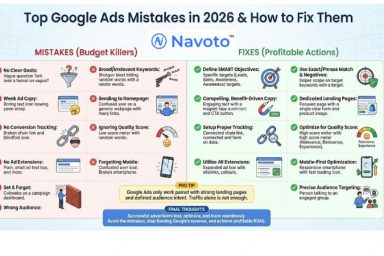
This section identifies frequent pitfalls marketers encounter in Google Ads campaigns and provides insights for improvement. Addressing these mistakes can significantly enhance campaign performance and return on investment.
Ignoring Negative Keywords
One of the most common mistakes in Google Ads campaigns is the failure to utilize negative keywords. Negative keywords prevent ads from appearing in irrelevant searches, ensuring that the budget is spent on valuable clicks. Without this strategy, marketers risk attracting unqualified traffic, which can lead to lower conversion rates. In 2024, campaigns that effectively employed negative keywords saw a 15% increase in conversions compared to those that did not.
Failing to Track Conversions
Conversion tracking is essential for evaluating the effectiveness of any Google Ads campaign. Marketers often neglect to implement tracking codes or fail to set up goal completions properly. This oversight can result in a lack of actionable data, leaving marketers unable to assess which ads are performing well. According to recent research, businesses that actively track conversions can increase their ad performance by up to 30% through data-driven adjustments.
Overlooking Mobile Optimization
With over 60% of all Google searches conducted on mobile devices in 2024, neglecting mobile optimization is a critical error. Ads that do not render well on mobile devices lead to poor user experience and higher bounce rates. Ensuring that landing pages are responsive and that ad formats are mobile-friendly can significantly enhance user engagement and conversion rates.
Not Adjusting Bids Based on Performance
Many marketers set bids and forget about them, failing to adjust based on performance metrics. Regularly analyzing performance data and modifying bids accordingly can lead to improved ad placement and reduced costs per click. For instance, studies show that campaigns that optimized bids based on performance data achieved up to a 25% reduction in overall advertising costs.
Nuance: Understanding the Impact of Ad Fatigue
Ad fatigue is a subtle but critical issue that many marketers overlook. This phenomenon occurs when target audiences see the same ads repeatedly, leading to diminished engagement rates. To combat ad fatigue, refreshing ad creatives regularly and rotating between different formats can maintain audience interest. Most articles fail to address this, focusing solely on technical aspects without considering the psychological impact on potential customers.
Practical Application
- Conduct a comprehensive negative keyword audit to refine targeting.
- Implement conversion tracking within Google Analytics to gather actionable insights.
- Regularly test and optimize landing pages for mobile users to enhance user experience.
- Monitor campaign performance weekly and adjust bids based on the most effective keywords and ads.
By addressing these common mistakes, marketers can enhance their Google Ads campaigns and achieve better results in terms of engagement, conversion rates, and overall return on investment.
Local SEO and Google Ads: A Winning Combination
This section delves into the integration of local SEO and Google Ads, a strategy that enhances visibility for businesses targeting specific geographic areas. Understanding this synergy is vital for maximizing local search performance and driving targeted traffic.
Importance of Local Targeting
Local targeting ensures that ads reach users in specific geographic locations, which is essential for businesses with physical storefronts. According to a 2024 report by Google, 76% of consumers who conduct a local search visit a business within a day. This highlights the necessity for local visibility in advertising strategies.
Using Location-Based Keywords
Incorporating location-based keywords into Google Ads campaigns can significantly increase relevance and click-through rates. Businesses should research and select keywords that reflect their service areas and customer queries. For example, a coffee shop in Austin might use keywords such as “best coffee in Austin” or “Austin coffee delivery.” This specificity not only improves ad performance but also aligns with local search intent.
Ad Extensions for Local Businesses
Utilizing ad extensions can enhance visibility and provide additional information about a business. Relevant extensions for local businesses include:
- Location Extensions: Display business addresses, making it easier for potential customers to find physical locations.
- Call Extensions: Allow users to call businesses directly from the ad, facilitating immediate customer engagement.
- Sitelink Extensions: Direct users to specific pages on a website, such as menus or special offers, thereby improving user experience.
Ad extensions can lead to a 10-15% increase in click-through rates, providing measurable benefits for local campaigns.
Case Studies of Successful Local Campaigns
Examining successful local campaigns offers insights into effective strategies. For instance, a local plumbing service in Denver implemented a Google Ads campaign featuring location-based keywords and ad extensions. Their targeted approach resulted in a 40% increase in calls over six months. Similarly, a boutique in San Francisco leveraged seasonal promotions through Google Ads, achieving a 30% rise in foot traffic during the holiday season.
Nuance / Expert Layer
Many businesses underestimate the importance of mobile optimization in local campaigns. With over 70% of local searches made on mobile devices, failing to optimize ads for mobile can lead to missed opportunities. Additionally, some businesses may mistakenly believe that a larger budget guarantees better results. However, a well-structured campaign with targeted keywords and precise location settings can outperform a high-budget campaign lacking focus.
Practical Application
To effectively integrate local SEO with Google Ads, businesses should:
- Conduct thorough keyword research to identify location-specific terms.
- Utilize ad extensions to enhance visibility and provide essential information.
- Regularly analyze campaign performance to refine targeting and improve ROI.
By implementing these strategies, businesses can leverage the combined power of local SEO and Google Ads to increase their presence and drive conversions in their target markets.
Evaluating the Best Where Do Google Ads Appear
As the digital advertising landscape evolves, understanding the various platforms where Google Ads can appear is crucial for effective campaign planning. With the global digital advertising market projected to reach $786.2 billion by 2026, the number of providers and options available continues to expand. Evaluating these options based on specific criteria ensures that advertisers make informed decisions to maximize their return on investment.
| Provider / Option | Best For | Pricing | Key Feature |
|---|---|---|---|
| Google Ads | All-around advertising solution | Pay-per-click, average $1-$2 per click | Extensive reach across Google platforms |
| Bing Ads | Cost-effective alternative to Google | Pay-per-click, average $0.50-$1.50 per click | Lower competition and cost |
| Facebook Ads | Social media targeting | Pay-per-click, average $0.50-$3.00 per click | Advanced audience targeting options |
| LinkedIn Ads | B2B marketing | Pay-per-click, average $2-$7 per click | Professional audience targeting |
| Amazon Ads | E-commerce businesses | Pay-per-click, average $0.50-$2.00 per click | Direct access to shoppers |
| Twitter Ads | Engagement-driven campaigns | Pay-per-click, average $0.50-$3.00 per click | Real-time engagement opportunities |
Criteria for Evaluating Program Quality
Cost Efficiency: Analyze the pricing structure of each advertising platform. Consider the average cost-per-click (CPC) in relation to your budget and expected return on investment. Lower CPCs can be appealing, but they should not compromise your target audience’s reach.
Targeting Capabilities: Evaluate the targeting features offered by each provider. Advanced targeting options, such as demographic, behavioral, and geographic targeting, can significantly enhance the effectiveness of your campaigns by reaching the most relevant audiences.
Ad Formats and Flexibility: Different platforms offer various ad formats, including text, image, and video ads. Choose a provider that offers the ad formats that align with your marketing goals and allows for creative flexibility to engage your target audience effectively.
Performance Metrics and Analytics: Assess the analytics and reporting tools provided by the platforms. Comprehensive performance metrics are essential for tracking the success of your campaigns and making data-driven adjustments to improve outcomes.
How to Assess the Reputation and Reliability of Providers
- Research Provider Reviews: Look for reviews and testimonials from current and past users to gauge satisfaction and effectiveness.
- Check Case Studies: Examine case studies that demonstrate the provider’s ability to deliver results similar to your advertising goals.
- Evaluate Customer Support: Assess the level of customer support available, including response times and the availability of resources for troubleshooting.
- Analyze Industry Recognition: Look for awards or recognitions that highlight the provider’s reputation within the advertising industry.
- Test with a Small Budget: Consider running a small-scale campaign to evaluate performance and reliability before committing to a larger investment.
Which Where Do Google Ads Appear Is Right for You?
Determining the best advertising platform for your business hinges on your unique needs, budget, and objectives. This decision guide outlines tailored recommendations for various audience segments, helping you make an informed choice.
Small Business Owners
Google Ads is ideal for small businesses aiming to enhance their visibility across search and display networks. By utilizing targeted keywords, businesses can appear in relevant search results, with costs typically ranging from $1 to $2 per click, depending on competition. A focused campaign can significantly drive local traffic and increase brand awareness.
E-commerce Retailers
For e-commerce retailers, Amazon Ads provide the most direct access to active buyers on the platform. Sponsored Products and Sponsored Brands are effective choices, allowing retailers to showcase products right where users are ready to purchase. Budgeting for Amazon Ads typically starts at around $0.75 per click, making it a cost-effective option to drive immediate sales.
B2B Marketers
B2B marketers will find LinkedIn Ads to be the most effective platform for engaging a professional audience. Sponsored Content and InMail ads can be tailored to specific industries and job titles, facilitating targeted outreach. Expect to invest between $5 to $10 per click, which can yield high-quality leads in a competitive B2B landscape.
Freelancers
Facebook Ads are a powerful tool for freelancers looking to target specific demographics effectively. Utilizing detailed audience segmentation features allows freelancers to reach potential clients based on interests, behaviors, and location. Costs can vary widely, starting around $0.50 per click, making it a flexible option for freelancers with varying budgets.
| If You Are… | Best Approach |
|---|---|
| Small Business Owners | Google Ads for search and display networks |
| E-commerce Retailers | Amazon Ads for immediate sales |
| B2B Marketers | LinkedIn Ads for targeted professional engagement |
| Freelancers | Facebook Ads for demographic targeting |
Local Insights on Where Google Ads Appear
Understanding the geographic and local market factors influencing where Google Ads appear is crucial for businesses aiming to capture local clientele. According to a 2023 report by Google, 76% of people who search for something nearby visit a business within a day, emphasizing the importance of targeted advertising in local markets.
Geographic Market Differences
In larger metropolitan areas like New York City or Los Angeles, Google Ads may appear more frequently due to higher competition, leading to increased ad spend and visibility. Conversely, businesses in smaller towns or rural areas may find less competition, allowing for lower costs and potentially higher click-through rates. Local businesses should be aware of these dynamics to optimize their advertising strategies effectively.
Local Business Applications
Local businesses can leverage Google Ads effectively by focusing on their specific audience needs. Here are some applications:
- Targeting specific neighborhoods or zip codes to attract local customers.
- Using location extensions to highlight store addresses and phone numbers directly in ads.
- Promoting local events or sales to drive foot traffic during peak times.
- Utilizing customer reviews and ratings in ads to build trust and credibility within the community.
Local Search and Visibility Impact
The appearance of Google Ads is directly tied to local search rankings and the optimization of Google Business Profiles (GBP). Businesses should take the following actions:
- Ensure that the Google Business Profile is fully optimized with accurate information and relevant keywords.
- Incorporate local keywords into ad copy to improve relevance for local searches.
- Monitor ad performance metrics and adjust bids based on local competition.
- Encourage satisfied customers to leave positive reviews, enhancing visibility in local search results.
Pricing and Cost in Local Markets
Costs for Google Ads can vary significantly by geographic market. In major urban areas, businesses may expect to pay around $2 to $6 per click, while in less competitive markets, costs can drop to $1 to $3 per click. Local businesses should budget accordingly, anticipating higher costs in competitive markets compared to more rural settings.
Local Implementation Checklist:
- Optimize your Google Business Profile with current information and local keywords.
- Set up location targeting in Google Ads to focus on relevant areas.
- Utilize ad extensions to provide additional information about your business.
- Regularly review and adjust your ad bids based on competition in your area.
- Encourage customer reviews to boost local credibility and visibility.
- Monitor local search trends and adjust your ad strategy accordingly.
- Track conversion rates from ads to assess ROI and adjust campaigns for better performance.
For Where Do Google Ads Appear businesses looking to generate local leads through Google Ads or Local SEO, GMB Ranger LLC offers hands-on campaign management. Specialist Md Tangeer Mehedi personally handles campaign setup and ongoing optimization — with no payment required until the first lead comes in.
Frequently Asked Questions
Where do Google Ads show up?
Google Ads can appear on search engine results pages, websites within the Google Display Network, YouTube, and mobile apps. They are strategically placed to maximize visibility and engagement.
How do Google Ads appear on search results?
On search results pages, Google Ads typically appear at the top and bottom of the page, marked with an “Ad” label. These ads are triggered by specific keywords relevant to user searches.
What are the different types of Google Ads placements?
Google Ads placements include search ads, display ads, video ads, and shopping ads. Each type targets different audiences across various platforms and formats.
How much do Google Ads cost?
The cost of Google Ads varies based on factors such as bidding strategy, competition, and ad quality. Advertisers can set daily budgets and pay per click or impression.
How long does it take for Google Ads to appear?
Google Ads can start appearing within a few hours after the campaign is approved. However, it may take longer for ads to gain traction and optimize for performance.
What are best practices for Google Ads placements?
Best practices for Google Ads placements include targeting relevant keywords, optimizing ad copy, and using A/B testing to refine performance. Regularly monitoring analytics is also essential for ongoing improvement.
Can Google Ads appear on mobile devices?
Yes, Google Ads are designed to appear on mobile devices, including smartphones and tablets. Mobile-optimized ads enhance user experience and engagement on smaller screens.
Final Thoughts on where do google ads appear
Understanding the diverse placements of Google Ads is crucial for maximizing visibility and optimizing campaign performance. By leveraging the various formats available, advertisers can strategically position their ads to reach target audiences effectively, ensuring that their marketing efforts yield a higher return on investment.
To enhance your Google Ads strategy, conduct a thorough analysis of your current ad placements and adjust them based on performance metrics, ensuring you prioritize high-traffic areas and formats that resonate with your target demographic.
Ready to maximize your advertising potential? Reach out to a google ads agency today and start your journey toward effective online marketing!
Mastering Google Ads placement is essential for any business aiming to thrive in a competitive landscape, as effective visibility directly correlates with increased engagement and conversion rates.
Leave a Reply