
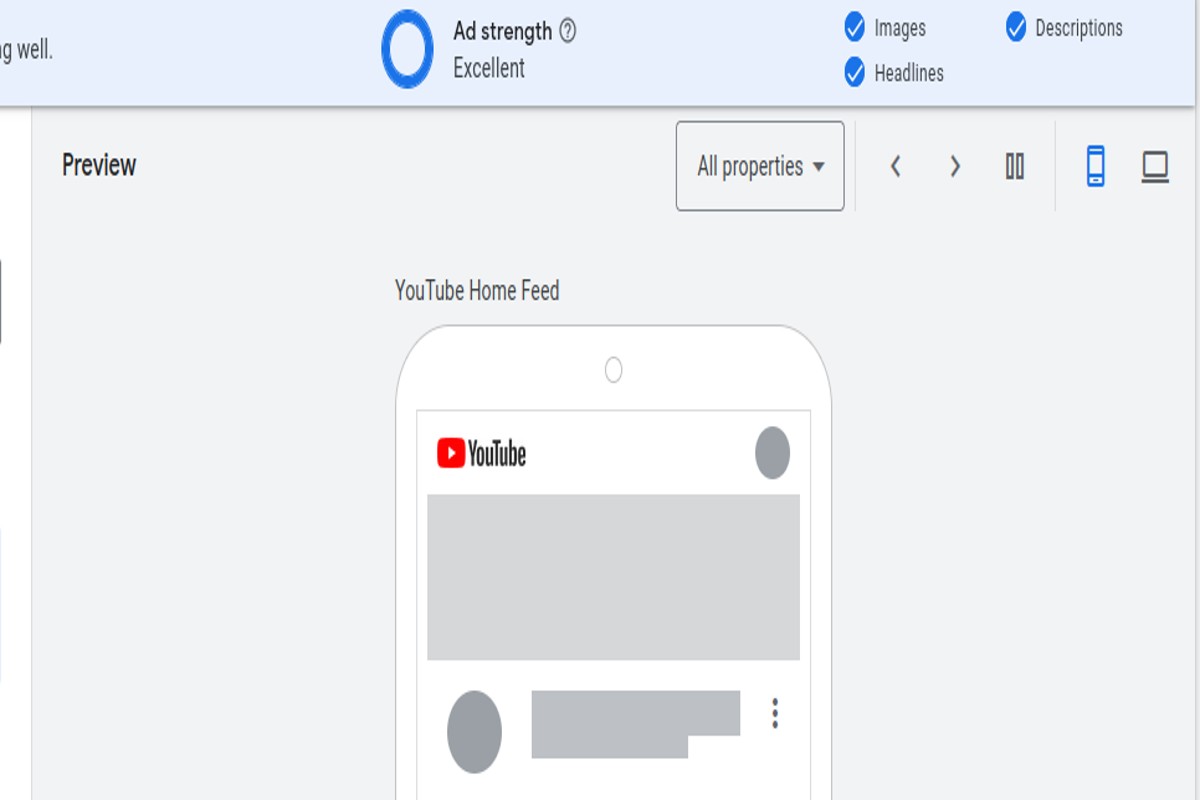
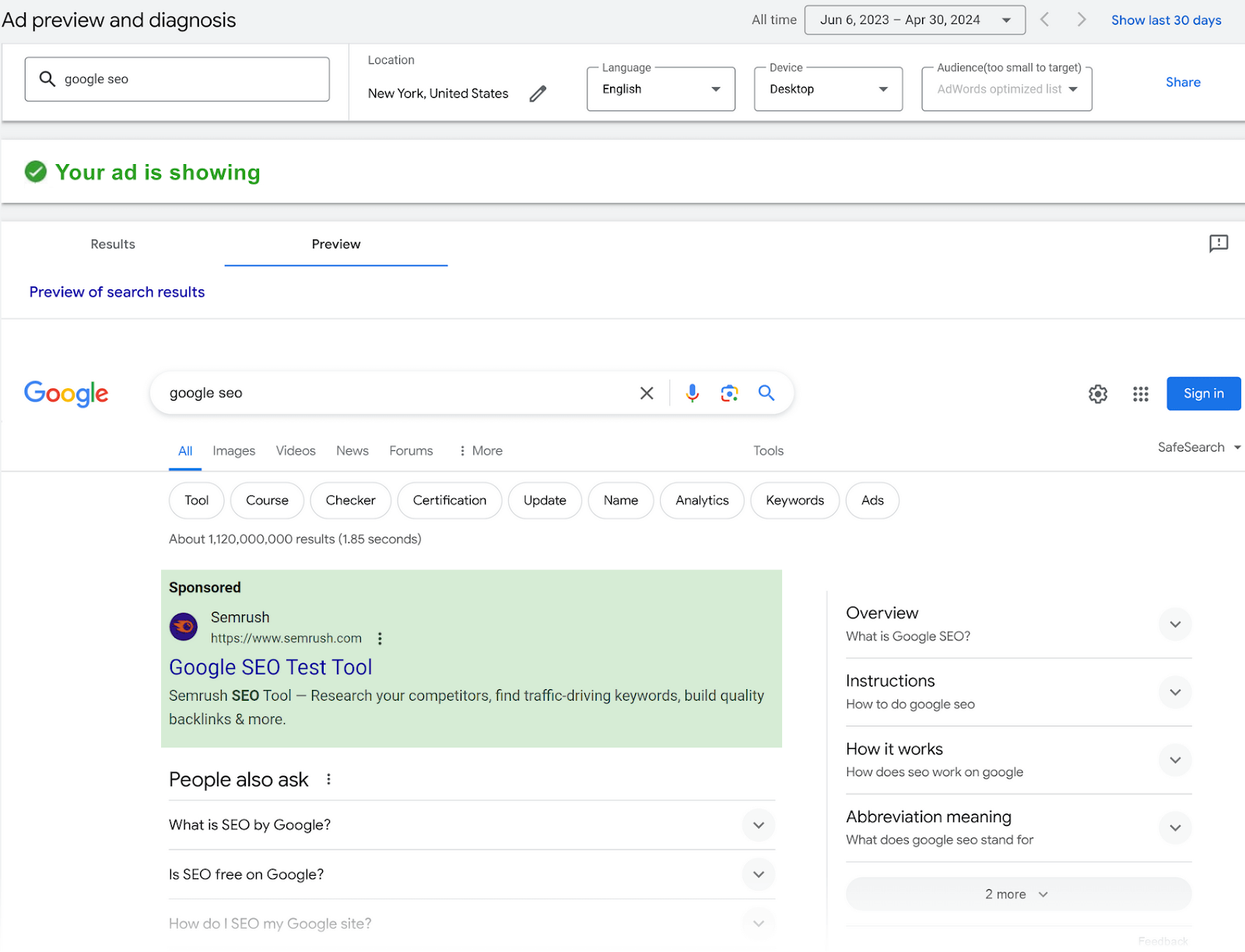
To preview Google AdWords ads, use the Ad Preview and Diagnosis Tool in your Google Ads account. This tool allows you to see how your ads appear in search results without affecting your ad metrics.
Understanding how to preview Google AdWords ads is crucial for advertisers aiming to optimize their campaigns. Accurate ad previews help ensure that ads display as intended, enabling marketers to assess performance and make necessary adjustments without skewing data.
This guide provides a step-by-step approach to utilizing the Ad Preview and Diagnosis Tool, tips for interpreting results, and best practices for enhancing ad visibility in search results.
What is the Google AdWords ad preview tool?
The Google AdWords ad preview tool is a feature that allows advertisers to view their ads as they would appear in the search results without generating additional impressions. This tool helps ensure that ads are displayed correctly and allows for effective testing of ad copy and targeting settings.
The ad preview tool provides a way to simulate search queries in different geographic locations and devices, giving marketers a realistic view of how their ads will look to potential customers. By using this tool, advertisers can avoid unnecessary clicks and impressions that could inflate costs. Furthermore, it allows for quick checks on ad status and performance without affecting the actual ad metrics.
- Geographic Location: Users can select specific locations to see localized ads.
- Device Type: The tool allows previews on different devices, such as mobile or desktop.
- Search Queries: Advertisers can input various keywords to see how their ads rank for specific search terms.
Using the Google AdWords ad preview tool is essential for optimizing ad campaigns. It can reveal issues with ad visibility and performance before they impact the overall effectiveness of the advertising strategy. Advertisers should regularly utilize this tool to ensure that their ads meet the desired standards and reach the intended audience effectively.
Expert Tip: Always check the ad preview after making changes to your campaigns. This will help identify any discrepancies before the ads go live, ensuring a smoother execution of your marketing efforts.
How do I use the Google AdWords ad preview tool?
The Google AdWords ad preview tool allows advertisers to see how their ads appear in search results without affecting ad performance. This tool is essential for checking ad visibility and ensuring that the correct ad copy is displayed. Follow the steps below to access and use the tool effectively.
- Visit the Google Ads homepage and log into your account. Ensure you have the necessary permissions to access the ad preview tool.
- In the left-hand menu, click on “Tools & Settings.” This option is represented by a wrench icon.
- Under the “Planning” section, select “Ad Preview and Diagnosis.” This will open the ad preview tool interface.
- Choose the location and language settings to simulate the conditions in which you want to view your ad. Adjust these settings to reflect your target audience.
- Enter relevant keywords associated with your ad. This will help you see if your ad is eligible to appear for those search terms.
- Click “Preview” to generate the search results. The tool will display how your ad appears, along with competitors’ ads if applicable.
- Review the ad display for accuracy. Take note of any discrepancies between your expectations and what is shown.
The ad preview tool is particularly useful for diagnosing issues such as low ad visibility or ad disapproval. It does not count as an impression, meaning it won’t affect your ad performance metrics. Regularly using this tool can help optimize ad campaigns and ensure the best user experience.
Expert Tip: To maximize the effectiveness of your ad preview, frequently test different keywords and settings. This practice helps in understanding how changes in targeting impact ad visibility and click-through rates.
What are the benefits of previewing Google AdWords ads?
Previewing Google AdWords ads allows marketers to assess ad appearance and performance without impacting real-time metrics. This practice helps optimize ad effectiveness and ensures alignment with campaign goals. By using the preview tool, advertisers can make informed decisions based on accurate visual representation and data insights.
One of the primary advantages of using the preview tool is that it enables advertisers to see exactly how their ads will appear in search results. This includes the ad’s title, description, and display URL, allowing for quick identification of any formatting issues or discrepancies. Additionally, it helps ensure that ad copy adheres to Google’s policies, reducing the risk of disapproval.
- Test Different Variations: Use the preview tool to assess various ad copies and formats. Experiment with headlines, calls to action, and ad extensions to identify the most compelling combinations.
- Check Targeting Accuracy: Preview ads in different locations or devices to understand how targeting settings affect visibility. This helps refine audience targeting strategies and improve local marketing efforts.
- Monitor Competitor Ads: Utilize the preview tool to analyze competitor ads in your niche. Observing how competitors present their offerings can provide insights into market positioning and potential gaps in your own strategy.
- Evaluate Ad Extensions: Ensure that all ad extensions are functioning correctly and displaying as intended. This can enhance ad visibility and potentially improve click-through rates.
Incorporating the preview tool into regular ad management practices can significantly enhance ad performance. Regularly testing and refining ads based on visual assessments leads to better engagement and higher conversion rates.
To maximize the benefits, regularly schedule ad previews before major campaign launches or when making significant changes. This proactive approach ensures that ads not only meet compliance standards but also resonate with the target audience effectively.
Can I see my Google Ads ad in different locations?
Yes, you can preview your Google Ads ad in different locations using the Google Ads Preview and Diagnosis Tool. This tool allows advertisers to see how their ads appear to users in various geographic areas without generating false impressions.
The Google Ads Preview and Diagnosis Tool offers location-based previews, enabling users to select specific locations and view how their ads will look to potential customers in those areas. This capability is particularly useful for businesses targeting specific regions or countries, allowing them to assess ad performance and relevance based on geographic factors.
When using the tool, advertisers can compare the following options:
- Location Selection: Choose from predefined locations, regions, or countries to view ad previews.
- Language Settings: Adjust the language settings to see how ads appear to users speaking different languages.
- Device Type: Preview ads on various devices, such as desktop, tablet, and mobile, to understand the user experience.
The key differences among these options lie in how each affects the visibility and format of the ads. Location selection can influence ad relevance due to regional interests, while language settings ensure that the message resonates with the target audience. Device type impacts the ad layout, which is crucial for optimizing click-through rates.
For precise targeting, regularly utilize the preview tool to ensure ads align with local preferences and device usage trends. This proactive approach can lead to improved ad performance and better engagement with potential customers.
Utilizing the Google Ads Preview and Diagnosis Tool effectively can enhance campaign strategies. Regularly testing ads in different locations allows advertisers to refine their targeting and improve overall ad effectiveness.
How often should I preview my Google Ads?
Previewing Google Ads should be conducted on a regular basis, ideally every two weeks. However, the frequency can increase based on significant changes in your campaigns, such as new ads, keyword adjustments, or budget shifts.
The frequency of previews can be influenced by various factors, including the scale of your advertising efforts and the dynamics of your industry. For instance, if launching a new product or service, it is advisable to preview ads more frequently, perhaps weekly, to ensure optimal performance and relevant messaging. Conversely, if campaigns remain stable with no recent changes, bi-weekly previews may suffice.
Additionally, consider tracking performance metrics closely. If an ad is underperforming, a prompt preview can help identify potential issues, such as incorrect ad copy or targeting mismatches. Frequent previews can also aid in A/B testing, allowing advertisers to quickly assess which versions of their ads resonate better with the target audience.
Practical Implications
Regularly previewing ads not only ensures they display correctly but also helps maintain brand consistency across various platforms. Be vigilant about any changes in Google Ads policies or features, as these can impact how ads are presented. Keeping a schedule for previews can streamline this process, ensuring ads are always optimized for visibility and engagement.
Expert Tip: Utilize the Google Ads Preview Tool in conjunction with other performance analytics tools. This combination allows for a comprehensive assessment of not just how ads appear but also how they are performing in real-time.
Are there any costs associated with using the Google AdWords preview tool?
The Google AdWords preview tool is entirely free to use and does not incur any additional costs. Users can access this tool without worrying about fees, making it an invaluable resource for advertisers looking to assess their ads before they go live.
While the preview tool itself is free, costs may arise from other aspects of using Google Ads. For instance, running campaigns incurs costs based on bidding strategies, ad placements, and overall budget allocation. Therefore, while utilizing the preview tool does not directly affect your advertising budget, understanding the broader context of Google Ads expenses is essential.
- Ad Spend: Costs are primarily driven by the budget set for your ad campaigns, which includes the amount bid for keywords.
- Campaign Type: Different campaign types (search, display, shopping) may have varying costs associated with them.
- Targeting Options: Specific targeting settings can influence overall costs, as more refined targeting may lead to higher competition and bids.
Using the preview tool effectively allows advertisers to optimize their ad content and targeting strategies without incurring additional costs. This proactive approach can lead to better performance and more efficient use of advertising budgets.
Expert Tip: Regularly using the preview tool can help identify issues with ad visibility and relevance, enabling adjustments before significant budget commitments are made. This practice can improve click-through rates and overall campaign effectiveness.
What common mistakes should I avoid when using the ad preview tool?
Common mistakes when using the ad preview tool include not selecting the correct location or device type and failing to check ad scheduling settings. These errors can lead to misleading results that do not accurately reflect how an ad will perform in real-world scenarios.
For example, an advertiser may want to preview their ad for a local promotion in New York City. If they forget to set the location filter to New York and leave it on “All Locations,” the preview may show results from other regions, leading to incorrect assumptions about ad visibility. Additionally, if the ad is scheduled to run only during specific hours, failing to account for this can result in seeing no ad at all during the preview, which can be misleading.
Another common mistake is neglecting to consider different device formats. Google Ads allows for variations in how ads appear on mobile versus desktop. If an advertiser only previews their ad on a desktop, they may miss critical adjustments needed for mobile optimization. This oversight can affect click-through rates and overall campaign performance, as mobile users represent a significant portion of traffic.
Expert Tip: Regularly review your ad settings before using the preview tool. Confirm that location, device type, and scheduling parameters are correctly configured to ensure accurate results that reflect the intended audience and context.
Advanced Techniques for Effective Ad Previews
This section delves into sophisticated strategies that enhance the process of ad previewing in Google AdWords. Mastering these techniques can significantly improve ad performance and provide valuable insights for optimization.
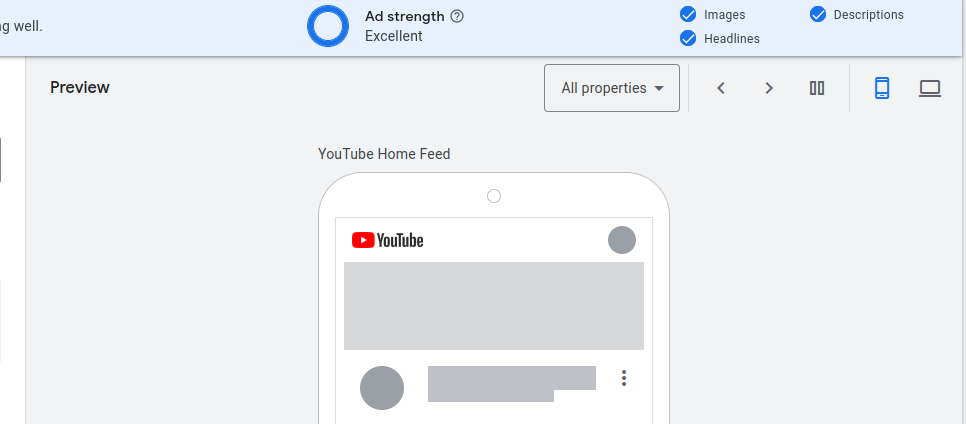
Utilizing Filters for Specific Keyword Targeting
Applying filters within the Google AdWords preview tool allows advertisers to hone in on specific keywords. This targeted approach helps in assessing how ads perform for particular search queries, enhancing relevance and click-through rates.
- Keyword Match Types: Utilize broad, phrase, and exact match types to see how ads appear for different searches.
- Geographic Filters: Set location-specific filters to assess ad visibility in targeted regions.
- Device Targeting: Preview ads on various devices to ensure optimal presentation across platforms.
Analyzing Competitor Ads Through the Preview Tool
The ad preview tool is not only for assessing one’s ads but also serves as a competitive analysis resource. By entering competitor keywords, advertisers can glean insights into competitor strategies, ad copy, and messaging.
- Identifying Trends: Observe common themes or calls-to-action used by competitors.
- Benchmarking Performance: Compare the ad position and visibility against competitors to pinpoint strengths and weaknesses.
- Ad Extensions: Note the types of ad extensions competitors are using, which could inform your own strategy.
Testing Different Ad Formats and Extensions
Google AdWords offers various ad formats and extensions, each with unique advantages. Testing these can help determine the most effective combinations for driving clicks and conversions.
- Responsive Search Ads: Experiment with different headlines and descriptions to see which combinations yield better performance.
- Ad Extensions: Implement various extensions such as sitelinks, callouts, and structured snippets to enhance ad visibility.
- Image and Video Ads: Assess how visual elements impact engagement and click-through rates.
Incorporating A/B Testing Results into Ad Previews
A/B testing is a fundamental practice for optimizing ad performance. Incorporating the results of these tests into ad previews can refine future campaigns based on data-driven decisions.
- Identifying Winning Variants: Use data from A/B tests to highlight successful ad elements in previews.
- Continuous Improvement: Regularly update ad previews based on the latest test results to maintain relevance.
- Performance Metrics: Focus on metrics such as click-through rates and conversion rates to gauge the effectiveness of different ad elements.
Common misconceptions often suggest that ad previews are a one-time task. In reality, effective ad previewing is an ongoing process that requires regular updates and adjustments based on performance data and market changes.
To implement these advanced techniques, begin by setting up targeted filters in the ad preview tool for your specific keywords. Next, regularly analyze competitor ads and incorporate insights into your own strategy. Test various ad formats and document the results from A/B testing to continuously refine your approach. By doing so, you can ensure that your ads remain competitive and effective in reaching your target audience.
Troubleshooting Common Issues in Ad Previews
This section addresses frequent challenges users encounter when attempting to preview their Google AdWords ads and provides clear resolutions. Understanding these issues is essential for ensuring accurate ad visibility and performance assessment.
Identifying Reasons Ads May Not Appear in Previews
When ads do not display in the preview tool, several factors could be at play. Common reasons include:
- Ad Approval Status: Ads that are under review or disapproved will not show in previews.
- Bid Limitations: If bids are too low compared to competitors, ads may not trigger.
- Keyword Targeting: Ads may not be associated with the keywords being tested in the preview tool.
Understanding Geo-Targeting Limitations
Geo-targeting settings can significantly affect ad visibility in previews. If an ad is set to target a specific geographic area, it may not appear if the preview tool is accessed from outside that area.
- Location Settings: Ensure the preview tool is set to the correct location to match your ad’s targeting.
- Radius Targeting: Ads targeting a radius around a location may not show outside that range.
- Device Targeting: Ads optimized for mobile devices may not appear if the preview is conducted on a desktop.
Resolving Discrepancies Between Ad Previews and Actual Performance
Disparities between ad previews and actual performance can stem from various factors. These include:
- Ad Scheduling: Ads may not run during the preview if they are scheduled to appear at specific times.
- Budget Constraints: Low daily budgets can limit ad visibility, even in previews.
- Quality Score: Low Quality Scores can hinder ad performance, affecting visibility in the preview tool.
Using Browser Settings to Ensure Accurate Previews
Browser settings can impact the ad preview experience. Consider the following:
- Cookies and Cache: Clear your browser’s cache and cookies to avoid displaying outdated information.
- Ad Blockers: Ensure ad-blocking extensions are disabled, as they may prevent ads from displaying in the preview.
- Browser Compatibility: Use a supported browser version to ensure the preview tool functions correctly.
Common misconceptions regarding ad previews include the belief that all ads should appear regardless of targeting and settings. In reality, ads are highly sensitive to various configurations, including geographic and device targeting. Understanding these nuances is critical for accurate ad assessment.
To effectively address these issues, regularly check your ad approval status and bid competitiveness. Adjust geo-targeting settings as necessary and ensure your browser is configured correctly. Running systematic checks on ad scheduling and budget can also help align your previews with expected performance. This proactive approach will enhance your ability to preview Google AdWords ads accurately and optimize your campaigns accordingly.
Real-World Applications of Ad Preview Insights
This section delves into practical strategies for applying insights gained from ad previews to enhance overall advertising efforts. Understanding how to leverage these insights can lead to significant improvements in campaign performance.
Integrating Ad Preview Data into Campaign Optimization
Ad preview tools provide invaluable data that can inform various aspects of campaign optimization. By analyzing ad visibility, click-through rates (CTR), and position metrics, marketers can identify which ads perform well and which require adjustments. Regularly reviewing ad previews allows for real-time modifications to bids and targeting parameters, ensuring that campaigns remain competitive and effective.
Leveraging Insights for Budget Allocation Decisions
Data from ad previews can significantly influence budget allocation across campaigns. Marketers should consider the following when distributing their budgets:
- Performance Metrics: Allocate more budget to ads with higher visibility and CTR.
- Seasonality: Adjust budgets based on seasonal trends observed in ad previews.
- Competitor Insights: React to competitor ad placements by shifting budget towards higher-performing keywords.
By aligning budget decisions with the insights derived from ad previews, businesses can maximize their return on investment (ROI).
Adjusting Targeting Strategies Based on Preview Results
Insights from ad previews can guide refinements in targeting strategies. For instance, if a specific demographic shows higher engagement with an ad, marketers should consider reallocating resources to target that segment more aggressively. Additionally, geographical performance can reveal opportunities for localized campaigns, enabling more tailored advertising efforts.
Enhancing Ad Copy and Creative Based on Competitor Analysis
Ad previews facilitate a competitive analysis that can drive improvements in ad copy and creative elements. By examining how competitors position their ads, marketers can identify gaps and opportunities for differentiation. Key considerations include:
- Messaging: Adjust messaging to address customer pain points more effectively.
- Visuals: Enhance visuals to stand out in crowded ad spaces.
- Call-to-Action (CTA): Experiment with different CTAs to improve engagement rates.
This continuous refinement fosters a cycle of improvement, where insights lead to better-performing ads.
Many marketers overlook the importance of testing ad variations. While ad previews provide a snapshot of current performance, they should also inform A/B testing strategies. Understanding which elements resonate with audiences can lead to more effective advertising.
Practical Application
To effectively apply the insights gained from ad previews, marketers should undertake the following steps:
- Regularly review ad previews to assess performance metrics.
- Reallocate budgets based on data-driven insights from ad visibility and CTR.
- Adjust targeting parameters to focus on high-performing demographics and locations.
- Revise ad copy and creative elements based on competitor analysis.
- Implement A/B testing to continuously refine ad strategies.
These actions will lead to more informed decisions, ultimately enhancing the effectiveness of advertising campaigns and achieving better results. By knowing how to preview Google AdWords ads, marketers can transform insights into actionable strategies that drive success.
Frequently Asked Questions
What is the Google AdWords ad preview tool?
The Google AdWords ad preview tool is a feature that allows advertisers to see how their ads appear in search results without affecting their ad performance metrics. It provides a way to view ads in real-time as they would appear to users.
How do I use the Google AdWords ad preview tool?
To use the Google AdWords ad preview tool, navigate to the “Tools” menu in your Google Ads account and select “Ad Preview and Diagnosis.” Enter the relevant search terms and location settings to view your ads as they would appear in the search results.
What are the benefits of previewing Google AdWords ads?
Previewing Google AdWords ads helps identify how ads look in search results and ensures they are displaying correctly. It also allows advertisers to check ad visibility without generating unnecessary clicks or impressions.
Can I see my Google Ads ad in different locations?
Yes, the Google AdWords ad preview tool allows users to simulate searches from various geographical locations. This feature helps advertisers understand how their ads appear to users in different regions.
How often should I preview my Google Ads?
It is advisable to preview Google Ads regularly, especially after making changes to campaigns or ads. Frequent previews help ensure ads are displaying correctly and performing as intended.
Are there any costs associated with using the Google AdWords preview tool?
There are no costs associated with using the Google AdWords ad preview tool; it is a free feature available within your Google Ads account. Using the tool does not incur any charges or affect your ad spend.
What common mistakes should I avoid when using the ad preview tool?
Common mistakes include not selecting the correct location or device settings, which can lead to inaccurate results. Additionally, avoid relying solely on the preview tool without monitoring actual ad performance metrics.
Final Thoughts on how to preview google adwords ad
Effectively utilizing the Google AdWords ad preview tool is essential for optimizing ad performance and ensuring visibility across different locations. By leveraging this tool, advertisers can gain critical insights into how their ads appear to potential customers, allowing for data-driven adjustments that enhance click-through rates and overall campaign success.
To maximize the benefits of ad previews, immediately implement a routine of checking your ads in various geographical locations and devices. This proactive approach will help identify discrepancies and opportunities for improvement in real-time.
Mastering the art of ad previews is not just a best practice; it is a fundamental strategy that can significantly influence your advertising outcomes in a competitive digital landscape.
Leave a Reply