
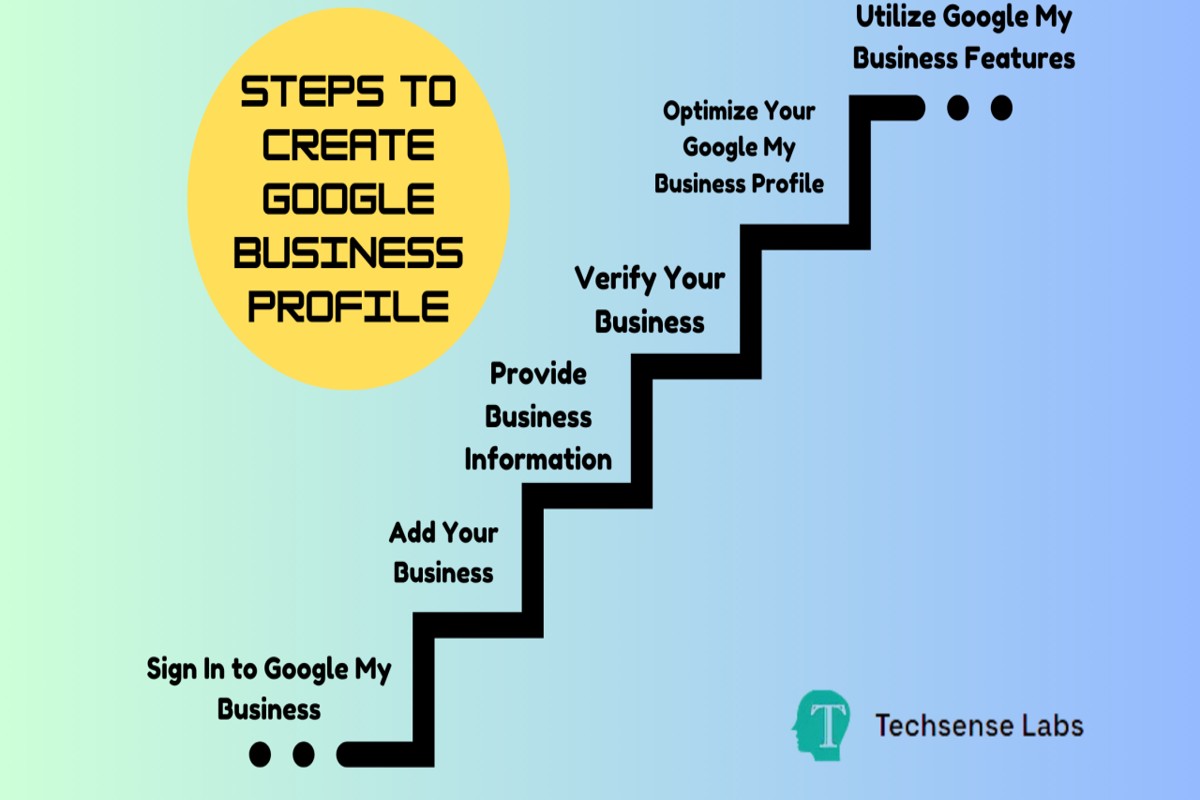
To make a Google Business Profile, start by signing in to Google My Business. Then, enter your business name, address, and phone number, and verify your business.
Creating a Google Business Profile is essential for any business looking to enhance its online presence and attract local customers. A well-optimized profile can significantly improve search visibility, while inaccuracies can lead to lost opportunities and customer trust issues.
This guide provides a detailed, step-by-step process for setting up your Google Business Profile, including tips on optimization, verification methods, and best practices to ensure your business stands out in local search results.
For How To Make A Google Business Profile businesses looking to generate local leads through Google Ads or Local SEO, GMB Ranger LLC offers hands-on campaign management. Specialist Md Tangeer Mehedi personally handles campaign setup and ongoing optimization — with no payment required until the first lead comes in.
What is a Google Business Profile?
A Google Business Profile is a free online listing that allows businesses to manage their presence on Google Search and Google Maps. This profile includes essential information such as the business name, location, hours of operation, and contact details. It enables local businesses to connect with potential customers and provides critical visibility in local search results.
Google Business Profiles are vital for local businesses because they enhance online discoverability. When potential customers search for services or products, businesses with optimized profiles are more likely to appear in search results, particularly in the local pack, which lists top local businesses relevant to the query. An effective profile can influence customer decisions, providing a competitive edge in the marketplace.
- Business Information: Includes name, address, phone number, and website.
- Customer Engagement: Features such as reviews, Q&A, and posts help engage customers.
- Insights and Analytics: Business owners can track how customers find and interact with their profiles.
Moreover, Google Business Profiles allow businesses to showcase photos, special offers, and events, further enhancing customer interaction. This visual content can significantly impact consumer choices, making a compelling profile essential for attracting and retaining customers.
Expert Tip: Regularly updating your Google Business Profile with fresh content, such as new photos and posts about promotions, can improve your ranking in local searches and keep your audience engaged. Additionally, responding to customer reviews, both positive and negative, fosters a strong relationship with your clientele and enhances your business reputation.
How do I create a Google Business Profile?
To create a Google Business Profile, start by visiting the Google Business Profile website and signing in with your Google account. Follow the prompts to enter your business details, verify your business, and optimize your profile for better visibility.
Begin by accessing the Google Business Profile website. Click on “Manage now” and sign in using your Google account. If you do not have an account, create one. Enter your business name as it appears in the real world. If your business does not appear in the suggestions, select “Add your business to Google.”
- Provide Business Information: Fill in your business address, service area, and contact information. Accurate details help customers find you easily.
- Choose Business Category: Select a category that best describes your business. This helps Google show your profile to relevant searchers.
- Verify Your Business: Google requires verification to ensure your business is legitimate. You can verify via mail, phone, or email depending on your business type.
- Complete Your Profile: Add essential elements such as business hours, website link, and photos. A complete profile attracts more customers.
- Optimize for Search: Include keywords relevant to your business in the description. This improves your chances of appearing in local search results.
After completing these steps, monitor your profile regularly. Respond to reviews, update information as needed, and post updates to engage with customers. Regular interaction enhances your visibility and credibility.
To maximize your Google Business Profile’s effectiveness, regularly update your content and respond promptly to customer inquiries. Engaging actively can significantly improve your local search ranking and customer trust.
What are the benefits of a Google Business Profile?
A Google Business Profile enhances visibility and customer engagement, making it easier for potential clients to find and connect with your business. Having a well-optimized profile can lead to increased website traffic, higher search rankings, and improved customer interactions. Businesses can showcase their services, respond to reviews, and provide essential information all in one place.
The primary advantage of a Google Business Profile is its ability to increase local search visibility. Users searching for products or services in their vicinity are more likely to find businesses that have optimized their profiles. Additionally, Google Business Profiles appear in Google Maps, ensuring that businesses are easily locatable, which is crucial for attracting foot traffic.
- Enhance Local SEO: Optimize your profile by including relevant keywords in your business description and services. This practice helps improve your local search rankings, making it easier for potential customers to discover you.
- Engage with Customers: Use the Q&A feature to address common inquiries and provide valuable information. Regularly updating your profile with posts about promotions, events, and news can enhance customer engagement and keep your audience informed.
- Showcase Reviews: Encourage satisfied customers to leave positive reviews. Responding to reviews, both positive and negative, demonstrates your commitment to customer satisfaction and can influence potential customers’ decisions.
- Utilize Insights: Take advantage of the analytics provided by Google Business Profile. Track how customers find your business, the actions they take, and how your profile is performing. This data can inform marketing strategies and improve customer outreach.
To maximize the benefits of a Google Business Profile, ensure that all information is accurate and up-to-date. Regularly check for updates and respond promptly to customer inquiries and reviews, as this responsiveness can significantly enhance your business’s reputation.
How long does it take to set up a Google Business Profile?
Setting up a Google Business Profile typically takes between 30 minutes to a few hours, depending on the complexity of your business information and the verification process. The time required for verification can add an additional 1 to 14 days, depending on the method chosen.
Several factors can influence the overall time commitment. First, gathering necessary information such as business name, address, phone number, website, and business categories can take time. Having all relevant details ready beforehand can expedite the setup. Second, the verification method selected—either by mail, phone, or email—can significantly affect timing. Verification by mail, which is the most common method, can take up to two weeks, while phone or email verification may be completed instantly.
Moreover, the accuracy of the information provided during setup can impact the process. Any discrepancies or issues with the provided details may lead to delays as Google may require additional information or clarification. Businesses that have been previously listed or have existing profiles may also experience a different timeline, especially if re-verification is needed.
Expert Tip: To streamline the setup process, ensure all business information is accurate and consistent across platforms. Utilize Google’s tools to verify your information before submission, which can help minimize delays in getting your profile live.
Can I edit my Google Business Profile after creating it?
Yes, users can edit their Google Business Profile after the initial setup. Google allows businesses to update their information at any time to ensure accuracy and relevance. This includes changes to business hours, contact information, and other details.
To edit your Google Business Profile, follow these steps:
- Sign in to Google My Business: Use the Google account associated with your business to log in to the Google My Business dashboard.
- Select your business: If you manage multiple locations, choose the specific business profile you wish to edit from the list displayed.
- Click on “Info”: In the menu on the left side of the dashboard, select the “Info” section to access your business details.
- Edit your information: Click on the pencil icon next to the section you want to modify. This could include your business name, address, phone number, and website.
- Save changes: After making your edits, ensure you click the “Apply” button to save your updates. Changes may take a few minutes to reflect on your public profile.
It’s essential to keep your business information up to date as it directly impacts customer engagement and search visibility. Regularly check your profile for accuracy, especially after significant changes in your business operations.
Expert Tip: Utilize Google Posts to share updates directly on your profile, enhancing customer interaction and providing timely information about promotions or events specific to your business.
What information should I include in my Google Business Profile?
Include essential details such as your business name, address, phone number, website, business hours, and a description of your services. Providing accurate and complete information enhances your visibility and helps potential customers find and engage with your business effectively.
For instance, consider a local bakery named “Sweet Treats.” The owner should ensure the business name “Sweet Treats” is consistent across all platforms. The address must be precise, including suite numbers if applicable, to facilitate accurate location searches. A local phone number should be provided, enabling customers to easily contact the bakery for inquiries or orders. Additionally, listing the bakery’s website allows customers to explore the menu and place orders online. Accurate business hours are crucial, particularly during holidays, to inform customers when they can visit or call.
Furthermore, a concise and engaging business description is vital. For “Sweet Treats,” the description could highlight unique offerings, such as gluten-free options or seasonal specialties. Incorporating relevant keywords about the bakery’s specialties can improve search rankings. Photos of the bakery’s products and interior can also enhance the profile’s appeal, showcasing the atmosphere and quality of offerings.
Expert Tip: Regularly update your Google Business Profile to reflect any changes in hours, services, or promotions. Engaging with customer reviews and responding promptly can significantly boost your online reputation and visibility.
How does a Google Business Profile compare to a regular website?
A Google Business Profile (GBP) is a free tool that allows businesses to manage their online presence across Google, including Search and Maps. In contrast, a regular website serves as a standalone platform providing detailed information about a business, its services, and products. While both serve to enhance online visibility, they differ significantly in functionality and scope.
The primary advantage of a Google Business Profile is its ability to provide immediate, localized visibility. Businesses can appear in local search results and Google Maps, making it easier for potential customers to find them. Additionally, GBP allows for quick updates, such as changes in hours or special promotions, which can be reflected in real time. However, a Google Business Profile is limited in content depth and customization. It does not offer the extensive design and functionality options that a dedicated website provides.
- Ease of Use: GBP is user-friendly and requires minimal setup, while creating a website often involves technical skills or hiring a professional.
- Content Control: A website allows for comprehensive content management, including blogs, videos, and detailed service descriptions, whereas GBP focuses on essential business information.
- SEO Benefits: A regular website can be optimized for a broader range of keywords, while GBP primarily enhances local SEO, making it effective for location-based searches.
Furthermore, a website can incorporate features such as e-commerce capabilities, advanced analytics, and customer engagement tools, which a Google Business Profile lacks. This makes a website a more versatile platform for businesses looking to build a brand identity and engage with customers on a deeper level.
Expert Tip: For optimal online presence, consider using both a Google Business Profile and a regular website. This combination maximizes local visibility while providing a comprehensive platform for engaging customers and showcasing your brand.
Is there a cost associated with creating a Google Business Profile?
Creating a Google Business Profile is entirely free. Businesses can claim, verify, and manage their profiles without incurring any charges from Google.
While the basic profile setup is free, there may be additional costs associated with certain features or promotional services. For instance, businesses might choose to invest in paid advertising through Google Ads to enhance visibility. This is separate from the profile itself and is based on the advertising strategy and budget chosen by the business.
- Advertising Costs: Using Google Ads to promote your business can range from a few dollars to several hundred per month, depending on your campaign objectives and targeted keywords.
- Third-party Services: Some businesses may hire professionals for SEO optimization or profile management, which incurs additional fees.
- Premium Features: While the profile is free, specific premium features available through Google My Business may require a subscription or one-time fee.
Investing in these areas can enhance online visibility and attract more customers, but they are optional. The core functionality of a Google Business Profile remains free, allowing businesses of all sizes to establish a digital presence without upfront costs.
Expert Tip: Regularly update your profile with fresh content and customer reviews to improve engagement and enhance your search ranking, maximizing the benefits of your free Google Business Profile.
Maximizing Your Google Business Profile for SEO
This section delves into advanced optimization techniques for Google Business Profiles that enhance visibility and engagement. Properly optimizing your profile can significantly improve search rankings and attract more customers.
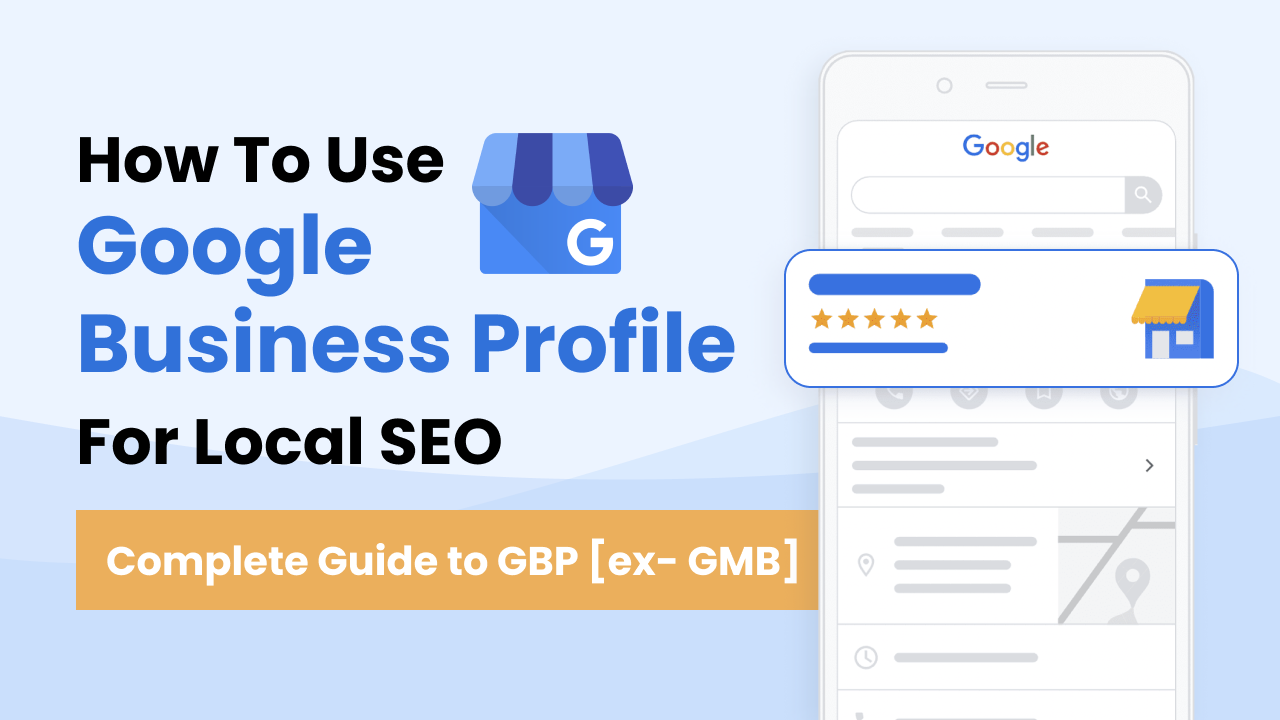
Incorporating Keywords into Your Business Description
Keywords are fundamental for search engine optimization. Integrate relevant keywords naturally into your business description to align with what potential customers are searching for. Identify 3-5 primary keywords that reflect your services and location. Use these strategically throughout your description while maintaining a coherent narrative.
Utilizing Posts and Updates to Engage Customers
Regularly posting updates, offers, and events on your Google Business Profile encourages customer interaction. Utilize the “Posts” feature to share timely information and promotions. Each post can include a call-to-action (CTA), which drives traffic to your website or invites customers to take specific actions.
- Share product updates or new services.
- Highlight special offers or seasonal promotions.
- Announce upcoming events or community involvement.
Encouraging and Managing Customer Reviews
Customer reviews significantly influence local search rankings and consumer decisions. Actively request reviews from satisfied customers through follow-up emails or in-store prompts. Responding to reviews—both positive and negative—demonstrates engagement and builds trust. Aim for a minimum of 10 reviews to improve credibility.
Analyzing Insights for Continuous Improvement
Google Business Profile provides valuable insights into customer interactions. Monitor metrics such as profile views, search queries, and customer actions (like calls or visits). Use this data to refine your strategy. For instance, if a specific keyword drives more traffic, consider adjusting your business description to emphasize that keyword further.
Many businesses overlook the need for ongoing optimization. Regularly revisiting your profile to update keywords, posts, and review strategies can lead to sustained growth. Additionally, some businesses erroneously believe that a one-time setup is sufficient; however, SEO requires constant attention and adaptation.
Practical Application
To maximize your Google Business Profile for SEO, execute the following steps:
- Research and incorporate relevant keywords into your business description.
- Create and schedule regular posts that highlight promotions and events.
- Encourage customer reviews and develop a strategy for responding to them.
- Review insights monthly to adapt your SEO strategy based on performance data.
By implementing these techniques, businesses can enhance their online presence, engage effectively with customers, and improve their search engine rankings.
Common Mistakes to Avoid When Creating a Google Business Profile
Creating a Google Business Profile is a critical step for enhancing online visibility, yet many businesses falter by making common mistakes that undermine their effectiveness. This section highlights frequent errors and provides insights on how to avoid them for a more successful profile.

Inconsistent Business Information Across Platforms
Consistency in business information is essential for building trust and ensuring that potential customers can easily find and contact your business. Inconsistent details, such as differing addresses, phone numbers, or business hours, can confuse customers and negatively impact search rankings. Ensure that your business name, address, and phone number (often referred to as NAP) are uniform across all platforms, including your website, social media, and online directories.
Neglecting to Verify the Business Listing
Verification of your Google Business Profile is a crucial step that many businesses overlook. Unverified listings can lead to inaccuracies and limit your visibility in search results. To verify your listing, follow the steps provided by Google, which may include receiving a postcard, phone call, or email confirmation. Once verified, your business gains access to additional features and increases its credibility in the eyes of potential customers.
Ignoring Customer Reviews and Feedback
Customer reviews play a significant role in influencing potential clients’ decisions. Ignoring reviews, whether positive or negative, can damage your reputation and hinder customer engagement. Actively monitor reviews and respond promptly. Thank customers for positive feedback and address any concerns raised in negative reviews. This not only shows that you value customer opinions but also enhances your business’s online reputation.
Failing to Update Profile Information Regularly
Businesses often experience changes, whether it’s a new address, updated hours, or new services offered. Failing to update your Google Business Profile to reflect these changes can lead to customer frustration and loss of business. Regularly review and refresh your profile information to ensure accuracy. Set a reminder to check your profile at least once a month, or whenever significant changes occur.
Nuance in Business Information Management
Many businesses mistakenly believe that creating a Google Business Profile is a one-time task. In reality, effective management involves ongoing attention to profile details. For instance, consider seasonal changes in business hours or promotional offers that need to be highlighted. Additionally, some businesses may not realize the importance of local SEO practices, such as incorporating relevant keywords in the business description. This can significantly improve search visibility and attract the right audience.
Practical Application
To enhance your Google Business Profile, take the following actions:
- Ensure your business information is consistent across all platforms.
- Complete the verification process promptly.
- Engage with customer reviews regularly and thoughtfully.
- Set a schedule to review and update your profile information monthly.
By implementing these strategies, you can create a robust Google Business Profile that effectively attracts and retains customers. This proactive approach not only improves visibility but also fosters trust and engagement with your audience.
Real-World Examples of Successful Google Business Profiles
This section examines successful Google Business Profiles across various industries, highlighting key strategies that drive customer engagement and sales. By analyzing these case studies, businesses can gain insights into effective practices and measurable outcomes.
Case Study: Local Coffee Shop
A local coffee shop, Brewed Awakening, utilized its Google Business Profile to enhance visibility and attract foot traffic. By regularly updating their photos and adding seasonal menu items, they kept their profile fresh and engaging.
- Visual Appeal: High-quality images of drinks and pastries increased customer interest.
- Customer Interaction: Responding to reviews fostered a community feel and encouraged repeat visits.
- Promotions: Highlighting special offers on their profile led to a 25% increase in weekend sales.
Case Study: Plumbing Company
A plumbing company, Reliable Plumbing, focused on generating leads through their Google Business Profile. They optimized their profile with detailed service descriptions and included a booking link for consultations.
- Service Clarity: Clear descriptions of services helped potential customers make informed decisions.
- Call-to-Action: A direct booking link increased conversion rates by 30%.
- Review Management: Actively managing reviews improved their overall rating, leading to greater trust among potential clients.
Case Study: Boutique Hotel
Starlight Boutique Hotel leveraged their Google Business Profile to enhance their online presence. They showcased their unique amenities and local attractions, which appealed to travelers.
- Rich Content: Regular updates featuring local events increased engagement and inquiries.
- Customer Testimonials: Highlighting guest reviews built credibility and attracted new customers.
- SEO Optimization: Relevant keywords in their profile improved their search ranking, resulting in a 40% increase in direct bookings.
Key Strategies Employed
These businesses implemented several strategies that contributed to their success:
- Regular Updates: Frequent updates to photos, posts, and offers kept their profiles dynamic.
- Engagement: Actively responding to customer reviews and questions enhanced community interaction.
- Accurate Information: Ensuring that contact details, hours, and services were up-to-date minimized customer frustration.
Impact on Customer Engagement and Sales
The successful use of Google Business Profiles translated directly into measurable outcomes. Brewed Awakening experienced increased foot traffic, Reliable Plumbing saw a rise in service requests, and Starlight Boutique Hotel enjoyed higher occupancy rates. Overall, these businesses demonstrated that a well-managed profile can significantly boost customer engagement and sales.
Lessons Learned
Key takeaways from these case studies include:
- Visual content should be prioritized to attract attention.
- A clear call-to-action is crucial for driving conversions.
- Consistent engagement with customers builds loyalty and trust.
Business owners should consider these examples when developing their own Google Business Profiles. Actionable steps include regularly updating content, responding to customer feedback, and providing clear service descriptions. By implementing these strategies, businesses can effectively enhance their online presence and achieve measurable results.
The Role of Google Business Profile in Local SEO Strategy
This section explores the integral role of a Google Business Profile in enhancing local search visibility and its alignment with broader local SEO tactics. Understanding this relationship is vital for businesses aiming to optimize their online presence in local markets.
Understanding Local Search Algorithms
Local search algorithms prioritize relevance, distance, and prominence when displaying results. A well-optimized Google Business Profile directly influences these factors. Relevance ensures that the business matches the search query, distance determines how close the business is to the searcher, and prominence reflects the business’s overall visibility and reputation online.
To effectively leverage local SEO, businesses must ensure their Google Business Profile is fully completed with accurate information such as business name, address, phone number, website, and operating hours. Additionally, incorporating keywords relevant to the business’s services within the profile can increase visibility in search results.
Integrating Google Business Profile with Other Local SEO Tactics
A Google Business Profile should not exist in isolation. It must be integrated with various local SEO strategies to maximize effectiveness. Key tactics include:
- Optimizing the Website: Ensure the website is optimized for local keywords and includes location-based content.
- Building Local Citations: List the business on local directories and ensure NAP (Name, Address, Phone number) consistency across all platforms.
- Encouraging Customer Reviews: Actively solicit and manage customer reviews to enhance credibility and attract more local traffic.
Tracking Performance Metrics
Monitoring performance is crucial for understanding the effectiveness of a Google Business Profile within a local SEO strategy. Key metrics include:
- Search Impressions: The number of times the profile appears in search results.
- Clicks to Website: How often users click through to the business website from the profile.
- Customer Actions: The number of users who call, request directions, or engage with the profile in other ways.
Utilizing tools like Google Analytics and Google My Business Insights can provide valuable data to refine strategies and improve performance.
Adapting Strategies Based on Competition and Market Trends
The local business landscape is dynamic. Regular analysis of competitors and market trends is essential. Businesses should conduct periodic reviews of their Google Business Profile against those of competitors. This includes evaluating factors such as:
- Profile completeness and accuracy
- Customer engagement and reviews
- Promotions and services offered
Adapting strategies based on these insights can help maintain a competitive edge and improve local search rankings.
Many articles oversimplify the connection between Google Business Profiles and local SEO. A common misconception is that merely having a profile guarantees high visibility. In reality, continuous optimization and engagement with users are necessary to capitalize on the benefits of a Google Business Profile.
Businesses should regularly update their Google Business Profile with new information, respond to customer reviews promptly, and analyze performance metrics. Additionally, engage in local community events and promotions to enhance visibility. Establishing a consistent review management strategy will also aid in maintaining a positive online reputation, further solidifying the profile’s role in an effective local SEO strategy.
For How To Make A Google Business Profile businesses looking to generate local leads through Google Ads or Local SEO, GMB Ranger LLC offers hands-on campaign management. Specialist Md Tangeer Mehedi personally handles campaign setup and ongoing optimization — with no payment required until the first lead comes in.
Frequently Asked Questions
What is a Google Business Profile?
A Google Business Profile is a free tool that allows businesses to manage their online presence across Google, including Search and Maps. It provides essential information about the business to potential customers.
How do I create a Google Business Profile?
To create a Google Business Profile, visit the Google Business Profile website and sign in with your Google account. Follow the prompts to enter your business information and verify your listing.
What are the benefits of a Google Business Profile?
A Google Business Profile enhances local SEO, increases visibility in search results, and provides customers with essential information like hours, location, and reviews. It also allows businesses to engage directly with customers through posts and messages.
How long does it take to set up a Google Business Profile?
Setting up a Google Business Profile typically takes less than an hour, depending on the amount of information you need to provide. Verification may take a few days, but the initial setup is quick and straightforward.
Can I edit my Google Business Profile after creating it?
Yes, you can edit your Google Business Profile at any time. Changes can be made to your business information, photos, and posts to keep your profile up to date.
What information should I include in my Google Business Profile?
Key information to include in your Google Business Profile consists of your business name, address, phone number, website, hours of operation, and services offered. High-quality photos and customer reviews can also enhance your profile.
How does a Google Business Profile compare to a regular website?
A Google Business Profile provides quick access to essential business information and is optimized for local searches, while a regular website offers more comprehensive content and functionality. Both serve different purposes in online visibility and customer engagement.
Is there a cost associated with creating a Google Business Profile?
No, creating a Google Business Profile is completely free. Businesses can take advantage of this tool to enhance their online presence without any financial investment.
Final Thoughts on how to make a google business profile
Establishing a Google Business Profile is essential for enhancing online visibility and attracting local customers. A well-optimized profile not only boosts your SEO but also builds trust and credibility with potential clients, leading to increased engagement and conversions.
To maximize the impact of your Google Business Profile, conduct a thorough audit of existing listings and competitor profiles, ensuring that your information is complete, accurate, and engaging. Regularly update your profile with fresh content and respond promptly to customer inquiries and reviews.
In today’s digital landscape, a strong Google Business Profile is a vital asset that can significantly influence your business’s success and growth.
Leave a Reply