
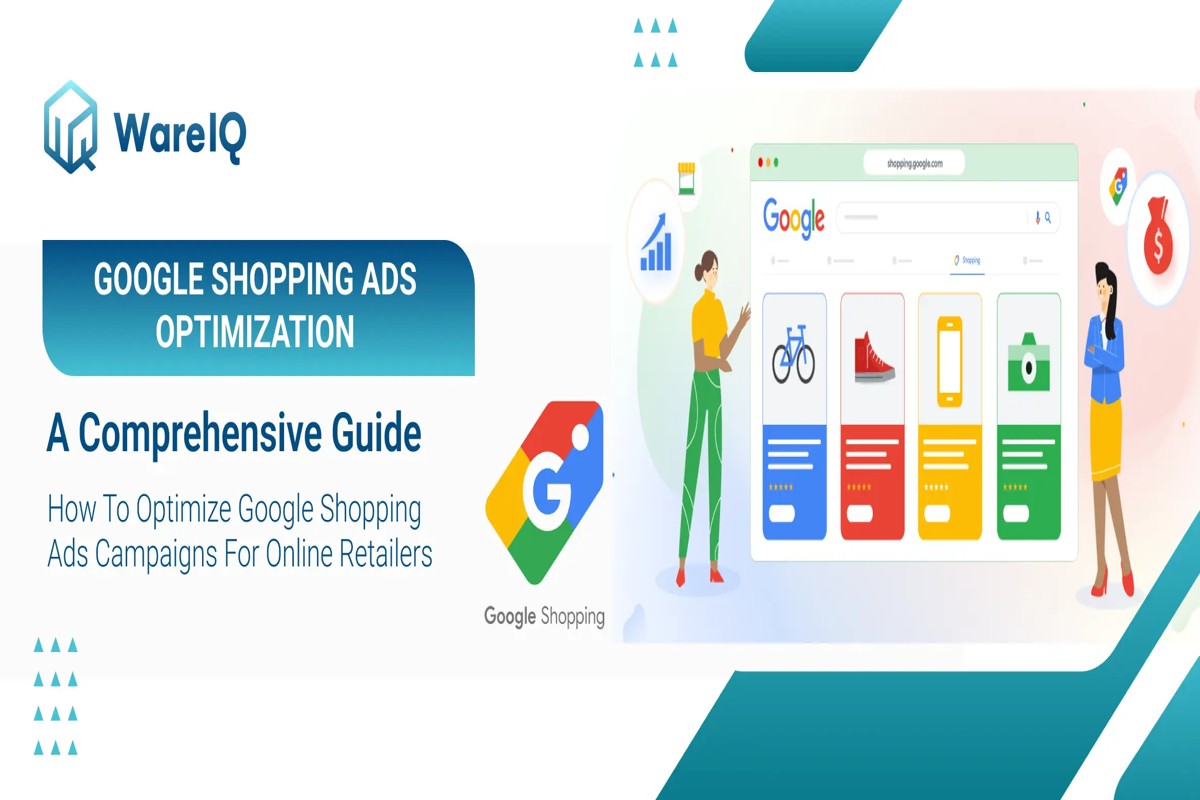
To optimize Google Shopping Ads, focus on high-quality product images, accurate product descriptions, and strategic bidding. By implementing these strategies, businesses can potentially increase click-through rates by up to 30%, enhancing overall return on investment.
Understanding how to optimize Google Shopping Ads is critical for e-commerce businesses aiming to maximize their advertising effectiveness. With online retail sales projected to reach $6.4 trillion by 2024, mastering this aspect of digital marketing can significantly impact a company’s market share and profitability.
Failure to effectively optimize Google Shopping Ads can result in lost revenue, wasted advertising spend, and an inability to compete in a crowded marketplace. Businesses that overlook these optimization techniques risk falling behind their competitors who leverage them to attract and convert customers.
This article will cover essential strategies for optimizing Google Shopping Ads, including best practices for product imagery, crafting compelling descriptions, and insights into effective bidding techniques to maximize ROI.
For How To Optimize Google Shopping Ads businesses looking to generate local leads through Google Ads or Local SEO, GMB Ranger LLC offers hands-on campaign management. Specialist Md Tangeer Mehedi personally handles campaign setup and ongoing optimization — with no payment required until the first lead comes in.
What are Google Shopping Ads?
Google Shopping Ads are visually rich advertisements that display product listings directly in Google search results. Unlike standard text ads, these ads feature product images, prices, and merchant information, allowing users to compare options before clicking through to a retailer’s website. In 2024, Google Shopping Ads accounted for approximately 76% of total retail search ad spending.
Google Shopping Ads differ significantly from traditional text ads in their format and functionality. While text ads rely solely on written content to convey information, Shopping Ads utilize images and structured data to present a more engaging user experience. This visual approach not only enhances the appeal of the products but also improves click-through rates and conversion rates. Retailers can effectively showcase multiple products in a single campaign, making them a powerful tool for driving sales.
- Product Listings: Each ad includes key details such as product title, image, price, and merchant name.
- Comparison Shopping: Users can easily compare products from different retailers in one glance.
- Enhanced Targeting: Advertisers can leverage Google’s robust targeting options to reach specific demographics and interests.
To create effective Google Shopping Ads, merchants must submit product data through Google Merchant Center, which serves as the foundation for these ads. The quality of this data, including accurate descriptions and competitive pricing, plays a pivotal role in determining ad visibility and performance. Regular optimization based on performance metrics is essential for maintaining a competitive edge.
Expert insight: To maximize ROI, focus on optimizing product feed data, including high-quality images and precise descriptions, while continuously monitoring performance metrics to adjust bids and targeting strategies accordingly.
How do I set up Google Shopping Ads?
Setting up Google Shopping Ads involves creating a Google Merchant Center account, uploading your product feed, and launching your campaign. This process can typically be completed in under an hour, allowing businesses to start advertising their products effectively.
Follow these steps to set up Google Shopping Ads:
- Create a Google Merchant Center account: Go to the Google Merchant Center website and sign up for an account. Provide your business information and verify your website to ensure that your products are eligible for advertising.
- Set up your product feed: Prepare a product feed that includes essential details such as product titles, descriptions, prices, and images. Ensure that the feed meets Google’s specifications and is regularly updated for accuracy.
- Link your Merchant Center to Google Ads: After creating your Merchant Center account, link it to your Google Ads account. This connection allows you to create Shopping campaigns based on the products listed in your feed.
- Create a Shopping campaign: In Google Ads, select “Campaigns” and click on the “+” button to create a new campaign. Choose “Sales” as your goal and “Shopping” as the campaign type, then select the linked Merchant Center account.
- Set your budget and bidding strategy: Determine your daily budget and select a bidding strategy that aligns with your goals, such as Target ROAS (Return on Ad Spend) or Maximize Clicks. This will dictate how much you are willing to spend on your ads.
- Launch your campaign: Review your settings, confirm everything is accurate, and click “Publish” to launch your Shopping campaign. Monitor performance closely and make adjustments as needed to optimize for results.
Expert insight: Regularly update your product feed and monitor campaign performance to maximize ROI. Consider utilizing Google Ads’ automated bidding strategies to enhance your campaign’s effectiveness over time.
What are the best practices for Google Shopping Ads?
To optimize Google Shopping ads effectively, implement best practices that enhance product visibility and improve ROI. Key strategies include optimizing product listings, refining bidding strategies, and continuously monitoring ad performance. Research indicates that businesses that actively optimize their Shopping Ads can see up to a 30% increase in conversion rates.
Optimizing product listings is foundational. Ensure that product titles are clear, concise, and keyword-rich to improve search visibility. High-quality images and accurate product descriptions significantly influence click-through rates. Regularly updating the product feed to reflect current inventory and pricing is also essential. Utilize Google’s product groups to categorize items effectively, enabling targeted bidding and better management of campaigns.
- Implement Smart Bidding: Use automated bidding strategies like Target ROAS or Maximize Conversion Value to adapt bids based on real-time data and performance trends.
- Leverage Negative Keywords: Regularly add negative keywords to prevent ads from showing on irrelevant searches, thereby improving your ad’s relevance and click-through rate.
- Monitor Performance Metrics: Routinely analyze key performance indicators (KPIs) such as CTR, conversion rate, and cost per conversion to identify what’s working and what needs adjustment.
- Test Ad Variations: Experiment with different ad formats, including Showcase Shopping Ads and Local Inventory Ads, to determine which performs best for your audience.
Expert insight: Regularly conducting A/B tests on product listings can unveil new opportunities for optimization, frequently leading to improved ad performance and higher ROI.
How much do Google Shopping Ads cost?
Google Shopping Ads operate primarily on a cost-per-click (CPC) model, with average CPC rates ranging from $0.50 to $2.00, depending on the industry and competition. In 2024, the average cost for retail sectors can reach up to $1.50 per click, although this can vary significantly based on several factors.
The cost of Google Shopping Ads is influenced by multiple elements that determine how much advertisers pay for their campaigns. Key factors include:
- Bidding strategy: Advertisers can choose manual or automated bidding, affecting overall spending.
- Industry competition: Highly competitive sectors, such as electronics, may have higher CPCs.
- Product pricing: Higher-priced items often command higher bids, impacting the cost-per-click.
Additionally, the quality of the product feed and ad relevance can also affect costs. A well-optimized product feed with high-quality images and descriptions may lead to lower CPCs due to improved ad performance. Furthermore, seasonal trends can influence pricing, with costs typically increasing during peak shopping seasons like Black Friday and the holiday period. Effective budget management is crucial; setting daily budgets and monitoring performance can help ensure that spending aligns with overall marketing goals.
Expert insight: Regularly reviewing and adjusting bids based on performance metrics can maximize ROI while controlling costs effectively in Google Shopping Ads.
How long does it take to see results from Google Shopping Ads?
Typically, advertisers can expect to see initial results from Google Shopping Ads within 1 to 3 weeks. However, achieving optimal performance and a clear return on investment (ROI) may take 1 to 3 months, depending on various factors.
Several factors influence the timeframe for seeing results from Google Shopping Ads. First, the complexity of the campaign setup plays a significant role. Campaigns with well-structured product feeds, optimized bidding strategies, and targeted audience settings can yield quicker results. Conversely, poorly structured campaigns may require more time for optimization and adjustments. Additionally, the level of competition within specific product categories can affect how quickly ads gain traction. High competition may lead to slower visibility and click-through rates.
Another important factor is the budget allocated to the campaign. A higher budget can accelerate the learning phase, allowing Google’s algorithms to optimize performance more efficiently. Seasonal trends and market demand also impact results. For instance, during peak shopping seasons, ads may generate quicker sales due to increased consumer interest. On the other hand, during off-peak times, results may take longer to materialize as consumer behavior fluctuates.
Expert insight: Regularly monitoring and adjusting your campaigns based on performance data can significantly enhance the speed of achieving desired results. Utilize A/B testing to refine product listings and ad copies for better engagement.
What are common mistakes to avoid with Google Shopping Ads?
Common mistakes in Google Shopping Ads include neglecting to optimize product feeds, poor bid strategies, and inadequate negative keyword management. According to a recent study, 34% of advertisers report low ROI due to unoptimized product listings.
One frequent pitfall is failing to optimize product feeds. For instance, an online clothing retailer might upload a product feed with generic titles like “T-shirt” instead of more descriptive ones like “Men’s Blue Graphic T-shirt.” This lack of specificity can significantly reduce visibility in search results, leading to lower click-through rates. To avoid this mistake, advertisers should use relevant keywords in product titles and descriptions, ensuring that they align with customer search behavior.
Another common error involves ineffective bid strategies. An example would be a retailer who sets the same bid amount for all products, regardless of their performance. This approach can lead to overspending on low-performing items while underfunding high-converting products. Instead, implement a data-driven bidding strategy based on the performance metrics of each product. Regularly analyze sales data and adjust bids accordingly to enhance overall ad performance.
Expert insight: Regularly auditing product feeds and employing automated bidding strategies can significantly improve ad performance and return on investment. Focus on leveraging data analytics to inform decisions and optimize listings effectively.
Advanced Strategies for Google Shopping Ads Optimization
This section delves into advanced techniques to enhance the effectiveness of Google Shopping Ads, focusing on maximizing return on investment (ROI) through strategic implementation and data-driven insights.

Utilizing Negative Keywords Effectively
Negative keywords play a crucial role in filtering out irrelevant traffic. By adding terms that are not relevant to your products, you can prevent your ads from appearing in unwanted searches. This targeted approach helps to improve click-through rates (CTR) and conversion rates.
- Identify common search terms that lead to low-quality traffic.
-
Regularly update your negative keyword list based on performance analysis.
- Utilize Google’s Search Terms report to discover irrelevant queries triggering your ads.
Implementing Dynamic Remarketing
Dynamic remarketing allows businesses to re-engage users who have previously visited their site but did not convert. By showing tailored ads featuring the exact products users viewed, businesses can significantly increase the likelihood of conversion.
According to recent data, dynamic remarketing campaigns can achieve a 20% higher conversion rate compared to standard remarketing efforts.
Leveraging Audience Targeting
Audience targeting enhances campaign performance by allowing advertisers to focus on specific segments of users based on their behavior, interests, and demographics. This can be accomplished through:
- Custom Intent Audiences: Target users actively searching for related products.
- Remarketing Lists: Re-engage past visitors with tailored messaging.
- In-Market Audiences: Reach users who are actively considering purchasing similar products.
Implementing audience targeting can lead to a 30% improvement in ad efficiency, as campaigns become increasingly relevant to the right users.
Analyzing Competitor Strategies
Understanding competitor strategies provides valuable insights into market positioning and potential gaps in your approach. Tools like SEMrush or SpyFu can be utilized to assess competitors’ ad spend, keyword targeting, and overall strategy. Key areas to analyze include:
- Keyword selection and performance
- Ad copy effectiveness and unique selling propositions
- Pricing strategies and promotions
This competitive analysis can reveal opportunities to differentiate your offerings, potentially increasing your market share.
Common misconceptions about Google Shopping Ads often overlook the importance of continual optimization and the use of advanced features. Many advertisers may focus solely on product feed optimization, neglecting the critical aspects of audience targeting and competitor analysis. To maximize ROI, a holistic approach encompassing all elements of campaign management is essential.
To apply these advanced strategies effectively, businesses should begin by auditing their current negative keyword list and expanding it based on recent performance insights. Next, set up dynamic remarketing campaigns to re-engage users, and refine audience targeting based on behavioral data. Lastly, conduct a thorough analysis of competitor strategies to identify gaps and capitalize on unmet needs in the market. Implementing these strategies will position your Google Shopping Ads for enhanced performance and increased ROI.
Real-World Case Studies of Successful Google Shopping Ads
This section presents real-world case studies that illustrate both successful and challenging Google Shopping Ads campaigns. These examples offer valuable insights into strategies that drive significant ROI and lessons learned from setbacks.

Case Study: Small Business Sales Surge
A small online retailer specializing in eco-friendly products implemented Google Shopping Ads with a targeted approach, resulting in a remarkable 200% increase in sales within six months. The company focused on optimizing product titles and descriptions, aligning them with high-volume search terms. They also utilized custom labels to segment products by margin, allowing for strategic bidding.
Analysis of a Failed Campaign
A mid-sized fashion retailer initially launched a Google Shopping Ads campaign that underperformed, generating a negative ROI. After analyzing performance metrics, the retailer discovered that their product images were of low quality and not visually appealing. Additionally, their bidding strategy did not prioritize high-converting products. By enhancing image quality and adjusting bids based on conversion data, the retailer achieved a turnaround, resulting in a 150% increase in sales within three months.
Insights from a Large Retailer
A prominent electronics retailer scaled its Google Shopping Ads effectively by implementing a structured campaign strategy. They segmented campaigns by product categories and utilized dynamic remarketing to re-engage past visitors. This approach led to a 30% increase in overall sales and a 20% reduction in cost per acquisition (CPA). The retailer also leveraged seasonal promotions and data-driven bidding strategies to maximize visibility during peak shopping periods.
Key Takeaways from Industry Leaders
- High-Quality Images: Invest in professional product photography to enhance click-through rates.
- Data-Driven Decisions: Regularly analyze performance metrics to refine bidding strategies and product listings.
- Segmentation: Use product segmentation to tailor ads and bids based on product performance.
In 2024, businesses utilizing Google Shopping Ads reported an average 25% higher conversion rate compared to traditional text ads, reinforcing the importance of visual marketing in digital commerce.
Common misconceptions about Google Shopping Ads include the belief that simply creating ads guarantees visibility. However, successful campaigns require ongoing optimization and adjustments based on data analysis.
To apply these insights, businesses should conduct a thorough audit of their current Google Shopping Ads campaigns. Focus on enhancing product imagery, segmenting products for targeted advertising, and implementing data-driven bidding strategies. Regularly review performance metrics to pivot strategies as needed for sustained growth.
Integrating Google Shopping Ads with Other Marketing Channels
Creating a cohesive marketing strategy that includes Google Shopping Ads enhances visibility and conversion rates. By integrating various marketing channels, businesses can create a unified approach that drives customer engagement and maximizes return on investment.
Email Marketing Synergy
Email marketing complements Google Shopping Ads by nurturing leads and encouraging conversions. Integrating targeted email campaigns with Shopping Ads can enhance customer retention and engagement. For instance, sending personalized product recommendations to users who clicked on Shopping Ads can lead to a 20% increase in conversion rates. Additionally, including direct links to Shopping Ads in email newsletters provides a seamless path to purchase.
Leveraging Social Media Advertising
Social media platforms serve as effective channels to amplify Google Shopping campaigns. By running simultaneous social media ads that promote the same products featured in Shopping Ads, businesses can create a comprehensive marketing ecosystem. According to recent data, businesses utilizing both Google Shopping and social media advertising see a 30% higher ROI compared to those relying solely on one channel. Platforms like Facebook and Instagram allow for dynamic retargeting, ensuring that potential customers receive consistent messaging across their digital touchpoints.
Aligning SEO Efforts with Shopping Ads
Effective search engine optimization (SEO) enhances the visibility of Google Shopping Ads. Optimizing product titles, descriptions, and images for relevant keywords not only boosts organic traffic but also improves the performance of Shopping Ads. In 2024, businesses that align their SEO strategies with Shopping Ads report an average 25% increase in ad visibility and lower cost-per-click rates. This dual approach ensures that customers can discover products through organic search results before encountering paid ads.
Creating a Unified Customer Journey
A cohesive customer journey is essential for converting leads into sales. From the first interaction with a Google Shopping Ad to the final purchase, businesses should aim for consistency in messaging and branding. This can be achieved by ensuring that landing pages reflect the same offers and visuals presented in the ads. Furthermore, utilizing customer feedback and behavior analytics can help optimize the journey. A streamlined experience typically results in a 15% higher retention rate among customers.
Many marketers underestimate the importance of integrating Google Shopping Ads with other channels. A common misconception is that these ads function independently. In reality, they should be part of a larger strategy that encompasses email marketing, social media, and SEO. Each channel reinforces the others, enhancing brand recognition and increasing the likelihood of conversion.
To implement these strategies effectively, marketers should:
- Develop a content calendar that aligns email and social media promotions with Google Shopping Ads.
- Optimize product listings with SEO best practices, including keyword-rich descriptions and high-quality images.
- Utilize analytics tools to track customer interactions across channels, adjusting strategies based on performance data.
- Create landing pages that reflect ad content, ensuring a seamless transition for customers.
By following these actionable steps, businesses can enhance their Google Shopping Ads strategy, leading to improved visibility, engagement, and ultimately, higher ROI.
Measuring and Analyzing the Success of Google Shopping Ads
This section delves into the essential metrics and tools needed to effectively measure and analyze the performance of Google Shopping Ads, allowing advertisers to make data-driven decisions that enhance return on investment (ROI).
Key Metrics to Track
Monitoring the right metrics is critical for assessing the effectiveness of Google Shopping Ads. Key performance indicators (KPIs) include:
- Click-Through Rate (CTR): This measures the percentage of people who click on your ad after seeing it. A higher CTR indicates effective ad targeting and product presentation.
- Conversion Rate: This represents the percentage of clicks that lead to sales. A low conversion rate may signal issues with the product page or pricing.
- Cost Per Acquisition (CPA): This indicates how much you spend to acquire a customer. Striving for a lower CPA while maintaining conversion quality is essential for profitability.
- Return on Ad Spend (ROAS): This metric evaluates the revenue generated for every dollar spent on advertising. A ROAS of 400% means you earn $4 for every $1 spent.
Setting Up Conversion Tracking
Accurate conversion tracking is fundamental for optimizing Google Shopping Ads. Setting this up involves:
-
Accessing your google ads account and navigating to the ‘Tools & Settings’ menu.
- Selecting ‘Conversions’ under the ‘Measurement’ section.
- Clicking the ‘+’ button to create a new conversion action and choosing the appropriate type (e.g., purchases, sign-ups).
- Implementing the conversion tracking tag on your website to accurately capture data.
Utilizing Google Analytics for User Insights
Google Analytics provides powerful insights into user behavior post-click. Key features include:
- Behavior Flow: This visual representation shows how users navigate your site, helping identify drop-off points.
- Goal Tracking: Set up specific goals to measure user actions that are valuable to your business, such as completing a purchase.
- E-commerce Tracking: Enable this feature to gain detailed insights into sales performance, including revenue, average order value, and product performance.
Adjusting Campaigns Based on Performance Data
Regularly reviewing performance data is vital for campaign optimization. Actions to take include:
- Adjusting bids based on the performance of individual products or categories.
- Pausing underperforming ads to reallocate budget to higher-performing ones.
- Testing different ad creatives or product descriptions to improve CTR and conversion rates.
According to recent data, businesses that actively analyze and adjust their Google Shopping Ads campaigns can see an average ROAS increase of 30% within six months. This highlights the importance of continuous monitoring and optimization.
Many advertisers overlook the significance of segmenting data by device, location, or time of day. This nuanced approach allows for more targeted adjustments that can lead to improved performance. Additionally, misconceptions often arise that high spend equates to high performance. In reality, a well-optimized campaign with a lower budget can outperform a poorly managed one with a larger budget.
To effectively utilize the insights gained from measuring and analyzing Google Shopping Ads, advertisers should:
- Regularly monitor key metrics and adjust bids based on performance.
- Actively use Google Analytics to understand user behavior and adapt strategies accordingly.
- Implement A/B testing for ads and product listings to identify what resonates most with consumers.
Evaluating the Best How To Optimize Google Shopping Ads
As the e-commerce advertising landscape continues to evolve, it is essential for businesses to evaluate their options for optimizing Google Shopping Ads. In 2024, the global digital advertising market is projected to reach $786.2 billion, emphasizing the importance of effective ad management tools. Choosing the right provider can significantly impact campaign performance and return on investment.
| Provider / Option | Best For | Pricing | Key Feature |
|---|---|---|---|
| AdEspresso | Small to medium-sized businesses | $49 – $249 per month | User-friendly interface for ad management |
| WordStream | Agencies managing multiple accounts | $264 – $1,000 per month | Powerful optimization tools and reporting |
| Optmyzr | Advanced users seeking automation | $250 – $1,500 per month | Advanced automation and optimization features |
| ShoppingFeeder | E-commerce businesses with multiple channels | $29 – $299 per month | Multi-channel feed management |
| Kenshoo | Large enterprises with complex needs | Custom pricing | Comprehensive analytics and reporting |
| Sellics | Amazon sellers looking to expand | $50 – $500 per month | Integrated PPC and SEO tools |
Criteria for Evaluating Program Quality
Pricing: Consider the pricing structure in relation to your budget and expected ROI. Different providers cater to various business sizes, so choose one that aligns with your financial capabilities.
Key Features: Assess the unique features offered by each provider. Features such as automation, reporting, and multi-channel management can significantly enhance campaign efficiency and effectiveness.
User Experience: Evaluate the user interface and overall user experience. A user-friendly platform can save time and reduce the learning curve, particularly for small to medium-sized businesses.
Support and Resources: Look into the level of customer support and educational resources offered. Comprehensive support can help maximize the use of the platform and improve your ad performance.
How to Assess the Reputation and Reliability of Providers
- Research Online Reviews: Check platforms like G2, Capterra, or Trustpilot for user feedback and ratings to gauge overall satisfaction with the provider.
- Examine Case Studies: Look for documented case studies that showcase the provider’s performance metrics and success stories with similar businesses.
- Ask for References: Request references from the provider to speak with current or past clients about their experiences and outcomes.
- Evaluate Customer Support: Reach out to the provider’s support team with questions to assess responsiveness and helpfulness before making a commitment.
- Check for Certifications: Look for industry certifications or partnerships that can indicate the provider’s credibility and expertise in the field.
Which How To Optimize Google Shopping Ads Is Right for You?
The optimal approach to enhancing Google Shopping Ads varies significantly based on your business type, budget, and specific marketing goals. This guide provides tailored recommendations to help you select the best tools and strategies for your unique needs.
E-commerce startups
For e-commerce startups, AdEspresso is an excellent choice due to its user-friendly interface and affordable pricing, typically ranging from $49 to $249 per month. This platform simplifies ad management, making it easier for newcomers to dive into Google Shopping Ads without feeling overwhelmed.
Digital marketing agencies
Digital marketing agencies should consider WordStream, which offers robust features ideal for managing multiple client accounts efficiently. With pricing starting around $264 per month, it provides advanced tools for campaign optimization and performance tracking, ensuring agencies can deliver results for their clients.
Large retail brands
Kenshoo is the recommended solution for large retail brands that require advanced analytics and comprehensive reporting capabilities. With pricing available upon request, this platform supports extensive data analysis, campaign management, and performance insights, making it suitable for enterprises with complex needs.
Local businesses
Local businesses should explore ShoppingFeeder, which facilitates managing ads across multiple platforms while effectively targeting local customers. With plans starting at approximately $29 per month, this tool helps local retailers maximize their visibility in Google Shopping ads and reach their community effectively.
Freelancers
Freelancers focused on Amazon should opt for Sellics, which integrates both PPC and SEO tools for enhanced performance. With pricing starting around $49 per month, Sellics enables freelancers to optimize their campaigns effectively while providing valuable insights into their ad performance.
| If You Are… | Best Approach |
|---|---|
| E-commerce startups | AdEspresso ($49-$249/month) |
| Digital marketing agencies | WordStream (from $264/month) |
| Large retail brands | Kenshoo (pricing on request) |
| Local businesses | ShoppingFeeder (from $29/month) |
| Freelancers | Sellics (from $49/month) |
Local Strategies for Optimizing Google Shopping Ads
Understanding geographic and local market factors is crucial for effectively optimizing Google Shopping Ads. According to a 2023 study, 46% of all Google searches are local, indicating that businesses must tailor their advertising strategies to capture this audience effectively.
Geographic Market Differences
In competitive urban markets like New York or Los Angeles, businesses face higher advertising costs and must leverage unique selling propositions to stand out. In contrast, localities with fewer competitors, such as small towns, may find it easier to rank for relevant keywords but still need to focus on targeted local ads to attract nearby customers.
Local Business Applications
Local businesses can harness Google Shopping Ads in distinct ways, enhancing their visibility and sales. Examples include:
- Targeted Promotions: A local bakery can showcase seasonal products to nearby customers, driving foot traffic.
- Inventory Management: A local clothing store can advertise current inventory, ensuring customers are aware of in-stock items.
- Local Events: A hardware store can promote special offers during community events, increasing local engagement.
- Geo-Targeting: A restaurant can use geo-targeted ads to attract customers within a specific radius, especially during peak meal times.
Local Search and Visibility Impact
Optimizing Google Shopping Ads directly impacts local search rankings and visibility. Businesses should take the following actions:
- Ensure Google Business Profile (GBP) is fully optimized with accurate business information and links to Shopping Ads.
- Utilize local keywords in product titles and descriptions to enhance relevance for local searches.
- Encourage customer reviews on GBP to improve local trust and visibility.
- Implement structured data markup on product pages to enhance search engine understanding and visibility.
Pricing and Cost in Local Markets
Costs for Google Shopping Ads can vary significantly by geographic market. For instance, businesses in metropolitan areas might spend $1.50 to $3.00 per click, while those in rural areas could see costs ranging from $0.50 to $1.50 per click. Local businesses should budget around 10-15% of their monthly revenue for advertising to remain competitive, while national players may allocate a larger percentage due to broader reach.
Local Implementation Checklist:
- Optimize Google Business Profile with accurate information and links.
- Conduct keyword research focused on local search terms.
- Utilize geo-targeting settings in Google Ads.
- Encourage and manage customer reviews actively.
- Monitor and adjust bids based on local competition.
- Implement structured data on your website for products.
- Regularly analyze ad performance and adjust strategies accordingly.
For How To Optimize Google Shopping Ads businesses looking to generate local leads through Google Ads or Local SEO, GMB Ranger LLC offers hands-on campaign management. Specialist Md Tangeer Mehedi personally handles campaign setup and ongoing optimization — with no payment required until the first lead comes in.
Frequently Asked Questions
What are Google Shopping Ads?
Google Shopping Ads are visually rich advertisements that showcase products directly in search results. They include product images, prices, and merchant information, helping consumers make informed purchasing decisions.
How do I set up Google Shopping Ads?
To set up Google Shopping Ads, create a Google Merchant Center account to upload your product data. Then, link it to your Google Ads account and create a Shopping campaign to start advertising your products.
What are the best practices for Google Shopping Ads?
Best practices for Google Shopping Ads include optimizing product titles and descriptions, using high-quality images, and regularly updating product feeds. Additionally, leveraging negative keywords can help improve ad targeting and performance.
How much do Google Shopping Ads cost?
The cost of Google Shopping Ads varies based on bidding strategies and competition for keywords. Advertisers typically pay on a cost-per-click (CPC) basis, meaning they only pay when someone clicks on their ad.
How long does it take to see results from Google Shopping Ads?
Results from Google Shopping Ads can typically be seen within a few days to weeks after launching a campaign. However, performance may improve over time as data is collected and optimizations are applied.
What are common mistakes to avoid with Google Shopping Ads?
Common mistakes include neglecting to optimize product feeds, failing to use negative keywords, and setting unrealistic bids. Additionally, not monitoring campaign performance can lead to wasted ad spend and missed opportunities.
Final Thoughts on how to optimize google shopping ads
Achieving maximum ROI from Google Shopping Ads requires a strategic blend of data analysis, targeted advertising, and continuous optimization. By leveraging advanced techniques and integrating these ads with broader marketing efforts, businesses can significantly enhance their visibility and conversion rates.
To elevate your Google Shopping Ads performance, conduct a comprehensive audit of your current campaigns, focusing on product feed optimization and targeting strategies, and implement A/B testing to refine your approach continuously.
Ready to boost your online sales? Consider partnering with a google ads management agency that can help you optimize your Google Shopping Ads for maximum ROI.
Mastering Google Shopping Ads is essential for e-commerce success, as it directly impacts your market competitiveness and overall profitability.
Leave a Reply