
What are google ads for ecommerce?
Google Ads for ecommerce is a targeted advertising platform designed for online retailers to connect with potential customers. When campaigns are optimized effectively, businesses can achieve a remarkable 200% return on ad spend (ROAS), maximizing their marketing investments.
Understanding google ads for ecommerce is crucial for online retailers aiming to enhance their visibility and drive sales. With the global ecommerce market projected to reach $6.3 trillion by 2024, mastering this advertising tool can significantly impact a business’s growth trajectory. Failing to leverage Google Ads effectively can lead to missed opportunities in a competitive landscape where every click counts.
Businesses that overlook the intricacies of Google Ads for ecommerce risk substantial revenue losses and inefficient use of marketing resources, ultimately placing them at a disadvantage against competitors who are adept at digital advertising strategies.
This article provides a comprehensive overview of Google Ads for ecommerce, detailing everything from initial setup to advanced optimization strategies, including cost breakdowns and best practices to maximize ad performance.
For Ecommerce businesses looking to generate local leads through Google Ads or Local SEO, GMB Ranger LLC offers hands-on campaign management. Specialist Md Tangeer Mehedi personally handles campaign setup and ongoing optimization — with no payment required until the first lead comes in.
What are Google Ads for ecommerce?
google ads for ecommerce are online advertising solutions specifically designed to promote products sold by ecommerce businesses through Google’s advertising platform. These ads aim to drive traffic to online stores and increase sales by reaching potential customers at various stages of their buying journey.
Google Ads for ecommerce utilize several ad formats and targeting options to effectively showcase products. Advertisers can create compelling product listings that appear in search results and on Google’s Display Network. According to recent statistics, businesses leveraging Google Ads can achieve a return on ad spend (ROAS) of up to 400% when campaigns are optimized effectively.
- Search Ads: Text-based ads that appear on Google search results pages when users search for specific keywords related to products.
- Shopping Ads: Visual product listings that include images, prices, and descriptions, displayed prominently in search results and Google Shopping.
- Display Ads: Banner ads that appear on websites within Google’s Display Network, targeting users based on their interests and behaviors.
- Video Ads: Ads that appear on YouTube or other video platforms, allowing ecommerce businesses to engage customers through rich media.
Effective use of Google Ads for ecommerce involves strategic keyword selection, audience targeting, and continuous optimization based on performance metrics. Factors such as competitive analysis and seasonal trends can significantly influence ad performance and campaign success. Businesses must regularly analyze their data to adjust bids, refine targeting, and enhance ad creatives to maximize their advertising impact.
Expert insight: Regularly testing different ad formats and analyzing user engagement can lead to improved conversion rates and more efficient use of advertising budgets.
How do I set up Google Ads for my ecommerce store?
To set up Google Ads for your ecommerce store, create a Google Ads account and launch your first campaign by following a structured process. Research indicates that businesses utilizing Google Ads experience an average return on investment (ROI) of $2 for every $1 spent, highlighting its potential effectiveness.
Start by visiting the Google Ads website and clicking on the “Start Now” button. Sign in with a Google account or create a new one if necessary. Once logged in, you’ll be prompted to select your advertising goal. For an ecommerce store, choose goals like “Sales” or “Leads” to target relevant customers effectively.
- Set up your campaign: Choose the campaign type, such as Search or Shopping, based on where your target audience is likely to engage. Shopping campaigns are particularly effective for ecommerce, as they showcase product images directly in search results.
- Define your budget: Specify a daily budget that aligns with your overall marketing strategy. Google Ads allows you to adjust your budget based on performance, making it flexible for various business sizes.
- Select your target audience: Utilize demographic targeting and audience segments to reach potential customers who are most likely to convert. This can include targeting based on age, gender, location, and interests.
- Create ad groups: Organize your ads into groups that share similar themes or products. This helps in managing ads effectively and optimizing for specific keywords.
- Write compelling ad copy: Craft engaging headlines and descriptions that highlight the unique selling points of your products. Use clear calls to action, such as “Shop Now” or “Limited Time Offer,” to encourage clicks.
- Set up conversion tracking: Implement tracking codes on your website to monitor the performance of your ads. This data is essential for evaluating your ROI and adjusting strategies accordingly.
- Launch your campaign: Review all settings, ensure everything is in place, and launch your campaign. Monitor its performance regularly to make necessary adjustments.
Expert insight: Regularly analyze your campaign metrics and A/B test different ad copies and targeting options. This iterative approach will help refine your strategy and maximize conversions over time.
What is the average cost of Google Ads for ecommerce?
The average cost of Google Ads for ecommerce typically ranges from $1 to $2 per click, though this can vary significantly based on several factors. In competitive industries, costs can exceed $5 per click, particularly for high-value products. In 2024, the average cost-per-click (CPC) for ecommerce businesses is projected to be around $1.30.
Several factors influence the cost of Google Ads for ecommerce, primarily including bidding strategies and industry competition. The choice of bidding strategy—whether automated or manual—can significantly impact costs. Automated bidding strategies, such as Target CPA or Target ROAS, aim to optimize for conversions but may lead to higher CPCs during competitive bidding periods. Conversely, manual bidding allows for more control over costs but requires careful management to avoid overspending.
- Industry Competition: Highly competitive sectors, such as fashion or electronics, often experience higher CPCs due to increased bidding from multiple advertisers. In contrast, niche markets may have lower costs.
- Quality Score: Google assigns a Quality Score based on ad relevance, expected click-through rate, and landing page experience. A higher Quality Score can lower CPC, making ads more cost-effective.
- Target Audience: Defining a specific target audience can also affect costs. Broad targeting may lead to higher CPCs as ads compete for a wider audience, while refined targeting can improve ad relevance and reduce costs.
Expert insight: To optimize costs, ecommerce businesses should focus on improving their Quality Score and refining their bidding strategies based on performance data. Regular analysis and adjustments can lead to more effective ad spend and better returns on investment.
How long does it take to see results from Google Ads for ecommerce?
Typically, businesses can expect to see initial results from Google Ads for ecommerce within 1 to 3 months. However, significant improvements in sales and return on investment (ROI) often require a longer commitment, ranging from 3 to 6 months.
Several factors influence the timeframe for seeing results. First, the competitiveness of the market plays a crucial role. In highly saturated niches, it may take longer to establish visibility and traction. Conversely, businesses in less competitive sectors might experience quicker results. Additionally, the quality of the ads and landing pages significantly impacts performance. Well-optimized campaigns with compelling creatives and relevant landing pages tend to yield faster results.
Another consideration is the budget allocated to the campaign. A larger budget allows for broader reach and more frequent impressions, which can accelerate the data collection process and lead to quicker adjustments. Furthermore, the use of effective targeting strategies, such as remarketing and audience segmentation, can enhance the efficiency of ad spend and reduce the time needed to see tangible results. Finally, ongoing optimization based on performance data is key. Regularly adjusting bids, keywords, and ad copy can significantly improve results over time.
Expert insight: To maximize the effectiveness of Google Ads for ecommerce, prioritize A/B testing of ad variations and continuously refine your targeting strategy based on performance analytics. This proactive approach will help in shortening the timeframe for achieving desired results.
What are the best practices for Google Ads in ecommerce?
To maximize the effectiveness of Google Ads for ecommerce, implement targeted strategies that enhance visibility and drive conversions. Research indicates that businesses utilizing optimized Google Ads campaigns can see a return on ad spend (ROAS) of up to 400% or more.
Effective Google Ads campaigns rely on a combination of keyword optimization, audience targeting, and continuous performance analysis. Here are essential best practices for ecommerce:
- Utilize Product Listing Ads (PLAs): Showcase products with visually appealing ads that include images, prices, and product details directly in search results. This increases click-through rates and drives qualified traffic.
- Implement Negative Keywords: Regularly update your negative keyword list to exclude irrelevant searches. This helps to refine targeting and reduce wasted ad spend, ensuring that your budget is focused on high-intent customers.
- Leverage Remarketing Campaigns: Use remarketing strategies to re-engage users who have previously visited your site. Tailor ads based on their interactions, such as abandoned carts or viewed products, to encourage conversions.
- Optimize Ad Extensions: Utilize ad extensions like site links, callouts, and structured snippets to provide additional information. These extensions enhance ad visibility and increase the likelihood of user engagement.
- Regularly Test and Adjust Bids: Employ A/B testing to evaluate the performance of different ad variations. Adjust bids based on performance data to maximize ROI, focusing on high-performing keywords and demographics.
Expert insight:
Continuously monitor and analyze campaign performance metrics, such as conversion rates and customer acquisition costs, to refine strategies and stay competitive in the ecommerce landscape.
How do google ads compare to Facebook Ads for ecommerce?
Google Ads and Facebook Ads are two powerful platforms for ecommerce advertising, each with distinct strengths and weaknesses. Google Ads primarily targets users actively searching for products, while Facebook Ads focus on audience engagement through interests and behaviors. In 2024, Google Ads generated an average return on ad spend (ROAS) of 400%, compared to Facebook’s 350% for ecommerce campaigns.
One key difference lies in the intent of users. Google Ads captures demand by displaying ads to users who are already searching for specific products, making it effective for driving immediate sales. In contrast, Facebook Ads excel at creating demand by showcasing products to users based on their interests and behaviors, often leading to brand discovery and consideration before a purchase decision is made. This distinction can influence the stage of the buying journey each platform targets.
Another factor to consider is ad formats and targeting capabilities. Google Ads offers a variety of formats, including search, shopping, and display ads, allowing for precise targeting based on search queries and user behavior. Facebook Ads, on the other hand, provides robust demographic and psychographic targeting, enabling brands to reach specific audience segments. The choice between the two may depend on the specific goals of an ecommerce campaign—whether to drive immediate conversions or to build brand awareness and engagement.
Expert insight: For optimal results, consider a multi-channel approach that leverages both Google Ads and Facebook Ads. This strategy can maximize reach and effectiveness by targeting users at different stages of the buying journey.
Advanced Strategies for Optimizing Google Ads for Ecommerce
Effective optimization of Google Ads for ecommerce requires sophisticated strategies that extend beyond basic setup. This section delves into advanced techniques that can significantly enhance campaign performance and drive higher return on investment.

Utilizing Remarketing Techniques to Re-Engage Potential Customers
Remarketing is a powerful strategy that allows ecommerce businesses to re-engage users who have previously interacted with their website. By displaying targeted ads to these potential customers, brands can remind them of products they viewed or abandoned, thereby increasing the likelihood of conversion. Remarketing ads can be tailored based on user behavior, such as specific pages visited or items added to the cart.
- Dynamic Remarketing: This involves showing ads that feature products users have already viewed, enhancing personalization.
- Segmented Lists: Create audience segments based on user actions, such as cart abandoners or past purchasers, to tailor messaging effectively.
- Frequency Capping: Limit the number of times an ad is shown to prevent ad fatigue and maintain user engagement.
Implementing A/B Testing for Ad Creatives and Landing Pages
A/B testing is essential for optimizing ad performance. By comparing two versions of an ad or landing page, ecommerce businesses can determine which elements drive higher engagement and conversion rates. Testing should focus on various components, including ad copy, visuals, call-to-action buttons, and landing page layouts.
- Define the objective of the test, such as click-through rate or conversion rate.
- Create two variations to test against each other, ensuring only one variable changes at a time.
- Run the test for a sufficient duration to gather statistically significant data.
- Analyze the results to determine which version performs better and implement changes accordingly.
Leveraging Audience Segmentation for Targeted Campaigns
Audience segmentation allows for the creation of highly targeted campaigns that resonate with specific customer demographics or behaviors. By analyzing customer data, ecommerce businesses can segment audiences based on factors such as age, gender, purchasing behavior, and geographic location.
- Affinity Audiences: Target users based on their interests and lifestyle choices.
- In-Market Audiences: Focus on users actively searching for products similar to what the ecommerce store offers.
- Customer Match: Utilize existing customer data to create tailored ads that reach previous buyers and encourage repeat purchases.
Integrating Google Analytics for Performance Tracking
Google Analytics provides invaluable insights into campaign performance, enabling ecommerce businesses to monitor user behavior and conversion paths. By integrating Google Ads with Google Analytics, companies can track key metrics such as return on ad spend (ROAS), conversion rates, and user engagement levels.
Utilizing features such as Enhanced Ecommerce tracking allows businesses to gain deeper insights into product performance, including metrics like product views, add-to-cart rates, and checkout behavior. According to recent data, ecommerce businesses employing these analytics tools can improve conversion rates by up to 30%.
While many ecommerce marketers focus solely on click-through rates and conversions, they often overlook the importance of holistic performance measurement. Understanding customer journeys and leveraging data to inform decisions is crucial for long-term success. Additionally, common misconceptions about audience targeting can lead to wasted ad spend; ensuring that segments are defined based on actionable insights rather than assumptions is essential.
To apply these strategies effectively, initiate the following actions:
- Set up remarketing campaigns targeting users who have engaged with your site.
- Conduct A/B tests on ad creatives and landing pages to identify high-performing elements.
- Segment your audience based on detailed analytics and tailor campaigns accordingly.
- Integrate Google Analytics to track performance metrics and adjust strategies based on data insights.
Common Mistakes to Avoid with Google Ads for Ecommerce
Effective management of Google Ads campaigns is critical for ecommerce success. This section highlights common pitfalls that can significantly impede the performance of advertising efforts, offering insights into how to avoid them.
Neglecting Keyword Research and Optimization
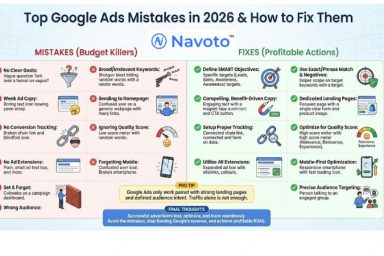
Keyword research is the foundation of any successful Google Ads campaign. Many ecommerce businesses fail to invest adequate time in identifying relevant keywords, leading to poor ad performance. Comprehensive keyword analysis not only involves selecting high-volume search terms but also understanding user intent. According to a 2024 report, campaigns that utilized targeted keywords saw a conversion rate increase of up to 33% compared to those with generic keywords.
Failing to Use Negative Keywords Effectively
Negative keywords are essential for refining ad targeting and improving return on investment (ROI). Without them, ads may appear for irrelevant searches, wasting budget and reducing click-through rates. For instance, if a business sells luxury watches, adding “cheap” as a negative keyword prevents the ad from showing to users searching for low-cost alternatives. This targeted approach can enhance ad relevance and increase the likelihood of conversions.
Not Tracking Conversion Metrics Accurately
Accurate tracking of conversion metrics is vital for evaluating the effectiveness of Google Ads campaigns. Many ecommerce businesses overlook setting up conversion tracking, which leads to an inability to assess ROI accurately. Utilizing tools like Google Analytics and Google Ads’ conversion tracking features allows businesses to monitor key metrics such as cost per acquisition (CPA) and return on ad spend (ROAS). In 2025, 48% of ecommerce advertisers reported improved campaign performance after implementing robust tracking systems.
Overlooking Mobile Optimization in Ads
With over 60% of online shopping now conducted via mobile devices, neglecting mobile optimization can severely limit ad effectiveness. Many ecommerce campaigns still prioritize desktop formats, resulting in poor user experiences on mobile platforms. Ads must be designed with mobile users in mind, ensuring fast loading times and mobile-friendly layouts. Implementing responsive ad formats can enhance visibility and engagement across devices, leading to higher conversion rates.
Nuance / Expert Layer
A common misconception is that once a Google Ads campaign is set up, it requires little to no ongoing management. However, the dynamic nature of ecommerce requires continuous optimization. Factors such as seasonality, market trends, and competitor actions can all influence ad performance. Expert advertisers frequently analyze search term reports, adjust bids, and refine targeting to stay ahead of the competition. Additionally, understanding the impact of ad fatigue and rotating ad copy can help maintain user engagement over time.
Practical Application
- Conduct thorough keyword research using tools like Google Keyword Planner to identify both primary and long-tail keywords.
- Implement a robust negative keyword strategy to filter out irrelevant traffic.
- Set up conversion tracking in Google Ads and Google Analytics to measure campaign success accurately.
- Design mobile-optimized ads and utilize responsive formats to cater to mobile shoppers.
By addressing these common mistakes, ecommerce businesses can enhance their Google Ads campaigns, ultimately driving better performance and maximizing ROI.
Real-World Case Studies of Successful Google Ads Campaigns in Ecommerce
This section examines real-world examples of ecommerce businesses that have effectively utilized Google Ads, emphasizing strategies that drove sales and enhanced brand visibility. Analyzing both successes and setbacks provides invaluable insights for optimizing future campaigns.

Successful Campaigns and Strategies
One notable example is the online fashion retailer, ASOS. By leveraging Google Shopping Ads, ASOS achieved a 35% increase in revenue during the holiday season of 2024. They utilized high-quality images and tailored product descriptions, which significantly enhanced click-through rates. Additionally, ASOS implemented dynamic remarketing strategies to re-engage users who had previously shown interest in their products.
Another successful case is that of the home decor brand, Wayfair. Their campaign focused on utilizing Google Ads for ecommerce through targeted search ads that featured specific keywords related to seasonal sales. This approach resulted in a 50% increase in site traffic and a notable uptick in conversion rates. Wayfair continuously optimized their ad copy based on A/B testing, improving their ad relevance and quality scores.
The Impact of Ads on Sales and Brand Visibility
Google Ads significantly impact both sales and brand visibility. For instance, an analysis of the beauty brand Glossier revealed that their investment in Google Ads led to a 30% increase in brand searches within three months. This surge in brand visibility translated directly into a higher volume of online sales, showcasing the effectiveness of well-structured campaigns.
Learning from Failures and Adjustments
Failures provide critical lessons. A prominent electronics retailer initially experienced low engagement rates due to poor targeting. By analyzing their audience data, they adjusted their campaign to focus on niche markets, leading to a 20% increase in conversion rates. This case illustrates the necessity of ongoing analysis and refinement in Google Ads campaigns.
Industry-Specific Approaches
- Fashion Retail: Emphasizing seasonal trends and influencer partnerships can enhance ad performance.
- Home Goods: Utilizing lifestyle imagery in ads can resonate more with target audiences.
- Beauty Products: Highlighting customer reviews and user-generated content has proven effective in building trust.
Nuance / Expert Layer
Many articles overlook the importance of integrating Google Ads with a comprehensive SEO strategy. While ads can drive immediate traffic, organic search results build long-term brand authority and customer trust. Combining these efforts often yields a synergistic effect, enhancing overall campaign performance. Moreover, misconceptions about the necessity of high budgets can deter smaller ecommerce businesses from leveraging Google Ads. Effective campaigns can be executed with modest budgets through precise targeting and continuous optimization.
Practical Application
To apply these insights, ecommerce businesses should start by defining clear goals for their Google Ads campaigns. Conduct thorough keyword research to identify specific terms that resonate with target audiences. Implement A/B testing to refine ad copy and visuals continuously. Regularly analyze performance metrics to adjust strategies based on real data. Finally, consider integrating ads with broader marketing efforts to maximize visibility and drive sustainable growth.
Integrating Google Ads with Other Marketing Channels for Ecommerce
Effective integration of Google Ads with other marketing channels amplifies reach and enhances customer engagement. By creating a cohesive strategy, ecommerce businesses can leverage multiple platforms to drive sales and establish a stronger brand presence.
Combining Google Ads with Social Media Advertising
Social media advertising and Google Ads can work synergistically to target users at different stages of the buying journey. While Google Ads captures intent-driven searches, social media ads foster brand awareness and engagement. The combination allows brands to reach potential customers through multiple touchpoints, increasing the likelihood of conversions.
- Retargeting Strategies: Utilize Google Ads to retarget users who have interacted with social media ads, reminding them of their interest.
- Cross-Promotion: Promote Google Ads campaigns on social media platforms to drive traffic to product pages.
- Audience Segmentation: Use insights from both channels to refine audience targeting and improve ad relevance.
Using Email Marketing in Conjunction with Google Ads
Email marketing remains a powerful tool for ecommerce, especially when integrated with Google Ads. By using email campaigns to nurture leads, businesses can drive traffic to Google Ads campaigns and vice versa, creating a streamlined customer journey.
- Promotional Emails: Send out email blasts featuring exclusive offers that link directly to Google Ads landing pages.
- List Segmentation: Tailor Google Ads targeting based on email subscriber behavior, ensuring ads resonate with specific audience segments.
- Performance Tracking: Measure the effectiveness of email campaigns in driving traffic to Google Ads by analyzing conversion rates and engagement metrics.
Creating a Cohesive Brand Message Across Platforms
Maintaining a consistent brand message across Google Ads and other marketing channels is essential for building trust and recognition. This includes aligning visuals, tone of voice, and promotional offers. A cohesive approach helps reinforce brand identity and improves overall marketing effectiveness.
As of 2024, brands that maintain a consistent messaging strategy see a 23% increase in customer loyalty. This highlights the importance of harmonizing all marketing efforts, including Google Ads, to create a unified customer experience.
Measuring the Overall Impact of Multi-Channel Marketing
Measuring the impact of multi-channel marketing efforts provides insights into the effectiveness of integrated campaigns. Utilizing tools such as Google Analytics and UTM parameters can help track user interactions across channels, allowing businesses to assess which strategies yield the best results.
- Set up tracking for each marketing channel to monitor user behavior.
- Analyze conversion paths to identify which channels contribute most effectively to sales.
- Adjust marketing spend based on performance data to maximize ROI.
Many businesses mistakenly believe that focusing solely on Google Ads is sufficient for ecommerce success. In reality, a multi-channel approach not only broadens reach but also enhances the chances for conversion by engaging customers at various touchpoints. This strategy is especially vital as consumer behavior continues to evolve, with studies indicating that consumers engage with an average of six touchpoints before making a purchase.
To effectively apply this information, ecommerce businesses should:
- Develop an integrated marketing plan that combines Google Ads with social media and email marketing.
- Utilize audience insights from one channel to inform strategies in another.
- Consistently measure and analyze data from all channels to optimize marketing efforts and budget allocation.
Evaluating the Best Google Ads For Ecommerce
In the rapidly evolving landscape of ecommerce advertising, choosing the right platform is critical for maximizing return on investment. With the global ecommerce advertising market projected to reach $1 trillion by 2026, understanding the nuances of each provider is vital for businesses aiming to enhance their online presence. Key criteria for evaluation include target audience reach, pricing structures, and unique features offered by each platform.
| Provider / Option | Best For | Pricing | Key Feature |
|---|---|---|---|
| Google Ads | All ecommerce businesses | Pay-per-click model, varies by industry | Extensive reach and targeting options |
| Facebook Ads | Visual product marketing | Pay-per-click and impression-based pricing | Highly visual ad formats |
| Bing Ads | Cost-effective PPC campaigns | Pay-per-click model, generally lower than Google | Less competition than Google Ads |
| Amazon Advertising | Selling on Amazon platform | Pay-per-click model | Targeted ads for Amazon shoppers |
| Shopify Ads | Shopify store owners | Varies based on ad spend | Integrated with Shopify platform |
| AdRoll | Retargeting campaigns | Varies based on ad spend | Cross-platform retargeting |
Criteria for Evaluating Program Quality
Target Audience Reach: Evaluate how effectively each platform allows you to reach your specific customer demographic. Platforms like Google Ads offer extensive targeting options, which can be crucial for ecommerce success.
Pricing Structure: Understand the pricing models of each provider. While Google Ads operates on a pay-per-click basis, some platforms may offer impression-based pricing, which could be more cost-efficient depending on your strategy.
Ad Format and Features: Different platforms provide unique ad formats and features that can enhance visibility. For example, Facebook Ads are known for their highly visual ad formats, making them suitable for brands with strong imagery.
Integration Capabilities: Consider how well the advertising platform integrates with your existing ecommerce infrastructure. Shopify Ads, for instance, are designed specifically for Shopify store owners, ensuring seamless ad management within the platform.
How to Assess the Reputation and Reliability of Providers
- Research Reviews: Look for user reviews and testimonials on independent platforms to gauge user satisfaction and performance metrics.
- Check Industry Recognition: Identify any awards or recognitions the provider has received within the ecommerce advertising space, which can indicate reliability.
- Evaluate Customer Support: Assess the quality of customer support offered, including availability of resources and responsiveness to inquiries.
- Test with a Small Budget: Start with a small ad spend to evaluate the platform’s effectiveness before committing larger budgets.
- Analyze Performance Metrics: Continuously monitor key performance indicators (KPIs) such as click-through rates (CTR) and conversion rates to ensure the provider meets your business objectives.
Which Google Ads For Ecommerce Is Right for You?
Choosing the right Google Ads strategy for your ecommerce business hinges on your specific needs, budget constraints, and overall goals. This guide helps you identify the best approach tailored to your audience segment, ensuring effective ad spend and maximized returns.
Small business owners
For small business owners, Google Ads offers a powerful way to run targeted campaigns that can maximize your limited budget. Focus on utilizing keyword targeting and location settings to reach specific customer demographics. A monthly budget of $300 to $1,000 can yield good results, particularly when bidding on long-tail keywords that attract niche customers.
Large ecommerce retailers
Large ecommerce retailers should leverage advanced features like remarketing and dynamic ads to significantly enhance customer engagement. Implementing dynamic remarketing can help target users who have previously interacted with your products, tailoring ads to their browsing history. Budgeting $5,000 or more per month can facilitate comprehensive campaigns that include A/B testing to refine your approach.
Digital marketing agencies
Digital marketing agencies can benefit from a blended strategy that combines Google Ads with Facebook Ads, offering clients a comprehensive online advertising solution. Use Google Ads for search and display campaigns while employing Facebook Ads for social engagement and retargeting. A combined monthly budget of $2,000 to $10,000 can provide diverse touchpoints for client campaigns.
Startups
Startups should consider cost-effective channels like Bing Ads to build brand awareness without overspending. Bing Ads often have lower competition and CPC rates, allowing startups to stretch their marketing dollars further. A budget of $200 to $500 per month can effectively drive initial traffic while maintaining cost efficiency.
Local businesses
Local businesses can significantly enhance their visibility by incorporating local targeting features in Google Ads. Use location-based targeting and call extensions to attract nearby customers actively searching for your products or services. A monthly budget of $300 to $1,200 can effectively generate foot traffic and local engagement.
| If You Are… | Best Approach |
|---|---|
| Small business owners | Targeted campaigns with keyword focus; budget $300-$1,000 |
| Large ecommerce retailers | Dynamic ads and remarketing; budget $5,000+ |
| Digital marketing agencies | Mix Google and Facebook Ads; budget $2,000-$10,000 |
| Startups | Bing Ads for cost-effectiveness; budget $200-$500 |
| Local businesses | Local targeting in Google Ads; budget $300-$1,200 |
Local Strategies for Google Ads in Ecommerce
Understanding geographic and local market factors is crucial when leveraging Google Ads for ecommerce. In fact, 46% of all Google searches are seeking local information, indicating the strong intent of consumers to find nearby businesses. Additionally, businesses with a Google Business Profile (GBP) see a 70% increase in the likelihood of attracting local visits, underscoring the importance of local visibility in driving ecommerce success.
Geographic Market Differences
In competitive urban markets like San Francisco or New York City, ecommerce businesses must adopt aggressive bidding strategies and localized ad copy to stand out. Conversely, in less competitive areas, such as rural towns, businesses can benefit from lower costs per click (CPC) and may focus on community-oriented messaging to resonate with local shoppers. Understanding these dynamics helps tailor campaigns effectively.
Local Business Applications
Local businesses can maximize their ecommerce potential through targeted Google Ads strategies. Here are several concrete applications:
- Utilizing location-based keywords to attract customers searching for specific products nearby.
- Creating seasonal promotions that cater to local events or holidays to drive timely traffic.
- Implementing ad extensions that highlight local store availability, enhancing click-through rates.
- Targeting local demographics with tailored messaging that reflects community values and interests.
Local Search and Visibility Impact
The connection between Google Ads and local search visibility is significant. A well-optimized Google Business Profile not only improves local rankings but also enhances the performance of paid ads. Local businesses should consider the following actions:
- Ensure accurate and up-to-date information on their Google Business Profile.
- Incorporate local keywords into ad campaigns to align with user search intent.
- Use location targeting to focus ad spend on specific geographic areas.
- Leverage customer reviews as part of ad copy to build trust and credibility.
- Regularly analyze local search performance metrics to adjust bids and strategies accordingly.
Pricing and Cost in Local Markets
Costs for Google Ads can vary widely based on geographic market dynamics. For instance, CPC in high-demand areas like Los Angeles can range from $2.50 to $5.00 per click, while smaller markets may see rates as low as $1.00 to $2.00. Local businesses should budget around $300 to $1,000 monthly for effective campaigns, while national players may spend significantly more due to broader targeting.
Local Implementation Checklist:
- Optimize your Google Business Profile with accurate contact information.
- Research local keywords relevant to your ecommerce products.
- Create localized ad copy that resonates with your target audience.
- Set specific budgets based on local market CPC trends.
- Monitor and adjust bids based on performance metrics from local campaigns.
- Utilize ad extensions to promote local offers and events.
- Encourage customer reviews to enhance ad credibility and local visibility.
For Ecommerce businesses looking to generate local leads through Google Ads or Local SEO, GMB Ranger LLC offers hands-on campaign management. Specialist Md Tangeer Mehedi personally handles campaign setup and ongoing optimization — with no payment required until the first lead comes in.
Frequently Asked Questions
What are Google Ads for ecommerce?
Google Ads for ecommerce are online advertising solutions designed to promote products and drive traffic to ecommerce websites. They utilize various ad formats, including text, display, and shopping ads, to reach potential customers effectively.
How do I set up Google Ads for my ecommerce store?
To set up Google Ads for your ecommerce store, create a Google Ads account and link it to your Google Merchant Center. Next, choose your campaign type, set your budget, and create your product ads with compelling descriptions and images.
What is the average cost of Google Ads for ecommerce?
The average cost of Google Ads for ecommerce varies widely, typically ranging from $0.50 to $2.00 per click, depending on the industry and competition. Budgeting effectively involves monitoring performance and adjusting bids to optimize return on investment.
How long does it take to see results from Google Ads for ecommerce?
Results from Google Ads for ecommerce can often be seen within a few days to weeks, depending on factors like budget, competition, and ad optimization. Continuous monitoring and adjustments can enhance performance over time.
What are the best practices for Google Ads in ecommerce?
Best practices for Google Ads in ecommerce include using high-quality images, writing compelling ad copy, and implementing targeted keywords. Regularly analyzing performance data and optimizing campaigns can significantly improve results.
How do Google Ads compare to Facebook Ads for ecommerce?
Google Ads typically focus on intent-driven searches, while Facebook Ads excel in audience targeting based on interests and behaviors. Both platforms can be effective for ecommerce, but the choice depends on the specific marketing goals and audience demographics.
Final Thoughts on Google Ads for Ecommerce
Success in ecommerce hinges on the strategic application of Google Ads, which, when executed effectively, can drive substantial traffic and conversions. Mastering the nuances of this advertising platform not only enhances visibility but also cultivates a competitive edge in a saturated market.
To harness the full potential of Google Ads, initiate a comprehensive audit of your current campaigns, focusing on performance metrics and areas for optimization, such as keyword selection and ad copy refinement.
In an ever-evolving digital landscape, leveraging Google Ads for ecommerce is not just an option; it is essential for sustained growth and profitability.
Leave a Reply