
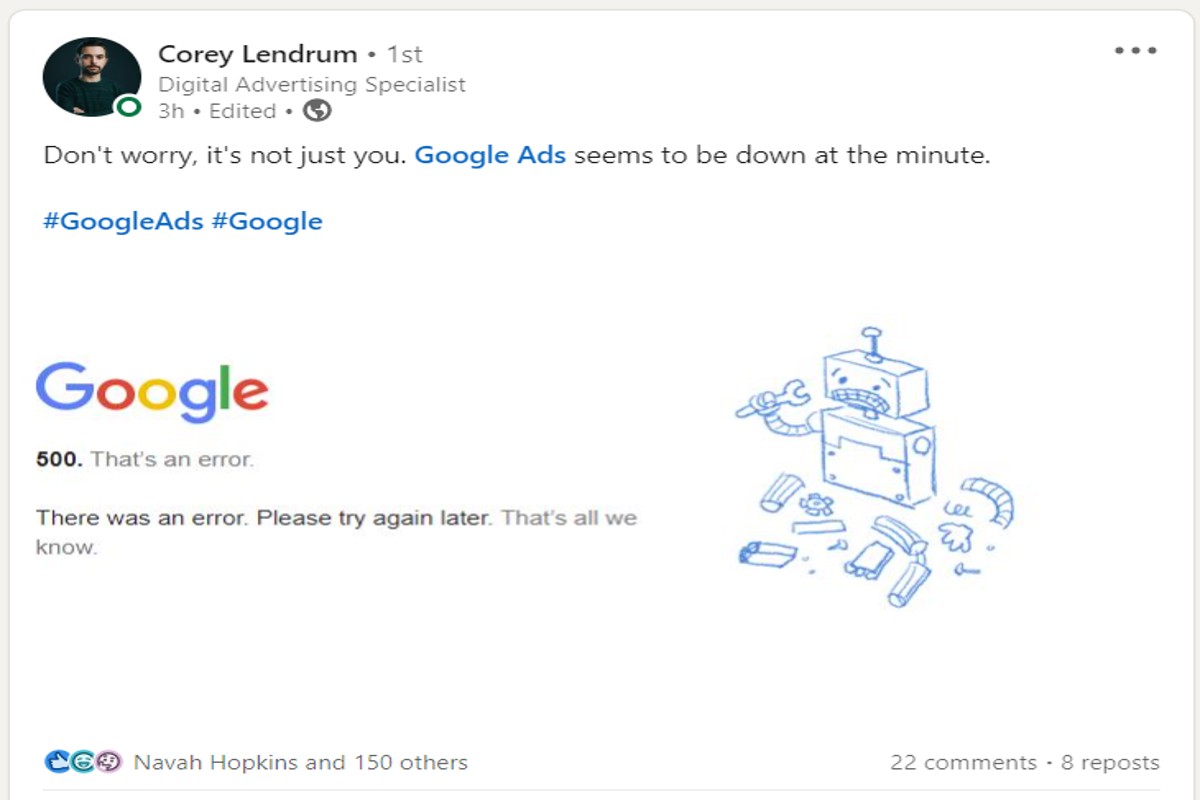
Is Google Ads down? To check if Google Ads is experiencing issues, visit Google’s status dashboard or check social media for user reports. Outages can affect ad delivery and reporting.
Understanding whether Google Ads is down is crucial for advertisers relying on the platform for campaign performance and revenue generation. Missed outages can lead to lost opportunities and ineffective marketing strategies, impacting overall business outcomes.
This article examines how to identify outages, the potential impact on ad delivery, and effective solutions to mitigate disruptions in your advertising efforts.
For Is Google Ads Down businesses looking to generate local leads through Google Ads or Local SEO, GMB Ranger LLC offers hands-on campaign management. Specialist Md Tangeer Mehedi personally handles campaign setup and ongoing optimization — with no payment required until the first lead comes in.
How can I check if Google Ads is down?
To check if Google Ads is down, utilize official resources and community platforms to verify the service’s status. Several methods can provide real-time insights, ensuring users have accurate information regarding any outages.
Follow these steps to confirm the operational status of Google Ads:
- Check the Google Ads Status Dashboard: Visit the official Google Ads Status Dashboard, which displays real-time information about the service’s operational status. This resource will indicate if there are any ongoing outages or disruptions.
- Monitor Google’s Workspace Status Dashboard: This dashboard covers a broader range of Google services, including Google Ads. If there are issues with related services, it may affect Google Ads functionality.
- Consult social media platforms: Platforms like Twitter often feature real-time updates from users experiencing issues. Searching for hashtags such as #GoogleAdsDown can provide insights into widespread problems.
- Visit community forums: Platforms like Reddit or specialized marketing forums can offer firsthand accounts from other users. These communities often discuss outages and provide updates on the situation.
- Check third-party monitoring tools: Websites like DownDetector aggregate user reports about service outages. They can provide a visual representation of outage trends and user comments regarding the status of Google Ads.
Being proactive in checking these resources can save time and frustration during critical advertising periods. Regular monitoring can also help identify patterns of outages, allowing for better planning of advertising campaigns.
Expert Tip: Utilize automated tools or scripts to monitor Google Ads performance metrics. If there are sudden drops in ad impressions or clicks, it could indicate an underlying issue even if the status dashboards report normal functionality.
What causes Google Ads to go down?
Google Ads may go down due to various technical issues, server maintenance, or user-related problems. These outages can disrupt ad campaigns and affect overall advertising performance. Understanding the underlying causes can help users troubleshoot and mitigate potential impacts.
Common technical issues include software bugs or glitches that can hinder the platform’s functionality. Additionally, server maintenance is a routine procedure performed by Google to ensure optimal performance and security, which can temporarily render the service unavailable. User-related problems, such as incorrect account settings or billing issues, can also lead to disruptions in service.
- Technical Issues: Software updates or bugs can prevent access to Google Ads. These may arise from changes to the platform or integrations with third-party tools.
- Server Maintenance: Scheduled maintenance can cause temporary outages. Google typically communicates these outages in advance, allowing users to prepare.
- User-Related Problems: Account settings, such as payment method failures or ad disapprovals, may result in service interruptions. Users should regularly check their account status to avoid these issues.
In some cases, external factors, such as regional internet outages or ISP issues, can also affect access to Google Ads. Understanding these various causes allows marketers to take proactive measures to safeguard their advertising efforts.
Expert Tip: Regularly monitor Google Ads status updates and subscribe to official communication channels to stay informed about potential outages and maintenance schedules. This proactive approach can minimize disruptions to ad campaigns.
How long does a Google Ads outage typically last?
A Google Ads outage usually lasts between a few minutes to several hours, with most incidents resolving within one to two hours. However, the duration can vary significantly depending on the nature and severity of the issue. Historical data indicates that minor outages tend to be short-lived, while more significant disruptions may take longer to address.
Several factors influence the length of a Google Ads outage. These include the complexity of the technical issues, the number of affected users, and the responsiveness of Google’s technical support teams. For example, outages caused by server failures or software bugs may require extensive troubleshooting and testing, prolonging downtime. Conversely, issues related to network connectivity are often resolved quickly.
Additionally, the impact of an outage can differ based on the services affected. For instance, if only specific features, such as ad serving or reporting, are down, users might experience partial functionality, reducing the overall perceived impact. Conversely, a complete system failure would lead to a more widespread disruption, prompting a faster response from Google.
Overall, while outages can occur, Google typically maintains a robust infrastructure that minimizes downtime. Users should remain informed through Google’s official channels for real-time updates during disruptions.
Expert Tip: Regularly monitor Google Ads’ performance metrics and maintain a backup plan for advertising strategies. This proactive approach can mitigate the impact of potential outages on campaign effectiveness.
What should I do if my Google Ads are not running?
If your Google Ads are not running, follow a series of troubleshooting steps to identify and resolve the issue. These steps range from checking your account status to adjusting campaign settings. Addressing these aspects can help restore your ads and improve their performance.
- Check Account Status: Log into your Google Ads account and ensure there are no alerts or notifications indicating issues with your account. Ensure your billing information is up-to-date and that there are no payment-related holds.
- Review Campaign Settings: Examine your campaign settings to confirm they are configured correctly. Verify that your campaign status is set to “Active” and that the start and end dates are appropriate.
- Inspect Ad Approval Status: Check if your ads have been approved and are compliant with Google’s advertising policies. Ads that violate these policies will not run until the issues are rectified.
- Evaluate Targeting Options: Review your targeting settings, including location, demographics, and keywords. Ensure that your audience targeting is not too narrow, which could limit ad visibility.
- Monitor Budget and Bids: Ensure your daily budget is sufficient and that your bids are competitive for the keywords you are targeting. Low budgets or bids may result in your ads not being displayed.
- Utilize Google Ads Diagnostics Tools: Use the built-in diagnostic tools in Google Ads to identify potential issues with your campaigns. The “Ad Preview and Diagnosis” tool can help determine if your ads are being shown.
After following these steps, monitor your account for any changes. If issues persist, consider reaching out to Google Ads support for assistance.
Expert Tip: Regularly reviewing your campaign performance metrics can preemptively identify issues before they affect ad delivery. Implementing automated rules to adjust bids or budgets based on performance can enhance your campaign’s efficiency.
Are there alternatives to Google Ads during an outage?
Yes, there are several effective alternatives to Google Ads that can be utilized during an outage. These platforms and strategies allow businesses to continue advertising and reaching their target audience without interruption. Options include social media advertising, display advertising networks, and search engine optimization (SEO) efforts.
Social media platforms like Facebook, Instagram, and LinkedIn offer robust advertising solutions that can be tailored to specific demographics and interests. Unlike Google Ads, which primarily targets users based on search intent, social media ads capitalize on user engagement and community interaction. Display advertising networks, such as AdRoll and Taboola, enable businesses to showcase their ads across various websites, reaching users based on their browsing behavior. These networks differ from Google Ads in that they focus on visual content and can often yield higher engagement rates in certain niches.
- Facebook Ads: Target users based on interests and demographics; ideal for brand awareness.
- LinkedIn Ads: Best for B2B marketing; focuses on professionals and industry-specific targeting.
- Bing Ads: An alternative search engine; often less competitive and lower cost-per-click compared to Google.
- Display Advertising Networks: Visual ads on various websites; good for retargeting and brand visibility.
- Search Engine Optimization (SEO): Long-term strategy to improve organic search visibility; does not rely on paid advertising.
Additionally, leveraging email marketing campaigns during this time can maintain engagement with existing customers. While these alternatives may not fully replicate the reach and capabilities of Google Ads, they can effectively sustain advertising efforts until service is restored. Each option has unique strengths and weaknesses, making it essential to evaluate the specific goals and audience for optimal results.
Expert Tip: Diversifying advertising strategies not only mitigates risks associated with outages but also enhances overall marketing effectiveness. Consider integrating multiple platforms to create a more resilient advertising ecosystem.
How does a Google Ads outage affect my campaigns?
A Google Ads outage can significantly disrupt campaign performance, reporting accuracy, and budget management. During such an outage, ads may not be served, leading to a direct loss in impressions and clicks, which can hinder overall campaign effectiveness. Additionally, reporting tools may fail to provide accurate data, complicating campaign analysis and optimization.
For example, consider a retail brand running a promotional campaign that relies on Google Ads for driving traffic to its website. If an outage occurs during peak shopping hours, the ads may not display, resulting in a sudden drop in website visits. Consequently, the brand could miss out on valuable sales opportunities. Furthermore, without access to timely reporting, the marketing team may struggle to evaluate the campaign’s performance during the outage, delaying critical adjustments needed to optimize ad spend.
Another impact of a Google Ads outage is on budget allocation. Advertisers may find their daily budgets underutilized if the ads are not running, leading to discrepancies in spending. In some cases, when service resumes, advertisers may experience a surge in traffic as ads are served again, potentially causing budget overspend if not monitored closely. Hence, it is vital to have contingency plans in place for managing budgets during such outages.
Expert Tip: Set up automated alerts to monitor campaign performance and budget usage. This allows for immediate action if an outage occurs, ensuring that budget limitations and campaign objectives remain on track.
What are best practices for managing Google Ads during downtime?
To effectively manage Google Ads during downtime, implement proactive monitoring and adjustment strategies. These practices ensure minimal disruption to campaigns and help maintain performance levels even in the face of outages.
First, set up real-time alerts to monitor the status of Google Ads. Use third-party tools or Google’s own status dashboard to receive notifications about any outages. This allows for immediate awareness and response, enabling quick adjustments to campaigns as needed.
- Adjust Budgets: If an outage is confirmed, consider reallocating budgets to focus on high-performing campaigns or channels. This can help optimize spending and maintain visibility during recovery.
- Pause Underperforming Ads: Temporarily pause ads that are not performing well or are irrelevant during downtime. This prevents wasted spend and allows resources to be reallocated to more effective campaigns.
- Communicate with Stakeholders: Keep team members and clients informed about the situation. Transparency is essential, especially if campaigns are impacted significantly. Provide updates on actions taken and expected timelines for resolution.
- Analyze Performance Post-Downtime: After the outage, conduct a thorough analysis of campaign performance. Evaluate how the downtime affected metrics such as click-through rates and conversions, and adjust strategies accordingly.
Incorporating these best practices can enhance resilience against unexpected outages. Regularly reviewing and updating contingency plans will further strengthen campaign management during such events.
Utilizing automated rules within Google Ads can streamline adjustments during downtimes, allowing for rapid responses without manual intervention, thus preserving campaign effectiveness.
Understanding Google Ads Infrastructure and Common Issues
This section explores the technical framework of Google Ads, highlighting the architecture that underpins its reliability and the common issues that can lead to outages. Understanding these elements is essential for diagnosing problems and maintaining effective advertising campaigns.

Overview of Google Ads Architecture and Reliability
Google Ads operates on a robust and distributed architecture, designed to ensure high availability and reliability. The platform utilizes multiple data centers worldwide, enabling redundancy and load balancing. This architecture allows Google Ads to handle millions of requests per second while maintaining performance. Google employs advanced algorithms to optimize ad delivery, ensuring that ads are served efficiently and effectively, even during peak usage times.
Frequent Technical Issues and Their Impact on Service
Despite its reliability, users may encounter several common technical issues that can disrupt their advertising efforts:
- Server Downtime: Temporary outages can occur due to maintenance or unexpected failures, affecting ad visibility and performance.
- Data Sync Issues: Delays in syncing campaign data can lead to discrepancies in performance metrics, impacting decision-making.
- Billing Errors: Problems with payment processing can temporarily halt ad campaigns, leading to lost opportunities.
Each of these issues can significantly affect campaign performance, leading to decreased impressions and conversions.
User Error Versus Server-Side Problems
When diagnosing issues, it is crucial to distinguish between user errors and server-side problems. User errors often stem from incorrect campaign settings or misconfigured targeting options. In contrast, server-side problems are typically related to technical failures within Google’s infrastructure. Understanding the source of the issue can aid in faster resolution and minimize disruption to campaigns.
How to Interpret Error Messages and Notifications
Google Ads provides various error messages and notifications to help users understand issues affecting their campaigns. Common error messages include:
- Account Suspension: Indicates policy violations or payment issues.
- Ad Disapproval: Signals that specific ads do not comply with Google’s advertising policies.
- Insufficient Funds: Alerts users when the account balance is too low to run ads.
Interpreting these messages correctly is vital for taking appropriate corrective action, ensuring campaigns remain active and compliant.
The complexity of Google Ads can lead to misconceptions about the nature of outages. For example, many users may assume that any issue they encounter is a platform-wide problem. However, localized issues, such as network connectivity problems or browser settings, can also impact individual user experience. It is essential to verify if the issue is widespread or isolated to specific accounts or regions.
To effectively utilize this information, users should take the following actions:
- Regularly monitor the Google Ads Status Dashboard for real-time updates on service outages.
- Review error messages carefully to understand their implications and follow the recommended troubleshooting steps.
- Maintain clear documentation of campaign settings and changes to quickly identify potential user errors.
By implementing these practices, advertisers can better navigate issues related to Google Ads outages and optimize their campaigns for success.
Real-Time Monitoring Tools for Google Ads Performance
This section explores essential tools and resources that enable users to monitor their Google Ads campaigns in real time. These tools are crucial for identifying outages and performance issues, ensuring optimal campaign management.
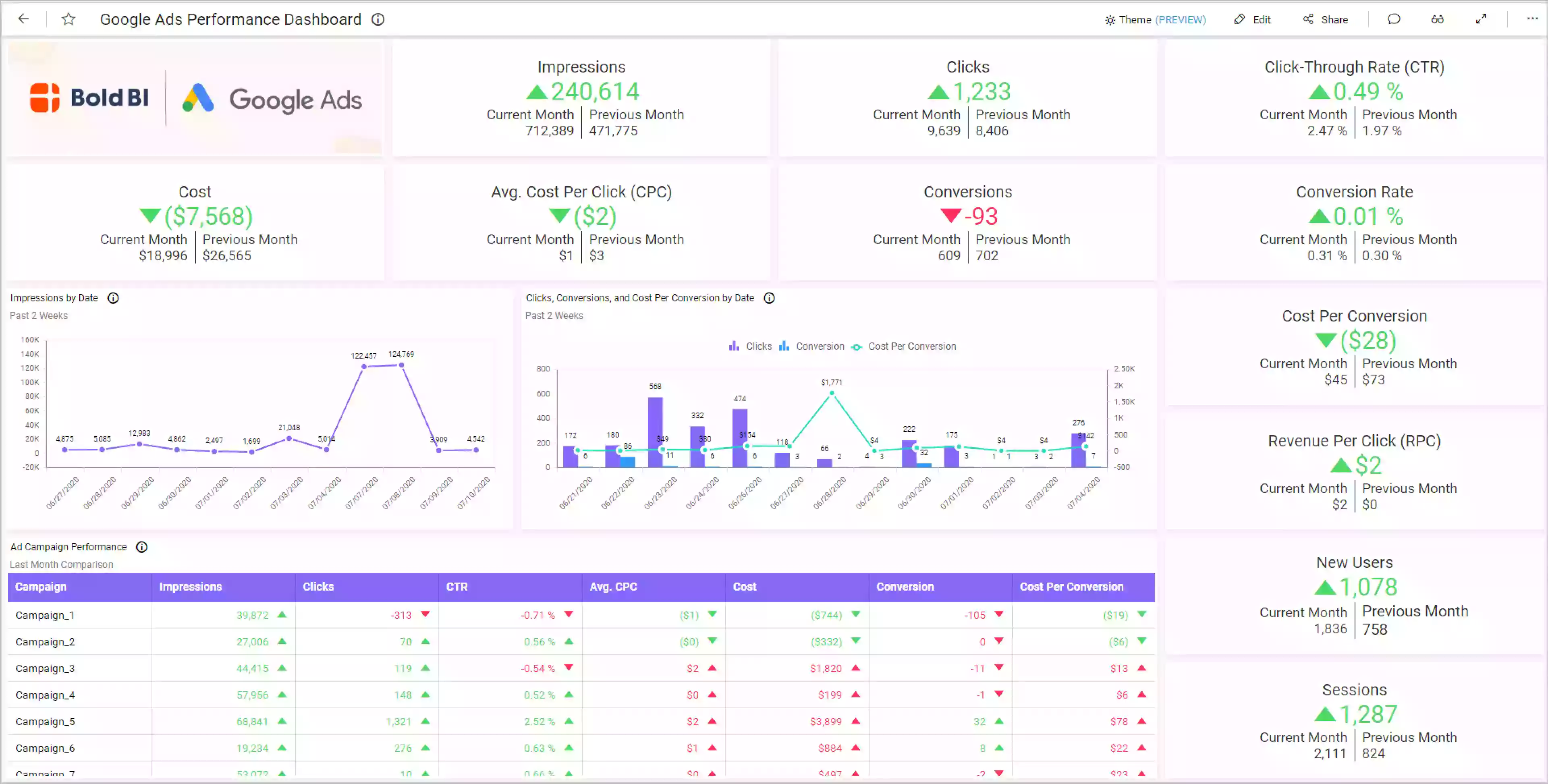
Google Ads Status Dashboard
The Google Ads Status Dashboard provides official information regarding the operational status of Google Ads services. Users can access this dashboard to check for any current outages or disruptions. The dashboard categorizes issues by severity and offers updates on resolution efforts. Regularly consulting this resource can help advertisers determine if the challenges they face are due to broader service disruptions.
Third-Party Monitoring Tools
Several third-party tools enhance the monitoring of Google Ads performance, offering features that may not be available within Google Ads itself. These tools often provide comprehensive analytics, automatic reporting, and competitive insights. Notable options include:
- SEMrush – Offers real-time data on ad performance and competition.
- AdEspresso – Provides campaign management and performance monitoring tools.
- Optmyzr – Focuses on optimization and real-time alerts for performance changes.
Utilizing these tools can help advertisers gain a more detailed understanding of their campaigns and promptly address any issues that arise.
Setting Up Alerts for Performance Changes
Setting up alerts is a proactive way to monitor Google Ads campaigns. Users can configure alerts within Google Ads for various performance metrics, such as:
- Click-Through Rate (CTR)
- Conversion Rate
- Cost Per Acquisition (CPA)
By establishing thresholds for these metrics, advertisers can receive notifications when performance deviates from expected levels, allowing for swift intervention when necessary.
Using Social Media to Gauge Real-Time User Experiences
Social media platforms can serve as valuable resources for assessing user experiences related to Google Ads. Monitoring hashtags or keywords such as “Google Ads down” can provide insights into the experiences of other advertisers facing similar issues. Engaging with communities on platforms like Twitter or Reddit allows users to share information and troubleshoot collectively, fostering a sense of collaboration during outages.
While monitoring tools and social media provide immediate insights, they may not capture every nuance of performance fluctuations. For instance, occasional discrepancies in reporting can occur due to caching or delays in data processing. Advertisers should be aware that not all performance issues stem from system outages; some may arise from changes in market dynamics or user behavior.
To effectively leverage these resources, advertisers should consider implementing the following actions:
- Regularly check the Google Ads Status Dashboard for updates.
- Explore and integrate third-party monitoring tools into their workflow.
- Set up performance alerts to catch significant changes early.
- Engage with social media to stay informed about real-time user experiences.
By adopting these strategies, advertisers can enhance their responsiveness to issues, ensuring their campaigns remain effective even during unforeseen disruptions.
Case Studies: Impact of Google Ads Outages on Businesses
This section explores real-world examples of businesses affected by Google Ads outages and their strategic responses. Understanding these scenarios offers valuable insights into the operational challenges and adaptive measures businesses can implement during such disruptions.
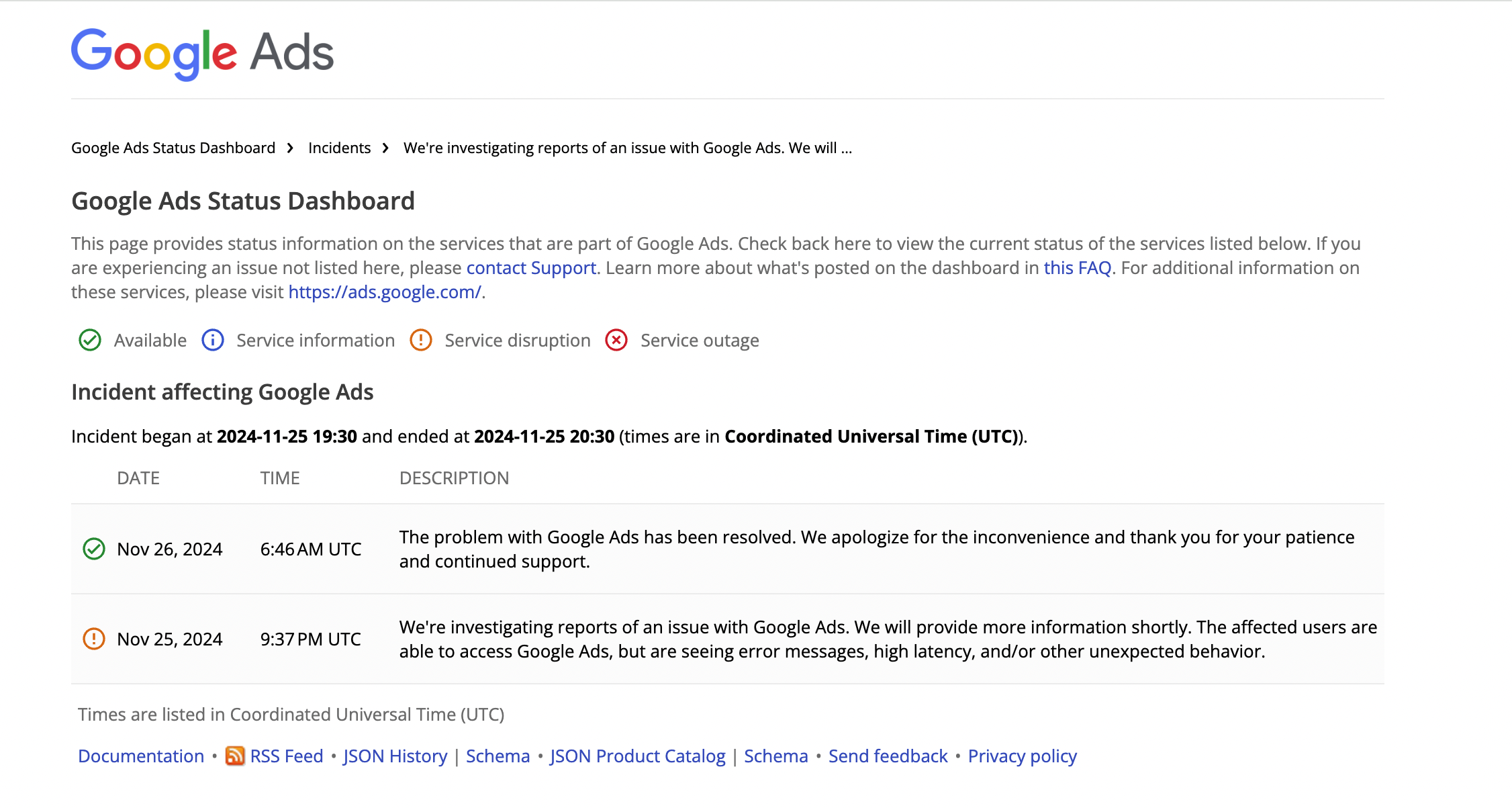
Analysis of Notable Google Ads Outages
Google Ads has experienced several significant outages, impacting various businesses across different sectors. For instance, a notable incident occurred on September 30, 2020, when a widespread outage lasted approximately three hours. During this time, many advertisers reported issues with ad delivery and reporting, leading to missed opportunities and revenue losses.
Another major outage took place on June 2, 2021, affecting multiple advertisers for about four hours. This disruption included problems with ad serving and billing, causing frustration among businesses that rely heavily on Google Ads for customer acquisition. The financial implications during these outages can be profound, particularly for small to medium-sized enterprises (SMEs) that allocate substantial portions of their marketing budgets to online advertising.
Case Studies: Business Responses and Adaptations
- Retailer A: During the September 2020 outage, Retailer A, which relies on Google Ads for 70% of its online sales, quickly shifted its focus to social media advertising. They launched a campaign on Facebook and Instagram to mitigate the lost traffic, resulting in a 15% increase in overall online engagement despite the Google Ads disruption.
- Service Provider B: Following the June 2021 outage, Service Provider B analyzed the data from prior campaigns and decided to diversify its advertising strategy. They began investing in search engine optimization (SEO) to enhance organic traffic, ultimately reducing reliance on paid ads and increasing their website’s visibility.
- E-commerce Brand C: Brand C faced significant losses during a Google Ads outage but quickly implemented a contingency plan. They utilized email marketing to re-engage their existing customer base and launched a flash sale, which helped recover lost sales within a week.
Lessons Learned from Previous Outages
Businesses have drawn several key lessons from past Google Ads outages. Firstly, the importance of diversifying advertising channels has become clear; relying solely on one platform can be detrimental. Secondly, proactive communication with customers during outages fosters trust and loyalty. Lastly, having a contingency marketing plan in place can significantly mitigate the financial impact of unexpected disruptions.
Strategies for Risk Mitigation in Future Campaigns
- Diversify Advertising Channels: Utilize a mix of platforms, including social media, SEO, and email marketing, to reduce dependence on Google Ads.
- Establish Contingency Plans: Develop a comprehensive response plan that includes alternative marketing strategies and budget reallocations.
- Monitor Performance Metrics: Regularly assess campaign performance to identify trends and potential vulnerabilities, allowing for quick adjustments during outages.
Businesses should actively prepare for potential Google Ads disruptions by implementing these strategies. Establishing a multi-channel marketing approach and maintaining open lines of communication with customers can mitigate risks and ensure continued engagement, even during outages. By learning from past experiences, companies can strengthen their resilience and adaptability in a rapidly changing digital landscape.
Future of Google Ads: Reliability and Innovations
This section explores upcoming developments in Google Ads designed to enhance service reliability and minimize outages, as well as how businesses can adapt to these changes.
Upcoming Features for Enhanced Service Stability
Google is actively working on a range of features aimed at increasing the stability of Google Ads. These include:
- Redundancy Systems: Introduction of enhanced redundancy measures that ensure alternate pathways for data flow, minimizing downtime during outages.
- Real-Time Monitoring: Implementation of advanced real-time monitoring tools that can detect anomalies and performance issues before they escalate into significant outages.
- AI-Driven Adjustments: Integration of AI capabilities that automatically adjust bidding strategies and campaign settings in response to performance fluctuations.
Predicted Trends in Digital Advertising Infrastructure
The digital advertising landscape is evolving, and several trends are expected to shape the future of platforms like Google Ads. Key trends include:
- Cloud-Based Solutions: A shift towards cloud-based infrastructures that enhance scalability and reliability, reducing the risk of localized outages.
- Enhanced Security Protocols: Implementation of robust security measures to protect against cyber threats that could impact service availability.
- Cross-Platform Integration: Increased integration with other marketing tools and platforms, providing a seamless user experience and reducing reliance on a single point of failure.
Google’s Commitment to Uptime and User Satisfaction
Google has consistently emphasized its commitment to maintaining high uptime and user satisfaction levels. The company invests heavily in infrastructure improvements and customer support mechanisms. Recent investments in data centers and network efficiency aim to improve overall service reliability. Google’s transparency during outages, including detailed reports and updates, fosters trust and reassures advertisers of their commitment to service excellence.
Preparing for Future Innovations
To effectively prepare for the future innovations in Google Ads, businesses should take proactive steps:
- Stay Informed: Regularly check for updates and announcements from Google regarding new features and service changes.
- Adapt Strategies: Be prepared to adjust advertising strategies based on new tools and capabilities offered by Google Ads.
- Diversify Marketing Channels: Develop a multi-channel marketing strategy to reduce dependency on a single platform, ensuring business continuity during outages.
Future developments in Google Ads promise enhanced reliability and innovative features that can significantly improve advertising strategies. By staying informed and adapting to these changes, businesses can better position themselves for success in an evolving digital landscape. Understanding the technological advancements and strategic adjustments will be critical in optimizing advertising performance amid potential service disruptions.
For Is Google Ads Down businesses looking to generate local leads through Google Ads or Local SEO, GMB Ranger LLC offers hands-on campaign management. Specialist Md Tangeer Mehedi personally handles campaign setup and ongoing optimization — with no payment required until the first lead comes in.
Frequently Asked Questions
How can I check if Google Ads is down?
To check if Google Ads is down, visit websites like DownDetector or check Google Ads’ official Twitter account for real-time updates. You can also try accessing your Google Ads account to see if there are any error messages or connectivity issues.
What causes Google Ads to go down?
Google Ads may go down due to server maintenance, technical glitches, or unexpected outages. Additionally, high traffic volumes or software updates can lead to temporary disruptions in service.
How long does a Google Ads outage typically last?
A Google Ads outage can vary in duration, typically lasting from a few minutes to several hours. Most outages are resolved quickly, but significant issues may take longer to fix.
What should I do if my Google Ads are not running?
If your Google Ads are not running, first check the Google Ads status page for outages. Then, review your campaign settings, budget, and ad approvals to identify any potential issues.
Are there alternatives to Google Ads during an outage?
During a Google Ads outage, consider using alternative advertising platforms like Bing Ads, Facebook Ads, or LinkedIn Ads. These options can help maintain visibility while Google Ads is unavailable.
How does a Google Ads outage affect my campaigns?
A Google Ads outage can halt ad delivery, impacting impressions and clicks. This disruption can lead to decreased visibility and potential revenue loss during the downtime.
What are best practices for managing Google Ads during downtime?
During downtime, monitor the Google Ads status and communicate with your team about the situation. Prepare backup strategies, such as adjusting budgets or exploring alternative ad platforms, to minimize the impact on your campaigns.
Final Thoughts on is google ads down
Understanding the infrastructure and common issues associated with Google Ads outages is critical for maintaining business continuity. Businesses must remain vigilant and proactive in monitoring their ad performance to mitigate the impact of potential downtimes.
Implement real-time monitoring tools to track Google Ads performance, enabling immediate action in case of an outage. This proactive approach ensures that campaigns can be adjusted swiftly, minimizing revenue loss and maintaining competitive advantage.
In a digital landscape where every moment counts, staying informed and prepared for Google Ads outages is essential to safeguarding marketing investments and driving business success.
Leave a Reply